[0:04]Let's see the left part of the FPV view. This is the switch for discreet mode. When using discreet mode, all the lights will be turned off. This icon with the L1 button is the switch for the beacons. On the right, you can use the R3 to enter the camera view. For a larger FPV view space, you can tap the corner icon on the camera view or map view to minimize them. In the middle of the FPV view is the primary flight display, which can help users fly the aircraft more intuitively and easily. Allow users to see and avoid obstacles. The left part is about speed information. This part shows the horizontal speed and speed wheel, as well as the wind speed and direction. This is the horizon line, which reflects the aircraft's attitude. The head indicator is always in the middle of the camera view. The flight path vector shows the position where the aircraft will fly towards. The right part is about altitude. This red line shows the height limit. This is the flight altitude of the aircraft relative to the takeoff point. The orange line shows the RTH height. Here is the vertical speed of the aircraft climbing or descending. The ASL shows the absolute altitude of the aircraft, which is the height above mean sea level. This is the vertical obstacle indicator, which shows the obstacle distance above or below the aircraft. Navigation display. The navigation display, also called horizontal simulator indicator, shows the aircraft and the gimbal orientations and the obstacle avoidance information. Let's see what's inside the compass. The white arrow in the middle represents the aircraft, and it will keep the orientation up. When the aircraft rotates, only the outside compass will rotate as well. The white line is the horizontal speed vector, and it can show the aircraft's direction and speed. The blue arrow on the compass is the horizontal orientation of the gimbal. The orange H is the home point orientation. Let's see outside the compass. The green number above is the aircraft orientation. The degree is counted clockwise from the north to the aircraft's nose direction. When you are on a mission flight, the number on the upper left is the horizontal distance between the next waypoint and the aircraft. When you enable the laser range finder or smart track function, the number on the upper right is the horizontal distance between the target and the aircraft. This number on the bottom left is the horizontal distance between the pinpoint and the aircraft. This number on the bottom right with the letter H is the horizontal distance between the home point and the aircraft.
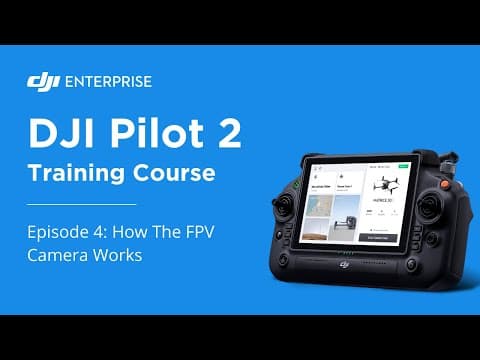
How To Access The FPV Camera On DJI Pilot 2 : Episode 4
DJI Enterprise
3m 25s448 words~3 min read
YouTube auto captions
Transcript source
YouTube auto captions
This transcript was extracted from YouTube's auto-generated caption track. The transcript below is server-rendered so it can be read, searched, cited, and shared without opening the original YouTube player.
Pull quotes
[0:04]For a larger FPV view space, you can tap the corner icon on the camera view or map view to minimize them.
[0:04]In the middle of the FPV view is the primary flight display, which can help users fly the aircraft more intuitively and easily.
[0:04]This part shows the horizontal speed and speed wheel, as well as the wind speed and direction.
[0:04]The ASL shows the absolute altitude of the aircraft, which is the height above mean sea level.
Use this transcript
Related transcript hubs
Watch on YouTube
Share
MORE TRANSCRIPTS


