[0:00]I'm Alexment from Experiment 27. Most of our sales still come from cold emails, which is completely opposite of most agencies who get a lot of their sales from referrals.
[0:09]Referrals is the number one channel. We get most of our sales from cold emails and today I want to jump in and show you exactly what I do when I send these cold emails out.
[0:20]I'm about to go in, show you the exact email script I'm using right now to get clients. This has a 15% meeting book rate. I'm probably going to have to rewrite it after this video.
[0:29]The exact channels I go in to find my clients, I'm probably going to have to change them after this video as well because this is so valuable. So, let's jump into it.
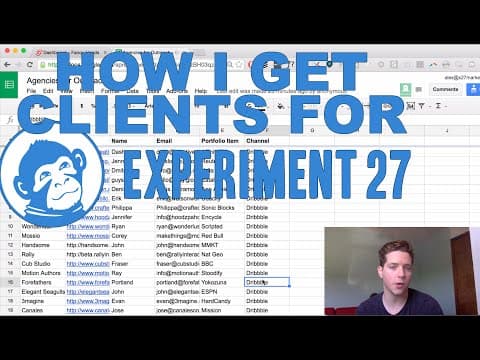
[0:44]So, it all starts with the lead generation document. So, I like to go into Google Drive doc and just create a few different columns. So here it's company, website, name, email, portfolio item, and channel.
[0:57]You also want to write your email template here.
[1:00]Here's mine. Question about company. Hey, name, came across company on channel recently and I'm seriously impressed with what you're doing, congrats on working with portfolio item. I run X27, I'm in charge of growing the number of clients agencies like company get.
[1:13]Then it keeps going, you can pause it, you can read through it. So, we have a few different points we customize in the email. Company name, first name, the channel you found them on are the only points.
[1:26]So, I found all of these guys on Dribble. You go to where your clients are, right?
[1:31]If you're looking for restaurants, it might be Yelp. If you're looking for financial consulting firms, maybe it's a Forbes list. Anyway, find a channel where these guys hang out, even if it's just a big list of clients, and copy-paste that into your channel section here.
[1:45]So, for today, I'm going through Dribble. There's still a lot more, there are still a lot more agencies on here that we can reach out to.
[1:56]Next, you want to find some things that the people can relate to. So, I've got company name, we'll pull the website, the name of the contact. For us, normally it's reaching out to the founder, the CEO.
[2:08]For you guys, it could be the director, if it's a slightly larger company, or even the founder themselves. And then the portfolio item. I'm going to send 40 emails today.
[2:16]So, I'll copy this 40 times. Next, you go over to where your clients hang out. For me, it's Dribble, and you have to create an account here to find the people.
[2:29]So, then I'll go over to all the design teams for hire. If they're looking for design work, they're most likely looking for leads.
[2:37]All right, so I got a bunch of these open. Next step is to put them in this doc.
[2:42]So, I use this tool that splits the tabs to two different sides. It's called Tab Scissors. You can grab that for free. So, let's do it.
[3:51]All right, we got 40 in the doc. Company names and websites. Now, we've still got these three things, name, email, portfolio item to do.
[4:00]So, how do we get the name of the contact? So, I'll show you right now. There's another plugin called Open Multiple Tabs that will basically, if you paste in a list of URLs, will open them all in different tabs.
[4:14]Uh, lazy loading style, which is super cool. So, let's paste them in.
[4:18]Don't load tabs until selected. Open URLs. And then we'll use that same plugin to split.
[4:29]We are Brotherhood, a new design studio based in England with Jamie, Fabio, and Cassius at the helm. So, Jamie.
[4:37]And it's actually Cassius, not Jamie. We'll also find a portfolio item from their site.
[4:46]And for the email address, I like to find, first, I find their first and last name, so it's Cassius Kiani. Found them on Twitter. And basically, there's this thing called emailhunter.co. Just hop on over to it.
[5:01]And we'll type in, first, I like to type in the URL here, um, and Email Hunter will show you if any of these URLs have been published online anywhere. For this, it's weare@brotherhood.io, but that doesn't help us.
[5:14]So, I'll, if that doesn't work, I go to this website thrust.io. And it's Cassius Kiani. Company website. And it'll look for the email address for us.
[5:32]And there it is. cassius@brotherhood.io. So, perfect. Now, I'll do this for all 40. All right, well, that took a couple hours.
[5:38]Um, I had to remove about six of them, so I'm going to add the six that were missing, and then we'll jump into the mail merge.
[5:47]Okay, so I have this script in Streak CRM, and I'll just look through it one more time to make sure it works.
[5:55]And it looks like it does. So, we're going to send it.
[6:01]All right, the emails are sent. Looks like we only had one bounce, so we'll resend this one to Thinkmojo. Otherwise, it looks like it's working, and just so you guys know, the email script does work.
[6:09]Here's one I sent four days ago with a reply, and you can see, uh, in Streak's tracking, people are already opening them. I'm Alex Bermont from Experiment 27. If you liked this video, give it a thumbs up.
[6:20]If you want more content like this, feel free to subscribe to this YouTube channel for more tutorials, and if you need marketing support for your digital agency, check out experiment27.co.


