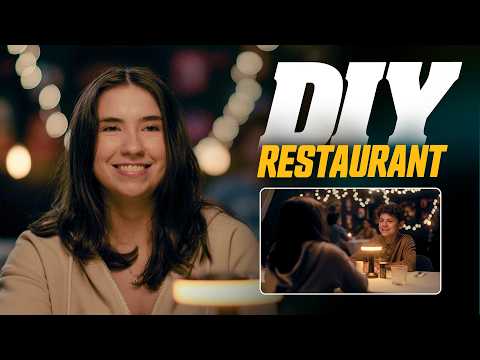
[0:02]A few months ago, we built out a hospital room scene. The challenge that we gave ourselves was that it had to be under $150 and we had to build it inside our studio. And I was shocked at how believable it came out, especially because we did things like using a rug as a wall. Now we want to do it again, this time with a very commonly used location, a restaurant, and this time we did it in two ways. One of these was done as an all-in camera trick like the last one, and the other is green screen, and I'm positive you can tell which is which. So why did we do both? Well, restaurants have so many different types of vibes and looks to them, some more simple, some bigger and more fancy. And for a lot of us, getting these types of locations can be very difficult or even impossible, but that doesn't mean you can't still fake it. Film is a magic trick, and you are the magician. You just have to be aware of your limitations and lean into your strengths. And I do think, as you've already seen, in camera is more convincing, but if you need a bigger, more impressive restaurant, the effects might be your best bet. And with a little extra time and elbow grease, we could get this looking much better still. Well, let's start with the DIY all in camera version, which actually looks like this when we widen out. And just like the hospital set, we turned this space into a restaurant with things we had laying around and a few things off of Amazon. And also, just like last time, we will not be adding the gear that we already own into the budget. Don't be that guy. Nobody likes that guy. The first thing we did here was to set the table in a spot that would give us the most depth and the best starting point to build from. The next thing was to cover our tables with these $15 tablecloths, one that our main talent will sit at, and then one for our background table, which we'll fill with extras later on. Then we set our frame so that we could build based on that, worrying only about the things that are inside our actual shot. And again, choosing this frame because the background gives us the best starting point here. Basically, we are just worrying about foundational elements to start, big broad strokes before getting to the details. And we are of course, staying locked down on sticks to give us full control over what is in frame. And speaking of, we do have this Tribex tripod from Smallrig. It's pretty unique and entirely awesome, mostly because of this. But I'll come back to that. Now we're going to throw up our first light. Our main key light was a China ball because they are underrated and so silky smooth on the skin. And for us, the quality of this light does feel very restaurant. We also shot some light into a bounce board to bounce some light into this side of his face to fill that a bit and used a bar light to bring up the shadows on the back of Emily's head. For our background, we have a few can lights and these hanging Edison bulbs because we're fancy boys. Then we hung some Christmas lights to give the background some more interest and simple design with that dotted boka. And what really helps us here, given that we are trying to make this work with what we have, with very little money, is controlling our frame, meaning, locking into just this area. We are locked down here for a few reasons, one I'll point out in a minute, but you don't have to be. You could be handheld, but we are taking our shot all the way to the very edges of the frame, so we don't want to roam. Of course, in the tighter shots, it's no problem, but the wide does benefit from no movement, so we never see the seams, so to speak. And it'll match our locked down look for the green screen version as well, which we do have our camera on that new Tribex tripod. There's been a good amount of talk about this one, so you may have already seen this in action, but the main
[3:38]while only using one hand. And there may be other tripods like this, but I've never seen it, and now using it, it feels kind of like built-in NDs for me. I never want another pair of sticks that don't have this. And this one comes from our partner Smallrig and is a collaborative project with Potato Jet. And if you haven't seen his YouTube channel, definitely give that a look, he has great gear reviews. But the Tribex is a very lightweight, durable tripod that I've found myself reaching for almost exclusively since we got it. Off the bat, this is a more lean and mean shooting type of tripod. I wouldn't use this for larger projects with bigger, fully kitted out cameras. The payload on this is up to 13.2 lbs, which is solid, but I'm usually cracking 15 with those larger kits. But that's not what this is for. This is definitely geared more toward what we do on a normal basis with film riot, traveling, and so on. And how lightweight it is does keep it insanely easy to move around without sacrificing stability. And that is one of the things that I was nervous about with this tripod. With how the legs drop, will there be slipping? So we did the potato jet test, and they're using something called X clutch hydraulic technology to lock the legs in place, which is a touch annoying at first with how it sets. Once you pull it to the height that you want, if you let go right away, it will drop a touch, so you have to hold it in place for an extra second or two, and it locks where you want. Because of whatever is happening with the hydraulics. I don't know. I'm not God.
[5:02]The huge advantage this brings, though, is the speed of setup like I showed before, and how easy it is to set it on any sort of surface. So that complaint is kind of a silly one when you realize how quickly you're still setting this up, you just have to wait an extra second. But whether the legs need to be at different heights, like you see here, I just pull the handle, it releases the legs, setting them exactly how you need it to be. Then you release the trigger, hold for a second to set it in place, and there you go. Then down at the feet, you have exactly what you expect, the flat no slip that can be popped off to have our spikes here, which should be a no-brainer for any tripod. We're indoors, so we're going to use the flat, of course, set and level our shot in seconds and get back to work. But with our lights all set, we move to the smaller details in the shot like adding salt and pepper, some cups and silverware, all of which we just had lying around our kitchen. And then was this little guy. We got this light for $16 and it is shocking how much work it does to help sell that restaurant vibe. After that, we put some extras on the table in the background and put Justin in a red button down to act as the server, and we had our base shot. But we do want this to feel more alive since it's supposed to be a restaurant in operation, which brings us to another massive element that is selling this shot. And that is the movement inside the frame. Simple crossing like this is an amazing way to bring the frame to life and make it feel bigger than it is. And we've shown this plenty of times on the show, even all the way back in 2012, where we took a very small amount of people and made it feel like a packed room. And I mean,
[6:40]is every single person that was in the room. I walked around in the background and once all frame, I would change what I was wearing so that I could walk back into frame and it feel like different people. And while that was happening, Josh would sporadically move this hoodie past the camera to act as another person passing close to the lens. And with all that in play, this is really working. And for our reverse on Emily, we are already using the full depth of the room, so instead of making a whole new background and actually turning the camera around, we did a French turnaround. Which is when you keep the camera in the same relative position and what's in front of the lens does the switching. The main key here is to switch with shoulder of the near actor that we're over, so our 180 stays consistent. And this worked perfectly because of how out of focus our background is. We also moved the background table and chairs over to the right side of the frame, but we realized that you couldn't actually see the table there at all. So we kept the extras there, but then we moved the table back to the other side of the frame where I sat down so we could add a bit more to the room. And just like that, we are at a restaurant inside of our studio. Next is our VFX version, but before we get into that, let's take a little bit more of a look at the Tribex tripod. We already talked about its sexy legs.
[7:53]Nice. But up here, we have a very nice fluid head. The pan and tilt feels solid with adjustable drag control and locks. You also have a counter balance in the head, so where I tilt, the camera will stay. And adjustment control here based on the weight of your camera. For the plate, you have the typical small rig top load in, but you can also flip a switch to be compatible with DJI RS plates as well. And down here, under the plate, you have a built-in flat head, and down here, the hook can also pop out, giving you this Allen key as well. And this center column is also movable. I can bring it up to get more height, I can invert it to hang the camera, or take it out altogether to get very low angles. It's just a crazy practical tripod. Like, for instance, we have quarter 20 mounts on both sides of the tripod to mount monitors or whatever else you would need. I think Potato Jet showed mounting an iPhone, for instance. But I mean, the entire selling point for me is this. The handles that trigger the leg can also be locked, using it as a normal handle just to carry, and tucked in to store when moving around. Then pops right out for use again. I do have one actual small complaint, though. The only way to level this tripod is when you're setting up the legs. So when you trigger it to open those legs, you move to bubble. Then hold, let it lock in, and then you're set and leveled, which is cool. But the times that I've let go too quickly, my bubble goes out and I have to start over. So while I love the idea of setting it up and leveling it quickly on the go, I'd prefer to have an additional option for bubbling on the head as well. But it's something that I'm sure they'll fix in the future, and a negative that I'm willing to live with in exchange for how quickly you can set this thing up. For instance, when setting up our green screen shot, usually I would take the camera off the tripod and find the shot that way, then set the sticks after that. But with this system, it's much easier to just keep the camera on and adjust that way. But now that we have our frame selected, we can move into our green screen shot. I've said it on the show plenty, the best case scenario for me is always to shoot practically, or at least as much as possible in camera. But if you don't have the space to build these larger style locations, or if it's a look that's just beyond DIY capabilities, then another option is visual effects. So we shot Justin on green, using the same table, but lighting him with warmer tones to match the mood we were going for. And it was surprisingly difficult to find any stock restaurant footage or images with the style and camera angle that we needed. So instead, we made the image in mid journey, popped it into Photoshop to erase some things that we didn't want, then dropped that into After Effects. Of course, we need to key Justin first, but we're not going to get into that since we've done it so many times, so if you want more on keying, check the notes for a link on that. But after we pulled our key, we line up the background plate to match our camera angle, and like our practical setup to bring life to our environment, we grabbed green plates of extras at the table and people walking by, which we can use as other people in the restaurant. We also grabbed a few free stock clips from Pexels.com, which works great for these people more in the distance, and then filled the scene with multiple stock assets of candles to give us natural flicker motion, rather than staying completely static, which would have been a dead giveaway. Now, while this might not be the cleanest composite, we get to knock it out of focus with a lens blur effect, which does help us hide issues. And for those close-up versions, we can blur the background even more. And of course, we finished the look off by adding a glow and a final grade. And for me, the closest shot is the one that really works the best and sells in any real way. The wide doesn't work at all, and the mid is okay. And granted, if we had more time, we could definitely take this further and get something very believable. But the VFX version already took longer than the practical one, and I wanted to compare closer to one for one. So in the end for me, if it can be done in camera, do that. Because even if we did have more time, there's always something a little uncanny valley when it comes to things that are fully artificial. But there you have two options to get yourself a cheap or free restaurant set and a pretty badass new tripod. And yes, Smallrig was a partner on this episode, but I've been using this tripod for months now and I honestly have been reaching for this versus all my others 90% of the time. So if you're looking for a new lightweight tripod that is perfect for travel, I highly recommend this one. As always, links to everything in the notes below, including the Tribex tripod, and be sure to hit that subscribe
[12:28]Dota.