[0:00]Most landing pages suck, here's how to have them suck less. First, start with the headline, you have to stop the person in their tracks and promise a clear outcome, that's it. Sub headline clarifies that promise, it's basically like in YouTube you've got your headline and your thumbnail, it's the relationship between those two things, add context to the headline. The hero image should add proof to the headline and sub headline, so either I'm showing you the thing you're going to get or the outcome that you want to experience visually. The CTA should have what they're going to get and how they're going to get it, nothing else. For the form, you want to have as little information as required to get a qualified lead, but that could still be four or five pieces of information. In my experience, I tend to add more than I used to at the beginning because I used to want to get more opt ins and now I want more customers. If you have more than five fields of information, break it into multiple steps. Optional, you can add one line description to a lead magnet, the whole purpose is to answer, why should I give my email? It's justification. If you're going to have bullets underneath the fold, I like three bullets and it should be the three biggest objections in order of most common to least common. Over time, I used to put a lot of social proof on my landing pages, but if for some reason I need it or it's more complex, I will put social proof underneath. In terms of everything else visually, the point is to keep it blank because we want to direct all the attention towards doing the only thing you have to do. Often times, the more you lengthen the landing page, the lower it will convert. So keep it mobile optimized, keep it fast, compress all the images so it loads quickly, and then last but not least, put all the legal stuff so you don't get in trouble. And fundamentally, the razor used for everything is if it doesn't increase opt in percentage of qualified leads, cut it.
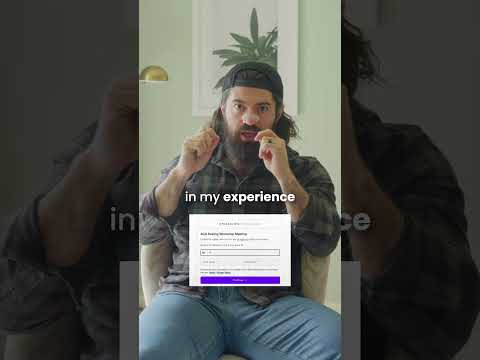
We Make Our Landing Pages Like This
Alex Hormozi
1m 28s368 words~2 min read
YouTube auto captions
Transcript source
YouTube auto captions
This transcript was extracted from YouTube's auto-generated caption track. The transcript below is server-rendered so it can be read, searched, cited, and shared without opening the original YouTube player.
Pull quotes
[0:00]First, start with the headline, you have to stop the person in their tracks and promise a clear outcome, that's it.
[0:00]Sub headline clarifies that promise, it's basically like in YouTube you've got your headline and your thumbnail, it's the relationship between those two things, add context to the headline.
[0:00]The hero image should add proof to the headline and sub headline, so either I'm showing you the thing you're going to get or the outcome that you want to experience visually.
[0:00]The CTA should have what they're going to get and how they're going to get it, nothing else.
Use this transcript
Related transcript hubs
Watch on YouTube
Share
MORE TRANSCRIPTS


