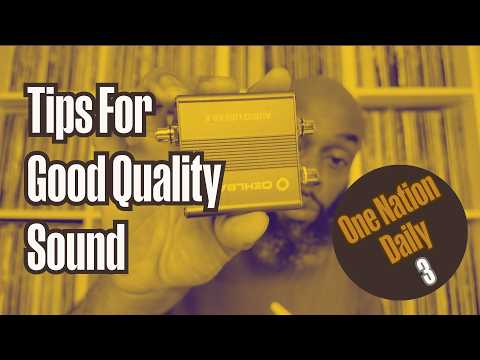
[0:00]Peace. I trust you're healthy and well. My name is Maurice, aka DJ Crook of One Nation Experience, and welcome to day three of this 30-day challenge of me showing up here every day for 30 days to talk to you about a different topic, which we are now calling One Nation Daily.
[0:18]All right, so welcome to day three of One Nation Daily. If you want to find out how and why this came about, then just check out the video from day one entitled Heads Up, where I give you that information.
[0:30]And if you missed yesterday's video, feel free to check that out where I did a review on a festival/conference that I attended recently called Equity in Grief. So check that one out too from yesterday.
[0:45]Today I want to talk about and share with you some tips that I use to ensure that we have really good sound quality here at One Nation Experience.
[0:58]I want to share some of the tips that I use to do that. Everything that we do here at One Nation Experience revolves around having really good sound quality, whether it's DJing, whether it's hiring out the sound system or the DJ equipment, playing on our own sound system and equipment, whether it's the live streaming that we do.
[1:16]Everything requires us to have very, very good sound quality. I am very, very passionate about that. If you've listened to me do any of my reviews on Instagram, that you'll then you'll know that I always make reference to the quality of the sound.
[1:33]Whether it's a live show, whether it's the production of an album, I always make reference to the quality of the sound. I'm very, very passionate about that. I am a sound man at heart and by nature, and so sound quality has always been and always will be very, very important to me on a personal level and on a professional level.
[1:56]So I want to share with you some of the tips that I use and you can use to ensure that you get good sound quality as well. First thing is do your research, do your homework.
[2:08]Before you part with your money to buy any piece of kit or equipment, do your homework, do your research. I never part with any money without doing tons of research on any piece of kit that I'm interested in buying before I spend my money.
[2:27]All right, and I advise you to do the same. So how do I do that? I look at what other people are using, what other DJs are using, what other sound system owners are using, what are the live streamers are using. I check out what the people around me in my field are using.
[2:59]And I also will look at reviews of the equipment that other people are using. I go on YouTube and look at reviews, you know, you can go on YouTube and you'll get half a dozen to a dozen reviews on every single thing that you want to purchase nowadays. There's a YouTube, there's a YouTube review video for almost everything.
[3:17]So I look at review videos on YouTube as well, find out what other people are saying about the products that I'm looking at, the products that I'm interested in. Um I pay attention to whether or not the bits of kit are going to meet my needs, my specific needs.
[3:40]So just because someone else is using something doesn't mean that it's going to work as well for me as it's working for them. You know, they might have bought that piece of kit because of XYZ specifications, that might not be relevant to me or that might not work for me.
[3:55]So I make sure that I am clear on what I need this piece of kit to do and I look at what's out there that best meets my needs. I also look at reviews on sellers, particularly if you're going to buy anything that's secondhand.
[4:13]And I do have some bits of secondhand equipment as well. Most of it is new, but there are some bits I've bought secondhand. And it's important that you look at the reviews of those sellers as well to make sure that they're reputable. Say, for example, on eBay.
[4:25]It's very important that you look at the reviews and the ratings of people there to make sure that you're buying from reputable sellers and then you're not buying from people who are going to rip you off and sell you dodgy or rubbish kind of equipment. You know, so look at the reviews of the equipment, but also look at the reviews of sellers, particularly if you're going to be buying any secondhand equipment.
[4:50]And so basically, do your do your homework and do your research. Once I've kind of got an idea of what's out there, I might narrow my interest down to three products.
[5:01]All right, so I like this one, this one, and this one. These three seem to be the ones that most meet my needs. And then I'll do a deeper dive research dive into those three products and do a deeper comparison of those three products before making a final decision about which one I want to purchase.
[5:23]So that's the process that I tend to use. I will mention as well about cost and budget. Now, that comes as part of my research.
[5:34]Some people might advise that you set a budget before you go looking to spend or or do your research. I don't really advise people to do that, and I don't really do that myself.
[5:50]I find that in the process of doing the research, I will start to get an idea of what the products that best meet my needs are going to cost.
[6:01]So once I've looked enough or done a little bit of research, I'll start to get an idea of, okay, I need this kind of equipment and um the going rate for this level of equipment that I am looking at is XYZ or between this range to this range.
[6:21]So then I kind of know what I'm looking at spending. And so I spend that. That's, yeah, it becomes a case of that's what I'm going to have to spend if I want that level of equipment. There's no point in me setting a budget, say, for example, of, say, for example, I set a budget of 200 lb for me to go out and buy some new speakers.
[6:40]I know that there is nothing out there available within the 200 lb price range that is going to meet my needs or be to my levels of of of needs within my business, personally or professionally.
[6:57]So there's no point in me setting a budget of 200 lb, and then going out there and looking at what I can get within 200 lb because there's nothing out there within that price range that's going to work for me.
[7:08]So this is one of the reasons why I said I I don't set a budget. I just look at what's out there that meets my needs, and then that will tell me what I'm looking at spending for that level of tech or that piece of equipment.
[7:20]So, do your homework, do your research is the first point before you part with your money. All right, do your homework, do your research.
[7:30]Something else I wanted to mention on this research point, but hopefully it'll come back to me later on. The next point is, this is a very handy one, ground loop isolators.
[7:39]Now, what are ground loop isolators? They are little devices that can help you to eliminate that annoying buzzing and humming that you can sometimes get when you connect say for example, your DJ mixer or controller, or even your home system if you have that buzz that that annoying buzzing sound. It can help you to eliminate that sound.
[8:05]I'll give you an example. Uh about a year ago, a year or so ago, or maybe a couple years ago, I was booked to do a birthday party at a venue here in London.
[8:21]And I needed to connect, the venue had a sound system already, so I always do a recon of the venue, what they have, do I need to bring sound, do they have sound already, et cetera, et cetera.
[8:31]This venue had sound system already, they had sound equipment. And so I just needed to bring DJ equipment to plug into the venue's set. When I got there, and I plugged into the venue set, set my equipment up and plugged into the venue set, there was this horrid buzzing humming sound that was overbearing the music.
[8:50]It was totally unworkable. There was no way I was going to be able to do this party and DJ the whole night with this infernal buzzing going across all of the music that I'll be playing.
[9:05]And the staff at the venue explained to me that the reason that this buzzing was there was because the building was so old and the wiring in the building was so old.
[9:14]That's why we were getting this interference from the power cable and the electrical wiring in the building was interfering with the audio cable in in the building. So, I spoke to the manager about this.
[9:30]He said, wait there, one second. And he went away and came back with one of these devices here. Now, this is a ground loop isolator. This is the exact one that he brought to me that day.
[9:46]Now, you will notice the connections on this. It has phono/RCA connectors on it. These are not really, phono connections connectors are not really meant for professional use.
[9:59]They are intended more for domestic use, which is why you see these kind of connectors on home hi-fi systems, rather than in venues or professional venues. But these were the connections that this venue had, so this is what we had to use.
[10:16]So anyway, he brought this and so what I did was, I plugged down at the system and in then plugged into this, and then out of this into the venue system. So this was in between my DJ equipment and the venue's sound system.
[10:33]And this instantly cut out all of that buzzing and all of that humming. Problem solved. Needless to say, as soon as I got home that night, in fact, needless to say, I took a picture of this before I left the venue, and when I got home, probably before daylight, I'd ordered myself one of these on Amazon.
[10:53]It cost maybe 50 pounds or less. It didn't cost very much, but very, very handy to have one of these. So if you're a DJ that has a controller, for example, that has phono or RCAs as an output, I highly recommend you get one of these.
[11:09]Look, it's very small. You can easily put this in your DJ bag or your DJ case in case you get to a venue where you need to plug your controller in to a venue set and you get that horrible infernal buzzing, you can just pop this out and connect this in between your controller or your DJ mixer and the venue set.
[11:21]And hopefully this should deal with that problem and eliminate that buzzing. If your DJ equipment or controller uses XLR sockets or connections connections, then you can use an isolator like this. This is also a ground loop isolator, but that has XLR connections.
[11:47]All right. Again, very small, um very portable, easy to just slip inside your DJ bag or DJ case. Very easy to carry around, but these can be lifesavers for you if you walk with your DJ mixer or controller and have to plug into a venue's equipment and you get that buzzing sound.
[12:07]Another potential solution is one of these, a stage box. Now this is bigger, bulkier and heavier, and a bit more cumbersome or awkward to carry. These generally are used in live music situations, usually to connect say for example, keyboards to a mixing desk for a live show.
[12:31]That's how I generally use these. These that's how these are generally used. However, recently I was at a venue and I saw the engineer was using one of these between the DJ's mixer on stage and the mixing desk that was on stage as well.
[12:49]And he said, the engineer told me that he uses this. Even though he was using it from the DJ mixer, he told me that he uses this just to ensure that he has a very clear audio signal from the DJ mixer to the mixing desk.
[13:04]I've never seen one of these used in that way before, but it tend to work for him, and the sound system in that venue was really, really good. So, apparently, you can use a stage box for that purpose as well, but these are generally used for live music situations on stage.
[13:22]But ground loop isolators, little things that are very, very good at eliminating that annoying buzzing in audio signals. So, particularly for the DJs, get yourself one of these if you are used to walking with your controller or your DJ mixer and connecting to other venues or other people's equipment.
[13:48]These can be actual life savers. Next thing is to stay out of the red, DJs. It amazes me to this day, how many DJs either don't know this or just ignore this when it comes to monitoring the levels on their mixer or their controller.
[14:08]Stay out of the red. So you have your LED peak level meters that go up and down when you're playing your music and where up into the red, it sounds terrible. I was taught to think of these as traffic lights, and I'd advise anyone to do the same. So if you're in the green, green is cool, you're good to go.
[14:30]If you start going into the yellow, into the amber, amber normally means beware, be prepared, be ready. Lights about to change green or about to change red, get ready. Same on your mixer.
[14:43]If you're in the amber, it's just telling you to be alert, beware, you might need to bring your levels down. Now, like with the traffic lights, you're not going to get a ticket for going through an amber light. And likewise on the mixer, it's not catastrophic if you're in the yellows or the amber on your mixer.
[15:02]All right, it's just telling you to be aware. However, if you're in the red, red is danger. It's the universal color for danger in these situations. Same with the traffic lights, stop, stop. Just stop putting the music all the way up there. Take the levels down. All right, take them out of the red. Stay out of the red.
[15:17]If you are seeing red on your mixer or your controller in your levels, it sounds bad. Stop it. Stop it, stop it, stop it. Take your levels down, come out of the red. Stay out of the red. All right. Next one, try and have some sort of interface in between your DJ mixer or your controller and the amplifier or speakers that you're going to be playing through.
[15:45]All right. Now the conventional setup, unfortunately, in most venues, in my experience, is that the DJ mixer or controller is connected directly to the amplifier or speakers that are being used at the venue.
[16:01]There is no audio interface in between, there is no sound processor, no EQ, no nothing in between the DJ mixer or controller and the amplifier or the speakers. This is the most basic setup that you can possibly have in terms of setting up audio or sound system.
[16:20]And that is why you get the most basic sound. You cannot get really good sound when the DJ equipment is directly connected to the amp or the speakers. If you want to get really good sound quality, you need to have some sort of interface in between the two.
[16:38]A DSP digital sound processor, a mixing desk, even an EQ, even an equalizer, something in between your DJ equipment and your amp or your speakers, to help manage and shape the sound better.
[17:19]The next one is to have good quality cables. There is no point in spending good money on good equipment and then using cheap 99 pence cables to connect it all up.
[17:35]You're going to defeat the purpose of getting good quality equipment. So, just as important as getting good quality equipment is getting good quality cables. If you are going to use XLR cables to connect your equipment, try and get balanced cables. It's very important you get balanced cables.
[17:54]Balanced cables help to eliminate some of that interference that I was talking about earlier on that you can get from external sources such as power cables that are running alongside audio cables.
[18:07]So if you get balanced cable, it helps to eliminate any interference, any outside interference from other sources, particular power cables. So get balanced XLR cables if you're using XLRs. As a general rule, when it comes to connecting cables, not necessarily XLRs, but as a general, a general rule, the thicker the cable, the better the quality.
[18:30]That's not a a a really solid rule, but as a general, a general rule, the thicker the cable, the better the quality. But also as part of your research, you will get to learn what types of cables are the good brands of cable and which ones are the bad brands. This is another point, actually, while I mention that, let me just pop back to the research bit, which was the first point.
[18:52]As part of that research, get to learn and know what are the good quality brands and what are the not so good quality brands. And obviously, make sure that you are buying or looking at equipment from the list of good quality brands, not the bad ones, okay?
[19:15]So get good quality cables to connect up your equipment. The next one is to also get good quality audio files. Now, in this digital era, most people are working with MP3s.
[19:26]But there are different levels of quality with MP3 files, all right? And the easiest way to denote the quality of an MP3 file, an MP3 audio file is the bit rate.
[19:42]Bit rates go from anything like 16 up to I guess 320. 320 being the better quality MP3.
[19:54]If you go down to like 96 or lower than that, then it's it's really not good quality at all. But the bit rate of an MP3 file gives you an idea as to the quality of that audio file.
[20:08]So you want to have good quality audio files. MP3s, if you're just going to be listening to music on your phone or something like that at home or through your laptop. 128 bit rate, 128 bit rate should be fine.
[20:23]If you're going to be playing music professionally, then you really want to be looking at your MP3s being 256 and above. Music from iTunes usually comes at a bit rate of about 256, which is is pretty good. That's okay.
[20:41]I tend to buy most of my music on band camp, from band camp and iTunes, because they give me good quality audio files. iTunes, as I said, provides them at about 256 bit rate, and you have no choice about the type of audio file or the quality or the bit rate of those files when you purchase from iTunes.
[21:05]The thing I like about Bandcamp, and the reason why I get most of my music from Bandcamp, well there are a number of reasons. One is because I can get the type of music that I like to play. I follow my favorite producers and artists, and when they release their music, I get a heads up specifically from them.
[21:20]And so I can go on and purchase their music. The other reason is because Bandcamp gives a greater share of the money that I spend to the artist. iTunes gives a much smaller percentage of the money that I spend to the artist. Bandcamp is better for the artist because they get a better share of the money that you spend over there with them.
[21:44]So that's another reason why I like spending on Bandcamp, because I am financially providing more support to to the artist. Also with Bandcamp, Bandcamp gives me the choice of the type of audio file that I want to download.
[21:56]Now there are different types of audio file. You have wave files, MP3 files, AA files, AAC files. There are different types of audio files. But Bandcamp lets me choose the file type that I want to download this music in.
[22:12]So I love having that option. And with MP3 files, I can download my MP3 files at different rates. I can download them at 320, which is a really high bit rate for a, which is a high bit rate for an MP3 file.
[22:26]Whereas iTunes only gives you one bit rate, which is generally 256. So Bandcamp gives me the option of downloading different file types and at different types of quality, different levels of quality.
[22:44]A lot of people won't really notice much difference, if any difference, between hearing a piece of music as a MP3 file at 320 bit rate or as a wave file.
[23:25]Some people will. The discerning the discerning ear will hear a slight difference. And for me, I've hear that difference. And I've started to notice that difference more of late as I've started to really pay more attention to it. So I've started to download more of my music in wave file format.
[23:45]It just sounds a little bit brighter to me. And it's better to have a wave file, particularly when you're going to be playing if you're going to be playing music on bigger sound systems, at bigger venues, then a wave file is going to be better.
[24:00]The thing to be mindful of with that, however, is that wave files are much bigger. They take up much more storage space than MP3s. So say for example, if I download a file in an MP3 format that has a bit rate of 320, which means it has good quality.
[24:18]That may take up, say, for example, it takes up 10 megabytes of storage space on my laptop. If I downloaded the same file as a wave file instead of an MP3, that's more likely to take up 50 megabytes of space, five times more storage than the MP3.
[24:41]So that's something to bear in mind. Wave files take up five roughly five times more space than MP3s. Another thing to bear in mind is when I download MP3s, all of the metadata and and I import that into my iTunes, all of the metadata comes up.
[24:58]The metadata is the the track title, the artist or group, the album title, the year it was released, and all of that information. When I import it into iTunes, it populates all of that beautifully for me, so I don't have to do it.
[25:14]However, if I download files as wave files from Bandcamp and import those into my iTunes, it doesn't give me all of that metadata. I have to put it all in manually. So the most it will give me is the track title and it may give me the artist or group, all on the same line, but I will have to populate it separately in iTunes.
[25:39]Or I can do that in my DJ software, Serato DJ Pro, and it will do that for me in iTunes as well. But the point is, the metadata doesn't come through when you download a wave file from Bandcamp.
[25:52]You have to put that in separately yourself, manually, even though the sound quality is better. So, that's just something to be aware of or be mindful of, of the differences between wave files and MP3 files. But MP3s, if you just play music on your phone or your laptop or whatever at home, 128 bit rate is good enough quality.
[26:10]If you're DJing or doing anything with music professionally, then you need to be looking at 256 and above or looking at wave files. So get good quality audio files and get your music from good sources as well.
[26:24]So, as I said, I get most of my music from iTunes and Bandcamp. Those are good solid sources. I know that everything I download from those platforms is going to have good sound quality. If you are downloading music from YouTube or you're just ripping YouTube videos, you're not going to get great sound quality from that at all.
[26:47]So, get good sources from your music and make sure that the audio files that you're using are of a good quality if you want to get the best sound quality. This next one relates more to live streaming or live streamers or anyone who wants to do a live stream, particularly a mobile live stream.
[27:10]Which is to make sure that you have separate microphones from your live streaming device. Now, say for example, someone is, as I've mentioned before, we do a lot of live streams mobile live streams either of either of live music events or of funerals.
[27:29]We do a lot of those live streams too. And particularly for the funeral live streams, we always use separate microphones for that. We don't just use the microphones that are built into the cameras that we use. We use separate microphones. And it's important that you do that for good sound quality for two reasons.
[27:46]One because separate microphones generally will give you better sound quality. Secondly, because the audio that comes into that mic is going to be more directional. And it's going to be coming more from the source that you want it to come from.
[28:00]Whereas if you just use the microphone that say for example, in your phone, then you're likely to be picking up everything around you. And I've watched people do live streams of funerals before on their phone, and they've used the microphone within the phone.
[28:18]And the microphone is not only picking up, the person that's speaking at front, in fact sometimes it doesn't pick up what's being said at front very well at all. But it does pick up the conversations of everyone around that phone. And sometimes it can be so cringe hearing what people are saying around that device and not realizing that their conversations are being caught on this camera, or being caught on this device.
[28:44]So, if you're going to do a mobile live stream, always have a separate microphone that you're using to capture audio. All right? If I'm going to be doing, or if you're going to be doing a live stream of a music event, a live show or DJ event, then you should have a direct connect from your DJ equipment or audio interface that plugs directly into your live streaming device.
[29:13]So when I live stream, if I'm DJing out somewhere and I want to DJ, I want to live stream that set. I always connect the my DJ mixer directly into my live stream device. I run a lead directly connected from my DJ mixer into the live stream device to ensure that that live stream is getting a clean, clear, solid, strong audio signal.
[29:40]All right, I don't run the sound or connect the sound wirelessly via Bluetooth or anything like that. I connect it hardwired. I hardwire it from my DJ mixer into my live stream device so that whoever's on that live stream is getting clean and clean audio.
[29:58]All right. The next one, also relating to live stream, this is the last one is if you are going to do live streaming of any kind, it is essential that you have a really solid internet connection. Now, if you're doing a live stream indoors, you should be hardwired into wherever the internet router is in that room or in that building if possible.
[30:26]I do two live streams a week, DJ live streams a week on Twitch on Tuesdays and Wednesdays at 7:00 p.m. And I always make sure that I am hardwired into my internet router at home. Now to do that, I've had to run very long cable throughout my home into my studio where my DJ and live streaming setup is.
[30:52]I don't necessarily have to do that. I could have a Wi-Fi port in the studio in that room, but for technical reasons, I don't want to get into here because it's going to be a bit long and I don't want to get too technical.
[31:05]I've chosen to just run a long kettle lead, high quality kettle lead into the studio, and I make sure that I'm hardwired into my internet router. If I don't do that, if I try and run my live streams over the Wi-Fi, then what I get is these very annoying audio dropouts, the little gaps in the audio all the time.
[31:28]And when you're doing a music live stream in particular, that's very, very annoying. The most important thing that you got to get right in a music live stream is the audio and the sound. So don't do live streams over Wi-Fi if you can avoid it.
[31:44]What about the mobile live streams? If there is no, if you don't have access to a an internet router or to hardwire into one. Well, what we use at One Nation Experiences, we use a number of mobile routers, one of which is hardwired into our live streaming device, and the other one is connected remotely over Wi-Fi signal.
[32:11]And we use what's called network bonding. Network bonding is something that combines multiple internet signals into one to give you an even stronger internet connection. So that's what we do when we do mobile live streaming, when we do the funeral live streams, or when we do live streams of live music events.
[32:34]We use more than one router, and we use network bonding to combine those Wi-Fi signals to get one really strong signal so that we do not get those audio dropouts. So, having a very strong and solid internet connection is very important in having good quality audio when it comes to live streaming. In fact, it's essential when it comes to doing live stream to keeping the sound and the audio clean and clear and avoiding eliminating those annoying audio dropouts. You got to have a solid internet connection.
[33:09]That is it for now. I hope you found this useful in some way, shape, or form. And if you have tips that you think people would benefit from, then please drop them in the comment section. If you have a tip that I've not mentioned, please drop it in the comment section as well. Let's increase and share the learning.
[33:30]If there's something that you think I've got wrong, or you want to elaborate on, please also drop that in the comment section as well. Let's increase the learning. That is it for now. I will be back tomorrow with day four, number four, until then, stay blessed. Peace.


