[0:00]Along my YouTube adventure, I've offered a lot of free software, gaining over 500,000 views in total.
[0:07]But what you probably don't know is that I've also sold some, making over $30,000 in less than five months.
[0:13]And that was just the beginning. And now what? Now, it's time to show you how I managed to do all this.
[0:19]First, you'll need a few tools before we start. The first one is Cursor, an AI-powered code editor that can write code for you automatically.
[0:26]The second one is Visual Studio, a code editor that will allow us to compile the code into a dot EXE.
[0:33]The third and final one is a precoded project.
[0:37]In my case, it will be a simple Minecraft cheat base, available for free in the description below.
[0:41]Once you have everything set up, we can start. Once you've downloaded the project, if you're using the one from the Discord, go ahead and open the dot SLN file.
[0:50]This will launch Visual Studio and load the entire project solution for you.
[0:53]After that, try building the project. As you can see here, the build completed successfully.
[0:58]Now we're going to inject the DLL into Minecraft to make sure everything is working properly.
[1:03]As you can see, everything seems to be working perfectly. However, I'm not really happy with the menu.
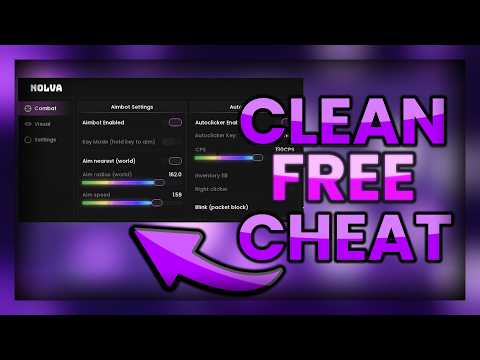
[1:08]It looks too simple and not very polished. To improve it, we're going to use Cursor. We'll give it a very simple prompt, just asking it to reorganize the menu and make it look more professional.
[1:17]After recompiling the project, let's take a look at the changes Cursor made.
[1:20]As you can see, it reorganized the menu perfectly.
[1:23]It's still simple, but it looks much cleaner and far more structured than the default version.
[1:28]And that was done with a very simple prompt. So just imagine what you could achieve with something more detailed and sophisticated.
[1:35]As I mentioned earlier, the precoded project and tons of free resources are available on my Discord server.
[1:40]You'll find the link in the description. Make sure to subscribe because there's a lot more coming very soon.