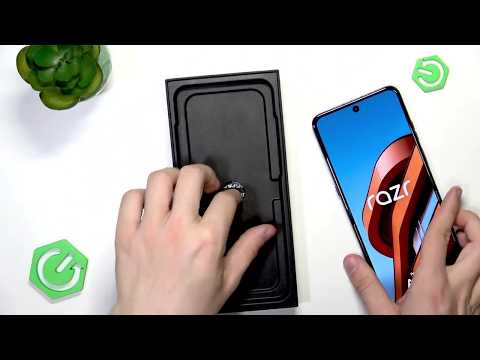
[0:00]Hello, in today's video, I'll unbox the Motorola Razer 70 Ultra.
[0:11]This is a foldable Motorola Razer. I'm pretty excited to open it. I got it in a blue color, and it's 512 GB of storage and 16 GB of RAM. Uh, so let's open it right ahead. There's not much on the box, so, uh, we can just focus on the internals. Okay, let's let's let's cut it properly. Now we can open it right up. It's not going out for some reason. Okay, it's great. There's an accessory box, of course. We can already see a peak of the camera, but let's focus on the accessory box. In a moment, I'll just hold you in um in a little, um, uh, wait a little, um, curiosity. Uh, so the first thing that we see in the accessory box is a case, which is really nice to have a case, especially for a foldable, uh, because they're more fragile. Uh, let's take the case out here. And the case is very, very interesting. Uh, we can put in or remove this little thing for the strap, so you can attach a strap to your phone. Um, and it also has this handle. Um, right here, so when a phone is holded, you can actually kind of use it as a bag. You can kind of hold it as a bag or attach it to some straps, some belts, whatever you want. Um, or use this little one to attach it. Uh, there's also these tapes that you can, uh, remove in order to glue the case on. It's not really much glue. It's just a material that sticks more so the case doesn't fall off. Typically, the cases for foldables, if they don't have it, they don't really, then the then they don't hold really well, so it's great to have it. And now let's see, um, what else do we have here? And it's mostly just some documentation with a SIM card remover. Mmm. Yeah, a sticker. Mm, about like energy, mm, and some documentation, and the SIM card remover, as I said. Uh, let's put that away. Um, okay. It says that it's crafted with Alcantara. That is nice. That's a really nice material. Um, you can scan this QR code by the way, if you want to learn more about, uh, Alcantara on this phone. And now, uh, let's remove it out of this wrapper. And this is what it looks like from the front. Pretty nice. Uh, talking about the size. Now, this is just amazing. I've never felt a phone like this before. Um, it's actual Alcantara, and it feels really, really nice under the fingers. It also looks great. If if you like those kind of things, I I I absolutely love, uh, when phones are a little different, a little, um, um, yeah, so this is basically the back screen, the front screen. Let's turn it on. We'll fold it for the first time in a moment. Besides what we have here, uh, we also get, um, a cable, no no charger, just a cable, uh, but that's pretty standard. All manufacturers do that now. Um, now let's wait for for the phone to turn on. You can see the screen on the back is also lit up already. Um, so this is what it looks like. I'll set it up real quick and we'll get to the rest. By the way, during the setup, you get the alert, which is very important. Uh, you cannot remove the screen protector which is there. When I lock the screen, you may see it. There's this like screen protector here. You cannot remove it. It's there to protect your screen. And yeah, then it also tells you that the phone is not waterproof, but it is water resistant when immersed up to 1.5 meters of water for up to 30 minutes. I wouldn't risk it myself. I wouldn't do it on purpose, but if it happens by accident, uh, you are protected here. Um, yeah, also tells you what to do before closing the phone to make sure you don't, um, you don't break anything. And now got it. Let's go further. Um, no, I don't want to set up that. Um, okay, and there is the phone. Now, uh, let's fold it for the first time. You can see the crease is barely visible. When I fold it, um, now, let's unfold it. It's still barely visible. So it's not changing that much. Uh, I hope that for quite some time the crease will stay almost invisible. In person, it's even less visible than on camera, to be honest. Um, yeah, the cover screen is there. Um, I can unlock it and navigate through it. I can go through a calculator, for example, or open the camera to use the the back, um, the back cameras to take a selfie, which gives us better quality, of course. And, um, that is basically it about this phone, about the basics here. I do like how it sits in hand, the size is perfect. Um, the aspect ratio is great for videos, uh, especially the cinematic ones, uh, but also for playing games, probably. Um, and that is basically it. Um, I hope that this video was helpful. Don't forget to like and subscribe, and I'll see you in the next one.


