[0:00]Hello everybody. I want to quickly go through this workflow. It's a bit complex, but I think it delivers great value. So, let's look at details together.
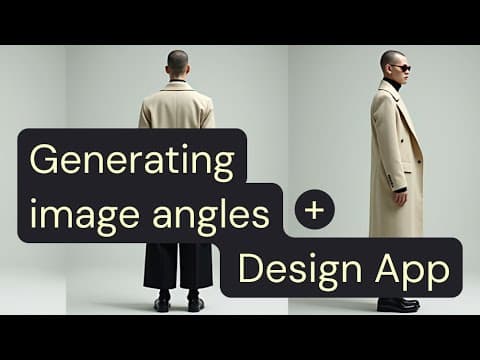
[0:11]The end result of this workflow will be these three different angles of the same model, wearing the same clothes in the same background.
[0:20]Let's check out the workflow. So to begin with, we're breaking down the prompt into different categories: gender, age, ethnicity, body type, style, and clothing.
[0:33]These different aspects of the the description goes into a prompt concatenator that combines them together with an instruction to the LMM to build a prompt that is combining all these elements.
[0:49]So we got a prompt here using the LLM. This goes into flux dev through a concatenator with the description of the background.
[0:59]And the Flux dev prompt is asking for three different angles of the same character in the same frame.
[1:06]That this is what we get here, then afterward, it goes into cropping to isolate three different positions.
[1:14]And then it goes to recraft crisp upscale for a crispier look, which goes later to Flux dev to some sort of upscale, adding details to this low res image.
[1:30]Okay, so this is generally speaking the flow, but I think the interesting part here is the use of the design app.
[1:39]Adding an output node to each one of my end results automatically generates simpler UI, which we can access through here.
[1:50]This simple UI is ready to get the description of the different parameters that we wish to have in our generated image, images.
[1:59]And it generates different angles of the same character, same model here.
[2:04]So how do we create this? Well, we actually generate it, it, it automatically created while adding this output node.
[2:14]And we control which of the parameters we see in the app and which are hidden through locking and unlocking of the nodes.
[2:22]So, unlocking this node will show it in the app and locking it will hide it.
[2:28]So, after we've chosen what goes into the app and what's hidden from the user, we can then publish our mini application and share it with anyone we would like using this share button and sending them the link.
[2:46]All right. Thanks guys. I hope you enjoyed it. Try out for yourselves.


