[0:00]Your Instagram account has been suspended. Don't rush and don't click on anything immediately. One small mistake while submitting your appeal can leave your account stuck in review for months, or even worse, get it permanently disabled and you lose everything. But don't worry, in this video, I'll show you the correct way to remove the suspension and recover your account within minutes while completely avoiding those rejection bots. Pay close attention to the second step especially because that's the trick that makes support approve your request instantly without keeping you stuck in review. Watch until the end and let's get started. The first and most dangerous mistake that destroys your chances of recovery is submitting the appeal from the same phone where the account was suspended. Instagram's algorithms often block your device IP, which means that phone is basically blacklisted and any account you try to access from it could get flagged again immediately. To bypass the automated system, you need to open your suspended account from a completely different device, a clean device that hasn't had multiple issues before. From the new device, log in, press submit appeal and complete the required steps. At this point, the automated system will test your account and the requests can vary from one account to another. You might be asked to upload your official ID, take a selfie photo or even record a short selfie video turning your head right and left. Sometimes you may be asked for both. In other cases, no complex verification is required. Once you add and confirm your email with a code, the account goes into review immediately. Now here's the key part. If you're asked to upload an ID, the most important detail is your date of birth. The date of birth on your ID must match exactly with the one registered on the account. Even a small difference can cause rejection. If you have a passport, it's highly recommended to use it as verification systems usually process passports faster than regular ID cards. If you're asked for a selfie or a video, do it immediately. Make sure the lighting is strong and your face is very clear, so the system can recognize you from the first attempt. But if you feel the process is complicated or you're afraid of making a mistake that could lead to permanent loss of your account, don't take the risk. Contact me directly and I'll help you recover your account safely without any issues. I also post all direct support links and new recovery methods that aren't shared anywhere else on my Telegram channel. You'll find the link in the description, and if you want to stay updated with the latest methods to protect your accounts and your work, make sure you're following this channel. See you in the next one with another smart solution. Stay safe.
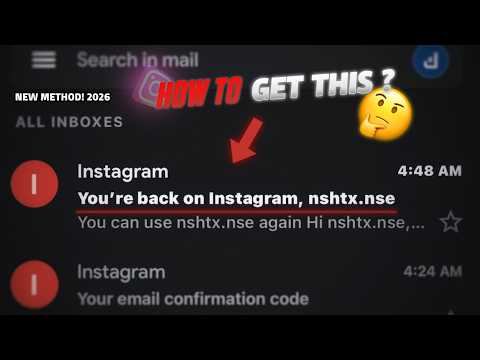
How to Recover Suspended Instagram Account (The IP Bypass Trick)
𝙉𝘼𝙏𝙍𝙊
2m 43s478 words~3 min read
AI audio transcription
Transcript source
AI audio transcription
This transcript was generated from the video's audio because no usable YouTube caption track was available. The transcript below is server-rendered so it can be read, searched, cited, and shared without opening the original YouTube player.
Pull quotes
[0:00]One small mistake while submitting your appeal can leave your account stuck in review for months, or even worse, get it permanently disabled and you lose everything.
[0:00]But don't worry, in this video, I'll show you the correct way to remove the suspension and recover your account within minutes while completely avoiding those rejection bots.
[0:00]Pay close attention to the second step especially because that's the trick that makes support approve your request instantly without keeping you stuck in review.
[0:00]The first and most dangerous mistake that destroys your chances of recovery is submitting the appeal from the same phone where the account was suspended.
Use this transcript
Related transcript hubs
Watch on YouTube
Share
MORE TRANSCRIPTS


