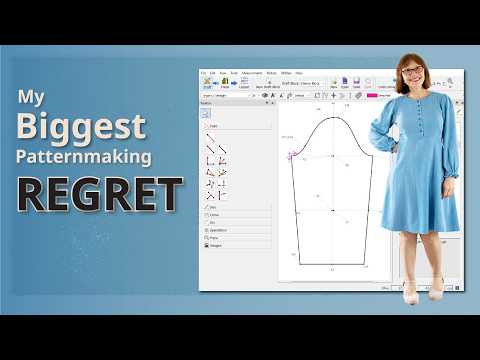
[0:00]Hi, I'm Maria. I draft my own sewing patterns and I've been doing so for a number of years. At the very beginning, I drafted them by hand, but after a while I started drafting them in Adobe Illustrator. I downloaded some pattern making software years ago around 2019. I opened it, had a quick look and I thought, I don't have time for this now, I'll come back to it later. Later ended up being more than five years down the track, and now, looking back, I so regret that I didn't start learning straight away. If I had started using it in 2019, I would be so much further ahead now. I could have saved myself so much time on my pattern making in those intervening years. I could have drafted so much more and saved myself so much time. So, I want to show you what is possible with this program and by extension show you why my life would have been easier if I'd have started using it seven years ago instead of 18 months ago. I have three examples of how, three, three examples of how marvelous I think this software is. Let me be clear though, I am not showing you how to use this software, that's not what I'm doing at all. I'm only showing you the power and possibilities of it. Example one. Let's start with something very real or very real to me at least, putting on weight. Here is my block. If my measurements change, I don't need to redraft anything. I just attach a new measurement file. Now, I'll just switch between these two a couple of times, so you can see how it changes. Now, this does not apply to just blocks. Here is a pattern that's already drafted and finished. Note that I actually have two colors drafted here, in the dress shown on screen I have used the mandarin collar, not the turnover collar. I'm only mentioning that in case anyone is confused by that. Now, I drafted this at my current higher weight. If I lose weight and want to make this again for my lower weight, I can just attach my original or different measurement file. One thing that I will point out, and this applies to every time I load different measurements, I may need to finesse some curves. In this case the front neck curve, but it only takes me a few seconds. So here I am loading the different measurement files, you can see the changes. I will also note that I'm currently in the drafting screen. Now, I'm just going to go to the pattern screen. Changing the measurement files will also update everything here in the pattern piece screen. So I will toggle between those measurement files again, so you can see that this screen also updates. I would always start in the draft screen because I will have to finesse that neckline curve, and then when I come to this pattern piece screen, it has all been updated. So this dress currently does not fit me in any shape or form. I drafted it back in 2022 or 2023. I was thinking of making myself another one with my current measurements and that would have been so much easier if I had drafted it in Seamly 2. It's not just a case of adding a few centimeters down the side seam. When I put on weight, it's not just the width measurements that change. My center front length changes, the bust point placement changes, the panel pieces have to match up to the skirt pieces. So there would be quite a few adjustments that would be necessary. If I had drafted this in Seamly 2, it would just mean uploading a new measurement file and re-printing the pattern. Now, this is not magic. There are not just patterns available in the program that you can attach measurements to. You need to draft the pattern and work is required to set up the pattern properly so that this works. But if the pattern is set up correctly, then attaching a new measurement file will update the pattern. You do need to have things set up properly for this to work, and it's not necessarily easy. It's definitely not for everyone. For me, it's wonderful. I can't sing its praises loudly enough. After I show you two more examples of the benefits of this program, I'll talk about who I think this software is for. But for now, I'm still just showing you what it can do. So, example number two. So this is making changes or adjustment to the pattern. The adjustments could be slight or they could be major. So this first sub example is a slight change, and it's changing a collar and the neckline. So currently this mandarin collar has a stand height of 2 1/2 centimeters or one inch. Say I want to change that to 1 centimeter or 3/8 of an inch, I click here on this point and I change the stand height to 1 cm and the pattern changes. I will have to finesse the two curves though. Now I'm going to make a change to the neckline. I want you to watch how the corresponding changes are made to the collar when I change the neckline. So say I've decided to make the V-shape at the center front a little narrower, so bringing the two sides of the mandarin collar closer to the center front. If I change that on the bodice, notice that the collar updates as I make the change to the neck line. Because I set the collar measurements to match the neckline curve measurements, and those changes appear on the final pattern pieces too. I'll toggle between those two a few times so you can see how the mandarin collar changes, the center front piece changes with the neckline, and also over to the left, the facing piece changes as well. These pieces are all updated as I make those changes in the drafting screen.
[5:32]Here's another example of making an adjustment to the pattern, I have found this one very useful. For many years I experimented with different skirt options, with different amounts of flare, especially with built-in godays. Oh, the work I would have saved if I had been using Seamly 2. Here is a skirt with pleats, it is of a certain length, the flare starts from a specific point, and it has a certain amount of flare from that point onwards. I can change the plea amounts, the length, the position of the flare, the amount of flare, just by adjusting a few measurements. So this is the exact same pattern. I've just changed the measurements to get a different result. Again, I'll toggle between them a few times, so you can see the difference. As I've mentioned before, some curves might need adjusting, in this case the hem, but I've actually already set up guides in there to help me make those adjustments. And if I've already created my pattern pieces when I go to that screen, then the updates show there as well. And here's another example of how much work can be saved doing pattern adjustments in Seamly 2. So here I've drafted a bodice and the sleeve has been drafted in the same file. The sleeve references the bodice and any change I make to the bodice armhole will be reflected in the sleeve. So, as I adjust the armhole, look how the sleeve changes. So, example number three. This one may not be so relevant to home pattern makers, but it's still worth showing. This is grading. Here is a standard block that I've drafted using size 12 measurements. To create another size, I just attach a different measurement file, and I'll attach a number of different measurement files so you can see it update for each one. Now, yes, there is work involved in creating those measurement files initially. But once they exist, any pattern I create from that block, assuming that I use that block as the base of the pattern, every pattern I create for that block will work for every size. Again, if it is set up correctly, by which I mean logic is applied as you draft the pattern. In Illustrator you would need to grade each pattern piece manually every time for every pattern. So, if you're an independent pattern maker and you can't afford industry software like Gerba or even is it Clo 3D? and Gerba costs hundreds of dollars a month and Clo 3D still costs a significant amount of money. If you can't afford those programs, then this is an incredibly powerful option, especially considering it costs nothing. So, those are just a few examples of what this program can do. And hopefully, you can understand why I regret not starting using it straight away seven years ago. So, what is the program and who is it for? And the who is it for section is in my opinion. This program is called Seamly 2 and it is open source software, which means it's free. I'm not getting paid to promote this software. I'm doing it purely because I love this program and want to share it with others who might also get some benefit from it. Seeing what is possible may prompt some people to use it. The fact that it is free open source software comes with some trade-offs. There are a number of tutorials out there by various individuals, but they mainly cover the basics. To get the most out of it, you will probably have to do a lot of problem solving yourself. It is formula based and you need a basic knowledge of maths. You also need to be reasonably comfortable learning software. So, the results I have been showing you, uploading a measurement file that resizes the pattern or even drafting the pattern, getting the patterns you want. They don't happen automatically, you do have to think through how you want the pattern to behave before you create it and set it up accordingly. Sometimes you will get it wrong. I've had to give up halfway through a pattern and start again from the beginning because I thought of a better way to do it and undoing and trying to get back to the point where I started going wrong was just too hard. Also, you sometimes get very strange results when attaching a different measurement file. Here are a few examples. This usually means there is something in your pattern or your formulas or your measurement chart that isn't quite right, that needs adjusting. And you will need to be able to figure out the why of those strange results yourself on the whole. Because it's open source, you don't have the traditional support that usually comes with a paid product. There are forums and communities where you can get some help, ask some questions, but you won't always get an immediate answer. So, a lot of times it would really come down to testing things, refining things and figuring things out for yourself. If you are the kind of person who enjoys that process, and I love that problem solving process, then it can be really enjoyable. But it's not for those who need someone to hold their hand all the way through. There is not that kind of help available for this program once you get beyond the basics. Because it's free, there is nothing stopping you from downloading it and playing around with it and seeing how it goes. The potential of this program is enormous. Once you understand it and have things set up properly, the amount of time it can save you is huge. It's very powerful, but it's only as good as the logic you build into it. I would say it took me at least a year using it a lot to begin to start using its power. If I had started using it seven years ago, well, I have no words. If I could go back in time, I'd go and give myself a good kicking. I love this program. I can't express how awesome I think it is. It may or may not be for you.


