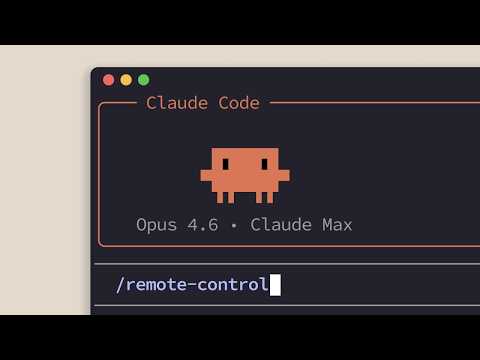
[0:05]How often do you start a Claude Code session at your desk, leave, and a few hours later think, I wish I could continue that session from literally anywhere.
[0:16]Well, good news. With remote control, you can connect Claude Code web or the Claude app on your mobile device to a Claude Code session running on your machine and pick up where you left off.
[0:29]The bad news is that your family will be concerned who you're texting so much.
[0:34]So, here's how it works.
[0:37]Navigate to your project directory and run Claude remote control.
[0:42]This will start a new session and show you a URL that you can connect to with Claude Code web.
[0:47]And if you hit the space bar, you'll get a QR code that you can scan with your phone.
[0:52]And from there, it will take you to your mobile browser or the Claude mobile app, and you can see your session in progress.
[1:02]If you're already in a Claude Code session and want to hand off to your remote devices, then type remote control and you'll see the URL there.
[1:11]Now, the URL will be provided for convenience, but realize that since Claude Code is tied to your Claude account, you can just go on your mobile device without explicitly clicking the link provided.
[1:24]Once you have everything set up and are connected, you get the same Claude Code experience that you're used to.
[1:30]You have access to the same tools, MCP servers, configurations and file system.
[1:35]Everything is still running on your machine. Nothing is moved to the cloud.
[1:40]The conversation then stays in sync across devices.
[1:44]If you type in your Claude mobile app, you can then see it update in your terminal in real time.
[1:49]By default, we ask you to specify when you want a remote control session each time.
[1:54]However, in your /config, you can enable remote control for all sessions, so you don't have to explicitly enable it each time.
[2:02]Claude Remote Control also comes with a spawn mode that you can use to create new sessions remotely.
[2:07]As of this video, it's available to Max, Team and Enterprise users.
[2:10]Type in Claude Remote Control, then go on Claude web or mobile.
[2:14]Then you can select your remote session by tapping the environment button and selecting your device.
[2:19]And there you can spawn multiple instances of Claude Code.
[2:25]If you want to pick up a session that you started on your desk, well, remote control can make that happen.
[2:32]We're currently rolling out to Pro and Max plan users.


