[0:00]Welcome to lesson 1.1 of the Claude Forge course, Hands-On Claude Code and Claude Skills. Before we write any automation, we must install Claude code, authenticate it properly, and avoid a common billing trap. By the end of this video, you will have the Claude Code CLI installed and authenticated via your Pro subscription. The typical setup of installing Claude code and exporting an anthropic API key silently switches your $20 a month pro subscription to per token API billing. Even though the API key setup works, it bypasses your flat rate Pro subscription, costing you money for usage that should be free. We will show you how to prevent this. Claude Code supports two auth mechanisms with very different billing consequences. Path A is Oth login via Claude login, recommended for modules 1 through 7, using your Pro subscription. Path B is setting the Anthropic_ API_ key environment variable, intended only for module 8. Path B always overrides Path A, which is the billing trap to avoid. To detect the override trap before you install, run the presented echo commands. If the output shows API key set, you must run unset Anthropic_ API_ key for the current session and permanently remove it from your shell configuration files. Only proceed when the output is not set. Another common issue is the NPM prefix permission trap, causing EAC CS errors if NPM's global directory is owned by root. For Mac OS, Linux or WSL2, run the provided commands once to redirect global installs to a directory you own, allowing you to install packages without using sudo. Now, let's install Claude code in three steps. First, verify your Node JS version is V18 or higher. Second, install Claude code globally using the NPM command. Third, verify the binary is on path by running Claude code version. This is a local check and does not confirm authentication yet. Authenticate using your Pro subscription by running Claude login. This opens a browser tab for oath, where you sign into claude.ai and authorize. A token is stored locally, allowing sessions to use pro billing. Remember, for CI environments, always use the API key directly. Perform these four checks to verify end-to-end authentication. Verify the version and login status locally. Then, verify Anthropic_ API_ key is not set. The critical test is the last one. Claude, P respond, Claude Forge_ath_OK, print. A successful response confirms live network communication is working via Oth. This state machine illustrates the off life cycle. After login, you reach the token stored state. A live call verifies the key, moving to verified. This session active state is our target. If Anthropic_ API_ key is set, you jump to the API key override state, which bills per token. For production readiness, monitor your token budget using the quo/status command. Pin your Claude Code version for reproducible CI. Remember Oth tokens can expire if idle for 30 days, so use Anthropic_ API_ key as a repository secret for headless CI. Finally, ensure proper exit code handling in your scripts. Your homework is to run the final verification command in your own repository. This creates project-fingerprint.json, which you will use in lesson 1.4. This confirms your installation and flags work correctly. Next, in lesson 1.2, we will start your first interactive session inside a real repository.
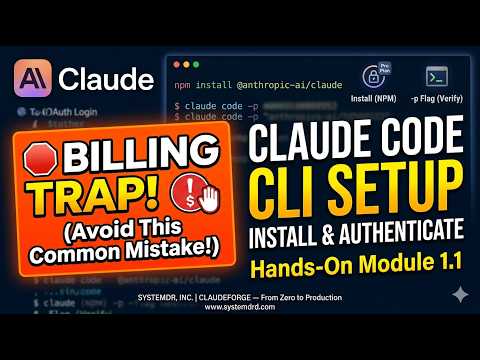
Claude Code CLI Setup: Install, Auth & Billing Traps | Hands-On Claude Coding (Module 1.1)
SystemDR - Scalable System Design
3m 48s552 words~3 min read
YouTube auto captions
Transcript source
YouTube auto captions
This transcript was extracted from YouTube's auto-generated caption track. The transcript below is server-rendered so it can be read, searched, cited, and shared without opening the original YouTube player.
Pull quotes
[0:00]Welcome to lesson 1.1 of the Claude Forge course, Hands-On Claude Code and Claude Skills.
[0:00]Before we write any automation, we must install Claude code, authenticate it properly, and avoid a common billing trap.
[0:00]By the end of this video, you will have the Claude Code CLI installed and authenticated via your Pro subscription.
[0:00]The typical setup of installing Claude code and exporting an anthropic API key silently switches your $20 a month pro subscription to per token API billing.
Use this transcript
Related transcript hubs
Watch on YouTube
Share
MORE TRANSCRIPTS


