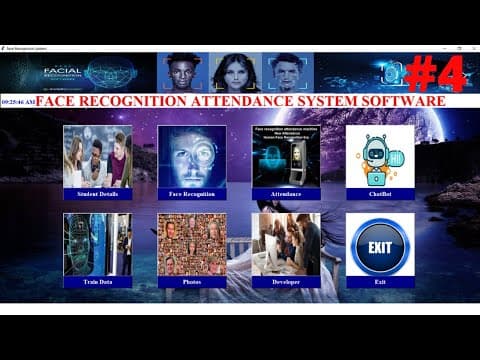
[0:00]Hello everyone, welcome back. So this is Kiran here. Face recognition automatic attendance system in Python project ke pichle part mein humne student management system par kaam kiya tha. Agar main ise open karun to yahan pe dekhiye, saare function par humne kaam kar liya tha save, update, delete, reset par. Yahan pe reset bhi ho raha hai, update delete bhi ho raha tha, theek hai? Ab humein main project par kaam karna hai, yani ki take photo sample. To yahan pe take photo sample lene ke liye humein users se sample collect karna hoga, generate karna hoga data set, photos ka. To chaliye hum yeh kaise karenge dekhte hain. To jayenge hum Visual Studio Code mein. Ise close kar lun main. To Visual Studio Code mein hum aa chuke hain. Yahan pe pichla code likha tha reset wala. To pehle humein OpenCV library install karna hoga, iske liye hum install karenge. To jayenge Google Chrome mein. Yahan pe humein simple likhna hai OpenCV. To yahan pe click karo. Aur OpenCV install Python, theek hai. Yahan par open ho jayega pip install OpenCV Python PyPI, theek hai? Ise open karna hai is link ko. Okay to yahan se aapko copy karna hai pip install OpenCV Python. Copy karne ke baad yahan pe likhiye CMD command ke andar, simple yahan pe paste karna hai, theek hai? Yahan pe paste Ctrl+V aur enter karna hai. Yeh install ho jayegi. Kyunki maine already yahan pe install kiya hua hai, to yahan pe dikhayi de raha hai ki required already satisfied. Theek hai? Yeh kuch hi minuton mein install ho jayega, then hum ise close karenge. Close karne ke baad hum jayenge yahan pe Visual Studio Code mein aur upar jayenge, sabse upar, student mein, theek hai? To yahan pe sabse upar, to yahan par humein import karte waqt import to likhna hota hai CV2, theek hai? Hum install karenge OpenCV se, theek hai? OpenCV se install karna hota hai, magar import karte waqt import CV2 likhna hota hai, theek hai? Yeh hone ke baad hum neeche jayenge sabse neeche. To agar main bata doon ki yahan pe OpenCV kya hoti hai, open source computer vision library hoti hai. Is library mein 2500 se adhik algorithm hai, jisse classic aur computer vision machine learning algorithm hai, is dono ka ek bahut bada set hai iske andar. To yeh OpenCV hai. To hum jayenge Visual Studio Code mein, iske andar bahut saare algorithm to hote hi hote hai. Khaaskar chehre ka pata lagane aur pehchanne, aur object ko pehchanne mein iske andar use hota hai. To hum neeche jayenge aur yahan par ek function banayenge neeche. To sabse neeche yahan pe, reset ke neeche. To yahan pe ek comment kar dete hain hum. To comment karne ke liye yahan par, to first hum generate karenge data set. To yahan pe generate, then data set. Theek hai? And take a photo sample. Yahan pe likhenge photo samples, samples, theek hai? Data set and take a sample. Okay, perfect. To yahan pe comment karna hai humein. To yahan pe comment aur neeche. To humein kya karna hai, jo hum sample lenge, data set lenge, jo images lenge, user ki ya student ki, woh mujhe database se jo data data hai, use match karna hai. Theek hai? To match karne ke liye hum insert nahi karenge, update karenge. First humein jo data tha humara, use update karna hoga. Agar insert karo, to student ID mein error aa jayega. Wahi data fir se insert nahi ho payega, to hum update karenge. To yahan pe likhenge first function, define, yahan pe generate data set wala. Generate, then data set. To yahan pe just function name, self pass karenge aur neeche aayenge, theek hai? To update wali query likhni hai humein yahan par. To first hum kya karenge, upar se jo update wali query likhi thi, uska hi data hum copy karenge, theek hai? To yahan se lekar if se lekar, try se yahan tak yahan tak main copy kar loonga. Copy karke neeche jaunga sabse neeche yahan par, jahan par humne function banaya tha. To yahan par humein simple paste karna hai, theek hai? Paste karenge aur yahan se humein sahi se indentation lagani hai. To humein yahan pe kuch changes karne honge. Mujhe aap yahan par message nahi chahiye. To message nahi chahiye to main ise hata loon aur ise sahi se iske iske yahan par barabar laga do. To yahan par sahi. To humein kya karna hoga, pehle to yeh sara data hum ek variable mein store karenge. Is variable ko yahan par likhna hai humein, first my cursor se pehle main execute karunga. To execute, theek hai? Execute ke baad yahan pe mujhe sara data ek variable mein store karna hai to fetch data se main select karunga. Pehle to simple query likhni hai select star from, jismein table ka naam student, theek hai? To yeh ek variable mein store karunga. To yahan par ek variable bana leta hun main, my_result naam se, theek hai? Result equals to, to my_cursor dot fetchall. Is function ki madad se hum sara data is variable mein store karenge my_result naam se. To yahan pe ID mujhe match karni chahiye. To iske liye hum ek ID banayenge, ID equals to 0 se calculation ho, theek hai? Is variable mein, then for loop se sara data hum iske andar dalenge. Yahan pe for, yahan pe x in, jo my_result mein data hai, to yahan pe my_result. Iske neeche hum plus jo ID ko plus karenge, increment kar denge, theek hai? ID plus equals to 1 se increment kar denge. Then humein simple yahan pe jo humne execute update wali query likhi thi, wahi query yahan pe likhni hai. To main kya karunga, upar jata hun aur yahan pe humein yahan par copy karna hai jo update query thi, yahan se lekar jahan par humne neeche tak likha tha, to yahan par copy karna hai. Simple yahan pe neeche aana hai aur iske neeche, bilkul neeche yahan par paste karna hai, to yahan par humein sahi se ise lagana hai yahan par, aur for ke barabar, theek hai? To yeh sahi lagne ke baad yahan par dekh lijiye jo humne pichle video mein update query likhi thi, same hi query hai, theek hai? To yahan par same jo humne tuple pass kiya tha, yahan pe close nahi hua. Shayad maine copy nahi kiya use. To main yahan pe tuples kya kar leta hun, yahan se close kar leta hun. Theek hai? To yahan se ise, theek hai? To yahan pe do tuple close hone chahiye. One aur yahan pe two. To yahan pe dono tuples close ho chuke hain. Main ise sahi se formatting mein laga loon. To yahan pe, theek hai? Okay, perfect. To uske baad hum kya karenge? Connection ko close kar denge. Theek hai? Connection ko simple close karne ke liye hum iske neeche, to yahan pe iske barabar, hum is yahan par jayenge. Okay, to yeh fir se aa chuka hai. Agar main yahan pe sahi se, sorry, yahan pe delete ho chuka hai. Okay, iske turant neeche, hum jayenge yahan par, agar main yahan pe neeche jaoon aur yahan pe, to turant iske neeche, yeh tuple mein pass na kariye, iske neeche, theek hai? To yahan pe first connection ko hum update karenge dot commit commit se update kiya jata hai. Theek hai? Commit, then yahan pe hum jo turant humara data clear aur fetch hoke aaye. To yahan pe likhenge self dot fetch_data. Is function ko bhi call karenge. Self dot clear bhi karenge. To yahan pe humne kya likha tha? Clear ke liye kya function banaya tha humne? Reset data banaya tha, theek hai? To yahan pe reset data likhenge, reset_data. Okay, perfect. To yahan pe connection ko hum close bhi karenge. Dot close, okay? Perfect. Then yeh update query hone ke baad ab aate hain hum. To humein object detect karne ke liye CV2 mein haar cascade algorithm hota hai. Agar main yahan pe Chrome mein jaoon aur yahan pe dalo haar cascade algorithm aur enter karo, to yahan pe dekhiye face detection naam se ek algorithm open ho raha hai. Agar main ise open karun, to haar cascade classifier ek effective object detection approach hai, jise Paul Viola aur Michael Jones ne apne paper mein bataya tha. Unhone rapid object detection boosted cascade simple feature ka upyog karke 2001 mein introduce kiya tha. To main agar ise brief mein bata doon, to haar cascade classifier ek basically machine learning approach hai, jahan cascade function ko positive aur negative dono tarah ke images ko train kiya jata hai. Aur training ke adhaar par fir uska upyog other images mein object ka pata lagane ke liye kiya jata hai. Agar yeh jo algorithm hai, agar yahan pe bataun main, neeche jaake, to yahan pe dekhiye, yeh do tarike ke algorithm algorithm hote hain, object detection, then eye detection. To yahan pe frontal jo frontal face tha, yahan pe detect kiya hua hai. Then yahan pe dekhiye eyes. To is tarah hota hai yeh algorithm. To is algorithm ka kis tarah use kiya jata hai? To yahan par ek file hoti hai, jo ki dot XML file, jismein bahut saare features set hota hai iske andar, theek hai? To hum yeh file kaise use kar sakte hain? To yahan pe simple aapko likhna hai, to hamare jo jo hamara search box hai, yahan pe python likhna hai, theek hai? To Python likhne ke baad yahan par humein jo hum aapka Python version tha, woh open ho jayega. Yahan par aapko right click karna hai. Right click karne ke baad yahan pe open file location par click karna hai. Theek hai? File open location click karne ke baad aapko yahan par agar chota karun, theek hai? To yahan is tarah open ho jayega. Agar main ise bada karke dikhaun aapko, to yahan pe bada.
[7:56]Theek hai? To yeh open hone ke baad aapko LIB LIB mein double click karna hai, theek hai? To yeh click karne ke baad aapko chota dikhega. To yahan pe chota is tarah, theek hai? To iske andar site-packages naam se ek file hogi, to yahan pe site-packages. Yahan pe dekhiye site-packages. To ise open karna hai aapko. Open karne ke baad yahan pe aapko search karna hai CV2. To yahan pe CV2 open ho jayegi. To yahan pe dekhiye CV2, theek hai? Agar ise main bada kar loon, to ise chota hi kar leta hun. Theek hai? To yahan pe CV2, theek hai? To isko open karna hai aapko CV2 ko. CV2 mein yahan pe CV2 open hone ke baad yahan pe data, to yahan pe data aapko click karna hai. To yahan pe bahut saari aapko algorithm dikhayi denge. Theek hai? To yahan pe dekhiye eye ke liye hai, eye tree eye glasses ke liye hai. To aapko sirf use karna hai yahan pe dekhiye haar cascade frontal face default. To is is algorithm ko use karna hai, is file ko, theek hai? Is file ko aapko simple copy karna hai, yahan se lekar copy. Copy karne ke baad simple aapko kya karna hai? Jahan par aapne file banayi thi, jo apna aapka folder tha, us folder mein paste karna hai. To aapko face recognition system mein, is folder mein simple copy paste karna hai, theek hai? Copy paste karne ke baad aapko kya karna hai, is file ko fir se, iska jo path hai, copy karna hai iska text. Then aapko jana hai, theek hai? Iske andar Visual Studio Code ke andar aur yahan par ek, to hum yahan par ek variable banayenge aur us file ko load kar denge, to yahan par pehle comment kar leta hun, to comment mein likh leta hun load. To yahan pe load predefine and data on face. From yahan pe frontal face, theek hai? Frontal, frontal, frontal from OpenCV, theek hai? OpenCV se le rahe hain. Yahan pe just comment hai. To yahan pe ise sahi se laga lo. Just comment, to hum neeche aayenge. To yahan par ek variable banayenge. To variable likh leta hun face classify, theek hai? Classifier naam se ek variable bana liya hai maine, face classifier, theek hai? Just variable hai, theek hai? To CV2 likhna hota hai yahan pe, CV2 mein dot isko convert karne ke liye iske andar hota hai CV, okay? CV_Color, to iske andar, theek hai? Yeh convert kar deta hai.
[11:06]Uske andar humein likhna hota hai image, first upar wali hamari. Then comma karke CV2, theek hai? Already function hota hai. To yahan pe likhenge color, then dot BGR. To yahan pe dekhiye aapko suggest bhi karta jayega BGR to yahan pe gray likhna hai, BGR yahan pe BGR to yahan pe sorry yahan pe to. Then yahan pe GR. To yahan pe dekhiye aa chuka hai BGR to gray, theek hai? Ise click karne ke baad hum neeche jayenge, theek hai? First humne convert kar liya hai gray scale mein, jo ki hamari blue green red images the. Theek hai? Hum yahan pe faces, ek variable banayenge. To is faces mein, face classifier ko hum dalenge, face classifier. Then dot, to yahan pe detect naam se detect multi scale naam se function hota hai. Iske andar kya hote hain? Yahan pe do cheeze likhni hoti hai. First hum jo humne gray gray kiya tha, hamari image ko gray. Then yahan pe comma karke 1.3, sorry maine kahan pe likh diya yaar, yahan pe likhna tha, theek hai? 1.3 comma 5, theek hai? Yeh kya cheez hoti hai? To main aapko bata doon, to yahan pe neeche jayenge hum. Yahan pe main yahi se copy, yani ki main comment kar leta hun. To first hoti hai 1.3 matlab scaling factor. Scaling factor kitna ho? To 1.3 ho. By default value hoti hai, theek hai? Second hoti hai, to yahan pe second kar leta hun minimum neighbor. To minimum, to yahan pe minimum, minimum, then neighbor. To yahan pe neighbor ki spelling, theek hai? Neighbor equals to 5. Yeh cheeze cheeze hote hain.
[12:37]To humne by default likh liya hai. Then hum neeche jayenge. Simple hum kya karenge neeche jaake ek for loop chalayenge. Theek hai? To yahan pe likhenge for. Then for ke andar humein rectangle chahiye. To rectangle humein generate karne ke liye kya hota hai? X axis, then Y axis, uski width, uski height, theek hai? To yeh saari cheeze hote hain. To rectangle banane ke liye yahan pe in faces, theek hai? Kiske andar banana hai humein faces ke andar. Jo humari images hai, jo hum crop karke lenge, us images ko humein store karna hota hai ek jo ki ek folder mein, theek hai?
[13:08]To then hum yahan pe ek variable banayenge, to jo humne, sorry, yahan pe function ko hum likhenge, function face cropped. Then equals to karke jo humne images likha tha, image. To yahan pe first likhna hota hai variable. To iske andar jo sorry, yahan pe, theek hai? To iske andar likhna hota hai, kya andar likhenge hum? Y. Then colon Y plus jo humne iski height likhi thi height. Theek hai? Iske baad hum kya karenge? Comma karenge. Then X, colon, then X plus jo iski width thi, use likhenge, theek hai? To face crop hoke aayega, itni size ka. Then hum neeche jayenge aur neeche jaake simple ise return karenge is function ko. Return jo humne likha tha face_cropped function. To ise return karna hai, theek hai? Itna hone ke baad hum neeche aayenge. Simple hum humara camera open karenge, theek hai? Camera open karne ke liye hum function ke bahar jayenge aur yahan pe camera, capture. To yahan pe cap likh leta hun main. Then equals to karke camera open karne ke baad, to yahan pe camera open karne ke liye CV2 mein dot dot karke video. To yahan pe likhna hai video. To yahan pe aapko suggest bhi karta jayega video capture, theek hai? Uske andar simple zero pass karna hai, jo ki hamara web camera ka zero hota hai, theek hai? Other camera open karna hai to one likhenge aap. Agar yahan pe kuch by default yahan par path denge, to woh image yahan pe show ho jayegi, theek hai? To by default zero likhenge to humara webcam open ho jata hai. To hum neeche jayenge. Yahan par ek ID image, to yahan pe, sorry, yahan pe ek variable bana leta hun image ID naam se, theek hai? Equals to zero calculation rakh deta hun. Kyunki mujhe jab bhi hum capture kare images ko, to yahan pe calculation hoke is variable mein store ho jaye, theek hai? Mujhe 100 sample lene hai. To simple kitne mujhe 100 sample lene hai to infinite ek loop chalaunga main while naam se, theek hai? While se. While jab tak true hai. True neeche. To yahan par ek, yahan pe ek declare karna hota hai, jo ki frame declare karna hota hai. Capture jo hamare video camera se jo photos capture honge, use pehle read karna hota hai. Theek hai? Bus ismein likhna hota hai return kuch bhi just yahan pe likhna hota hai kuch bhi. Then hum yahan pe likhenge frame. Okay, iske andar pass karenge hum images ko. To images ko pass karne ke liye hum jo humne yahan par likha tha capture wala video capture karke, yahan pe likhna tha cap dot yahan pe read karna hota hai, theek hai? To yahan pe read karenge. Read karne ke baad simple ek hum for loop chalayenge neeche. For loop kaise chalenge? If jo humne face crop kiya tha, crop, is function ko, theek hai? To is function ke andar hum pass karenge frame ko. To yahan pe dekhiye, dhyaan se dekhiyega, yeh frame jo humein likha hai, yeh small hai, theek hai?
[15:39]To main iska naam hi change kar leta hun, face. To iska naam. Yahan pe kayi baar frame likhte waqt, jo hamara jo main frame hai, yahan pe call ho gaya hai to yahan pe kayi tarah ke error show karenge aapko. Frame my frame likh deta hun, theek hai? Frame aur yahan pe kya kar leta hun main? To iska naam bhi change kar leta hun my_frame, okay? To yahan pe control Z aur yahan pe mujhe likhna tha my_frame, theek hai?
[16:12]To yahan pe condition check karegi. If my_frame ke andar is not none matlab yeh none data nahi hai. Matlab iske andar data hai. Face crop is function ke andar data hai, not none hai. Matlab iske andar data hai. To simple hamari jo ID image ID hai, woh plus hote rahe jo ki calculate hote rahe one se. Theek hai? Is is image ID ke andar jo hamari images calculation honge, yahan pe store hogi. Turant. Then hum kya karenge? Yahan pe ek variable banayenge, to jo humne, sorry, yahan pe, to humein isko fir se humein kya karna hoga, jo humne, humne yahan pe crop kar liya images ko, resize kar liya.
[17:26]Us images ko fir se while loop mein convert karna hota hai BGR to gray scale mein. Theek hai? Color image ko gray scale mein, gray scale matlab black and white images hoti hai, theek hai? To hum kya karenge yahan pe CV2 likhenge. Simple jo humne upar likha tha dot karke CT CVT color, theek hai? To iske andar hum faces ko pass karenge, face ko. Comma karke hum kya karenge? CV2, then yahan pe dot. Okay, yahan pe likhna hai color. To hum yahan pe color aa chuka hai BGR to gray, theek hai?
[17:58]Simple yahan pe aapko suggest bhi karta jayega. Hum neeche jayenge. To humein isko store karna hai is file mein, theek hai? To hum yahan par ek folder banayenge. Hum jayenge is folder mein jahan pe humne file pass kiya tha. To humein yahan par ek folder banana hai. Agar main yahan par, theek hai? Ctrl+Shift+N. To ek folder bana leta hun data naam se, to yahan pe data, theek hai? Yahan pe data. Is folder mein hamare jo images hai, yahan pe store ho jayenge, theek hai? Jo bhi humne sample liya hua hai, is folder mein, theek hai? Hum jayenge Visual Studio Code mein aur yahan pe likhenge, to yahan pe file path dena hota hai. To yahan pe likhenge file name just, to name variable name, theek hai? Path file path, file name path, theek hai? Kuch bhi likh sakte hain apni marzi se. Then equals to. Then iske andar jo hamara data tha, jis folder ka naam, then hum okay. Then yahan pe kis image ka naam kya rakhna chahte hain? To user se rakh deta hun user. Then uske andar dot, theek hai?
[18:50]To hum string se jodenge. To yahan pe jodna kya hota hai? Jo ki STR, iske andar hum ID pass karenge jo humne upar likhi thi ID. Us ID se yahan pe jodenge images ko. To yahan pe plus karna hai simple. Plus karne ke baad dot. To main samjhata hun main kya kar raha hun, dot karke, then theek hai? To hum fir se string se jodi jati hai jo hamari jo values hai, to yahan pe image ID likhenge, image_ID. Then yahan pe likhenge plus. Plus ke baad hum kya karenge? Iske andar dot karke, to sorry main yahan pe kya kiya hai? Okay, perfect. To iske andar hum kya karenge? Dot karke JPG format mein humein store karani hai images, theek hai? To humne yeh likh liya hai. To dekh leta hun mujhe yahan pe kuch, okay. To yahan pe ise open kiya hai. First open tha yeh. Then yahan pe dot karke ise close kar liya hai maine. Then ise close kar liya hai. To maine sahi se likha hai yahan par. Agar main yeh samjhaun aapko, to yahan par kya karenge hum? Yahan pe jayenge is folder mein isko copy karenge, theek hai? Theek hai, main yahi samjha deta hun aapko. Agar yahan pe data tak humne likha tha, theek hai? Data ke baad humne slash laga ke user likha tha, yahan pe user, theek hai? To yeh users yahan pe user print hoga. Then dot laga ke jo ID thi, to yahan pe dekhiye jo ID thi, is ID se generate hoga. Agar yahan pe dekhiye, to one ID. To yeh one one ID, magar image ID jo hai yahan pe calculation hoke aayegi, dekhiye, 6, 7. Yahan pe 100 sample calculate kiya hua hai, dekhiye, one se lekar 100. Okay, perfect.
[36:09]To perfectly humne generate data set par kaam kar liya hai. To main ise main window se open karunga. To yahan par jaunga aur yahan se ise close kar loon pehle. Aur yahan pe main se open karo, to mujhe abhi kya karna hai aapko dikhaun, to yeh run ho raha hai. Okay, perfect. To yahan se open karo, to yahan pe dekhiye, to yeh to open ho raha hai, theek hai? Main ise close kar loon. Abhi humein kya karna hai? Us images ko maine jo collect kiya hai database ko, use mujhe train karna hoga data ko, theek hai? Train karne ke baad jo bhi train hoga data, use face detector se detect karunga aur jo uski pehchan hai, samne aayegi, theek hai? Yahan par humein yahan pe photos dikhne chahiye. To is par bhi kaam karenge hum. Already yeh video lamba ho chuka hai, to next part mein hum kya karenge is jo images collection kiya hai humne, us images ko train karenge. Aapko yeh code jo humne likha tha jo photo sample ke liye, agar aapko yeh code, yeh code, theek hai? Agar aapko ek baar mein samajh mein nahi aa raha hai to baar baar dekhiye video ko. Kyunki video ko dekhne ke liye paise to nahi dene hai, theek hai? To free mein dekhiye, baar baar chala ke dekhiye ki kya hua hai yeh cheeze kya kiye hain humne, theek hai? To yahan pe file dali hai cascade wali. Yeh saari cheeze jo hai, humne kaise kiye hain yahan par baar baar dekh sakte hain aap, theek hai? Agar yeh project aapko pasand aa raha hai, agar aapne mere channel ko subscribe nahi kiya to aap jaldi se jaakar YouTube mein yahan par video ko like aur channel ko subscribe jarur karna. Yahan par maine bahut se project banaye hain jo ki Python ke tkinter module ki module se hi banaya hua hai, to aap dekh sakte hain bahut saare project hain yahan par. Theek hai? Yahan par playlist bhi access kar sakte hain. Maine abhi abhi start ki hai playlist jo ki Python ki advance facial recognition attendance system in Python. To yahan se aap access bhi kar sakte hain is playlist ko, theek hai? To yahan par jaakar dekhiye yaar. Kyunki mere paas time hai to main free mein yahan par bana raha hun aapke liye project naye naye project. To chaliye milte hain next video part mein. Thank you.


