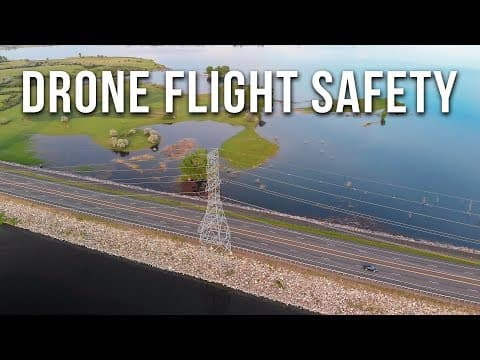
[0:00]Hey guys, thanks for watching today. So you just got a new drone and you're so excited.
[0:06]You're like Lenny with his little bunny and you just can't wait to play with it and put it up in the air and see your world from a whole new perspective.
[0:13]But the first thing that you guys should consider is safety.
[0:17]In this video, I'm going to go through some of the major safety factors when it comes to flying a drone.
[0:30]Hey, thanks for stopping by the channel. If this is your first time here, my name is Russ and this is 51 drones.
[0:37]On this channel, you're going to find mostly drone-related stuff like tutorials and reviews, comparisons and things like that, and also some product reviews.
[0:44]So if any of that sounds interesting to you, I give you guys permission to go ahead and click on that subscribe button as well as the notification bell.
[0:52]Permission. One more thing, you guys, my Twitter game as well as my Instagram game, you know, they're not what they should be or not what they could be. So I'm going to ask you guys, please, if you do Twitter or Instagram, go ahead and follow me @51drones.
[1:07]That would be totally awesome. It's a great way to communicate with you guys.
[1:10]This video is going to be directed mostly at new pilots, people who have just gotten drones or maybe a couple of months ago and they're still not quite sure of all the safety issues when it comes to flying drones.
[1:21]That's mostly who this video is for, but it's also for experienced pilots because it's always good to be refreshed on some of the safety things.
[1:29]But over the past few months, I've been thinking about making kind of a how to fly safely video for new pilots, and I thought it would be a great idea.
[1:36]And then about a week ago, I got an email from one of my subscribers, his name is Peter from Denmark, and he sent me a pretty lengthy, but very thorough and very good email.
[1:45]And in that email, he lists all of the things that he wish someone would have addressed as he is a learning and inexperienced drone pilot.
[1:52]So, it was perfect timing. So thank you, Peter. I'm going to use the information that I started to do a couple of months ago, as well as your outline to present this information.
[2:01]So I'm going to cover four major topics that should be considered when it comes to drone flight safety.
[2:07]And those things are preparation, the pre-pre-flight check, the pre-flight check, and then knowing your aircraft.
[2:14]And I may miss a few things, but this is just some of the major things that myself as well as Peter came up with.
[2:19]So the first one that I want to talk about is preparation. Now, this is probably the most important factor when it comes to safety.
[2:27]It's the most important step when you're flying a drone. And the first thing that you should do is always make sure that you have the most updated firmware.
[2:34]You want to install the latest firmware on the drone, on the controller and on the DJI Go4 app if you are flying a DJI drone, because they are designed to work together.
[2:42]And if any of those are inconsistent, it could lead to communication errors.
[2:48]And once you have updated all of your firmware and you restart everything, be sure to check all of your settings because very often after an update, some of your settings are going to revert to the default.
[2:59]Now, this can not only be an inconvenience, but also could result in safety concerns.
[3:02]You know, things like return to home, your maximum altitude, your input settings, and everything else.
[3:08]So be sure that they're not only set to the settings that you want for great footage, but also the appropriate ones for safe flying.
[3:14]Secondly, you should always check the weather where you're going to be flying, in particular, the hourly forecast.
[3:20]Conditions can change very rapidly, so knowing what's coming is very important.
[3:25]Now, also related to this is the KP Index. There are countless number of apps that's going to tell you what the KP index is going to be for your area that you're flying.
[3:34]Now, I use this one, but there are many others.
[3:37]And if the KP index, which basically is the solar activity in your area, if that number is too high, you could experience video interruptions.
[3:46]And yes, you should keep visual line of sight at all times, but just in case you get a little bit out too far and you lose that video feed, it could be kind of scary and it could lead to some problems.
[3:57]Third, always check flight restrictions for the area that you're going to be flying.
[4:00]I use AirMap, but there's a lot of other ones out there like Kittyhawk is another good one, and those apps are going to instantly show you temporary flight restrictions, height limits, boundaries, and all kinds of other things.
[4:12]And if Lance is active in your area that you're flying, you can request permission to fly right from the app.
[4:17]Lance is not just for commercial flights. Recreational pilots can also use Lance to get real-time access to airspace.
[4:26]Now, for more information on Lance, go ahead and watch this brief video from Kittyhawk.
[4:29]If you live outside the United States, most countries have their own version of the FAA and related websites that will show you no fly information.
[4:40]I suggest doing some research in your country to find the appropriate contact.
[4:43]Fourth, you should always research the area that you're going to be flying.
[4:47]Know where surrounding obstacles are, like buildings and bridges, towers, and most importantly, power lines.
[4:54]Power lines are basically invisible to drones.
[4:57]So know exactly where they are. Also, I would recommend using Google Maps before you go out and fly and so that way you can get a bird's eye view and examine the surrounding landscape.
[5:06]The sixth thing regarding preparation has to do with batteries. Now, most drone batteries are LiPo batteries, lithium polymer batteries.
[5:14]And although LiPo batteries are improved from even just a few years ago, they are still quite finicky.
[5:19]It's best to charge your batteries just before you fly and not days before you fly.
[5:25]DJI batteries and many others are smart batteries and they do have self-discharge capabilities, but don't rely on that.
[5:32]When you guys are done flying, don't charge them right away. It's best to store them in a discharged state.
[5:38]And the other thing is, you never want to charge a battery just after you fly because that battery is going to be very warm, almost hot sometimes.
[5:46]And if you charge a hot battery, that battery could actually start on fire or even explode.
[6:15]And when it does, it's a major fire of the worst kind. It's a chemical fire and it cannot be put out with water.
[6:21]So this is why you should never charge your batteries unattended. Always try to be home when you are charging them.
[6:28]Concerning storage, try to store them in a closed container, like a LiPo storage bag, which actually aren't too expensive.
[6:34]Or some people I know actually use a metal ammunition box to store their batteries.
[6:38]Maybe you guys have other suggestions, let me know down in the comments. Make sure that you inspect your batteries closely before you fly, looking for worn connections, cracks, or bulges.
[6:49]And if any of these are present, take the battery to an appropriate disposal facility.
[6:52]Now, the next thing that we're going to talk about is the pre-pre-flight check.
[6:55]These are just a few things that you should do before you leave your house.
[6:59]So be sure to inspect your drone carefully. Check for any loose screws or parts. Make sure that the propellers rotate freely and also that there are no cracks or chips in the propellers.
[7:09]Even small cracks can affect flight characteristics, and as fast as they spin while you're flying, any imperfection, slight imperfection could become worse in the air and lead to catastrophe.
[7:19]Props are relatively cheap and you should always have extra ones on hand.
[7:23]On foldable drones, make sure that the prop arms are tight with no play or wobble in them.
[7:28]Make sure any wires aren't being pinched and inspect all air vents to make sure that they are clean and free of debris.
[7:34]If you're going to be flying indoors, it's recommended to use prop guards.
[7:37]Make sure that they are installed securely and that there are no cracks in them.
[7:41]Now, I'm going to comment just a bit on indoor flights in just a second.
[7:45]Next is the immediate pre-flight. Always scan the flight area one more time.
[7:49]You can even get some cheap binoculars and examine the launch area as well as the surrounding area that you're going to be flying.
[7:56]There are just so many things that can be within that 400 ft of above ground level airspace.
[8:02]Things like simple things, like kites, balloons, birds, and many other hazards that can't be seen with the naked eye.
[8:08]I keep a small, inexpensive set of binoculars in my bag. If you guys want to check them out, I'll put a link in the description.
[8:13]Now, your launch location should be wide open space and I recommend having no less than 30 m in any given direction from where you're launching from.
[8:21]Give yourself excessive room to allow for landing without any worry or apprehension, especially if you are a new pilot.
[8:29]And I've said this, I don't know how many times over the past two years, but get a landing pad.
[8:35]For as little as $20, you have a nice flat surface to launch from anywhere and also a highly visible landing area.
[8:41]It protects your drone from dust, grass, dirt, moisture, and all kinds of things.
[8:46]Next, when powering on your drone, turn everything on in the following order: first the controller, then the app, and then the drone.
[8:54]Now, I've never seen it happen, but it could happen where the drone is turned on first and decides to go rogue and then you have no way to control it.
[9:02]So, it's not worth damaging something or actually even hurting someone, so turn everything on in that order.
[9:09]Next is satellite lock. Make sure that before you launch, you have enough satellites locked on.
[9:14]With DJI drones, your status bar will turn green and say ready to go and you'll have at least eight or 10 satellites locked on.
[9:21]Do not launch before this. It's much different to fly in GPS mode versus Adi mode.
[9:27]And speaking of Adi mode, flying indoors. Now, I'm actually not going to give you any safety tips for flying indoors, because quite honestly, I think it should be a totally different video in itself.
[9:37]It's a whole new game and requires a greater level of skill and comfort with your drone.
[9:42]So, if you guys want to see a video on that, just let me know down in the comments.
[9:46]Now, the next thing is knowing your aircraft. Each drone has different abilities and limitations. Be overly familiar with all of the safety features of your aircraft.
[9:56]Know the maximums like height, distance, temperatures, and flight time.
[10:00]You should know how your drone functions when it doesn't have GPS locked on, also known as Adi mode.
[10:05]If you can, disable the GPS on your drone and practice flying it manually. It may come in handy someday.
[10:11]Basically, you guys, just take your time in getting to know your drone.
[10:15]More than likely, it's going to take several flights to understand everything that it can do and can't do.
[10:21]You can read the manual, you can read forums, you can watch a variety of videos like this one, but nothing beats hands-on practice.
[10:28]Last thing, many drones like DJI drones have sort of an emergency brake.
[10:32]You may not know this, but by pressing and holding the pause button at any time in any flight mode, will stop your drone in its tracks.
[10:40]I recommend practicing that a few times so you're comfortable doing it.
[10:43]One more thing, as a very last resort, DJI drones also have what's called a kill switch feature, where you position the control sticks in a predetermined direction and the drone will turn off and instantly fall out of the sky.
[10:56]Now, I actually almost had to use this once when I was flying out in the country this past summer, in Class G, unregulated airspace, and I heard an airplane coming, but I couldn't see it.
[11:06]I looked behind me and just coming over the hill was a crop duster. I have never been so terrified in my life.
[11:14]I was prepared to kill my drone, but thankfully as it got closer, he was higher than I thought.
[11:19]Now, in the moment, it seemed like he was merely feet away, but in all actuality, he probably was a quarter mile or maybe even more from my drone.
[11:28]Either way, be sure that you know how to do that because you just never know if you get into a situation like that.
[11:33]Now, is there anything that I missed? If so, put them in the comments because I really want this video to become a place where new pilots can visit and learn from others.
[11:43]Not only from my presentation, but also from other experienced pilots in the discussions that are going to occur below.
[11:49]If I did present you guys anything of value today, please click on that thumbs up button.
[11:53]I want to thank you sincerely for watching today and for subscribing. Have a great day and as always, fly safe and fly smart.


