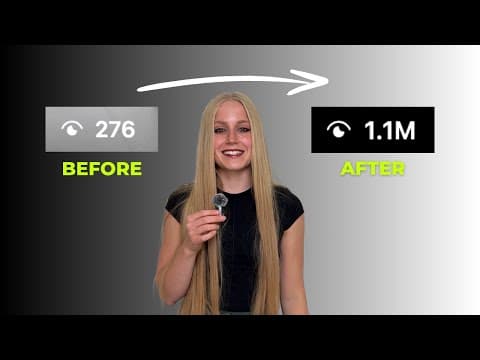
[0:00]I studied over 7,356 viral short form content videos, took 117 pages of notes, and have created hundreds of viral short form content videos for myself and clients, so we could build our personal brands and businesses on social media. I'm going to show you how to create killer short form content that will actually get you meaningful results like this, this, and this. In this video, you will learn how to go from blank page to fully optimized killer short. Okay, so every short consists of seven different factors. Number one, we have your topic, what the video is about. Number two, the hooks, a verbal hook, what you hear in the first three seconds of the video, the written hook, what you read in the first three seconds, and the visual hook, what you see in the first three seconds of the video. Now number three, you have the value. This is the meat of your video, basically the educational takeaway. And then number four, you have the script angle, the direction your video is going to take. Number five, the CTA, the call to action at the end of your video. Number six, the format, the engaging way you film your video. And number seven, the editing style, the text, colors, visuals and music. Okay, those are the seven main factors that every viral short has. Someone I extremely align with in this ideology is Kallaway. If you guys like this type of content, I would actually really recommend checking out him, super, super smart guy. Now that we've gone over the seven factors, I can now go over how we can create a killer short form piece of content from start to finish. So Factor number one was topic, so what the video is about. Everybody creating content should write out their niche and sub niches, aka what you're creating content about. Start off with writing your main broad niche. This could be fitness, nutrition, business, sales, fashion, beauty, whatever it may be. Then you're going to write five to seven sub niches that fall under that niche. For example, if I was in fitness, my sub niches would be things like lifting, cardio, nutrition, protein, sleep, getting a six-pack, you kind of get the idea. So, to complete Factor number one successfully, you want to choose one of your sub niches to be the topic of your short. Now we're moving on to Factor number two, hooks, the verbal, written and visual. Listen, never throw spaghetti at the wall. You're going to research proven outlier hooks and use them in your video. But what is an outlier hook? These are videos from small to mid-sized creators that tremendously outperform their average videos. To make it measurable, I like videos to follow the 5X rule, meaning they have 5X views than that creator's following. That is how you truly know you have an outlier. Basically, we want to find outliers and pull from those to get our verbal, written and visual hooks and use them in our content. Since it already went viral, it really does just have a better chance of going viral again. Now there are multiple different ways to go about finding these outlier hooks, but I'm going to show you my favorite three research methods. Side note, I do all my research on Instagram for hooks, simply because it typically is the hardest to go viral on Instagram with short form content, so if they did viral, you really know they're good. Research method number one is creator research. So, open up the Instagram app and go to the Instagram explore page. Here, you're going to type in and search the topic you're using for your video. Then go ahead and click accounts and or the reels tab, and you're going to scroll through these to find creators in your niche. With each creator you find that you like, you want to go ahead and find their top 5 to 10 most viral videos on their account. You can do this manually by scrolling through, or I recommend using this Chrome extension called Sort Feed. After you download it, just go ahead to that creator's Instagram account on your computer, click the little puzzle piece icon, click the Sort Feed Chrome extension, click the drop down, click all items, click views, and wait. Save as a CSV spreadsheet, and find and save videos that follow the 5X rule from that creator that you like. Research method number two is keyword research. Go to the Instagram explore page, click the search bar, and write and search your video's topic. Then click the reels tab and find and save videos that follow the 5X rule about your topic that you like. Now, if you're struggling to find videos, just search up different variations of your topic in order to find stuff. And then at number three is the reels recommendations tab. So, what I really recommend doing is doing research methods number one and two, and then going to your reels recommendation tab and do what I call intentionally scrolling. Basically, after you do all this research on one topic and you save a bunch of videos about this topic, your for you tab on Instagram kind of starts recommending a bunch of videos surrounding that. And these videos are typically not going to pop up during the keyword research that you do or the creator research you do, so this is truly how you find those hidden outlier gems that I really love. Scroll through those for a little while and then just find and save any videos that follow the 5X rule that are surrounding your topic that you like. In order to complete Factor number two, you need to find a written, verbal and a visual hook that all follow the 5X rule to use in your video. Now moving on to Factor number three, the value. This is the meat of your video, really the educational takeaway. For an example, we're going to look at some of Jeff Nippard's videos and kind of point out the value he's using in each one. He's a big creator in the fitness space. Example number one. He always trains his calves using a full range of motion, and he only does the top half. Who do you think will grow bigger calves? For the value of this video, he breaks down a study that compares different calf exercise variations to see which one's the most effective. Example number two. People think building muscle is expensive, but I'll show you how to do it for $8 a day. In the value of this video, he shares an example day of eating for under $8. Example number three. Most people can't last 30 seconds in a dead hang, which is one of the best tests of grip strength. For the value of this video, he shares five steps to find your max dead hang time, so you can see if you're a beginner, intermediate or pro. Example number four. Training splits tier list. For the value of this video, he rates different training splits that he has done in the past based on his experience. For the value of your video, you can either use like an outside informational source or you can use your personal knowledge/experience. For example, in this video, Jeff used to study and in the hook of this video he mentioned it was his first time even timing his dead hang. So I assume he got his tips from maybe an article, a study, an expert in the space, something like that. But then in these two videos, he just used his own knowledge and experience to make the value. So to clarify, in the value of your videos, you're either going to use value from another informational source, or just from your own personal knowledge/experience, and even sometimes a mix of both. Can I be transparent, guys? You should be using your own knowledge and experience most of the time if you are truly an expert in your space/niche. Not only this way, you're going to remain authentic, but you're actually an authority, you're actually an expert, so that's why you have credibility to be posting about this niche. I would really avoid posting about something you don't know that much about. And if you do use an informational source, which is not a bad thing, I just recommend really trying to use your own knowledge and value. But if you do, which everyone does, including myself sometimes, make sure to give them credit. Now the last note I have about value is this. There is a huge difference between fluffy value and measurable value. Fluffy value is unclear and not specific. People do not know what to do with it after. Measurable value is very specific, actionable, and clear. Make sure you always use measurable value. For Factor number three, you want to decide what measurable educational takeaway people will get from your video. Now remember, we're trying to create videos that help you build a personal brand or help grow your business, so we're not going to be posting memes, funny content, useless trends because yeah, they may get you views, but they're not actually going to get you the leads or the followers that you want. So I want to be abundantly clear, make sure people can take away something from your video that makes their lives better, because that is how you build a personal brand. Moving on to Factor number four, script angle. You can turn one video idea into seven videos because of what we call angles. There are seven main different angles you can take with a video. Number one, a tutorial angle, showing a step by step process, framework, acronym, etcetera. Number two, comparison, where you compare different actions/methods to get a result. Number three, the myth bust/common mistake. This one's pretty self-explanatory, you're just breaking a common belief about something niche related or debunking a common mistake in your niche. Number four, the do's versus don'ts or right versus wrong angle. This is where you share what to not do versus what to do to get a specific result in your niche. Number five, the educational tip/hack angle. This is where you're showing a one-off niche-related tip, hack, or quick lesson. Number six, the transformation angle. This is where you show a personal or customer/client before and after result. And number seven, the challenge angle. This is where you kind of gamify trying to achieve a certain result in your niche. Now let's say my video topic was how to get abs. Here are seven different video ideas with that same topic, but just using the different angles. Now, no matter what angle you choose, you can either take the script and tell it as like an educational reel, or you can take a storytelling perspective on it. Whatever you choose, here are different script templates, depending on the angle you choose, that you can use to write out your script along with the hooks and value you chose. For Factor number four, you want to choose that angle and see whether you're taking an educational or storytelling approach, and then write out your scripts. You do not have to use those templates by the way, those are just to help. Now for Factor number five, this is the CTA, the call to action at the end of your video. Okay, so what is your goal with your short? The main two are typically going to be, you either want to build your following, build your personal brand, or you want to drive leads to something, whether that's a freebie, product, service, etcetera. To save you some time, I've just created CTA templates that you can use at the end of your videos to direct people to whatever your goal is. Now if you're thinking about taking people to a product, service or freebie link, please do not use link in bio. Please just use many chat. Trust me, if you're on Instagram, you know this, it's basically when people just comment a keyword that you say and then it will DM them the link you wanted to send them. Now, if you don't know how to set up many chat, it's literally so simple. Here is how you're going to set up a many chat flow. Click new automation, plus new trigger, user comments on your post or video. You can select if you want this trigger to work on all of your videos or just one of your videos. Then click continue, set your trigger word. I recommend it being under five to seven letters. Click continue, click the second box, type in what message you want to send them if they comment. Click plus new button, then add the link where you want to send them, so this is where you add in your freebie link, product or service page. Then click set live. Also, a little disclaimer, everything I mentioned in this video, I have no affiliation with, so this is just truly what I use, you can take it at face value. For Factor number five, you are going to determine what CTA you want to use and where you want to direct people to. For Factor number six, you want to choose a video format you film in, adjust your script as needed, and then go ahead and film your video. You see, sitting down and talking videos are boring. Okay, that worked in 2022, y'all. Now, you should film your content in engaging format that will actually hold people's attention and increase your watchtime. Now, there's multiple different formats that you can choose from, but I'm going to go over a few popular ones that work really well. So first, we have the talking back and forth format. This is when someone pretends to be the smart character and a dumb character, and the smart one teaches the dumb one a niche framework, lesson, or tip. Second, we have the visual format. This is when props/visuals are used to teach a niche concept. Number three, we have the voiceover format. When you see videos/images on the screen, and a voice talking is playing over them. Number four, multitasking format. When someone is teaching a niche concept, lesson, or tip, they are also doing something unrelated like cooking, cleaning, doing their makeup, etcetera. Number five, the setting change format. This is when throughout a video the person changes locations. Number six, the shot/angle change format, where every two seconds a new shot/angle is used. Number seven, we have the clone format, my personal favorite, where you double yourself on the screen, and compare two different things. Number eight, the whiteboard format. This is when someone uses a whiteboard to explain a niche concept, topic, or lesson. Number nine, the one person or multiple person Q&A format. This is when someone behind the camera asks one person or multiple different people being filmed in front of the camera a question. Number 10, greenscreen. This is where you film with videos/images playing directly behind you, that's correlating with whatever you're talking about. Then number 11, reaction. This is where you take a mega viral video in your niche and react to it, and then afterwards you give your opinion, knowledge, or expert advice. These were just some of the most common ones, but to recap for Factor number six, you want to choose what engaging format you are going to film your video with. You may need to adjust your script a little bit, sometimes it's helpful to choose this before you actually script out your video, but either way works. Now, it does remind me, I do want to say, with the steps it is completely flexible of what order you want to take them. For example, if you want to pick out your hooks before you determine your topic, or you want to do your value before you find your hooks, that is totally fine. In fact, that's what I do most of the time, but I do see a lot of people do it this way, so I thought I'd put it in that order. Now Factor number seven, editing style. Your text, colors, visuals, music, whatever. We all know those creators that just have the perfect recognizable editing style. So here's a step-by-step breakdown of how to create yours, but again, these are not hard and fast rules, so you can be flexible with this. Step number one, colors. You want to choose two to three main colors. On the screen there's a bunch of color rules that you can follow, or you can just choose whatever colors you like. Number two, font. Again, you want to choose two to three here. So a primary font, this is going to be used for written hooks, big bold text in your video. A secondary font, this is going to be used for just the regular captions, and then an optional accent font. This is going to be kind of used sparingly for little annotations throughout the video. Then number three, visuals. You want to have two to three consistent visual types in your video. These could be screenshots, screen recordings, B-roll, images, PNGs, charts, graphs, etcetera. And for the visuals you choose, of course, just add these all throughout your video. Those three things, you choose once and then just edit all of your videos like that, and boom, you have a consistent editing style that people can recognize. So, for Factor seven, you want to go ahead, determine your editing style and edit your video. All right, and that is basically how I've created all my clients and my viral short form pieces of content. Now, while you can't ever guarantee results on social media, you can optimize your videos in a way to make them higher likely to succeed. Now, I've seen people get their first big win within a week, within a month, within months, but truly the only way you do not fail is if you keep posting and you stay consistent. I promise you one day you will get that video. On my personal account, it took about two weeks to get my first big hit, on my brand new business page, it took months, and with our clients too, it always varies. The key is to be patient and never stop, and also do not sacrifice your integrity by posting something that you will regret later just to get views. Guys, it's so tempting to post trends, aesthetic content, or fluffy content that might get you that short-term viral big win. But you do not want to go viral off of those and get followers who do not care about you. Take the time and be patient to make videos that you're proud of, that are valuable, educational, vulnerable, personal, raw, real, because those will get you the best quality followers who actually care about you and help you build a personal brand. And in turn, if you have a business, that's also what's going to get you leads because people can like, know and trust you. So take the time to create great videos that you are proud of, and may take longer to get you results, because that's actually going to build you your dream social media account. Sorry, I didn't have it in my notes to say that, but I really do want to emphasize that these are the types of videos we want to create. But be patient, guys, anyone who has a brand on social media had to go through the pain of growth on these apps. It is so worth it when it's done right, so please don't give up. Thanks for watching and follow for more social media marketing education.
How to Make a Killer Short
Personal Brand Launch
13m 17s3,339 words~17 min read
YouTube auto captions
Transcript source
YouTube auto captions
This transcript was extracted from YouTube's auto-generated caption track. The transcript below is server-rendered so it can be read, searched, cited, and shared without opening the original YouTube player.
Pull quotes
[0:00]I'm going to show you how to create killer short form content that will actually get you meaningful results like this, this, and this.
[0:00]In this video, you will learn how to go from blank page to fully optimized killer short.
[0:00]And then number four, you have the script angle, the direction your video is going to take.
[0:00]If you guys like this type of content, I would actually really recommend checking out him, super, super smart guy.
Use this transcript
Related transcript hubs
Watch on YouTube
Share
MORE TRANSCRIPTS


