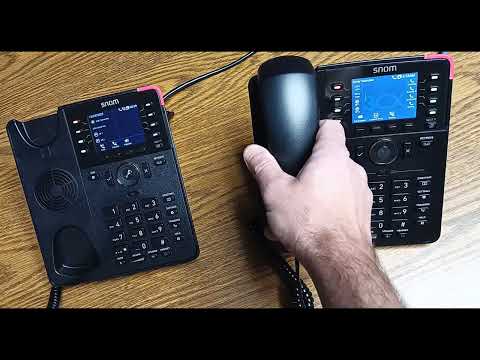
[0:05]Okay, in this video, I'm going to go over the transferring feature. Uh and doing so, I'm going to assimilate. I'm going to have a call come into this phone and I'm going to transfer it to that phone. That phone is extension 208 and this is for all training purposes, just a front desk phone. So, a call is going to come in to this phone. Pick up the call, and I'm going to transfer it. Right here, you'll see it says transfer, and you also have this transfer button here. Both those transfer buttons do the exact same thing. So once I hit transfer, it puts the call on hold, which you can hear. That's what the caller would hear. That's just a default music on hold that comes with the system. That can be changed to something more personalized or custom. So, we have the call, um ready to be transferred. I can hit blind transfer by typing in the extension, which that is 208 and dialing blind transfer. Blind transfer is going to send the call automatically to that phone and hang up my phone. So I hit 208, blind transfer. It sends the call to this phone and I can pick it up. Okay.
[1:26]Now, I'm going to do an attendant transfer. Call comes in. I press transfer. I'm going to dial the destination extension, which is 208, and I'm going to hit attended. Pick up the hand, talk to the person, tell them so and so's on a call. They say, yes, send them through. I press transfer, and now I'm on the call with the person. Okay, so one, one little extra step by pressing transfer, that will actually send the call. If I don't want the call to go through, that person doesn't want to talk to them, here's what you can do. So I hit transfer. 202, attended. Oops. What did I do? Oh, I dialed the wrong extension. Sorry. I'm going to pick up that call. Okay, I'm back on the call. It was yellow, that means it's on hold on my phone. So I hit transfer, 208, attended. I'm talking to the person. They say, no, I do not want to send them through for whatever reason, they're busy. They hang up. The person is on hold. You can pick up that call and say, hey, sorry. User's busy. Do you want me to send them through their voicemail? Another way to initiate a transfer is by utilizing your buttons here on the display. So, a call comes in. I pick up the handset. I find the user that I want to transfer the call to, in this case, it's server room 208. I scroll through. I find my user here. And hang up the phone. It automatically sends the call. And that is how you transfer.


