[0:00]You are currently over paying for Open claw by a lot. You see, last month, I set $1,200 on fire because I left the default settings on for a bot that was basically paying for Anthropics electricity bills. This month, I've cut that bill down to $36. And no, I didn't stop using the bot. I just stopped being inefficient with it. Today, I'm showing you the five-step playbook to take your Open Claw costs from enterprise tier down to pocket change. Starting with unlocking Openclaw's ability to locally search. Now, this alone can literally reduce your token usage by 95%. And no, the answer isn't switching to a cheaper model. The idea is to consume fewer tokens on any model, whether it be Opus 4.6 or Codex 5.3. This one command will do exactly that. It's called QMD skill, and the way it works is instead of bloating your prompts with entire docs, it indexes your knowledge base with BM25 and vector search. So you can query your markdown formats, locally grab only the relevant snippets, and send just those to Openclaw. And fun fact, the original implementation was actually built by Toby, the CEO of Shopify. Here's the command, you can also just send the GitHub link in the description below to your Openclaw, and it'll know exactly what to do. And just like that, 90% of your research now uses zero tokens. You probably don't know this, but your agent loads roughly 50 KB of history on every message. This wastes 2 to 3 million tokens per session and can cost about $4 per day. If you're like me, who uses WhatsApp, Telegram, or any other third-party messaging app that doesn't have built-in session clearing, this problem can compound fast. Luckily for you, the solution is one prompt and 5 seconds of your time. You just need to add a session initialization rule to your agent system. This will tell your agents exactly what to load at the start of each session. Here's the prompt. Now, before giving it this prompt, your session would have started with 50 KB of context costing around $0.40 per session due to the history bloat over time. Now, after feeding it this prompt, your Openclaw session will start with 8 kilobytes costing only about $0.05, and it automatically cleans daily memory files. Combine this with QMD skill I just mentioned, and you have one of the most efficient AI bots on the market. But none of that even matters until you add perplexity. Oh, I meant exa.ai. You see, the ability to give your AI web search capabilities has always been closed behind a paywall, until now. You ever notice how Chat GPT is never able to answer questions about recent events? That's where all the hype around Perplexity stems from, because its API gave Chat GPT the ability to search the web and give relevant insights on the latest news. However, Perplexity can cost up to $270 a month, and with Openclaw running 24/7, you'll burn your credits to the ground. So let me introduce you to Exa.ai, a tool that lets your bot search the internet for free, and it only takes 30 seconds to set up. Just go to exa.ai. I click on the developer docs, look where it says Exa MCP, then hit enable all and copy that link. Now go into your Openclaw chat and say wrap this MCP up into a skill, pacing the link. Done. Your Openclaw bot can now search the internet as if it were a human completely for free. Now, just a quick honorable mention. I found that trying to keep up with the speed of AI on your own is honestly a losing game. But believe it or not, most of the tools I'm sharing with you in this video were actually just recommendations from people inside of the Vibe coders Discord. Highly, highly recommend joining. The people in there are a lot smarter than me, and they definitely don't gatekeep. It's completely free, links in the description below. Confession time. Last month, Anthropic charged me over $1,000. Not because I was doing insane reasoning, but because I left Opus as my default model for Openclaw. Autocomplete syntax files, basic questions, all going to the most expensive model. But 80% of daily requests don't need a heavyweight model like Opus. But switching manually is also kind of annoying, so you do kind of end up burning money, meaning you're essentially using a Ferrari to buy groceries. The fix is automatic routing. You either use Open Router or Claw Router, which sits between Open Claw and the AI providers. Automatically choosing the cheapest model that can handle the task. Simple tasks go to sub $1 models, mid-tier work hits GPT-40 or Sonnet, and only genuinely hard problems touch Opus. The decision happens locally in under a millisecond. No latency, no extra API calls. You set your model to auto route and from that point on, every request routes itself. Which leads me to my last and arguably most valuable tip. Stop paying for heartbeat checks. Open Claw sends periodic heartbeat checks to verify your agent is running and responsive. By default, these use your paid API, and if you're running agents 24/7, that's thousands of calls a month, which adds up fast. It's completely pointless calling the paid AI model for a task this basic. So you want to route heartbeat checks to a free local LLM like Olama. I route mine to the local Lama 3.23 B model I installed on my Mac Mini, and now heartbeats make zero API calls, costing me $0 a month. If you don't already have a llama installed, grab it from ollama.ai or run this command. Now you just need to reconfigure Openclaw to use a llama for heartbeats. So ask Openclaw to update its config to something like this. Now all that's left is to verify that it's working. So prompt your Openclaw with this. Now your heartbeats literally cost $0. If you genuinely found this video helpful, then consider subscribing, and check this video out if you want to learn how to run your Openclaw for free.
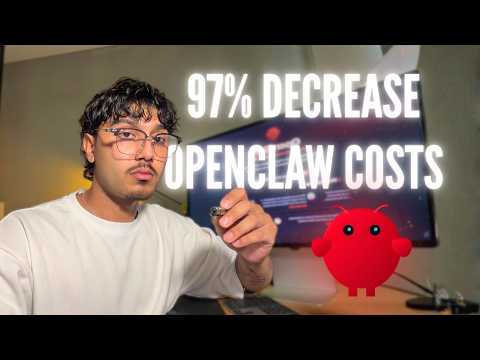
I Cut My OpenClaw Costs by 97%
Dubibubii
5m 48s1,035 words~6 min read
YouTube auto captions
Transcript source
YouTube auto captions
This transcript was extracted from YouTube's auto-generated caption track. The transcript below is server-rendered so it can be read, searched, cited, and shared without opening the original YouTube player.
Pull quotes
[0:00]You see, last month, I set $1,200 on fire because I left the default settings on for a bot that was basically paying for Anthropics electricity bills.
[0:00]Today, I'm showing you the five-step playbook to take your Open Claw costs from enterprise tier down to pocket change.
[0:00]The idea is to consume fewer tokens on any model, whether it be Opus 4.6 or Codex 5.3.
[0:00]It's called QMD skill, and the way it works is instead of bloating your prompts with entire docs, it indexes your knowledge base with BM25 and vector search.
Use this transcript
Related transcript hubs
Watch on YouTube
Share
MORE TRANSCRIPTS


