[0:04]Now, let's demonstrate the pilot mode. First, we need to set our first anchor point, which we'll call spot one. Step one, press the anchor button. Step two, save and confirm this location. Step three, exit the anchor mode. Now, let's navigate to a second location and set spot two as another anchor point. Next, press the pilot function menu key on the remote and select spot one from the list. Once you start the mode, the motor will automatically engage. The thrusters will then pilot the boat in a straight line directly towards the selected target waypoint. Upon arriving at the destination, spot one, the system will automatically activate anchor mode to hold your position.
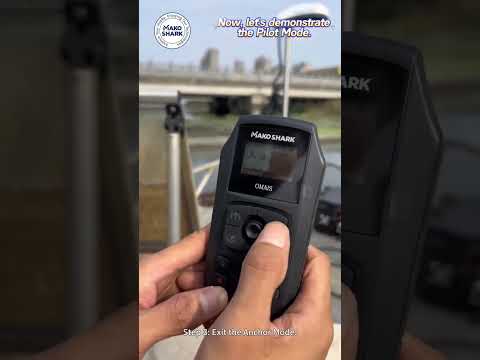
pilot mode
MAKOSHARK
1m 6s116 words~1 min read
YouTube auto captions
Transcript source
YouTube auto captions
This transcript was extracted from YouTube's auto-generated caption track. The transcript below is server-rendered so it can be read, searched, cited, and shared without opening the original YouTube player.
Pull quotes
[0:04]Now, let's navigate to a second location and set spot two as another anchor point.
[0:04]Next, press the pilot function menu key on the remote and select spot one from the list.
[0:04]The thrusters will then pilot the boat in a straight line directly towards the selected target waypoint.
[0:04]Upon arriving at the destination, spot one, the system will automatically activate anchor mode to hold your position.
Use this transcript
Related transcript hubs
Watch on YouTube
Share
MORE TRANSCRIPTS


