[0:00]In today's video, you'll learn how to record audio on your iPhone in a simple and easy way. The easiest method is using the built-in Voice Memos app, which comes pre-installed on every iPhone. First, open the Voice Memos app. If you can't find it, swipe down on your home screen and search for voice memos. Once the app is open, you'll see a red record button at the bottom of the screen. Tap it once to start recording. Speak clearly into your iPhone's microphone and your voice will be captured in real time. When you're done, tap the red button again to stop the recording. Your audio file will automatically be saved in the app list. To listen to your recording, simply tap on it and press the play button. You can also rename it, trim the audio, or delete it if you don't need it anymore. If you want better audio quality, try recording in a quiet place and keep your phone close to your mouth or sound source. You can also share your recording by tapping the share icon, which lets you send it through messages, email, or save it to files. And that's how you record audio on your iPhone in just a few easy steps.
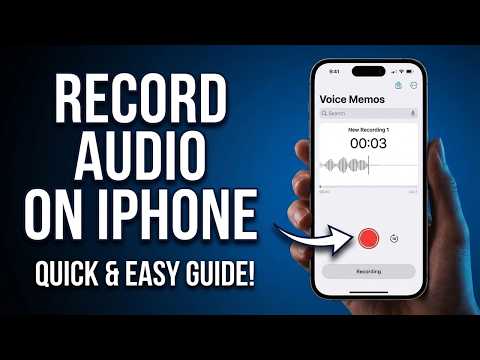
How to Record Audio on iPhone (Official Step-by-Step Voice Memos Guide)
Guidr
1m 0s210 words~2 min read
AI audio transcription
Transcript source
AI audio transcription
This transcript was generated from the video's audio because no usable YouTube caption track was available. The transcript below is server-rendered so it can be read, searched, cited, and shared without opening the original YouTube player.
Pull quotes
[0:00]In today's video, you'll learn how to record audio on your iPhone in a simple and easy way.
[0:00]The easiest method is using the built-in Voice Memos app, which comes pre-installed on every iPhone.
[0:00]If you can't find it, swipe down on your home screen and search for voice memos.
[0:00]Once the app is open, you'll see a red record button at the bottom of the screen.
Use this transcript
Related transcript hubs
Watch on YouTube
Share
MORE TRANSCRIPTS


