[0:00]A lot of Google advertisers have launched a new Google Ad campaign. They've perhaps been really excited about all the leads and sales that they were expecting to generate. But they come back in, they check their results and they see that their cost per click is just way too high. They might be paying as much as $10 or $20 for each individual click and that's just not going to work for their business. It's not a nice feeling, but it does happen. Now, fortunately, there are things that you can do to substantially lower your cost per click. And for a lot of Google advertisers, that's going to be necessary to get your Google Ads campaigns to actually produce results and be profitable for your business. In this video, I'm going to show you what they are. Now, before I get into the specific tips and techniques around reducing your cost per click when it comes to Google Ads, a couple important points I need to first make. The first one is that the industry in which you operate in, your niche, has a big impact on your cost per click. So I mentioned a second ago that some business might be seeing that they're paying $20 cost per click and that's a terrible result and that would be for most advertisers that'll be way too expensive. But in some niches, that would actually be a cheap cost per click. If, for example, you're advertising in the personal injury lawyer space, your cost per click is likely to be significantly higher than that. If you're advertising trading accounts in for people, you can set up investments and buy shares and things like that. Again, that's likely to be a really expensive cost per click. You're probably going to pay a lot more than that. On the other end of things, if you're advertising something in the nutrition space, you know, health and fitness, you are likely to pay a lot less in terms of cost per click. So, there are external market forces that determine what your cost per click is and that's because Google operates in an auction system. The price is set by how many advertisers are trying to put their ads in front of these people, and what are they willing to pay in terms of cost per click. And that is determined to a large extent by what the customers are worth. So, in industries where the average customer value is that much higher, you are likely to pay a higher cost per click. And the opposite is true for industries where the customers aren't worth as much, you're likely to pay a much lower cost per click. Now with that said, there are nearly always things that you can do as an advertiser to reduce your cost per click and do so substantially. And I would recommend that you try and do those whether you operate in an industry that has a really high average cost per click or a low average cost per click or something in between. Because if you reduce your cost per click, the chances are that you're going to increase your return on ad spend and improve how profitable your Google Ad campaigns are. And what advertiser, what business doesn't want more profitable advertising from their Google Ads? Okay, so let's go into it. I've got a number of points that I want to run through and number of techniques that we use as an agency to reduce cost per click. So, tip number one is don't target the short, high volume keywords that everyone else is targeting. Instead, look at longer keywords that may have lower search volume, but might have a lot less competition. And it's advertiser competition, like I said, Google Ads operates in an auction that drives up the cost, drives up your cost per click. And those longer term keywords also often convert better because you can tailor the messaging within your ads to the extra information that's included within the search associated with those keywords. And the prospect feels like whatever it is that you're offering is more relevant to them. They're more likely to click, that helps reduce your cost per click. They're therefore also more likely to go ahead and convert. So it can be a win all around. Now, I want to make it very clear that I don't always recommend that you don't target the really obvious, short keywords in your niche that get loads of searches. Because there are absolutely times and places where you want to target those. It's just if you're in an environment where you're looking at your cost per click and thinking, this is way too high, this is never going to work for my business. I'm never going to produce profitable campaigns with this, then that might be something that you want to consider. Let's Okay, let's avoid targeting these really obvious, high volume keywords that everyone else is targeting and try and be a little bit clever with it. Try and find some longer keywords that people aren't necessarily going after as much where there are lower cost per click. So I've got an example in terms of how would you actually go about doing this? So let's, let's assume that you're a lawyer operating in London, okay? So, you can target keywords like lawyers in London. Really short, very high volume keyword, an enormous amount of competition. And you're likely to pay a lot in terms of cost per click because you're up against big companies, etc., etc. Instead, what you could do is you could break that down either into the sort of the subsections of where someone might want a lawyer. Instead of a just lawyer, you could have divorce lawyer or you could have contract lawyer or you could have, you know, whatever it happens to be, right. There's loads of different categories of law and you can break those down in there. Or you could do it by location. So let's say you're you're operating in London. West London would probably still be too big, you probably want to break it down. Instead of West London, you could have like lawyers in Chelsea or lawyers in Chiswick or lawyers in Ealing or the various different like sections and suburbs of your city. If it's more rural, maybe the county, you know, you can break things down geographically. And then you can get even longer and go with combine the two, right? So you could have divorce lawyers in Fulham. Okay? And that is specific to the location, it's specific to like the the niche within lawyers in general, it's it's divorce lawyers, you're advertising to. Now, if someone's searching and they are looking for a divorce lawyer and they are based in Fulham, which is in West London, then they're far more likely to click on your ad and come through because you can tailor the messaging in the ad to their search. Now, of course, that comes with lower search volume because there are far more people searching for lawyers in London than there are people searching for divorce lawyers in Fulham. But it's a way of being a little bit more clever, going with the keywords that are longer, lower search volume, and almost certainly going to carry a lower cost per click. And in that sort of instance, almost certainly going to have a higher conversion rate as well. So that's one of my biggest tips for Google advertisers looking to reduce CBC is really take a look at your whole market and think, how can we break this down? Sometimes you can do it by location, you can always do it by sub sector. Sometimes you could do it with different age ranges. So if you're like a gym, for example, you could have um some ads that are targeted at like the older demographic that you might want to attract to your gym. And have language and demonstrate that it's appropriate for them, but also have other ads associated with other ad groups and other keywords that are targeting younger demographics, people who are going to lift weights more or people who are going to be more into cardio, or people who want to do classes, people who want to use the pool, all sorts of different things. Like, you can really break that down in just about any industry that you have. So that's one of my top tips for reducing cost per click. Okay, point number two, is to use more campaigns and then reallocate budget. So what a lot of Google advertisers do, particularly when they're getting started, is they create the one campaign. Let's say they've created the one campaign on the search network. They've got a campaign budget, they've set their bidding strategy, let Google know what it is that they want and they just sort of let Google crack on with it and bid according to the keywords that they've entered and sort of just go for it. But if you break things down, and this leads on from my previous point, if you break things down into more ad groups and even more separate campaigns, so that you might have different sub sections, your market or different geographical areas, and things like that. You can then see in the data when it's broken down, okay, you know what, when we're advertising divorce lawyers in Fulham, that's actually less expensive than divorce lawyers in Chelsea. And it from a cost per click standpoint by quite a bit. And actually, if we look at the conversion rates, they're similar. So, you know what, let's go ahead and reallocate more budget from our divorce lawyers in Chelsea to our divorce lawyers in Fulham. And then let's reallocate budget to that campaign, let's push more through there where we're likely to get a better return on ad spend. And I think that's actually an underutilized tool, particularly for a lot of beginner Google advertisers is like, look, if you break things out, you can really improve your return on ad spend often by just simply deciding, we're going to spend less on this, that's not working as well. And more on this that is working as well. In this scenario, we're looking for those ones with lower CPCs, but it's a relatively quick and easy exercise to do. You can keep an eye on it when things are broken out by different campaigns, you can very quickly see what your cost per click is and just decide, okay, here we go, we're going to reallocate, we'll get better results. Leading on from that is point number three, and this is sort of a level below that, is you can simply turn off high cost per click keywords. Now, when you do this, you'd always have to keep in context of the conversion rate and the return on ad spend numbers that you're generating. Hopefully, you've got conversion tracking set up to be able to see, okay, yeah, this keyword has a high cost per click, but it is converting well. Our return on ad spend is good with this keyword, we're going to keep bidding on it, we're going to keep targeting it. But that's not always the case. Sometimes, particularly with new ad accounts where Google's not sure how to get you the conversions that the bidding strategy, um, the bidding process isn't aligned yet. It hasn't optimized as much as you want it to, you can take manual control and just be like, look, I don't want to go ahead and bid on that keyword, the cost per click's really high. It's hoovering up loads of our budget. Let's just go ahead and turn it off. Again, something that beginner Google advertisers are nervous to do, but absolutely fine to do. Okay, so we've got some more tips that I want to get to in a minute. Before I do, I just want to quickly let you know about our done for you Google Ad Services. So my company can create, manage and optimize your Google Ad campaigns for you. We'll almost certainly get you significantly better results than if you manage them yourself, because this is what we do all day, every day, have done for years. And we've spent millions and millions on the platform as well. So if you want to find out more about that, then there is a link in the description. You can click on that, come through to a page on our website. Book a call in with one of my team members to find out more, and hopefully, we get a chance to work together. Tip number four is to improve your quality score. So quality score is a ranking, is a number that Google gives you out of 10, 10 being the highest and the best and you want to be as close to 10 as possible. And the way it works, is sort of Google's way of assessing ad relevance, but also shaping advertiser behavior. So Google obviously wants their users, people that are searching on Google to click on ads and then have a good experience after that. Because if users don't do that, they will click on ads a few times, realize there's no point clicking on ads, you don't find what you want, and they will stop clicking on ads, which is obviously something that we don't want as Google advertisers and what Google doesn't want either, because that's how they make their money. So they want to make sure that wherever people are taken to after they click on an ad, that is relevant to their search, that they have a good experience there, that it's not a slow loading time in terms of the page. is it there's onward navigation, people don't sort of get trapped where they have to give their email address and they can't go on and do anything else. They don't bounce back off that landing page going, oh, this is not what I wanted at all. So with a better quality score, Google effectively rewards advertisers in the form of a higher ad rank, so you're more likely to appear higher on the page and lower CPCs. Because it's one of the determining factors in determining your cost per click, it's not just the amount of competition, not just the keywords you're targeting, but also your quality score. An advertiser targeting the exact same keywords as another one with a better quality score will pay less in terms of cost per click. Even if it's the same keyword, same place on the page, all those other things that are equal, right? So well worth improving quality score. I've actually created a whole video about improving quality score. I'll include a link in the video description below if you want more details about that. I've just sort of covered some of the, you know, the obvious points around quality score, about relevance and and things like that. But yeah, definitely something to think about and to look into in terms of reducing your cost per click. And, you know what, if you increase the relevance between your landing pages and your ads and the searches, you're going to get better conversion rates aside from what Google wants you to do because it's going to be better for your users. They're going to feel like you're more likely to take care of them and solve their problem, so it's a win all around. Point number five, use the keyword that you are targeting as a headline in your ads, in that ad group. Now, this is a continuation of a theme of of some of the points I've already made, but if you improve the relevance between the search and the ad that people are shown, they are more likely to click. High click through rates lead to lower costs per clicks in general. They lead to better quality scores, they do a number of good things for your Google Ad campaign and for your business. So I look at a lot of Google Ad campaigns where I think this is just too broad, the ad groups are too broad. And one of the things that I recommend is right, let's really tighten up the ad groups, so let's create more ad groups that are more tightly themed, so they have less varied keywords within them. They're very much all around a central keyword, and then you can include the keywords in your ads as headlines. You can pin those headlines and that's really important so that if you've created, you know, if you've created a responsive search ad and you've got 10 different headline options, you can pin the one that includes the keyword to make sure that that's shown every single time whilst Google's testing the various other variations. It can be three headlines used in a in a Google ad when that's put in front of a of a searcher and a user. And then it increases relevance, people are more likely to click, and like I said, that will reduce your cost per click. Number six, use low-barrier-to-entry introductory offers. So let's go back to our previous example of a lawyer, okay? So, let's say you're advertising for a lawyer, you're bidding on those keywords, you can have maybe broken them down and and that's all good. But another way to reduce your cost per click is to change that introductory offer to be something different from your competition. So let's say all your competition is offering a free consultation, they're basically like, come into our office, have a chat with us, we won't charge you for that first introductory hour or whatever, and then we'll look to go from there. But that's still relatively high barrier to entry, right? Because someone's got to take time out of their day. The office is probably only work open during working hours, maybe they have to take like half a day off of work to come in and see their lawyer. It's like, ah, it's just there's a barrier there, there's a hurdle that's going to be difficult for some people to overcome. Now you could mix it up. So instead of offering that as the introductory offer on your ads and on your landing page once someone clicks through, you could instead offer a free call. And you could make sure that that call could be done outside of working hours or when it's more convenient for your prospects. That's a much lower barrier to entry, right? Okay, I don't have to book some time off work and then come into your office during working hours. I can actually just call you on a Saturday, or call you in the evening and we can have the introductory offer that way, fantastic. That might be a way to get a much higher click through rate which will reduce your CPC. Also help you stand out from your competition and attract people that might be reluctant to go with your competitors given their offers. A differentiated offer is normally a good idea. You could do that with a lead magnet instead, get them to opt in for a guide or a training or a webinar or, you know, PDF or which option you go with is going to depend on your business and what what suits best. Tip number seven, create a larger negative keyword list. Now, most Google advertisers think of negative keywords and negative keyword lists as a way to prevent irrelevant searches. People searching for things that aren't actually relevant to your products and services from being shown your ads. That's a good use of a negative keyword list, I definitely recommend you do that, that's a good way to save money. If you go through your search terms report and you see that, oh, that search caused my ad to be shown and that person clicked, but they were never going to buy, they were never going to become a lead. What they search for isn't actually as relevant to my product or services as I would like it to be. I object your honor, and that's a good use of a negative keyword list. But you can also use negative keywords to prevent searches from causing your ads to be shown that are relevant to your products and services, but perhaps are just a bit too expensive. And if you spend time in your search terms report and you do that multiple times over time, which is something I'd recommend you do. You'll start to get a picture for which keywords convert really well, which keywords you like, you know what, whenever the search term includes that specific word, I end up paying way more cost per click than for other keywords that don't include that specific word. So perhaps I should just add that as a negative keyword and just get rid of it altogether. Now, the effect of this is really amplified if you operate in a niche that has related niches, where the cost per click is significantly more expensive, and advertisers sort of dragged into your niche. So, if I give an example, like, let's say, this happens a lot in like financial services or advertising for various financial instruments, right? So the cost per click for someone looking to open a savings account is going to be quite different from someone looking to open a trading account or a forex account or a spread betting account. These customers are worth different amounts to these businesses, therefore they're willing to pay different amounts to to acquire them in the first place. But because a lot of Google advertisers use broad match keywords and their ads are being shown to searches that are sometimes not super relevant to the actual keyword that they started with. You can sometimes see that advertisers from a more expensive niche have their ad shown alongside your ads, even though the search is actually more appropriate for your ads and what it is you're advertising than for theirs. But if they're dragged in, then obviously they're going to bid up the price and you're going to end up paying more in terms of cost per click. So perhaps adding in some negative keywords to be like, okay, I know these other niches that are more expensive than mine, are relevant. But I just don't want my ads to show up alongside theirs, I don't want to be competing against them because they can pay more than I can in terms of cost per click, and that's not something that I want. So you can go ahead and add those in as a negative keywords. That's that's quite a big step for Google advertisers to sort of get their head around and psychologically, but it can make a big, big difference to your cost per click if if you're not, if you're avoiding keywords that just cost too much. And even if it's, even if you don't have a situation where you have the more expensive relative niche, perhaps there are just certain keywords in your space where you go, for some reason, that keyword is just a lot more expensive than these other ones. Yes, it's relevant, but you know what, we could just decide not to advertise to it, we can add it as a negative keyword, we can stop targeting it, turn it off and help improve our, um, cost per click. Tip number eight is to not just use search campaigns. Now, I'm a big fan of using search campaigns. A lot of the other tips that I've given in this video refer primarily and apply primarily to search campaigns. So absolutely use them, but don't just use search. That massive discrepancy that I talked about between certain niches where you could pay 10 times, 20 times, 100 times as much cost per click in some spaces as others. That really applies to the search part of Google because that's where there's intent, that's where people are literally searching for divorce lawyers in Fulham or whatever example it is that you want to use. If you're going to be advertising on the display network or using demand gen or on YouTube or all the various other placements that Google has and other campaign types because Google Ads is far more than just search, many, many other places that you can put ads. The discrepancy in terms of cost per click is far less, especially if you operate in a high cost per click niche. Absolutely look to incorporate other Google Ads campaign types. And even if you don't, I think it's a good idea for Google advertisers once they've gotten familiar with search, once they are generating conversions to take advantage of a lot of the other places where you can put ads and gain a lot of customers. Even if your strategy's still going to be very much search led at the beginning, you can then retarget people that click through on a search ad, but didn't quite convert on YouTube or on display or in the other areas that Google Google allows you to put ads. Now, if you want to know more about the other Google Ads campaign types, which ones you should use and when, I'd recommend you check out this video. In that video, I walk you through all the different campaign types, where your ads will appear, depending on which one you use, which types of business should use this one or that one. So if you haven't already, go ahead and check it out.
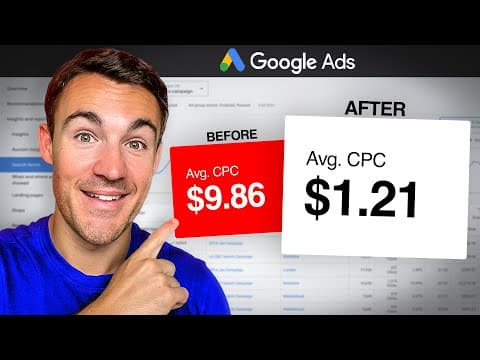
How To MASSIVELY Reduce Google Ads Cost Per Click
Ben Heath - Google Ads
19m 24s4,320 words~22 min read
YouTube auto captions
Transcript source
YouTube auto captions
This transcript was extracted from YouTube's auto-generated caption track. The transcript below is server-rendered so it can be read, searched, cited, and shared without opening the original YouTube player.
Pull quotes
[0:00]They've perhaps been really excited about all the leads and sales that they were expecting to generate.
[0:00]But they come back in, they check their results and they see that their cost per click is just way too high.
[0:00]They might be paying as much as $10 or $20 for each individual click and that's just not going to work for their business.
[0:00]Now, fortunately, there are things that you can do to substantially lower your cost per click.
Use this transcript
Related transcript hubs
Watch on YouTube
Share
MORE TRANSCRIPTS


