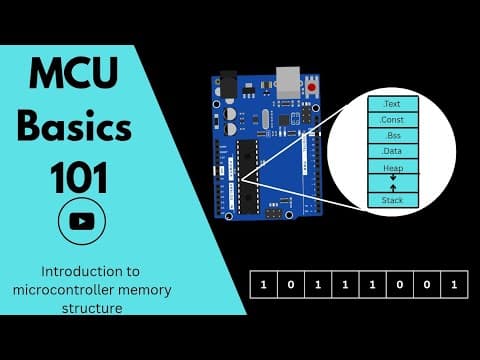
[0:00]Unlike our laptops and PCs that have external RAM and SSDs, which we can replace when they go bad or upgrade whenever we want, microcontrollers have embedded memory built right into the chip.
[0:14]That means we can't increase or replace the memory. So we have to maximize the available memory space to fit our program.
[0:23]And the best way to do this is by understanding the microcontroller's internal memory structure.
[0:30]But before that, let's look at the types of memory that can be found in microcontrollers.
[0:35]They are registers, RAM, Flash, and EEPROM.
[0:41]In microcontrollers, a register is a small, high-speed storage location inside the CPU that temporarily holds data, instructions, or addresses while the processor is executing tasks.
[0:55]Registers are directly connected to the CPU, making them much faster to access.
[1:00]Types of registers commonly found in microcontrollers include general purpose registers, used for temporary data storage and calculations.
[1:11]Special purpose registers control specific functions of the microcontroller, like the status register, program counter, or stack pointer.
[1:20]Peripheral registers are used to configure and control hardware modules like timers, ADCs, and UART.
[1:29]The amount of data a register can hold depends on the word size or bit width of the microcontroller CPU.
[1:39]If the MCU is 8-bit, each register holds 8 bits, which is 1 byte.
[1:43]If the MCU is 16-bit, each register holds 16 bits, which is 2 bytes.
[1:50]If the MCU is 32-bit, each register holds 32 bits, which is 4 bytes.
[1:55]Some advanced ones, like the Arm Cortex M7 with FPU, can even have 64-bit registers for special math operations.
[2:05]We'll talk more about how microprocessors and microcontrollers work and about word size and the CPU in general in a future video, so make sure to subscribe so you don't miss it.
[2:16]Next, we have RAM. This is something we're already familiar with from our laptops and PCs.
[2:23]RAM or Random Access Memory is the volatile memory used to temporarily store data while the microcontroller or processor is running.
[2:32]It holds things like program variables, such as counters, buffers, or sensor readings.
[2:39]The stack and heap, which store function calls, return addresses, and dynamic data. When power is turned off, all data in RAM is lost.
[2:47]Next, we have flash memory. Flash memory is a type of non-volatile memory, mainly used to store the program code or firmware and sometimes constant data.
[3:00]So, this is where our program is permanently stored. It retains data even when power is off, and it also allows us to update the firmware without removing the chip.
[3:09]It's slower than RAM, but ideal for permanent storage. And finally, we have EEPROM. In microcontrollers, EEPROM, which stands for Electrically Erasable Programmable Read Only Memory, is a type of non-volatile memory used to store small amounts of data that must be preserved even when power is off.
[3:30]It's similar to flash in that it holds data even when power is removed, but there are some key differences.
[3:38]Flash memory is used to hold our program that we upload to the microcontroller, while EEPROM stores data that are generated during CPU operation and need to be saved even when power is turned off.
[3:52]Examples include settings, calibration values, and so on. For instance, in a radio transmitter for RC crafts, you might want to store a model for later use, and EEPROM is perfect for that.
[4:05]Another difference between flash and EEPROM is how they handle erasing and writing.
[4:12]Flash can only be erased page by page and written word by word, according to the CPU bit size.
[4:21]EEPROM, on the other hand, can be erased and written byte by byte.
[4:25]This means if we want to change a single byte in flash, we would have to erase an entire page and then write it back.
[4:35]Because of cost and complexity, many microcontrollers don't include EEPROM but reserve a section in flash memory to store data generated by the CPU that needs to be accessed after power is turned off.
[4:50]A special routine is used to make sure important data isn't erased. For example, when we want to change a value at a location, we can't just overwrite it.
[5:01]Instead, the new value is written to a new location, and the old value is marked invalid.
[5:08]Over time, both junk and valid data build up in this flash section.
[5:15]When it gets full, the valid data is copied into RAM, the entire page is erased, and then the valid data is written back.
[5:24]This is necessary because flash has a limited number of read and write cycles.
[5:29]One similarity across all memory types, whether registers, RAM, flash, or EEPROM, is that they all store data by word, and each word has an address.
[5:41]These addresses give a reference to where the data is located in memory. In our next video, we'll see how all these memory structures are organized and mapped into a single block, and how they work together and are accessed by the processor.


