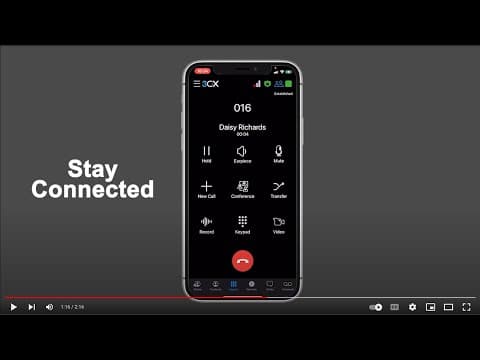
[0:00]Hi, I'm Keith, product communicator at 3CX, and here's a brief overview of the free native app for iOS devices. It allows you to take your office extension with you, no matter where you go, and is super easy to use. Download 3CX from the App Store and follow the steps in the first time wizard. Then simply scan the QR code in your welcome email or web client and start calling. Let your colleagues know when you are available by tapping on the status indicator to quickly set your status. You can also avoid getting notifications for calls and chat by disabling push notifications. This is valuable when you're using your own personal device as a work extension. Use chat to send messages and documents to colleagues while on the move. The built-in quick actions help you archive, delete, and tidy up your chat conversations. Voicemail is accessible directly from the tab bar and includes a notification bubble to alert users to a message. Simply tap to play each message. No more shuffling around between apps and separate address books. The 3CX app for iOS combines your device's contacts and company phone book. Search for your contact by name, email, or a number, and use the quick actions to call, email, leave a voicemail or send a chat message. Never give out your personal phone number again and stay connected with the office no matter where you are. If you're moving around while on a call, the app reconnects your calls through available Wi-Fi or cellular networks. Remember, all your 3CX calls are secured with encryption. Get Siri to place your calls. Simply ask Siri something like, Siri, call Daisy using 3CX. Or, Siri, call 016 using 3CX. No need to wait to get back to the office to schedule or join a conference call. Scheduling is easy, providing the ability to create 3CX audio or video conferences quickly. Additionally, sync the meeting to your calendar and add participants from your device directory. Scheduled meetings are easy to join, prompting users to open the meeting using the separate 3CX video conferencing app. Download the iOS app from the App Store for free today, and don't forget to check out our user guide to find out more. Also, make sure you subscribe to our YouTube channel and social media for more updates.
3CX iOS App - Overview
3CX
2m 18s392 words~2 min read
YouTube auto captions
Transcript source
YouTube auto captions
This transcript was extracted from YouTube's auto-generated caption track. The transcript below is server-rendered so it can be read, searched, cited, and shared without opening the original YouTube player.
Pull quotes
[0:00]Hi, I'm Keith, product communicator at 3CX, and here's a brief overview of the free native app for iOS devices.
[0:00]It allows you to take your office extension with you, no matter where you go, and is super easy to use.
[0:00]Then simply scan the QR code in your welcome email or web client and start calling.
[0:00]Let your colleagues know when you are available by tapping on the status indicator to quickly set your status.
Use this transcript
Related transcript hubs
Watch on YouTube
Share
MORE TRANSCRIPTS


