[0:03]A string in Java is an instance of the string class. Here are a couple of different ways of creating them. As with all variables, you start with the type, string, and then assign a name. In Java, you can assign the value directly without creating an object first. I'll say, this is a string, and the value has been assigned. This results in creating the string object and assigning its initial value. Here's another version. I'll declare another string that I'll call S two, and this time I'll use object creation syntax with new string. And I'll pass in, this is also a string. For most purposes, these two statements are equivalent. In both cases, you're creating a string object and allocating memory. You can create a string from an array of characters. To create a simple array in Java, you start with the type of the objects within the array, followed by a pair of brackets. Then you give the array a name and you assign it. This sort of array of primitive values can be created with a pair of braces wrapped around a series of values. And then you can take that array and create the string. Once again, I'll use object creation syntax with new string and then I'll pass in cars. And the reason that works is because there's something called a constructor method, a method that creates an instance of the class. There are two different versions of the constructor method here, one that receives a literal string and one that receives a character array. When you append values to a string, it's called concatenation. In Java, the plus operator, which also works as the addition operator for numeric primitive values, serves as the concatenation operator. I'll create a string, and I'll just call it S this time, and I'll start with shirt size. I'll put in a colon and a space and finish the string. Then I'll create another string that I'll name size, and I'll give it a value of M. And then I'll create another string that I'll call description and I'll create it by concatenating those values together with S plus size, and there's the result. You can also append a value to a string with the plus equals operator that looks like this. I'll start with description plus equals, and then in quotes, another literal string, comma, space, very elegant. And now the description variable represents all of that data. In all of these cases though, it's important to remember that a string object in Java is immutable. In the background, its value can't be changed. So when you append or replace a string's value like this, you're really discarding the existing object and creating a new one in memory. The string class has many methods that you can use to change the way the string is represented or displayed. Here's a method that returns another string. I'll use the expression description.to upper case. That's a method, and so to call it, I have to put a pair of parentheses at the end. And the result is the same string in all uppercase. If I want to find a character at a particular point in the string, I can use the expression S. car at and pass in a numeric value. If I pass in the value four, that means I'm looking for the fifth character, not the fourth. That's because Java starts counting at zero. So, the first character is at index zero, the second at index one, the third at index two, and so on. And so, car at four returns the value T in lowercase. That's how the information is stored in the background. Finally, you can also get an array of bytes from a string. That expression looks like this, S. get bytes. And that returns an array of a particular size and each item in the array is a byte, not a character. That's why you're seeing numeric values. This last method is important to know because many common techniques for working with streams, such as reading and writing files, use byte arrays instead of simple strings. For more information about everything you can
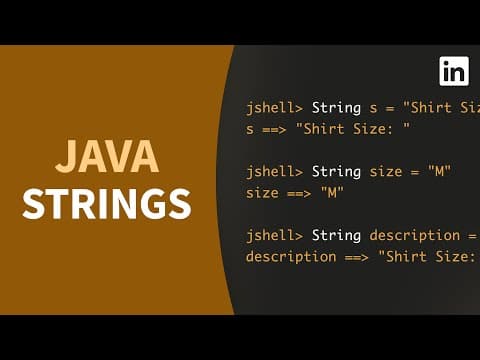
Java Tutorial - Create and concatenate STRING values
LinkedIn Learning
4m 21s701 words~4 min read
YouTube auto captions
Transcript source
YouTube auto captions
This transcript was extracted from YouTube's auto-generated caption track. The transcript below is server-rendered so it can be read, searched, cited, and shared without opening the original YouTube player.
Pull quotes
[0:03]I'll declare another string that I'll call S two, and this time I'll use object creation syntax with new string.
[0:03]To create a simple array in Java, you start with the type of the objects within the array, followed by a pair of brackets.
[0:03]This sort of array of primitive values can be created with a pair of braces wrapped around a series of values.
[0:03]Once again, I'll use object creation syntax with new string and then I'll pass in cars.
Use this transcript
Related transcript hubs
Watch on YouTube
Share
MORE TRANSCRIPTS


