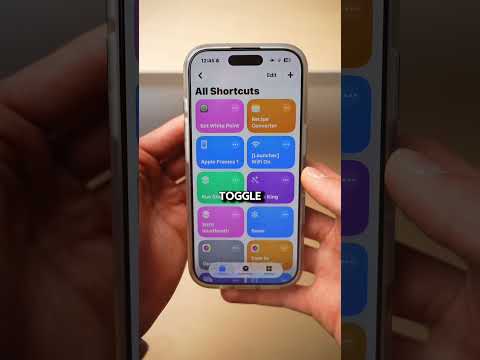
[0:00]So you probably heard of the privacy screen display feature on Samsung, but here's a quick how to for your iPhone. You'll be able to see everything from the front, and if someone looks from the side, they will see a black screen. So you have to go to settings, then search for reduce white point. Toggle it on and set it to full, then toggle it off again. Now open up the shortcuts app, tap on automations and create a new automation. Select this and tap on turn to switch to toggle. Then go to iPhone settings again, accessibility, touch and scroll down to back tap. Open double tap, select white point inside shortcuts. So whenever you need privacy display on your iPhone, simply double tap the back of your iPhone, and from the side your screen will become almost invisible. And make sure to follow. I always share something new there.
👀 Privacy Display on iPhone?!…
The iBuddy
48s153 words~1 min read
YouTube auto captions
Transcript source
YouTube auto captions
This transcript was extracted from YouTube's auto-generated caption track. The transcript below is server-rendered so it can be read, searched, cited, and shared without opening the original YouTube player.
Pull quotes
[0:00]So you probably heard of the privacy screen display feature on Samsung, but here's a quick how to for your iPhone.
[0:00]You'll be able to see everything from the front, and if someone looks from the side, they will see a black screen.
[0:00]Then go to iPhone settings again, accessibility, touch and scroll down to back tap.
[0:00]So whenever you need privacy display on your iPhone, simply double tap the back of your iPhone, and from the side your screen will become almost invisible.
Use this transcript
Related transcript hubs
Watch on YouTube
Share
MORE TRANSCRIPTS


