[0:00]This is how to create that Apple liquid glass effect right here in After Effects. By the way, you can get this free project to break down with the link in the comments. Now, to make any white shape layer that you may have, glass, first apply the fast box blur and set it to five. Then duplicate your shape and then set the blur on the bottom layer 20, and then proceed to disable the fill and set the stroke to 20 as well. Then turn off this layer. From here, toggle your top shape to be an adjustment layer, you know, a little neat trick there. But with the displacement map effect thrown in, set the map drop down to the bottom layer with effects and mask selected. Then have fun increasing displacement values to create your Apple style distortion. At this time, you can overlay any graphics that you may have, and if you want, you can use the transform effect above the displacement map effect to vary the position, anchor point, and scale. Now, this is a good start, but to take this even further, duplicate that map layer and turn it back on. Then set the box blur to four. Then just throw in the set matte effect and set the matte to your main glass effect layer, and this should give you a light edge. And if you duplicate this layer and set the blur to at least 40, this should lightly fill inside of the glass, and I would lower the opacity of that previous edge light. And if you really want to take this even further, duplicate your layer again, delete the effects and make sure only fill is enabled while stroke is turned off. From here, I would add bevel and emboss from layer styles and then under advanced blending, you can set your fill opacity to 0%, and then set the bevel shadow color to white to finalize your liquid glass effect. And support my content by creating amazing after effects and Premiere Pro work in no time for free templates and motion graphics with the link on this video.
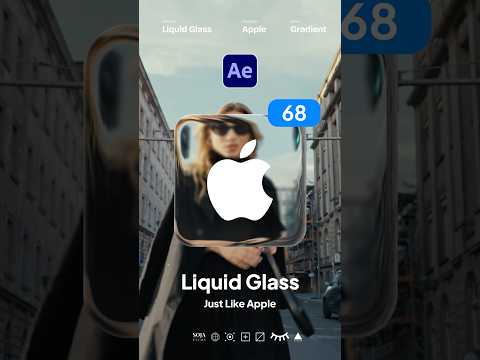
Create Easy Liquid Apple Glass Motion Graphics in After Effects
SonduckFilm
1m 44s360 words~2 min read
YouTube auto captions
Transcript source
YouTube auto captions
This transcript was extracted from YouTube's auto-generated caption track. The transcript below is server-rendered so it can be read, searched, cited, and shared without opening the original YouTube player.
Pull quotes
[0:00]This is how to create that Apple liquid glass effect right here in After Effects.
[0:00]By the way, you can get this free project to break down with the link in the comments.
[0:00]Now, to make any white shape layer that you may have, glass, first apply the fast box blur and set it to five.
[0:00]Then duplicate your shape and then set the blur on the bottom layer 20, and then proceed to disable the fill and set the stroke to 20 as well.
Use this transcript
Related transcript hubs
Watch on YouTube
Share
MORE TRANSCRIPTS


