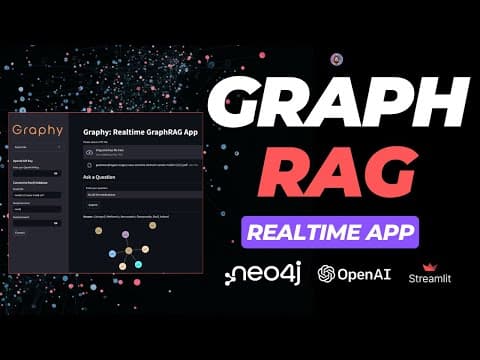
[0:03]Hello everyone, welcome to AI Anytime channel. In this video, we are going to build a graph rag application named Graphy.
[0:13]In the previous video, we built a real-time Rag application named Document Buddy App. You can find the link of that video in description and also the GitHub repository link in description as well.
[0:26]Now, in this video, the agenda is to build a real-time graph Rag app. We are calling it Graphy V1.
[0:33]We're also going to have a Graphy V2, version 2 of this video as well, where we're going to look at all the open source stack. In this video, I'm going to use closed source stack.
[0:46]Closed source technology stack, including LLM. We're going to use GPT4 Oman model, you know, as a large language model.
[0:53]We're going to use Neo4j cloud, you know, uh, we're not going to host it locally or self-host it.
[0:59]Langchain for orchestration, uh, embedding model again from, uh, text EDA002 or any other embedding model we're going to see, and Streamlit, uh, for building the user interface.
[1:11]And in the next video of this, uh, same project, we're going to have V2 where we're going to use Ola, know that video has also been recorded. I'm going to post that soon.
[1:21]Now, in that video, we're going to use Lama 3.2 via Ola, and we're going to self-host Neo4j using Docker, and only we're going to use Qdrent as a vector database.
[1:33]So, let's see how, you know, you can use Graphy V1.
[1:38]And, of course, you can take the code from the GitHub repository, use it wherever you want to use, you know, you can use it in your college projects, your final year projects, you can use it, use this as your workplace.
[1:50]You can also sell this project, you know, after making it a bit more functional and you can enhance the capabilities of this tool or app, whatever you call it, completely free, whatever you want to do with this, you can do it.
[1:58]Now, if you look at here on my screen, I'm on Graphy. This is how it looks like.
[2:04]Uh, completely modular. I'm not doing anything like, you know, locally offline, you know, things here.
[2:09]You can put you can bring up your own keys and it will set in the environment. You can connect to the Neo4j, uh, you know, uh, database, cloud database. I'm going to show that.
[2:18]It's a graph database. Okay. Now, recently, there was a, you know, huge, uh,
[2:29]uh, demand of building graph Rag, you know, uh, building Rag, you know, traditional manner based on retrievals, you know, like distance based retrievals, probably it's not always good for complex use cases where there are a lot of correlations between, you know, the data entities that you have.
[2:44]So, imagine if you have, you know, uh, a patient data, last 50 years data of a patient and you can find out, you know, multiple medicine, symptom symptoms, test, physical test,
[2:56]uh, you know, so on and so forth. And there are a lot of correlations, uh, you know, in in this data, when you talk about medicines versus symptoms and so on and so forth. So, when there are a lot of relationships that you can derive, that's where you can use databases like graph databases.
[3:10]And if you look at here, uh, look at here on my screen, I have Neo4j, okay, uh, I've created an instance in free.
[3:17]It's running right now. You can see I have different nodes and I have relationships, uh, for those nodes as well.
[3:23]And I'm going to give you a walk-through of the code, not going to write any single line of code, like very redundant code, uh, that I have, uh, explained in previous videos as well.
[3:30]Now, you can see here we have Graphy, uh, we have in sidebar here. In the sidebar, we have Expand Me, where it talks about a bit of the description of the app.
[3:42]And you can set your Open AI API key over here. You can connect to Neo4j, uh, you know, uh, database over here.
[3:50]So, when you work with Neo4j cloud, you need three things.
[3:54]You need URL, you need username, you need password.
[3:57]Okay. URL, you can find it out from here.
[4:00]Of course, I'm going to delete this after this video. So, I can show you. You can see this is your connection URI.
[4:07]Okay, uh, uniform resource indicator. This is what you have to put it over here, uh, you know, in this thingy.
[4:11]And then you need a password. Password, you can find it out once you create an instance. It shows you the password only once.
[4:19]And now, the first time when you come, uh, come on this application, if you want to use it, you have to first bring up all of your credentials.
[4:25]There are two ways you can do it. If you don't want to use this as like, you know, in real-time settings, you can also, or don't want to use it as modular as what I want to build it, you can also set this in your ENV, you know, uh, in in the back end as well.
[4:40]Now, the first thing is that I'm going to set up my keys. Of course, I'm going to take all of my keys here.
[4:47]This is my Open AI keys, so I'm going to put it over here.
[4:51]And then I have my, you can see it says Open AI API key set successfully.
[4:57]Okay. Now, we're going to set up our Neo4j thing. So, for the Neo4j, you can find out, I have my databases here.
[5:05]Of course, uh, don't mind. I'm going to delete this anyway. Now, Neo4j URL.
[5:08]And I'm going to do Neo4j password. So, this is how this is what I'm going to do.
[5:13]And bring up my password here. And once you click on connect, it will connect with your Neo4j database. It's, you can see it says Connected to Neo4j database.
[5:22]Now, once you connect and set up your keys, LLM keys and your Neo4j databases, then you can upload a PDF file.
[5:30]You can see it says, please select a PDF file, drag and drop file over here. And here you can upload your PDF file, guys.
[5:37]Right? I have a PDF, the same PDF that I have taken in the previous video.
[5:43]I recommend you watch my previous videos on Document Buddy app where we built a real-time Rag using completely open source stack.
[5:49]Where we used a medical case study of a patient, uh, she was suffering through gastro issues, like gastric, some, uh, you know, a lot of a lot of different symptoms that she had.
[6:01]And it's a case study by Massachusetts hospital or something. So, I, you know, I'm just going to upload that file here. Now, once you upload that file, I already have created my knowledge base here, but I'm, of course, I'm going to, basically the graph, graph database over here, you know, and let me first show you the code, okay, and then it will explain.
[6:15]Then I will just go here and I'll show you because, now here you upload a file. It will just process it again. Okay.
[6:22]And then you can ask questions related to it. Okay. Now, I first want to explain the code to you. Okay. So, if you look at the code directory, I have created a virtual environment in Python. It's called .VNV.
[6:33]I have a .ENV file where I have set up all of my ENVs. And of course, if you are, if you don't want to use it like through an input, uh, that we are taking for the credentials,
[6:44]you can, you can set up that ENV over here.
[6:47]I have a logo.png called Graphy. I just named it something. You can also name whatever you want.
[6:51]Requirement. This is the requirement TXT that we have.
[6:55]Okay. You can see Langchain, Langchain community, sentence transformers, Langchain experimental, blah, blah, blah. These are the requirements that you need.
[7:02]Don't worry about the code. The entire repository is available with a very good documented, uh, read me file on the GitHub repository.
[7:10]You can just go and follow the steps, and this application is yours. And, of course, you can enhance it. You can make it 10x.
[7:17]Right? It's like right now if this is 01, you can make it 10x.
[7:20]Now, if I go to main.py, all the imports. So, first is OS.
[7:25]Load .env for the ENV file. PyPDF loader because we're going to upload a PyPDF. We can also use unstructured or Llama pars, whatever you want to do it.
[7:32]You know, then I have recursive character text splitter. Very pretty simple, very standard text splitter that we have from Langchain. You can use semantic chunking and other, you know, splitter as well if you want.
[7:42]We have just a bit of data validation, you know, we have a document for the schema, we have prompt template.
[7:49]For vector stores, we are using Neo4j vector. So, guys, this is mainly of a hybrid search where you have vectors and graph as well, including.
[7:56]Now, we have chat Open AI, you know, and the chat models. You can also use any other LLM you want, you know, if you don't want to use Open AI because you don't have credits or if you don't have subscriptions, you can use Groq chat group.
[8:11]You know, they give you some free LLM's API. You can use Vertex AI if you are on GCP. You can use Bedrock services if you are on AWS. You can use Azure Open AI if you are on Azure.
[8:18]And the next video, wait for it, we're going to use Ola, you know, and we're going to use some open source LLM.
[8:23]Now, Open AI embeddings. We're going to use the large embedding by Open AI. You can use any other embedding model you want, you know, depends depends what you want to do.
[8:31]Neo4j graph from Langchain. We're going to use LLM graph transformer.
[8:37]Basically, you know, pretty standard, you know, this basically makes your, uh, LLM understand and interpret graph data, you know, so we have LLM graph transformer.
[8:47]This also basically, uh, you know, take your unstructured data, whatever data you have and helps you helps you define entities, relationships as well.
[8:55]That's why it also does. And then we have Cypher, uh, graph Cypher QA chain.
[9:00]If you have worked with Rag and LLM chains, you will, you will be aware about LLM chain and retrieval QA chain or conversational chains and so on and so forth.
[9:11]Now, graph Cypher QA chain. So, Cypher is a interesting thing. It's very intuitive, uh, uh, I'll say a technique that helps you, uh, query graph databases.
[9:23]It's a graph query language, uh, mainly famous for, you know, if you work with graph databases like Neo4j or NetworkX or anything else, that if you're working with, uh, Tiger graph or something, you know, that helps you basically deal with that.
[9:35]We have Streamlit, uh, user interface. You can also use chainlit or Gradio if you want.
[9:41]We have Neo4j, like graph database, just for connecting, uh, with the Neo4j. That's the import, guys. I hope you guys got it.
[9:48]I'm not writing the code, because that doesn't make sense, you know, just typing the same thing is, I think it's, it's important that you should understand. That's what it matters. Okay.
[9:56]Uh, now, what we have, we have a main function. That's our entry code.
[10:01]And if you don't use these things, like layout equals to wide, then this app will be in the just in the center of the page. It will not take the entire width.
[10:12]Okay, that's what it does. So, I have layout equals wide. It's a page config. It's like Streamlit setting some page configuration of your user interface.
[10:19]We have a page title. Now, this page title are nothing but this title in the tab that you see, Graphy V1. Okay, that's what it is.
[10:26]And then it has an graph icon, page icon something. Okay. Now, I have a logo.png. I created this logo using a website called Name Lix. If you want to do the same, free website, go and take a screenshot. Don't pay money for that.
[10:38]Logo.png and take the column width through. Okay, so you can see it's a true column width, so it's taking the entire column width.
[10:43]You can also use st.logo if you want. Streamlit also provides a logo modules, you know, by default.
[10:50]But I'm more comfortable using st.image, so I can basically customize that a bit. Now, I have an expander.
[10:56]Now, expander is nothing but a collapsable kind of a feature that Streamlit provides for the user interface where you can write something, you can explain it.
[11:02]Pretty slick, right? That's what it. Minimal and slick thing by Streamlit. It just explains the app over here. You can see it says this application allows you to upload a PDF file.
[11:12]Now, after that, we have, of course, title of the app.
[11:17]And then load ENV, blah, blah, blah. And now setting up the Open AI key. So, if you look at here, what we are doing, we are saying, so, guys, whenever you work with these things, right, uh, ENVs, credentials, whatever you have, you have to set that in an environment.
[11:30]So, the environment that you are working in. Right? Otherwise, the credentials might get lost and, you know, you, you cannot basically use the, uh, technology stack you want to use.
[11:40]So, Streamlit has something called session state. They provide it by default called session underscore state. So, what we are doing it over here, we are saying, if Open AI underscore API underscore key not in st.session state. So, first checking not in, then you have to set it.
[11:57]Then I'm saying, okay, enter the Open AI API key, Open AI API key, blah, blah, blah. Type password. Password, because then it will hash it, like hash it. Basically, makes it invisible. You cannot see it.
[12:07]And then we have Open AI API key. Once somebody enters it, we're going to set that in environment over here. You can see over here. That's gets updated.
[12:17]And then say Open AI API key API key set successfully. I'm using Open AI embedding model over here, like Ada 002, or you can use large model.
[12:26]And I have my GPT4O. I have written that called model that supports function calling. It's important. I will come to this. Okay.
[12:33]Uh, if you want, let me explain that in a bit later. Otherwise, you will get confused. Okay.
[12:39]Uh, st.session state embeddings equals embeddings and then LLM equals LLM. So, now we have set our LLMs and embeddings.
[12:44]And if if already if you don't have to set it, it's already there, then it automatically takes it. So, you can see else, and it's already set in the environment.
[12:53]Same goes with Neo4j connection, guys. Initially, it's all none. And then if somebody, if Neo4j not in st.session state, then it will try to connect with your Neo4j database.
[13:04]You can see we have some, uh, URL, URI, username, password, and a connect button.
[13:10]That's what we have over here if you see, in the left-hand side. Now, you put all your inputs. Okay.
[13:17]And there are some, of course, uh, some placeholders that, that that basically helps you understand what kind of value you have to input.
[13:23]And then we have a try except kind of a thing. If it's all goes good, well, you'll be able to connect with it.
[13:30]If there's something breaks, you know, then you have to get an exception or some error, you know, by the tool. Now, and then here we just set it. If it's already we don't have to set it, if it's already set.
[13:42]Okay. So, up to here, I get, uh, I think you you get it what you have to do.
[13:46]Now, the next thing is that we have to ensure that Neo4j connection is established before proceeding. So, you cannot immediately upload a PDF file, right?
[13:53]If it's not if it's not set, that's what we are doing here. We have a file uploader. You can upload files up to like, I think, 100 MB or something if I'm not 200 MBs.
[14:02]You know, you can upload, but don't upload a 200 MB file. It will break your flow.
[14:05]Okay. Now, we have some spinners and all. Saving the files. You can see temporarily. Okay.
[14:10]And then loading the file with the temporary file path. And then splitting it. Have a chunk size of 200 and chunk overlap of 40.
[14:19]You can increase it, depending on, always keep 25% of your chunk size if you want to set an overlap.
[14:24]And then I have a docs, get the docs, empty docs, and append that with page content. You can see page content, replace, replacing all the slash, the line breaks with empty white spaces, metadata, file name, blah, blah, blah.
[14:37]If you have multiple files, that's then it basically more in, more helpful.
[14:41]Now, clearing the graph database if there's already there. You probably don't have to do it if you don't want to always, like every time you want to create it for the same file.
[14:50]You can bring up some extra logic, additional logics where you can, you know, check for, uh, mainly, if, uh, if you already have that file and you already created a, uh, you know, graph database for that file, then you don't have to do it.
[15:05]Okay. Now, here I have nodes and relationships. You have to create a structure, you know, for your graph database.
[15:13]Like imagine if you have a document, there are two ways you can deal with it.
[15:17]Give that document to LLM itself and ask it to create, uh, you know, nodes and relationships, find out entities and which where you're going to match it.
[15:28]But I don't recommend it yet. I think it's still better if you can, uh, define the structure manually, then because you understand your data better when it comes to these kind of complex use cases.
[15:40]But there are two ways, if you want to set it up, uh, like if you want LLM to decide that, okay, then you have to use a model that supports function calling.
[15:51]Okay. And within LLM graph transformer. So, I'll I'll talk about it. Now, here if you look at what I'm doing, I'm doing nodes and relationships.
[16:00]So, for the nodes, like the nodes and relationships are like connected, right? Each nodes and there are relationships within the nodes, if you understand data structures or when it comes to graph databases.
[16:10]Now, if we have patient, disease, medications, test, symptoms, and doctor. Okay. This is my node. You can increase these by, uh, you know, n number of nodes, depending on how big your data is and how many correlations you can create or relationships you can find.
[16:24]And then we have relationships, has disease, takes medications, underwent test, has symptom, treated by.
[16:33]Now, if I show you one thing, you can see over here. Let me just make this a bit bigger so you can see it.
[16:43]Now, if you see it, I have a patient. It's takes medication. And for stomach cancer. If you look at here, the disease. This is my disease thing that I have.
[16:51]You can customize. I'm not going to go into it, you know, and that, of course, it has an ID over here. You can see this ID, okay, for this particular, uh, uh, stomach cancer that we have. This patient takes medication for this free of disease, blah, blah, blah.
[17:06]Now, these are all medicines, guys. If I click on double click on this medicine called Adenosarcoma or Adenosarcoma of the body of the stomach, you know, see, see underwent test.
[17:17]So, that's a test mentions, and this is osteopenia, you know, has, if you look at how the relationships are now being developed, derived.
[17:25]Patient takes medications, stomach cancer, has disease, osteopenia. Osteopenia is a disease, if if I'm not wrong.
[17:34]And if you click on medications, you can find out all the medications over here. Okay. So, if you look at my, I don't know why I'm not able to but anyway, if you look at the medications, I'm going to click on Omeprazole.
[17:49]From my understanding, Omeprazole is a medicines for bloating or something like some gas issues or something, you know.
[17:57]Uh, I used to study in biology. When there's something called Joule O L in the last of a medicine, it's mainly a gastric medicines. I don't know if if that's right, but yeah.
[18:05]We have Metformin. So, if I click on Metformin or Paxil, for example. If I click on Paxil, you can see patient takes medications Paxil. If I click on Omeprazole, it says a patient takes medications.
[18:17]If I click on Metformin, you can see how how beautifully it derives. If I click on Inderal, you can see how beautifully it derives over here, you know, all the medications, like the patient is taking.
[18:26]You can also download as a PNG if you want to download. And, of course, through Cypher query language, you can, of course, bring it up here and show in the Streamlit as well.
[18:36]Uh, in LLM LLM graph transformer, you can also pass an input input parameter, where you can return this, okay, uh, charts basically.
[18:44]I will, uh, maybe if you are interested, you can do a pull request on the GitHub repository and enhance this. Probably, I'll open that as well. You know, you can see it over here. How beautifully we able to do it.
[18:57]Now, what I wanted to do is, I think there's a dark theme as well. You know, uh, where is the dark theme feature? It should be somewhere in settings on Neo4j.
[19:10]Uh, why can't I see that.
[19:21]Yeah, but you can let me know. I was I was preferring more of a dark theme, so it it looks good.
[19:27]You know, it's easier to interpret. Now, we have medications done.
[19:30]Disease, we already seen in the previous in the below tab, excuse me. In the below tab, we have disease, if you see here. I was talking about medications. Sorry. Excuse me. That's my bad.
[19:40]Osteopenia and, uh, Adenocarcinoma and all these are all diseases, not medications.
[19:47]So, you can, you know, of course, you can make this a bit big. You can see it over here. Let me just download this thingy here, download as a PNG. Now, we have test. Test, I think this is not a lot.
[19:54]You know, we have, uh, she underwent test, abdominal pain or something.
[20:00]Abdominal ultrasound, sorry, excuse me. And if you click on that, and you can see it over here. How beautiful this looks like, right? Now, this is how you can derive relationships, guys.
[20:11]You know, LLM will have better understanding and it will be really precise.
[20:16]You can basically synthesize. You can, you can help LLM to augment the responses better because it will have better understanding of relationships and it will be a bit more contextual, you know, when you also bring up graph with distance based retrievals.
[20:29]You know, you can find out the relationships and everything that we have over here. You know, we have test, test we already checked it, by the way. Patients, you know, this patient, see like there's only one patient here.
[20:41]You know, you can, these are amazing. You know, you can download this and you can also expand this.
[20:49]And you can also run your Cypher over here and you can just again run this over here. These are all Cypher query that you can, of course, learn.
[20:56]If you want to learn these things, guys, you can also use ChatGPT to learn it. You don't have to pay a lot of money to understand Cypher like because these are the things you can learn faster.
[21:05]You know, uh, these are you can find out all all of my previous thing that history that I have done today, you know, you can find saved Cypher, this is your Cypher like based databases.
[21:13]You can find out we are using Aura DB. You can also use Aura DS as well, you know, depending on what you want to do. But, you know, this, I was thinking, you know, something, but anyway, let me go back on the code.
[21:25]So, this is what we are doing, if you look at here, right? This is what you can find it out here on the, uh, database information as well.
[21:32]Now, once you do that, we have to transform these documents into a graph document. It has to become a document, you know, a graph, a document.
[21:40]That's where the graph Rag will work. So, for that, we're going to use a something called, we're going to use a class called LLM graph transformer.
[21:48]It's a module. Now, if you read that, it says LLM base language model, allowed nodes, allowed relationships, prompt, you can pass prompt.
[21:58]You can pass, you know, node properties. You can pass relationship properties. You can pass different tools. A lot of other input params that you can use over here.
[22:06]So, I have an LLM that I'm passing the LLM. I have allowed nodes, allowed nodes, allowed relationships, allowed relationships. And these two that I'm done false, you can make this true as well.
[22:16]And that's where you have to let LLM decide on node properties and relationship properties, and the model should support function calling for that natively.
[22:24]Otherwise, you will start probably getting an error. Now, that's what it is here.
[22:28]Now, basically, just convert the graph document, we append that LC docs that we had on top. Empty docs over here, if you see it.
[22:36]And then add the graph documents over here. Now, we used the stored connection parameters. We pass everything over here.
[22:43]You can see embedding model that we are using, vector index, you know, giving it a name, database name, your connections, blah, blah, blah.
[22:50]And then we say preparation is complete for that particular file name. And then we have a, you can also print that schema on Streamlit if you want, you know, that basically gives you graph.get schema.
[23:01]Gives you the schema. We have a prompt. Very simple QA chain. Now, I'm not doing a lot of conversational thing over here. I just want simple answers.
[23:11]Asking a question, just give me the precise answer. So, what I'm saying is, generate a cipher statement to query the graph database.
[23:19]You look at here, this is the task. And I'm giving an instruction. Use only relationships type and properties provided in schema.
[23:29]Don't use other relationship types or property that are not provided. So, this basically also curse a lot of hallucinations, guys, when, you know, if you're have complex use cases, you have different documents where, you know, it's the Rag are like hallucinating a lot.
[23:42]How you can use graph Rag to basically strict that entire workflow or the pipeline to basically, you know, adhere to the context that it's getting or the output that it's getting from this particular QA chain.
[23:53]Now, pass the schema and then this user is coming from the user's questions from the Streamlit tab. And then I'm creating a prompt. Pretty simple thing here.
[24:01]We have a graph chain over here. For was true, graph LLM passing all those things.
[24:05]And then just, uh, invoking it over here, you can see. Pretty simple things. Now, this is the code. I hope you got an idea of the code.
[24:13]Okay. I would have written as well, but if I have to write each line, it will take a lot of time. So, just, you know, created in an advance, so you can just have a look, you know, uh, later on.
[24:22]You can just, uh, fork the repository and start using it as it is if you want to use it. Now, I'll just go a bit up.
[24:30]And I'll just show you. So, it will be very similar in the next video as well. When we're going to code this.
[24:35]Okay, in the next video, what what I'm going to, okay, let me just do one thing. Let me first here.
[24:40]Also show you. So, I'm going to upload my document. Okay.
[24:45]And you can see it says processing the PDF. It's going to take a bit of time. Now, what I was saying is that in the next video as well, the Graphy V2 video that we're going to create.
[24:55]This is version one, which is completely closed source. We're going to have Neo4j running within Docker, Qdrant a vector database running within Docker.
[25:03]Okay. Uh, and embedding model like BGE embeddings or mini LLM L6 V2 reading within, you know, all locally and we're going to use Llama 3.2, uh, through Ola.
[25:13]You know, so that's the stack that's going to remain in that next video that we're going to create on Graphy. So,
[25:21]the reason I want to create this video, guys, that you do not have to pay a lot of money on Udemy and all of those things.
[25:29]People are like, uh, just making full of youngsters or freshers and they're charging for these courses.
[25:32]You know, you see these companies like, a lot of companies, I will not take their name. Like they charges in 2 lakhs, 3 lakhs for courses, which, which in my sense are not at all useful, to be very honest.
[25:41]If somebody is asking a lot of money for education, any kind of education, it's not worth, to be very honest. Okay.
[25:48]Uh, it's like business. People are making business, you know, uh, of selling courses. Okay.
[25:53]We create videos, not only me. A lot of other YouTubers. I create videos, put it on YouTube. We get paid for the ads.
[26:01]Okay. If you if you views are more, you know, likes are more, views are more. YouTube pays us for ads.
[26:07]We are not creating this video for making a lot of a hell of a lot of money, you know, by, uh, we are not selling these videos.
[26:11]I can easily put this videos on Udemy or anywhere else, but I don't want to do that. Okay. Now, you can get this code.
[26:19]Let go back to our thingy. Now, if you look at here, it says gastro esophageal surgery case scenario stomach cancer mode in one.pdf preparation is complete.
[26:30]So, we already have. So, this is complete now. We have created a very good graph knowledge base on Neo4j already.
[26:39]And you can use any tool to basically deal with it. And you can ask any questions and basically also get the answers on this tool as well.
[26:49]If you see what I did, I asked, list all the medications. It's just list me the list me the output.
[26:55]It says, Lisinopril, Metformin, Atorvastatin, Paxil, Omeprazole, and Inderal.
[27:00]Now, what we can do over here, you know, to basically make this a bit more descriptive and make it a bit more verbose, and LLM can make it like two, three lines of answers. Like, okay, thanks for your questions.
[27:14]Here are the medicines that I found in the comment, blah, blah, blah. So, what we are making sure here that it does not hallucinate.
[27:19]Okay. It's basically just gives the answer which it finds in here in this particular database that we have over here.
[27:25]That was the agenda, guys, you know, of this video. I hope you got it. Pretty pretty simple things but really powerful.
[27:32]Extremely powerful. Okay, uh, as I said that this notebook will be available on my, not notebook. The the code base will be available on my GitHub repository. Find the link in description.
[27:41]Okay. Uh, if you have any questions, thoughts, feedbacks, uh, please let me know in the comment box. You can also reach out to me through my social media channel.
[27:51]Find those information on channel banner and channel about us. I will recommend and encourage you to join our Discord community, guys.
[27:59]If you are not joining our Discord Discord community, probably you are missing something really cool. Discord community, we are already 600 plus, helping each other. Global audience.
[28:13]Job opportunity, internships, freelancing, project showcase, helping each other, different channels, meme channels, so on and so forth. Find the Discord link in GitHub repository, guys.
[28:18]Okay. You have to find it. Find it on GitHub, find it on LinkedIn, find it on channel banner.
[28:26]It's it's sometimes it might miss it in the description. So, you have to basically put some effort and find it. Okay.
[28:30]Uh, if you like the content, please hit the like icon. If you haven't subscribed the channel yet, please do subscribe the channel, guys. That motivates me to create more such videos in your future.
[28:40]That's all for this video. Thank you so much for watching. See you in the next one.


