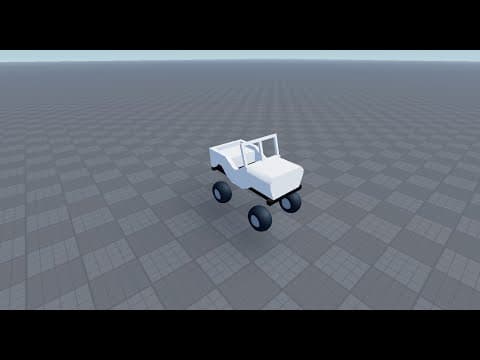
[0:00]When I learned Raycast Suspension, there was no good tutorials. Since then, there hasn't been any new tutorials and I wanted to make one where I really go over the ideas instead of just showing code for people to copy. So, um, before coding, uh, I just want to go over the ideas. So, suspension helps keep each wheel in contact with the ground by applying forces that react to bumps, dips and motion. In Roblox, we simulate this using raycast, springs, and dampers, all done in code. What's needed? a loop that runs every physic step that gives a that gives time between steps, a way to loop through every single wheel, access to wheel start position and last spring length.
[0:49]And these are the basic equations. These are really complicated, but I'll just go over it either way. So the spring length is going to be equal to Raycast distance minus wheel radius, if there is a Raycast. If there's no Raycast, if the Raycast didn't hit, then you just uh, spring length just equals max spring length. And max spring length is a constant that you set. Displacement is max spring length, minus spring length, which is this right here. And then velocity is the change over length over uh, which change over length is the uh, the spring length value of the current time step minus the spring length value of the last time step. This is Hooke's Law with a damper um added to it. So, it's spring force equals displacement multiplied by stiffness minus velocity multiplied by damper. Uh, stiffness and damper are constants. So these might be a little complicated, but these right here are easy to see and understand. I'm sorry about this, I don't know how to the the red underline. I don't know how to fix this, I'm just gonna leave it. Um, spring length equals if Raycast, then Raycast distance minus wheel radius, else max spring length. Displacement equals max spring length minus spring length. Spring velocity equals spring length minus last spring length divided by delta time. Spring force equals displacement multiplied by stiffness minus spring velocity multiplied by damper. And this is what it would look like in code. Pretty easy, pretty simple. And you'd have to do this for every single wheel, by the way. And, and you know, I'm, I'm gonna go over the code. I'm gonna do the whole thing, um, in front of you. All right, this is the car structure. You have the model, you gotta make sure the primary part of the model is the Chassis, which is just a part. The body folder, right? You don't really need to have it in a folder named body. It's not really important, it's just to keep the car clean. This is where the visual parts of the car is stored. Everything here must be welded to the Chassis. Note the only important part is having the parts welded. Everything else is to keep your car model clean.
[3:39]Okay, this is these car structure. So, first you have the model. Just gonna make sure the primary part is the Chassis, which is a part. You have the body folder. This is not really needed. It's just to help keep the code clean. This is where the visual parts of the car is stored. Everything here must be welded to the Chassis. Note, the only important part is having the parts welded. Everything else is to keep your car model clean.
[4:17]This is important, the wheels folder. This is where the wheels are stored. I have them named FR for front right, and BL for back left. So it's easy to access the parts here. Should not be welded to anything. Just make sure they are anchored.
[4:36]And this is a very important part. This is the main part of the car where forces are applied. It can be the shape of the car body, or just a plain three by eight by one part. This is this is what it looks like a valid structure. Um, this is the base car with no body. This is the only thing required to make the car work. This video is only going to be going over suspension. I'm not going to be going over the driving forces or friction forces. I'll do that in another video. So, um, I'm gonna just This is, I showed this, which is basically just the base model of a car.
[5:21]So I'm gonna do a somewhat complex model. I'm gonna just use a toolbox car. So, I'm gonna go here, I'm gonna search a car. I mean, this one is probably easiest to clean up and do. So I'm gonna do this. So, I'm gonna rename this to car. And I'm gonna delete the script and driver seat. I'm gonna select all the wheels, group as folder, folder wheels. And then, so they already have the Chassis. As you can see, the Chassis is like the main part of the car, the bottom. And everything else is really just a part of the body. So I'm gonna do.
[6:26]Um, I'm gonna select everything as well, just to delete whatever's in here because I'm not going to need it. Do the same for here. And here as well. And then I'm gonna rename the wheels, what's easier to access. You can have it named whatever you want, honestly. Is just I feel like BL, BR, FL, um, and FR are the easiest to do. So I'm gonna use them.
[7:03]Um, gotta also make sure they're anchored. And I gotta weld these. I don't know if I, okay, I don't have a welding plug-in downloaded. So I'm gonna just make my own welding script. So, first we gotta loop through every single part under the body, um, body script or body folder. So, I'm gonna do this.
[7:37]So, I don't really have to use Get Descendants, but if you're just copying what I'm doing and your your body folder is not as clean as this, it might, you know, it might have another folder like this, right? Where it has even more parts. Um, and if I were to use Get Children, number one, it's gonna pick up that folder and not everything inside that folder. And number two, um, well, no, I'm not gonna lie, that's really it. So, for, then you gotta check if the part that you're looking at is even a base part, right? Like, can it even be welded to anything? So, is uh, if V is a base part, then you'd make a weld. So, local weld equals Instance.new, Weld Constraint. Make sure it's Weld Constraint, not a Weld. Um, instance. You want to make sure the parent is the part itself. Uh, the weld.P0 is going to be equal to the part, and the weld.P1 is going to be equal to workspace.car.Chassis. You can take this script and just paste it to the console. And boom, we have all the, um, the weld constraints, which is, uh, perfect. So, we're gonna delete the console, here with this. Delete the script. Um, that's really it for the preparing the model. You can also do something else. Um, to prepare it, I guess, you can add vector forces and attachments. I'm gonna be doing that through the script, though. So, I'll just put this in, I'm gonna leave this in workspace, and I'm just gonna have it in script server script service. I'm gonna create a script. Local car equals workspace.car. Um, so if we look, first thing that we need to do is a way to loop through every single wheel, which the best way to do that is using a for I loop, um, for I V loop.
[10:01]And in order to do that, we need a table that has every single wheel. So, um, I'm gonna just make a table, a wheel table called Wheels, and I need to initialize every wheel. So, to do that, I'm gonna just loop through this right here. So, for IV, for I'm gonna just for part in this just basically means that you're not using I. So, you know, it's it's left blank. Um, you can do I or whatever. It's not really useful. Um, for part, let me just make sure this is just part. In car.Wheels.GetChildren do. So, right now, it's gonna loop through every single part. And we're gonna start the That's how we're gonna store it. And then, for number one, we need part.
[11:17]And then we need the last spring length and the start position. So, I'm gonna say last spring length, I'm gonna leave it as one, that's fine. And we need access to the start position. So there's two ways to do this. Um, one way is getting the offset and using it later on. And the second way is using a an attachment. I feel like the attachment is the best option because regardless, you're gonna need the attachment for the vector forces instance. So, to do this, I'm gonna say attachment equals instance.new, attachment. And I'm gonna make sure the part is going to be the attachment parent is going to be the Chassis, which I can just say car.PrimaryPart. And I just wanna double check. Okay, I don't have it set. There we go. Um, now we need to make sure that the attachment is put in the right place. So, I'm gonna set the local part attachment.WorldCFrame equals part.CFrame. Um, once you set it once, it's always gonna be there, which is nice. So, yeah. And we need one more thing. And that's going to be a vector force instance. Force equals instance.new, VectorForce. Parent, I'm also make I'm gonna make it part.Chassis. All right. Um, now we need to set some values of it. So, we need the we need to set the value uh, the force value. We need to set the attachment value. We need to set the relative two value. I think that's it for now. So, okay. So, that force equals Vector3.zero. Relative to equals Enum.ActuatorRelativeTo.World. Attachment zero is going to be equal to the attachment that we have made. Um, that should really be it for preparing the model and the wheels table. I'm gonna just test this out real quick. Just make sure it works. And if we look at it. Yeah. Perfect. Um, yeah. So, from what I'm getting is that the script is working perfectly fine. It's just a, it's just the issue with the values that I have over here.
[23:39]Um, I'm gonna make this high value like 5,000. There we go. And even that is not like, you know, good enough.
[23:53]But the way you change the values are obviously gonna affect how the car is. It's very fun to play around with the values. Um, yeah, look at that. It's very nice.
[24:17]Um, next thing to see is the Yeah, that's perfect. It should be moving up. Yeah, so, from what I'm getting is that the script is working perfectly fine. It's just a it's just the issue with the values that I have over here. And yeah, I hope you enjoyed the tutorial. Um, if you have any criticism, comment it. Um, if you have any questions, I'm gonna I'm gonna make a Discord server on my YouTube channel. If you have any questions, you can just join or ask it in the comments. And yeah, thank you for watching. I hope you I hope you learned something.


