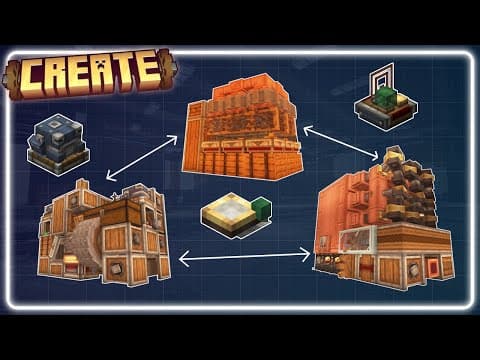
[0:00]In the create 6.0 update, we will given all sorts of components to help us better link and automate our factories, like frog ports, factory gauges, packagers, chain conveyors, stock links, and many other additional components. In this video, we will be going over two different methods that utilize these components to allow you to easily link your create mod machines together under a single network. Method one is factory gauge-based automation, where automation is done exclusively through factory gauges, which is the most practical method for more tedious automations like making gear boxes, deployers, drills, et cetera. Method two is a system I call link series, which is based on running logistics without the need of factory gauge-based automation, instead relying on the machines themselves to manage their own resources via restockers instead of factory gauges. This approach is much more practical when automating items in bulk and is much easier to use. In conclusion, these two methods of linking your machines are both very useful and greatly complement each other, which is why I'll be covering both of them in one video. Before we start diving into these two methods of linking your networks, we first need to understand the functions of the components that we are going to be using to link everything together. First, we have the chain conveyor, which is used to transport cardboard packages and can be connected to other chain conveyors by right-clicking them with a chain. The way these packages end up on chain conveyors is with the use of package frog ports, which can be connected to an overhead chain conveyor when you right-click the chain conveyor with a frog port in hand. Before the items can be sent onto the conveyor via a frog port, they first need to be packaged into boxes. That is where the packager comes into place. When placed adjacent to any storage, packagers can create cardboard packages by taking any items from the inventory they're attached to. To assign packages to a destination, we can either use a restocker, factory gauge, or signs to root items to where they should be transported. Now that we have had a brief breakdown on how the components walk, let's go over two examples going over each method of linking your machines. We will start with the link series system, since this one is the easiest to understand. In order to use this method, you're first going to need an output and input frog port/packager setup like this. Packager one is going to have a restocker on it, which requests items to be sent over into the adjacent storage. Packager two is going to contain the items that have been processed. A stock link can be seen on the side of a packager, which tells the rest of the network the number of items in the storage that the packager is connected to. Make sure that the restocker and stock link are linked to the rest of your network. This can be done by right-clicking other stock links or factory gauges that are already part of your network before placing them down. Now that we've had a basic overview of this method, let's further break this down by running through an example of putting this system to use. For this example, we will fully be automating iron ingots with the use of three machines I've made from this link series system, which is perfectly suited for this type of automation. We will start with the cobblestone generator, which will be feeding cobblestone to this iron production unit. Over here is the lava-powered steam engine connected to a dripstone lava generation grid, which will be powering these two machines. I'll have links to these builds in the video's description if you wish to copy them over and follow along with the example. We will start with the cobblestone generator. First, we will place a packager on the side of the barrel. Next, I'll be placing a stock link on that packager. In doing so, that stock link and packager combo is now reading the contents of the items in the barrel and showing the network those items. Lastly, we will place a frog port on top of this packager, linked to an overhead chain conveyor. Now that the cobblestone generator output is linked to the network, let's move on to the iron production unit. To start, let's take the restocker on the front and assign it to the same network as the stock link we placed on the cobblestone generator output. This can be done by simply right-clicking the stock link with the factory gauge in hand. Now that it is assigned to the network, I'll be placing it down on the packager. I will assign the restocker to maintain eight stacks of cobblestone, but this can be whatever number you want. The restocker will now always try and maintain eight stacks of cobblestone in the barrel at all times by requesting items from the stock link when the storage runs low. In order to enable this, however, we will need to click on the frog port and give it a name. This can be any name you would like. Now open the restocker and assign it to the frog port. Now the restocker can request the cobblestone from the stock link to be sent to the frog port, which is then deposited into the packager and unpacked into the barrel.
[5:21]You can take this system and apply it to the rest of your builds, essentially opening the door to super complex automation trees without the confusion of factory gauge-based automation, instead allowing the machines themselves to request their own resources. Overall, I think that pretty much explains how the link series system works. So now let's move on to the factory gauge-based automation and break down how it works. For this example, I'll be using my Omni processor, which gives us plenty of functions to utilize for this factory gauge-based automation setup. For this example, we will also automate iron ingots like we did for the link series-based automation. Before we start placing down factory gauges, we first need to name the frog ports and link them to the overhead chain conveyor. The name of the frog ports is the name we will be using to assign the items to be sent to the frog ports via factory gauges. So make sure that whatever you name the frog port corresponds to what its intended function is. Since we are automating iron, we will need a frog port that is assigned to crushing things, one that washes, and one that compacts. I've named the frog ports based on the functions they're designed to do. Now let's place down our first factory gauge. Make sure that it's linked to your network by right-clicking anything that is also linked to your network. For the first setup, we will need to assign cobblestone to a factory gauge. That's essentially all we need to do for the first factory gauge. Since there is a stock link on the cobblestone generator packager, which is reading the contents in the cobblestone output table. We are simply assigning this cobblestone to link to the next factory gauge, which we are going to assign to gravel and set it to maintain a few stacks. Now I'm going to click on the plus to add a new connection and click on the cobblestone factory gauge.
[7:20]Next, I will tell it to send the items in stacks because that's simply more efficient that way. Lastly, I will tell the factory gauge to send inputs to the frog port called Crushing. To complete the function, we have assigned it to do.
[7:41]Now we just basically repeat what we just did, except this time I'll be setting the iron nuggets to 10 instead of 64 because there's only a 12% chance for the gravel to be washed into iron nuggets. Lastly, I will set the last factory gauge to compact every nine iron nuggets into one iron ingot like so. And there you have it, two methods that you can use to link your create mod builds together. If you've got any questions about something or feel as if I missed something in this video, please let me know in the comments below.


