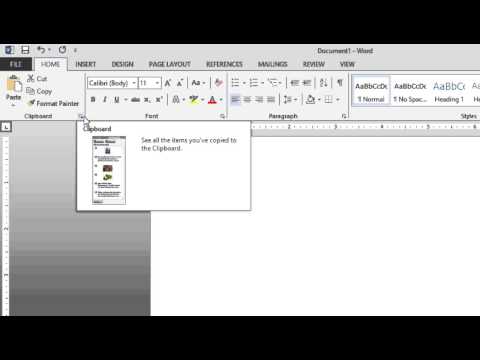
[0:04]Microsoft Word 2013, dialog box launchers. Some of the ribbon groups have small buttons located in the bottom right corner called dialog box launchers. Clicking these little arrows will display the dialog box for advanced options. As I hover over it, I get an enhanced screen tip describing what it does. This particular one will allow me to see items that I've copied to the clipboard, and I can then paste these into multiple Office programs. If I click, you'll notice the clipboard pane appears. A popular one in Word is the paragraph dialog box. Here we can make specific changes to general alignment and indent and spacing. We have access to a line and page breaks tab, giving us pagination choices, formatting exceptions and text box options. After we make our choices, we could set them as default and click OK. But first, let's take a look at tabs. Here, we can set tab positions, change default tab stops, adjust alignment, and create leaders. After I make my choices, I could click OK, click cancel, or simply press the escape key. And that's dialog box launchers in Microsoft Word 2013.
Word 2013: Dialog Box Launchers
KnowledgeWave
1m 29s191 words~1 min read
YouTube auto captions
Transcript source
YouTube auto captions
This transcript was extracted from YouTube's auto-generated caption track. The transcript below is server-rendered so it can be read, searched, cited, and shared without opening the original YouTube player.
Pull quotes
[0:04]Some of the ribbon groups have small buttons located in the bottom right corner called dialog box launchers.
[0:04]This particular one will allow me to see items that I've copied to the clipboard, and I can then paste these into multiple Office programs.
[0:04]We have access to a line and page breaks tab, giving us pagination choices, formatting exceptions and text box options.
[0:04]Here, we can set tab positions, change default tab stops, adjust alignment, and create leaders.
Use this transcript
Related transcript hubs
Watch on YouTube
Share
MORE TRANSCRIPTS


