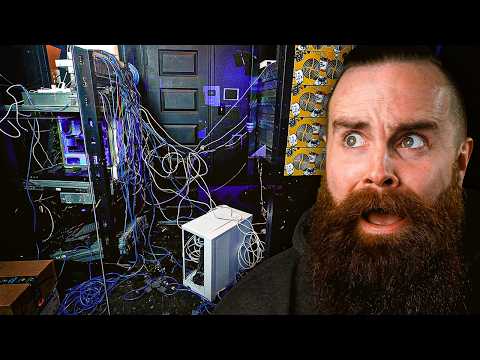
[0:00]Do you want to see something scary?
[0:06]I know, this is terrible. I'm embarrassed. This is the sum of a bunch of bad habits, and frankly, it's kind of how I've always managed my server stuff. Look at my home rack right now. I know, it's disgusting. I'm sorry, it's the last time I'll scare you. Hey, come on, you've been there. You install everything with good intentions, but over time, things get a little messy. A little fixed here, a little patch cable there, and before long, you got this. Sorry. I lied. Last time I'll scare you. And good luck troubleshooting anything. If my employees tell me they have a problem, I ask them, "Hey, do you have an hour?" That's how long it's going to take me to dig through this cable mess. But enough is enough. It's time for a change. I'm going to break this bad habit of mine with the help of my sponsor, Patchbox. They sent me this thing, this mystery box that's been sitting in my closet for like a year. I'm not kidding. They said, "Chuck, please open it. It's going to help you break your bad habit. It's the wake up call you need." So I said, "Okay, apparently they're the Gordon Ramsey of server rooms and I D F's." I mean, look at all these kitchen nightmare Cinderella stories they've done. I want that. I think I'm ready. And honestly, where were these guys when I first started in IT? Like, legit, look at this photo. This was my first ever task I had when I started in IT. They said, "Here you go, new guy, clean this up." This was a real company, but I know I'm not alone. I asked you guys on Twitter and LinkedIn to send me your photos of your server rooms right now. Guys, are you serious? Honestly, it makes me feel good. It makes me feel like I'm not alone. We're all in the same boat. And by the way, if you want to see those photos, I'll show them at the end of the video. They're kind of not safe for work. It's gross. So, here we go. Here's the rundown. I've got to fix this server room, and let me tell you, I'm filming this after the fact. This project was terrible. I thought this would be an afternoon. No big deal, get in there, film, have fun. No. No, it was the worst. It took me all week. Five full days. I I think more than that. I lost track. It was miserable. My body hurts. My soul hurts. But it looks amazing. I can't wait to show you. But you got to go through the pain first. So check this out. This wasn't just about cleaning up cables and picking them up. No, no, no, no, no. If you clean up a server room, you've got things you have to do. Look at these patch panels. For some reason, I have two of them, these little havzy hobbit things. They're not racked up. I've got servers on the floor, a dusty laptop. Stuff just sitting on the ground for no reason. That monster in the corner. Sorry, I lied. I'm going to scare you one more time. That's it. Terry, he's sitting on the floor. I kick him every time I walk in there. Look at the cables coming out of my wall. If something breaks, I don't know what to do. And I walk in there every day. It's just a matter of time before I step on a cable and destroy everything. And it doesn't help that I can't really see anything. There's no lights. We're going to get it organized. So let's get to work. But first, you know, we need some coffee. We can't do this alone, and Network Truck Coffee has a new roast. 404 Not Found. Decaf for all you old admins out there like me. So we can drink coffee in the afternoon and we don't get jittery and stay up all night. First, let's fix these dumb patch panels, these half men. I'm just going to throw them away. I'm going to redo everything, rewire. You know what's funny? I don't think I've ever wired up a patch panel. So I decided to practice to make sure I knew how to do it. Turns out, it's pretty cool and actually easier than making a regular Ethernet cable. Similar to Ethernet, you just cut your Ethernet cable, score the sheath, pull it off, separate your wires, put them into the little holes or conduits, I don't know what you call them. They even tell you where to put them, which is awesome, and then using a punch down tool, you punch them down. Now, easier said than done. I'm not good at this. I kept dropping it over and over and over. And once they're all punched down, you put a dust cap on it, and then you load it into the patch panel. Should be easy, right? No, it wasn't. Here, in this video, I was sitting at the kitchen table, or the dining room table, and it's well lit, not cold. And the server room, it's a whole different ballgame. It's the Tundra. So every single wall drop I have throughout my office, I have to rewire to this new patch panel, which, by the way, if you don't know what a patch panel is, when you see Ethernet drops like this in a studio or at an office or maybe even in your house, those wires got to go somewhere. They're going through all your walls, back to someplace, a server room, an IDF closet, and they're normally going to be wired to a patch panel. That looks like this. I was actually just teaching on patch panels in my intro to networking course on network check Academy. That will be launching very soon. So I go in there, and you saw the mess, right? I'm having to set up my camera, which is impossible. And the lighting was terrible. So I apologize in advance for any crappy footage you might see today. So anyways, I removed the Ethernet cables from the old patch panels. And then propped up on the server in that rack, I started the punch down process. I think it was about 20 drops I had to redo. I'm freezing. I'm miserable. My arm hurts. I'm also kind of a big baby, but I finally get it done, and I throw those old stupid half men patch panels in the trash. Now, I thought the patch panel would be my biggest headache. No. No. It's just the beginning. But now with my patch panel fixed, I can put my patch box in and let it fix my life. And also get Terry off the floor. But to make that happen, I got to start moving stuff around. And this might have been the worst part of this entire thing. Actually, no, no, there's another worst part later. But anyways, I had to measure, how am I going to fit Terry in here? He's a massive server with two GPUs. He's a big guy, but I think I figured it out, and I started my process. Now you know what's really dumb and you should never do this: move stuff around during the day while people are trying to work. It's the dumbest thing in the world. So I was trying to move stuff around while not unplugging anything, leaving it all like alive in there, so I wouldn't disturb my video editors and everyone doing stuff. This made my life so much harder. This is why we have maintenance weekends, do stuff after hours. Nah, I'm too dumb for that. So watch me struggle with the simplest things. First, moving my Mikrotik switch just up, moving it up. I've got this dumb unifi switch that has no place in my rack and it's just dangling and annoying, and I end up having to unplug stuff anyway. And then in the midst of dropping 15,000 cage nuts and screws, I finally got the Mikrotik switch up at the top. This is so hard. And then I thought the Mikrotik switch was hard. Moving the rest of my Unifi stuff was ridiculous. So many cables. I feel like I was breaking everything. I probably was. At some point, my Unifi switch just fell.
[5:49]Just free jumped right off my rack. Thankfully, it was okay, I think. But again, I nearly lost every screw. Thankfully, I actually bought some new screws, so I was ready, I was prepared. In one area. But now stuff is moved. I can finally unbox the thing that's going to change the game for me, the patch box. Let's start that right now. And I got a little help from my daughter, Addie, because she's on summer break and super bored. HELLO everyone! We're doing an unboxing! For what's it? what's it? So, I figured before I do anything else, I got to fix the mess going on right now. I kind of made it worse actually. So, patch box, help me. Ugh! I hope we didn't break anything... Me too. They sealed this thing up. Oh, that was tight. Ta-ta-ta-ta. Let's see what we got here. All right, we got devmount. What's a Dev Mount? I really don't know. Devil Mountain? Okay, let's let's see what this is. I think this is going to help me a lot when I move my big servers, and kind of would have helped a lot with my switch move. Oh my gosh. This is on Devil Mountain. They're like jumping. See. They're jumping. See. More Dev Mount stuff. I'm not sure what that is. More Devil Mountain. More jumpies. What? No, but we already have like a million. Oh, oh. It says, "Better than a conventional cage nut." Chuck Norris. Wait, did these replace cage nuts? I might cry because I just hurt myself so much with cage nuts. What are cage nuts? Ooh, a patch box lanyard. There you go. Oh, yay. You're now officially sponsored by Patchbox. They're all for your employees. Even Mac. Setup.exe. This is what I need. Oh my gosh. It even has a little screwdriver holder. And these replace cage nuts. Oh, you just put them in like that. That's easy, Daddy. Stop being such a big baby. Say no to cage nuts, Daddy. Devil Mountain. Cage nuts. It's not Devil Mountain. Oh, this is the third hand. Oh my gosh. This is so cool. What is that? You get six hands. Oh, these are big things. I get six hands.
[8:13]Oh, look, a taser. It's not a taser. These are um, little Ethernet cassettes.
[8:24]How do I retract it? Each one of these cassettes will be connecting uh, two devices. patch panel on my switch. So we've opened everything except this thing. All right, this this one's huge. Get ready viewers! Ooh, Ah! Okay. I'm doing I'm really excited about all this, but the camera's in the way. Get out of the way, camera. Oh. Oh. What is this? Shiny. It's so. We got a bunch of cassettes. They even have one for fiber.
[9:00]Look at that. Oh, that is. Those are the rails. Leave it alone. All right, so these are uh, little cable managers. You put on the side. More cable managers. Isn't this so shiny? So shiny. So it's got all these cassettes. And I guess these are the mounting brackets, which look really easy to install. Okay, that's the patch box unboxing. I am really excited. Let's go install this right now, because I desperately need this. So now time to install the patch box. Actually, before I do that, I didn't know about the Dev Mounts, which Addie calls the Devil Mounts. That's hilarious. That kid kills me. But these are the cage nut killers. That sounds like a serial. So I had to try those out first. Because I just mounted my Mikrotik switch up there and my Unifi switches painfully with old cage nuts and no third hand. Because apparently you can have a third hand, it's called the setup.exe. And this thing is actually pretty cool. I got to try these out. See how they work. So I think they go in like this, and that's stinking it. And then you just screw them in. Oh, I'm going to redo everything with these Dev Mounts instead of these dumb cage nuts. These things are murderous. I hate them. And I'm going to move these. Remember how sucky that was? Now I'm going to do it with the Oh my left, my my third hand. I'm going to do it my third hand. I have no idea how this works. I'm not going to look it up. I'm going to try and figure it out. Oh, okay. So it's got a little um, little screw in here. That will just latch it on to the stinking rack just like that. You just put it inside the rack. It clips to the ears on the side, or the rails, and it just sits there, ready to go, being your buddy, holding stuff when you can't. Dude, I can't wait to clean this entire mess up. This is crazy. Pop the other one in real quick. Dude, so easy. Okay, I'll take that. That's pretty cool. I just take it off just like that. It's so cool. Now time to install the patch box. Let's do that. So I tested it out. I re-racked my Unifi stuff and my Mikrotik switch with my third hand and my Dev Mount cage nut killers. And I haven't even installed their main product yet. All right, bringing in the patch box now. Oh, I'm getting really tired of doing this. Dude, every time I walk past my servers, I almost unplug them. I really got to fix my problems here. Looks like I've got two rails. It's going to be a one U system.
[11:13]Oh, All right, we'll do uh, left first. All right, I'm going in 38. But I can't see it. I have no idea how I'm going to get back there. Now, just a disclaimer, don't install it like me. Move your stuff out of the way first. Don't try to install it underneath a waterfall of cabling. That's not fun. I did it, but it's not fun. Okay, so now I got the rails in there, but I don't know how I'm going to get this thing through all my mess of cables. I don't know. Ah, this thing is not light.
[11:45]This is so dumb. There's no way. There's no way I'm going to get this through here. No! I think I almost had it.
[11:57]What is this connected to? This is the worst. Thank goodness for my third hand. Oh, this thing's going to stab me. Ah. Okay, installed. Oh, so cool. Thank you, third arm, hand, whatever you are. This thing is awesome. Now I'm going to move my patch panel up to just below the patch box. So using more Dev Mounts, I move my patch panel to just underneath it, so I can patch things in with my patch box. Now real quick, I want to do my first uh, patch box connection. I'm pretty excited. Now here's where I was kind of dumb. And this is going to happen a lot throughout this video. I didn't really know how to wire stuff with the patch box. You'll see me actually dragging a wire across in a very hideous, ugly way. Like, why did I do that? There's a right way to do this, and it's beautiful. But I don't figure that out until here in a minute, so you'll have to wait. Bam, that's so cool. Now, you see this little switch right here? I hate it so much. Now, I want to talk about this dumb little Unifi switch. This little eight port nothing. No, it's not even eight ports. It's like six. It's annoying. I can't rack it up without buying extendable ears from Unifi, which I'm sure costs like $100. But also, it's just not enough ports. I bought it as a 10 gig switch to give my video editors access to my NAS with 10 gig connections to edit. But now I'm out, so I'm done with this switch. I'm kicking him to the curb. I'm going to replace him with a new 24 port Mikrotik switch, all 10 gigs, SFP+, and I'm excited because it has a new thing I've never used before, a new type of port. And this is going to solve my cable rainbow situation I have right now. You see, the reason I have this mess right now is I have my massive NAS from 45 drives on one rack. But I have my patch panel in the other rack. To get the best speed from my video editors, I want them to be connected to the same switch as my NAS. So I did that. I did a rainbow of cable connections across my server room to the same switch as my 45 drive servers. It solved the problem. It was a quick fix, unmanageable, terrible. I hate it. Here's where Mikrotik comes in in this new switch and what I'm so excited about. These Mikrotik switches have two QSFP+ ports. It's a weird form factor I've never used, but each of these is 40 gigs. A 40 gig connection. They have two of them. I'm going to use both, do a port channel. Then I have an 80 gig connection between these switches. Oh, I'm so excited to do that. But first I have to configure it. So the idea is that I go from a million cables going across my server room to just two. Perfect world, right? So I started the configuration. I do a little Mikrotik switch unboxing. A switch, two power cables for the dual power supply, ears. Let's base configure this bad boy.
[14:35]Oh. I seriously love Mikrotik now. But it wasn't love at first sight because I'm a Cisco guy, and they do things very differently. And I still honestly prefer the way Cisco does things, but I I understand Mikrotik now. I get why it thinks the way it does. So I do the initial config, and then I rack up that Mikrotik, just above my patch box. Dude, even just doing a basically little management connection is amazing. Look how pretty that is. Okay, one thing I'm really excited about are these DAC cables. I've never used these before, but these bad boys are QSFP. Look at these things. 40 gigabits per second. That's the connection on these guys. And I'm connecting two of these bad boys between my Mikrotik switches. And then I rushed back to my desk and started the configuration on my 80 gig connection. I was so excited to try this. But like everything in tech, it was hard. Like, it didn't work the first time. I mean, don't get me wrong, the bond worked. I set up those two cables, these DAC cables. I bonded those two 40 gig connections. I had an 80 gig connection. But then when I tested transferring footage to my NAS, dude, it was crappy. I normally get 410 megabytes per second when I was on the same switch, but now I was getting like 10, 20. Dude, I was stressed. So I troubleshooted for probably two hours, trying a little bit of everything, a little bit of this, a little bit of that. Let me teach you a lesson about IT, right? Um, reboot. Just reboot. Just do it. I rebooted that new switch. When it came back up, things just worked. It was beautiful. Fantastic. Here comes one of the hardest parts of this entire video. Cable cleanup. You see all that mess right there? I couldn't just unplug and rearrange. No, I had to know where it went because I was trying to do this live, right? So I had to painstakingly trace every cable. And I had to have my laptop right there with me so I could reconfigure ports that I needed to have matched up. It was such a pain. But before I finished that, I wanted to use my patch box. So I cable it up, and I cabled it wrong. It's so wrong. Because look at it. This isn't look exactly like the prettiest thing ever. It's not supposed to do this where it's kind of draping over. I want to fix it here in a second, but first I clear out all the cables. I mean, I reroute everything. I cleaned it up. It looks good. This is probably the longest part though. Like seriously, it was the worst. Actually, no, no, the longest part was after this. It's when I stopped recording because I was so tired. But anyways, patch box. Here's how you're supposed to route the cables. For me, the bottom row needed to go to my patch panel, and the top row needed to go to my switch, just like this.
[17:03]Doing that makes it so clean. Now, if I weren't stupid and I thought about this beforehand, I would have planned ahead. But because I didn't, I had to rearrange my patch panel. That means I had to pluck out those IDC's, and then and move them around, which those, once they're in there, they're not supposed to come out easily. So, like my fingers died. It's such a pain. I don't think I even recorded this because I was so frustrated with myself by that time. So anyways, once you do that, that looks pretty good, right? Like, look at the mess before, and now look at this. Oh, it's it's gorgeous. And the way they do it, like, you put a little middle thing out, and it becomes retractable. So you pull it out, cable what you got to do, leave a little slack in there, push it back in, it stays. Oh, I love this so much. It's so clean. So anyways, now with the cables out of the way, it's Terry time. We got to get Terry off the floor. But first I had to move my servers around. I had three servers in the way. First, my Synology server, which I'm retiring. I'm not going to use that guy anymore. I've got 45 drives. It's just, it's massive. So much storage. So I tried to move the Synology by myself. Mistake.
[18:10]I'm not sure I'm going to be able to lift this. Oh no. Oh no. Oh. I think I hurt myself. I hurt my arm for sure. But I got it. I barely had enough room to pull it out of the rack. Almost died. But I took it out, put it in the bathroom. And then I'm getting tired just talking about this. Then I had to move my desktop. This is my main computer I use. I don't keep it in the studio here, because it it often would get hot. This is how it was back in the day when I was recording in my room in my house. It would get so hot. By the time I was done recording, I'd be drenched. So this is a dream. I love this. Anyways, I digress. I had to move my computer up a few notches, which involved me taking it off, moving that tray up. I did use Dev Mounts to mount that sucker. That was nice. Okay, that bad boy is.
[18:58]Oh, that thing is turning. That bad boy is. Okay, now he's stable. Then I put my computer back up there. And then I had to move my Dell server. Bring that off the rails, which I struggled with, and that was also heavy and that was also hard.
[19:16]Oh, they're out. It's out. It's out. Oh, Oh. And by that time, I was so spent. When I looked at my UPS down there, which UPSs are extremely heavy because of the batteries, I'm like, I can't do this by myself. I'm not doing this by myself. This is stupid. So I got Mike and Alex to help me. All right, come on in. Okay. So, I know it's a nightmare. This project is stupid. I feel sorry for whoever gets this project. Um, I got to move this guy to the bottom here. He's very heavy. Okay. So I need y'all to both support either side as I unscrew them. Let us begin. You got it? Now, I have you guys know, I did this by myself at one point when I was a stronger man. Did you really? What happened? I got black light. Okay, so we can just lower him down. Actually, yeah, we'll just pull him out a little bit. Now we add this. It's so nice to have help now. Oh, no. I lost the thingy. I'll find it in a second. Are you recording right now, like the process? Yeah, from uh, both cameras.
[20:19]Are you vaping in here? Am I allowed to? No, I just I'm just hotboxing the server room. I'm just shocked you brought a vape in here. I bring it everywhere. He's trying to add atmosphere to the recording. You're good one. So now we have to lift him back in there. Oh. Actually, this was a lot easier than I thought it'd be, but it's definitely nice. There we go. Watch your fingies. And uh, that's game, guys. Whoa. That's all I needed. Chuck, this is a nightmare. All right, thanks, guys. I'll turn the internet back on later. Mike is one of our video editors, and Alex is actually a new talent on our channel. Do me a favor, comment below and say, "Hi, Alex." We love that. Anyways, I use their man muscles to move the UPS for me as I was frantically trying to unscrew it and move it down to the bottom. And then I built another shelf, which was a pain in the butt. I thought I remembered how to do it. I didn't need the instructions, I thought. Well, I ended up building it wrong like three times. But I finally got it in there. And fingers crossed, I hope I measured correctly, and Terry fit in like a glove. Like a glove. Terry, welcome to your new home, bud. I installed it right because Terry is still hanging in there. He's he's there. He didn't fall. I got Terry off the floor. I felt pretty accomplished at that point. And then I decided to clean up some stuff because it was so disgusting and messy in there. The floor was just gross. That took forever.
[21:42]Now, I had another problem. Do you remember my dream of having only two cables going across my my racks? That dream wasn't quite a reality just yet. I had this dumb little unmanaged switch. This little unmanaged Cisco switch that was in my 45 drives NAS rack. All he was doing was getting the management ports connected to my network. And he had a cable strung across my rack. I didn't want that cable, and I kind of hate that switch. It's unmanaged, so I can't do anything with it. Also, it's tiny. I can't rack it. Don't get me wrong, he's a good little switch, but not for this use case. I'm done with this little guy. So I decided to replace him with one of my old Cisco Catalyst 3560 switches, or 3570. Yeah, 3570. The switch is upside down. Oh.
[22:26]I was so excited to do this, except for the fact that I forgot the password. I didn't know how to get into it. In fact, I didn't know any of the IP addresses. I I used this thing forever ago. I forgot everything. So step one was configuring this bad boy, and I needed a console cable. Now, if you're not familiar with networking and specifically Cisco switches, when you first set them up out of box, you normally get a console cable. To access their their console. But you normally need one that has console on one end and USB on the other. I used to have like a 20 when I was an engineer. Now I don't have any. I looked for probably two hours. Couldn't find one. And I was about to pack it in. Like, I'm I was done for that day. I was so angry with myself. But then I remembered this product that company sent me. And this was actually pretty exciting and kind of cool. It's called the Intertooth. Now, I'm not sponsored by them, they just sent it to me to try it out. This is a wireless console connection over Bluetooth. I just connect one end to the console connection on the Cisco switch, and I access that connection via Bluetooth on my laptop. It worked pretty dang well. Now, it didn't work on Mac initially, and I got really mad about that. Almost lost my mind. On PC, it worked. And thankfully, I remembered my password to get into my switch via the console, and baby, I was in. I was so excited. And being back in Cisco land after dealing with Mikrotik for a while was kind of nice. It's like second nature. Didn't have to look up a dang thing, just typing in configuring trunks and interfaces and switch ports. Oh, it's so fun. You know what I mean, all you Cisco guys and gals. And then I rack that bad boy up. It worked like a charm. Oh, it's so nice. And I love having Cisco back in my rack again. A real Cisco switch, not this unmanaged crap. So now, everything was pretty much like, all the big stuff was done. I basically re-done a lot of my network, putting that new Mikrotik switch in, configuring that, making sure it works, that new Cisco switch, configuring that, making sure it works. All these trunks and VLANs going across everywhere. And because I'm really terrible at doing documentation, I was like having to relearn everything over again just to do it, which was fun but also time consuming. So, you know, five plus days. And by the time I was done with all that, I'm like, it still looks like crap because it was so dirty and so disgusting. And I still had cables coming out of my wall. And I was filming everything the whole time. So, filming takes forever. And this is where I kind of messed up. I stopped filming. I got tired. I just kind of went into myself, got some more coffee, and just started fixing stuff. I think I zip tied everything. In fact, I zip tied. I reranged every cable. I swept the floor. That's that was anti-climactic. And then I spent way too long adding RGB lights. But it was worth it, I think. And then I mounted a monitor in there so I could actually see how stuff is going. See if my stuff is up. So while I didn't document or film any of that process, just know what happened. And now, are you ready? Are you ready to see the finished product? Here it is. I'm very proud of this. I'm going to unveil it now. Isn't that beautiful? The floor is clean. I can walk in there. Look at my cables. Look at my patch box and how it just keeps everything gorgeous. Have you ever seen something so clean in your entire life? No, you haven't. This is the thing. Oh, and by the way, I think I forgot to mention this. Each of those connections in the patch box, there's like a little blade, a samurai sword, to pull it out. Now, I stink and love patch box. Like, look at this blade here. First of all, it's just cool that an Ethernet cable comes inside a blade. I like saying that. I like using it. I like holding it. And it's shiny. Now many of you might be wondering, why not just use a short patch cable? That makes it pretty, right? Yeah, it does. But can it do this? Or this? Or this? It can't get longer, can it? It also can't get shorter, which is great. Because, you know, you got that initial cabling job, which looks pretty, right? It looks beautiful. But sometimes you got to move a port. Sometimes one goes bad, and you got to kind of extend a cable. This moves with you. Try connecting this across the rack. Sure you can probably go find another cable, but this is already here. It's fast. You don't have to trace it. It's all right here. And also notice, the cable's flat. Which might make some of you think, "Uh, flat cable? Is that good?" Yeah, it is. Yes, it's twisted pair, it's a quality cable. And the reason they make it flat, first of all, it's can do this. But also, it allows more airflow. It's not a big chunky round cable. I can honestly say that patch box is worth it. Anyways, back to the video. I cable tied everything. Almost too much, to where like, if I ever have to undo anything or trace any cable, I'm going to have to go in there with scissors. It's going to be painful, but at least it looks really cool now. And that's really all I care about. Look at the back of my rack. Not that one, that one looks ugly. Stop looking at that. Look at this one. It's all look at this one. The cables coming out of the wall. I know where they're going now. And it's not just Ethernet, because I have my display and my camera connections, all being run fiber over there, and those are not easy to replace. But they're all nice and neat now. I can walk in there. And honestly, you know, sometimes I just stand there and look at it because it's so pretty. With the back of chips just watching. The LEDs, are those not cool? I got the floor LEDs. They're all Gobi. I love Gobi now. I used to not like them, but I thought they were cheap, but now they're kind of a thing. So, they're sick. The the Gobi strip on the floor, and then I installed strips inside the rack rails. And I think it just has a nice effect. I can even make them blink like blink lights, so it kind of has that whole server room feel. But honestly, it kind of gives me a little anxiety, so I keep it just blue. And just look at just the the two cables going across, my 80 gig connection connecting my two racks. I don't know why. That's just my favorite part, that and the patch box. It just feels good. And now when I walk in there, I just I have a good time. And if it weren't so cold, I'd probably live in there. So that's my server room journey. I'm uh thankful that you came along that journey with me a little bit. It was hard. My message to you is, "Don't do that. Don't don't be messy." Get a patch box. Like, organize your cables to where they look nice, where you can trace them and know where they are. Thank you to Patch Box for sponsoring this video and for giving me that box that I should have opened last year. It would have saved me some headache. But we're here now. The past is the past. My stuff is clean. I kicked my bad habit. Okay, so I know my server room was crazy, but I asked you to see yours. I don't want to feel alone in this, and you showed up. Your stuff is crazy. So you sent me stuff on Twitter on LinkedIn. I'm going to look at that right now. So here it is.
[28:37]Yeah, that's pretty stinking bad. Oh my gosh. Austin asked him if he was okay. No. Here's another one. Yeah, you can't even see what's going on. How do you troubleshoot this? I I mean, I can see that it's for it to that. That's stressful, man. Here we got a home lab. Hey, that's not too bad. I mean, this looks nice right here. This is kind of crazy. I give it a C. We got one for Mac Telecom Networks. Okay, he's bragging. That's clean. Look at that, that's nice. How can you compete with that? I mean, everything else is kind of dirty, but all I can see is the rack. That's where my eyes go immediately. All right, come on, Peter. See what you got. Uh, I can't even tell what's going on here. Is that like a Is this a woodworking shop with a computer on it? Yeah, it's kind of a mess, dude. But your rack isn't bad. I've seen worse. Like mine. But like the laptops and stuff. That's stressing me out a little bit. Anthony, still in the very beginning of his labbing journey, I can tell. I've been here, buddy. Stuff hanging, like that's literally hanging. Got that cord there. This is just a mess. But it's not so bad. It's manageable. This guy teaches how to manage data centers and stuff, and things look really I mean, this is nice. He's doing a good job. Oh my gosh. Look at this. What? What's even happening here? Oh my goodness. That's a nightmare. No, no, that's give me the the willies. I'm done with that. This one is not bad. I mean, you can tell you got some lazy cabling here. I think if you were given enough connections, you probably make it a lot worse. But you got some nice hardware there. Mikrotik, Netgear. You you've got every brand. Oh my gosh. Cisco. Okay, this can't be real. Like, he he had to have grabbed this from the internet somewhere. That's a nightmare. You you've got one little one little Ethernet cord just screaming for help. Help! It's like it's like a bowl of ramen noodles. Like you can't see anything. Let's check out LinkedIn. Oh my gosh. There's so many comments on this. Yikes. Okay. I mean, this is terrible.
[30:31]What is that laptop? Yeah, this is um, like you put your lab in a torture chamber. When there's a fridge in here, when there's a fridge in here. Oh, nice cleanup. Before and after. So that Ubiquiti switch hanging there. But hey, that's clean. I like that. You know what I'm seeing? I'm seeing patch box. You see that? Patchbox. This is not terrible. I also hate it. Um, not bad. This isn't bad. I I wouldn't say this is a nightmare. Hey, that's a cute little setup. Got a little Ubiquiti switch. I think it's some Raspberry Pis, right? Yeah, that's not too bad. The kitchen lab. Oh, that's I like this actually. Uh, is that like your coffee bags over there? I don't know. Oh, yeah, got some spaghetti going right there. I don't like that. Whoa, those are fiber cables. Do you see how they're bent? Oh. It's like it's like Vecna and Stranger Things going, oh, no. And he said they still work. That's crazy. Don't touch those things. Ooh. Got some dust bunnies in that one. Oh, that's that's a lot of dust. You know, I want to like this one, but like. I I want to like this one, but like. Oh, no. That's like, you can't even I I can't even tell what's happening here. Like, can you I don't know. This one's okay, but I that's this is like the beginning. Like, I can tell this is going to be worse in like five years. Send me a photo in five years. Ooh. So they're going to end up moving anyway. Ah. Did you just dump your rack on the floor? Oh my gosh. Is that what you did? No, that was a production network. This was production. Someone was running their company with this game boy killer down there, running the network. Okay, you're bragging again. I like this a lot. Looks kind of retro. I'm digging it. Um, this looks like you need furniture and a rack. I like the colors. The cables are stressing me out a little bit. But, at least they're wrapped. But they're draped like spaghetti. No, no, no, no, no. You can appreciate some good cabling right there. I like it. Ooh, that's nice. Wait. That box of networking stuff. Is it a running network? He said it has great uptime. Okay. Ooh. But nice cleanup here. Oh, yikes. Oh, all the different colors, a data center he inherited. Oh my gosh. I mean, at least the cables are labeled. But holy crap. No, actually, I've done that before. Had a big mess of cables, you're like, I found a cable. I'm going to label it. I'm not going to fix this problem. I'm just going to label it. No, no, no, no, no, no, no. Oh. Why do I love that so much? Oh, yeah. Yeah. Hey, that's like a a nice simple little cleanup. I like that. That's all I got. I'll see you in the next video.


