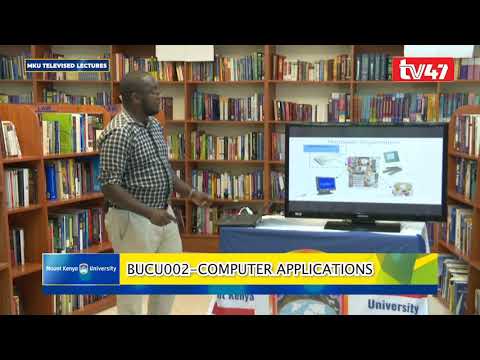
[0:01]Shiriyaga from the School of Computing and Informatics. Today we want to focus on a topic in anatomy of the computer and different parts of the computer and how each part of the computer is used. We start with the definition of the objective of this class is that to check the what is a computer, different parts of the computer and how we can use a computer. In human affairs we have reached a point where the problems that we must solve are no longer solvable without the aid of computers. I fear not computers but the lack of them. My fear is my fear is not lack of computers but the lack of them. That means the near uh in the near future we might depend more on computers and we cannot live without these computers. So, um what is a computer? Computer can be defined as an electronic device that can follow instructions to accept input, process the input and then produce information. Take note that the input is defined as data. What is data? Data is a low facts and figures that are not in a structured way. So, information or a computer is used to make to process that information to information. So when you asked about how do you define information? Information can be organized data and given proper information. So a computer is just uh an electronic machine that is used to uh it's an electronic machine that is used to uh input data, process data and give out information. So, what is a computer made of? We have two major areas in a computer or two major components of a computer. We have the hardware and the software. We cannot separate both the hardware and the software. So a software can be defined as the untouchable or uh the things that you can uh instructions that you cannot see in a computer. What about a hardware? A hardware this the tagible bit of the computer. So, what is a hardware? Hardware can be uh things like a monitor, a central processing unit, a RAM, a processor, a joystick for those gamers and then we have the speakers, the mouse, the floppy drive, the CD ROM, the hard drive and the keyboard. Uh, the hardware bit, uh, is listed or can be divided into four major elements. The first part is the CPU, CPU into bracket the processor. On our definition we discussed about uh processing. And so, when we discuss about a processor, that's where uh the data is processed to give in uh to give out uh information. And that uh in the processor we still have a bit of a uh another section that is called the main memory. That's where the computer stores information before it is process processed in the CPU. Uh, the other tangible bit we have the input devices. The input devices can be said to be the devices that are used in a computer to input data. An example, we have the keyboard, we have the mouses, we have uh the microphones, we have the joysticks, etc. So any uh tangible elements or physical device that is used to input data, it is it is um an input device.
[4:52]The other bit of a hardware device is called the output device. It's called the output device.
[5:08]So the output device is devices or tangible devices that are used to give out information or uh present information. Example include the monitors, right? We have speakers, we have so many things, the tangible screens, etc. Uh the other tangible device are the storage devices. The storage devices differ. We have the primary storage and the secondary storage.
[5:51]Uh we are going to discuss in the as we move on about the storage devices. In a nutshell, in the storage devices we have two major devices. We have the ROM or the random access memory and the random read only memory. Uh the computer it is housed in a in a cabinet or the housing of a computer uh or it's housed in a box commonly called as the system unit. The system unit uh you can see this the system unit. It houses the RAMs, it houses the drives, it houses the power supply and everything. The green thing, you can see it's commonly called the motherboard. The motherboard, the motherboard uh assembles all the circuitry in the machine and we are able to commun communicate with uh one another. As earlier stated, we talked about um uh the hardware. We have the CPU, the input, the output and the memory. All those are housed in the system unit. So, what uh how does a system unit work? This just the general um overview of how information uh flows in a computer. The first part is the data and we define data as low facts and figures and in IT we also include symbols and um and unstructured data. So, uh the data moves from um this from and then to the input unit. The example of the input units include uh the keyboard, the mouse, etc. So, after data moves from um from the input devices, it goes straight to the central processing unit. The central processing unit, the central processing unit has three major elements. The first element that we can see here, it's the control unit. The control unit, the control unit focuses on coordination of all activities in an uh in a computer. Right? And the abbreviation is called the CU. Still on the central processing unit. We have the arithmetic logic unit. The arithmetic logic unit, the work of the arithmetic logic unit work uh or is used to process all the mathematical functions in a computer. That include the subtraction, the addition, the matrix, all the simulation are done in arithmetic logic unit. The other very important element in uh in a computer is the memory. As earlier stated, we have two major types of memories. We have the random access memory and the read only memory. The the read only memory is used to hold an instruction or when you discuss about or when you talk about an instruction we are talking about a software or a program. Right? So any information before it is executed, it is hold uh it's uh it's uh given or it's uh there random access memory. So the bigger the random access memory, the faster the computer will be. The next memory is the uh, let me go back to the random access memory. The random access memory is used to hold an instruction. And where and uh and it stores this information temporarily. Take note, this memory is volatile. It's when you talk about a volatile memory, it means that it is requires electricity to work. Once the power goes off, the instructions that are at the random access memory also disappear. So they are volatile. The other memory is the random read only memory. In the read only memory, uh instructions or software or programs, in other terms, they are stored there permanently. An example of the those software or instructions that uh are installed in a computer. They are all stored in uh read only memory. The other bit, once the processing or once an instruction goes to the arithmetic, arithmetic logic unit or ALU and it is processed. The next bit, it goes to the control unit and the control unit determines when the information is supposed to be released. So from the control unit, the information goes to the output unit. So what are these output unit? We're talking about monitors, speakers. An example, let's give an example. You're using uh a speaker to talk or not a microphone to talk. So a microphone, you're going to talk via the microphone and you're going the information will be processed and then the output unit will be the speakers. Right? In an example, a computer based mobile phone. You can use um the keyboard to input data. Then we have the CPU inside the computer and the screen of your uh the screen of your mobile phone, that's the output unit. So, how is this information organized? So we've talked about the input devices. You can see on the figure, that are um a physical uh input device. And then inside here, this a simulation of this a simulation of a motherboard. So once the input uh enters information in the motherboard, it goes straight to the CPU. You can see this are CPU. A CPU then processes the information from uh the RAM. This a hard drive, a hard drive can be defined as a can be defined as a read only memory because it stores information uh permanently. Uh so after this, uh the the read only memory, uh processes the information. And uh this a simulation of uh CPU. The meaning of a CPU is just a central processing unit. This how it looks. So, that's the simulation of how uh the hardware organization is meant in a computer. So in most cases, the green is the default color or brown is the default color for all the motherboard. Basically the motherboard uh is just a plugin areas for all the central processing unit, uh the memory, the both the memory both the random read only memory and the read uh read only memory. So the next thing once the information is processed processed we have the monitor. The monitor is the output device. And so, um monitors are used to give out or relay back information. And information can be said to be um processed data or information that has already been refined. Uh, so input devices always uh translate data from form that humans understand to one that the computer can work with. So the human um the human input data according to how they understand. In most cases or the most common uh input devices include the keyboard or the mouse. Uh examples of input devices include the keyboard, the mouse, the scanner, uh the pre-storage devices, include the CDs. Also we have the optical recognition, that's the barcode scanners, those are input devices. We have the microphone, joystick for the gamers. And then we have the touch ball, touch screen, digital cameras, etc. Um that's are some of the uh digital presentation of the input devices. You can see we have the trackball, used in the on the keyboard. We have the joystick, we have the black pad, we have the tablet and the pen. Um So let's go straight to the CPU. So the CPU, we said it is used to process information. So a specific chip or the processor is used to determine how other circuits in a computer is processed. So the CPU is the actual processing unit of any data. So depending with the speed, in case you want to increase the speed of a computer, you have to consider what your CPU can process. Remember, it doesn't process anything. It processes instruction. Previously we had discussed about two components of a computer. We have the software, the hardware and the software. So the the CPU processes the software bit of the computer. The CPU consists of consists of three major elements. We have the control unit, we have the arithmetic logic unit and some some registers. We have the control unit. The control unit coordinates all the activities of the computer by determining the operation to perform and in what order to carry them. You can take note of it determines how all the order how the order to how to carry an instruction. We have the CU, that's the abbreviation for the control unit. The control unit transmits or coordinates the signals to other computer components. When you discuss about computer components, it includes things like the input devices and the output devices. Um, we can move on, that's the, we have the memory. The memory.
[21:55]First we're going to focus on the memory. The memory enables a computer to store at least information temporarily or permanently. We have two major types of memories. We have the read only memory and we have the and the read access memory.
[22:29]So, the RAM, that's the abbreviation of the read access memory. It temporarily holds data and program for use during processing, volatile. Remember, we've talked about this memory is volatile. When you mean by volatile, it can just be erased by it can be erased by once the power goes off or in case you close the application, uh the data goes. Any information stored in the random access memory is lost when the computer is turned off. RAM is the memory that the computer uses temporarily to store information as it is being processed. The more information being processed, the more RAM the computer needs. So the RAM consists of the location or cells, commonly we call them the cells because they hold information. Each cell has a unique address which distinguish from from each other. That's makes it easier for the CPU to locate a specific place where to get the information.
[24:18]Um, the read only memory is part of a memory. It is programmed during the manufacture, uh, manufacturing time of a computer. Its content cannot be changed by users and the information is stored permanently. So in the ROM you're going to find some information like the basic input output system. The abbreviation for that, they are called BIOS. Those are the booting instructions over computer. So, during the uh the manufacture of the computer, the developers uh install the the ROM or the read only memory and give some uh software that control uh the computer. So let's go straight on to secondary storage. Secondary storage stores data and programs permanently. Uh and it is retained after the power is turned off. Remember that, um once the power is turned off, your information is stored in either in a hard disk or in a floppy disk, a CD and for some other cases, we have diskettes. The kinds of drives, we can have a pictorial look at the these an example of the drives. We have the DVDs, we have the uh the diskette. That's how diskette, but these days, the diskette are becoming absolute. So we are moving away from diskette because the storage capacity of a diskette uh is approximately like 4 MBs. So that doesn't make any economic uh sense for any storage. We have the another one that is uh a ROM or random read only memory, which is the hard drive. The hard drive stores information magnetically. It's similar to the diskette but it is it's more bigger and more economical. Remember this can be removable or not removable. Um, we can now go straight to the output devices.
[27:48]Output devices are pieces of equipment that translate the processed information from the CPU into a form that a human can understand. Remember, the recipient of the information that a computer process is the computer. Something to note, we have the human language and we have the computer language. Computers communicate using uh binary version, that's a one or zeros. So, once the CPU presents the information to uh human readable information. The work of the output devices is to relay information. So an example can be um the monitor, the printer and you can see our our model of a human being. Uh the model of a human being uh it's the green part. So examples of examples of output devices include monitors. Printers, we have different parts of printers. We have the dot matrix printers, the inkjet printers, the laser printers. And as we move on, we're going to see how different printers work. We have sound cards, it is the controlling other devices, etc. So the next thing that we want to move on is a very important bit of computer software. So what is a computer software? A computer software, another name of a computer software can be said to be a program. So, uh the word software and program mean one and the same thing. And this is an instruction, and this is an instruction that tell a computer what it is supposed to do. Right? Remember, computers use artificial intelligence. Artificial intelligence, we try getting information that is in human to a computer to make uh the the computer works. So, a computer relies 100% on softwares. We have two major types of uh software. We have the application software and the system software. We can start with the with the highlight about the application software. An application software help end users, help end users to perform general purpose task. When you talk about general purpose task, it include maybe typing, right? Getting photos, right? And uh just to go to the mobile application world. Anytime you go to those guys uh with or those students with uh Android phones. You go to Play Store, download a specific instruction. An example, WhatsApp.
[32:14]You download that application, that can be classified as an application software, because it does a specific task. What application


