[0:13]And today I'm going to make a video on protein data bank. Before we start using Pymol because this series will be everything, we will know everything about Pymol. In this series, I'm going to make videos on how to use Pymol, how to make publication quality figures in Pymol, how to understand ligand interactions, how to label amino acids in Pymol. But before that, we need to understand protein data bank first. So, as you can see on your computer screen, so this is how protein data bank homepage look like. There is a search tab here. So, here you can search the protein of interest that you want to work on. And there are various other features. I will not go into the detail of this particular homepage, but I will go into the detail of the proteins structural information about the proteins and functional information about the proteins. So let's start the tutorial by entering the name of the protein. For example, I want to download the structure of a protein LasR. So, Pseudomonas aeruginosa is the name of the organism, and LasR is the name of the protein. So, you can also type LasR directly. So, let me type LasR. And it's going to give you a lot of information. So, you can also select from these particular options that are available. For example, if I select the first particular option that was given to me, and now I can see these are the structures that are available for that particular protein. So, this is a very important point that for one particular protein, you can you can get multiple structures. So, it depends upon the the type of the structure that you want to use. For example, many proteins have multi-domains, so you can get various various different different domains as a separate PDB structure. You can get various confirmations of the protein as a separate PDB structure. So, that depends upon your requirement. So, you will get a lot of different different output results. But I'm interested in a particular particular crystal structure, and and for that, I know the code. So, this is basically the code for that particular crystal structure. It's a four letter code, and when you start working on particular protein, you need to remember this particular code so that you can mention that code in your research article. And you should always work on that particular particular code so that, uh, because the information will be very specific for your, uh, for your, uh, crystal structure. All right. So, the code for my protein, uh, is 2UVO. So, I'm typing 2UVO, so that's the code for my particular protein, which is Las, Pseudomona aeruginosa, LasR, ligand-binding domain. Okay. So, let's see what kind of information we actually got from this particular search result. You can see it gives you, uh, the the four letter specific unique four letter code. Then, it gives you the the name of the protein, right? It gives you the structure of Pseudomona aeruginosa bound with autoinducer. So, autoinducer is the ligand present inside the protein. And there are also additional information. For example, it gives you the name of the organism. As already mentioned, uh, by me that, uh, the organism is Pseudomona aeruginosa. And what is PAO1? PAO1 is the name of the strain. Now, you have expression system. Expression system means the organism that was used to purify that particular protein. In this case, you have E.coli BL21 as an expression system. Classification is another important parameter that I missed that classification tells you that what is the main function of this particular protein? So, it is a signaling protein that is responsible for the transcription of its gene. So, transcription is the main classification area. Then you get important information about the crystal structure. Here, you can see the resolution 1.80 and R values information. Then you have further, uh, the article information and the author information. And you can also search this particular article by clicking on this particular link. So, you get most of the information about the structure on the on the structure summary page. And now let's move on to the second tab, which is 3D View. In 3D view, so it's more like Pymol. Pymol, but, uh, it doesn't give you a lot of, uh, lot of control over over various things. So, that is why we use separate software for analysis, but it is also really good molecular graphic system. And you can get a lot of information extracted from this particular 3D viewer of the PDB. So, I'm going to make this window much bigger. And I'm going to explain you what are these uh, these things. These are the sequence, these are the name of the amino acids, one letter code of amino acid. And, uh, as you can see, when I click on this one, I get information here on the lower right corner of my screen about the amino acid. So, you can see while I'm moving, I can get information. So, which is pretty convenient. Now, uh, I'm seeing four domains. So, you can see four different colors. So, there are four domains of the protein. But in this particular protein, uh, the protein was purified as Tetramer. So, all the domains basically are same. And you what, what, uh, what are the options that are available for you? Uh, you can see on the right side that, uh, you can show water molecules. These red drop, uh, these small spheres are the water molecule. If I click on this one, and, uh, then the water molecules are, uh, no longer available in the crystal structure. Then you have ligand. If I want to, uh, hide the ligand, now you can't see that there is a difference. But I can show you by hiding the overall structure of the protein. Now you can see if I hide everything, and then one by one, I can show you you can see ligands. So, these are the ligands present in the in the protein structure. Then I can show you the polymer. And now you can see the polymer, which is protein or polypeptide in this case. So, uh, this is a 3D viewer, and it gives you a good idea about the three-dimensional structure of the protein. If you are not using Pymol and you want to have a quick view of the 3D structure of protein, it can have other options. You can also export the image by clicking on this particular, uh, tab here, which is a kind of a shutter icon here, right? So, you can also have some of the settings. So, you can change the background. If I want to change the background to green, uh, or blue or dark, uh, black or or some other colors. But, uh, white is the best option for for the figures. You can also change the finishing. You can see this is more metallic finishing. So, uh, your structure will look more beautiful and catchy when you use these, uh, different different settings. But, uh, anyways, one of the important thing that we're going to use in Pymol also is clipping. Clipping, uh, clears the, uh, part of the protein and then, uh, you can no longer see that particular, uh, section of the protein. So, this is you can you, uh, if you can see, uh, that some of the part of the protein is no longer is available because I clipped that part of the protein. But anyways, we're going to use those particular settings in the Pymol. So, after understanding the 3D viewer of PDB, let's move on to the annotations. Annotations, you will get gene annotations, protein annotations from this particular web page. And they, they are all the links that you can click and get the information about the annotations. Then the sequence. It's really important. Sequence you can get, uh, the faster, faster file sequence. Of that particular protein. If you click on faster sequence, you will immediately download a faster file. I'll show you how it looked like, so it will look like a, uh, the, uh, the alphabetical order of the amino acids in the protein sequence. So, that's the faster sequence of the protein. And as you can see, this is also very, very informative. Figure you can see in this case, it's a two-dimensional structural information of the protein, where you can see these are the alpha helix. So, this is also very useful information about the structure of the protein. And then the last tab is the experiment. Experiment tab provides you all the details that were used to purify the protein, also to perform the crystal structural analysis. You can see during diffraction, what are the parameters that were used, and you can see during the crystallization experiment, what are the parameters that were used. So, if you are trying to purify this protein and trying to do structural analysis of this protein, this page is really really helpful for you. All right. So, if I go back to the homepage, on the homepage, uh, you can see it provides the general information about the latest structures that are available in the PDB. It also provides the molecule of the month. In this case, you can see it's a spike protein. And, uh, you can also see various other, uh, additional, uh, tools that PDB provides. Uh, this is PDB101 webpage of the protein data bank website, which provides you exciting things. Uh, for example, various things for high school students so that they can get attracted towards this, this kind of research. So, there are various tools that you can you can, uh, explore in this particular website. So, lastly, we are going to know how to download the file. And we are going to use that file for the Pymol sessions. Okay? So, you can, you can see this is the tab. This is the most important tab that you're going to use, uh, frequently, if you're using Pymol. And if I click on this tab, I can download faster sequence that I've already shown you. The PDB protein data bank format, which is the three-dimensional coordinates of the atoms. And this is the format that we want to download, uh, to understand the functioning of Pymol. So, I'm going to click on this one, and immediately after clicking, I will see a file is getting downloaded. And this file, uh, the name of the file is the name, uh, the four letter code of the particular protein. If I click on this one, and you are going to see Pymol window open immediately on your computer. And you can see this is the default view of the protein. And, uh, from here, I'm going to start the Pymol tutorials. So, I'm going to show you how to make, uh, structures, what are the different components that you're seeing right now on your computer screen, and what are the functions of all those components. So, stay tuned till I present you the next next video, where I'm going to show you all those, uh, interesting interesting, uh, functions of Pymol. And if you like the video, please
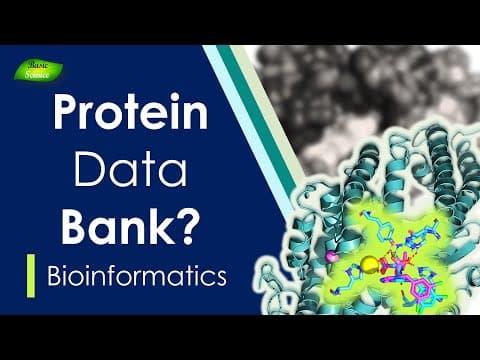
How to Use Protein Data Bank | What is PDB | PyMol Series | Part-1 | Basic Science Series
Biology Goal
17m 20s1,892 words~10 min read
YouTube auto captions
Transcript source
YouTube auto captions
This transcript was extracted from YouTube's auto-generated caption track. The transcript below is server-rendered so it can be read, searched, cited, and shared without opening the original YouTube player.
Pull quotes
[0:13]Before we start using Pymol because this series will be everything, we will know everything about Pymol.
[0:13]In this series, I'm going to make videos on how to use Pymol, how to make publication quality figures in Pymol, how to understand ligand interactions, how to label amino acids in Pymol.
[0:13]So, as you can see on your computer screen, so this is how protein data bank homepage look like.
[0:13]I will not go into the detail of this particular homepage, but I will go into the detail of the proteins structural information about the proteins and functional information about the proteins.
Use this transcript
Related transcript hubs
Watch on YouTube
Share
MORE TRANSCRIPTS


