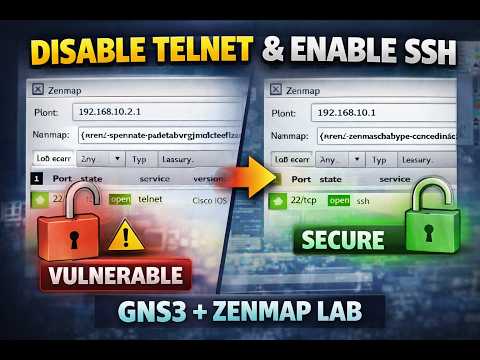
[0:00]So, this video is regarding uh, setting up and uh, looking um, you know, checking the information, or doing the Recon on Zen map. Okay, I have a basic topology on Zen map uh on the GNS 3, um one PC is connected to the router. And always write the IP uh write the IP addresses, it makes your life much easier. So, these are the IP addresses I have on the PC and on the router, okay? Uh, so and this is how they're connected, Fast Ethernet 0/0 and Ethernet uh zero. Now, um, I have successfully, I I'm able to ping from the router to the Kali machine. As well as from the Kali to the router, I can ping it successfully, you okay? Now, let's take a look and do the Recon. So, by default, the uh the Telnet port is open on the router. But anyway, let's have a look if we if we target the router, which in my case is 10.10.10.1 and I run the scan. Um, it takes a while, so let's wait for the results. You can always already see while it is still going on that the port 23 is open, okay? So, this is giving you a proof enough that there is a vulnerability, there is a port which is Telnet, which is open and Telnet should not be open. Once the scan is finished, you can verify from this line as well, okay? Now, if you want to disable the Telnet, you have a command given already in your um, instruction, that you can actually go to the line VTY 0 to 4 or all the lines. And you can here mention transport input none. This will actually enforce that none of the ports are actually open, okay? So, hopefully, we don't need a reset. Let's take a look at that and scan it again. Um, it takes a while, so let's wait for the results. You can already see that, you know, initially there was port 23 showing up which is not showing there anymore. But let's not conclude, let's wait for it to finish. Now, once it is finished, you will see it doesn't show you that port anymore, right? So, this means your port uh which was by default open, the Telnet port 23 is not open anymore, okay? Now, further hardening the security, what you do is you enable SSH. Um, let's go and set up the SSH, for example, so I will only enable this for SSH. All right? And uh since we don't have uh we did not configure it. Let's configure the SSH completely. So, um, how do we do that is, um, crypto key and we'd say zeroize.
[4:40]Okay, so let's wait for the scan to finish, and you can already see there is SSH port showing up, it is discovered. Um, let's wait for the scan to complete.
[6:09]Okay, now that the um scan is complete, you can see and if I go to the ports also, you can see there are no ports here, all right? So, this is all the verification, uh, that the ports are closed. By the way, when you run the scan, and the scan is complete, you can go to the ports also and see which ports are open, okay? I hope this has been helpful. Thank you very much for watching.


