[0:03]Dealing with bugs is a common part of all software development. Both syntax errors, which you must deal with before you can compile and run your application, and runtime exceptions, those exceptions that occur while the application is running. In the empty main method, I'll start by introducing a syntax error. If you've been coding for any amount of time, I'm sure you've seen some of these. I'll declare a string that I'll name S, and I'll try to assign it to the keyword null. Now, I'll intentionally misspell it. The keyword null in Java is all lower case. When I type it with an uppercase N and then I try to run the application, the application doesn't even compile. Instead, I get a syntax error, telling me that the compiler can't find the symbol, it means this keyword null. And it tells me exactly where the problem is and how to deal with it. In a larger application that might have a lot of different Java classes, you might run into a situation where you don't even know where the file is. But IntelliJ Idea gives you a very simple way of finding it. If you see these squiggly lines, that means there's a syntax error somewhere. And you can go to the project window and look at the problems view. And you'll see a listing of all files that have syntax errors. You can then double click on the file, and then press the F2 key on either Mac or Windows, and the cursor will jump to the next error. Frequently, IntelliJ Idea will even know how to fix it. If you see the light bulb icon, you can pull down the list and see if there's a solution. In this case, I know that the error is that the keyword is null with a lower case N, so I'll just manually fix it myself. So that's a syntax error. And again, IntelliJ Idea gets information from the Java compiler and then tells you where your errors are and to whatever extent possible, gives you hints on how to fix it. So, once you've fixed all of your syntax errors, you're then able to compile and run the application, but even then, it might not solve all of the issues. For example, I'll try to output this string to the console. I can find out whether I can build the application by going to the menu and selecting build and then make project. Down in the lower left corner, if I see the message compilation completed successfully, that means that I don't have any syntax errors. And notice that my problems view is empty. But now I'll try to run the application, and I get something on the console, just the keyword null. That in itself is not enough to cause an actual exception. But let's put in some code that will cause an exception. I'll create another string named welcome, and I'll give it a value of welcome with an exclamation mark at the end. Then, as I've done previously, I'll create an array of characters, that I'll name chars. And I'll get the value from welcome.to char array. So now I have a set of characters in a particular order. Next, let's say that I want to get the last character in the array. So I'll create a car variable and I'll name it last char. And I'll get its value using array syntax. I'll start with the name of the array and then pass in chars.length. Length in this case is a property, not a method, so you don't need the parentheses at the end. Then, I'll output that character to the console. I'll wait a moment and look for any squiggly lines, I don't see any. And I also look at my problems view and don't see anything listed there, so I don't have any syntax errors. But when I try to run the application, I get this message. Exception in thread main. And it tells me what kind of exception it is. This is something called an array index out of bounds exception. When you hit this kind of exception, it stops your application in its tracks. It's fatal, and the application can't continue. So, the problem here is in this code. I tried to reference the character at an index position where the index is the same number returned by the length. But remember that I've said that indexing in arrays starts at zero, so the last character has an index that's one less than the length of the array. To fix this code, I'll ask for the character at the index position of the array's length minus one. And then I'll run the code again, and this time it works. I displayed the exclamation mark that's at the end of the string. So, that's how exceptions can be generated. If you write code that's syntactically correct, but where the logic is wrong, frequently you'll get this kind of exception. And understanding how to look for it, how to find out where it's happening, and then how to fix it is critical to good Java programming.
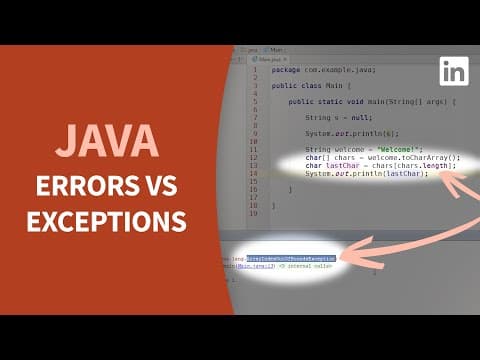
Java Tutorial - Debug syntax errors vs runtime exceptions
LinkedIn Learning
5m 19s864 words~5 min read
YouTube auto captions
Transcript source
YouTube auto captions
This transcript was extracted from YouTube's auto-generated caption track. The transcript below is server-rendered so it can be read, searched, cited, and shared without opening the original YouTube player.
Pull quotes
[0:03]Both syntax errors, which you must deal with before you can compile and run your application, and runtime exceptions, those exceptions that occur while the application is running.
[0:03]If you've been coding for any amount of time, I'm sure you've seen some of these.
[0:03]I'll declare a string that I'll name S, and I'll try to assign it to the keyword null.
[0:03]When I type it with an uppercase N and then I try to run the application, the application doesn't even compile.
Use this transcript
Related transcript hubs
Watch on YouTube
Share
MORE TRANSCRIPTS


