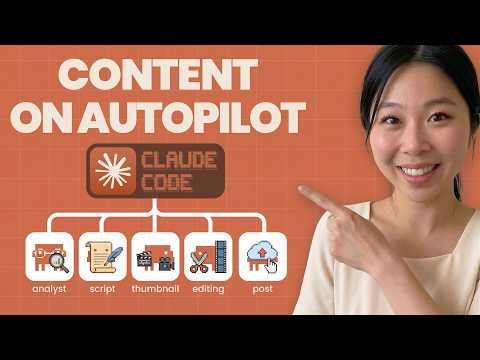
[0:00]Are you wanting to build your personal brand or grow your business? I talk to many different people, and one of the struggles that they have often is creating content. After working long day, they finally come home, then they have to turn on the camera, and often times they don't exactly know what to say, so they have to go back to YouTube. Try to script it, but then they get lost watching videos because they find this funny video and they just give up. That happened to me multiple times. I started creating content since 2018, and I grew my channel across three different platform, YouTube, Instagram and TikTok to 550k followers organically. However, here's the catch. I stopped creating content after a year of doing so, and then I went back to it, and then I stopped again. It's because I was so overwhelmed. I had to take care of my kids, and also I have full-time job. I'm not saying creating content is easy right now. However, what I'm going to do is I'm going to create a system using AI. I get a ton of help using AI. Even I got a skill of AI editing videos. And what I want to do in this video is I want something that's very specific that I pretty much want to create this content creation team, multiple different agents underneath me working. And I'll be feeding my idea to either Claude Cowork or Claude Code, depending which one's better, so I'm going to ask Claude what I should be using. And after that, as a skill or plugin, so that either three or five different AI agents can take care of my content. Obviously, my input is going to be there. You can't rely on AI 100%. I think human input always has to be there behind the scene. Especially for companies, if you're running a business, AI can't replace human, but human can learn AI to advance its skills. That's my opinion, or at least that's how I believe it should be. So, you'll be seeing the live demo exactly how much time it will take me to build the system. And I haven't done this before, so I don't even know how long it's going to take to be honest. But let's go straight into it. There is a Claude coworker. What I'm going to do is I found out the more I use Claude Cowork, the more I like Claude Cowork because it's such a easy user interface. But I'm leaning towards more Claude Code because Claude Code has more capability of doing things. It can save your API key in .ENV file. Whenever it has dot, that means it's a secret. Nobody knows it for you. Anyways, they can save the API key, something that's very sensitive information, and you can actually go there and do the work for you. Versus Claude Cowork, yeah, it does the work for you as well just like Claude Code, but it can't go in depth. I don't know if that's because it's still in the beta mode, but still, I think they're still working on it. So what I'm going to do over here, I already created this content folder inside the Claude Cowork. But I'm going to see if any of the plugin make sense in terms of what I'm trying to create. So let's look at the plugins for marketing and see what they have. Now, they have a lot of cool things. They have this brand review, review content against your brand voice, style, and guide, and messaging pillars.
[3:19]Okay, that's kind of related to what I want to do, but I want to be more specific instead of just a brand review. I want Claude Code to search for videos that are popping up, draft content. Let's see what's in here. Content type: blog post, social media post, specify LinkedIn, Twitter, Instagram, Facebook, email newsletter, landing page, topic, the subject or theme of your content, target audience, who is this content for, key message, two to four main points or takeaways to communicate, tone: authoritative, conversational, inspirational, technical, witty, length. Okay, it has a length over here, brand voice, content generator by type, blog post, and what about social media post? It has hook in the first line, which I like that. Hook is very important. What about hashtag? Okay, it has a hashtag suggestions, call to action to engage prompt, emoji uses, if it's appropriate. If LinkedIn professional framing, paragraph breaks for readability, if Twitter, concise, punchy within character limit, if Instagram, visual first language and story driven, hashtag block. Okay, this is not too bad. But what I really want to do is let me go back to the chat, and I'm going to talk about and explain exactly how I create content. Like my strategy of how I use this content. And after explaining that, the Claude will tell me exactly what to use between Claude Cowork or Claude Code. And I can go back and forth, but I prefer just using one platform to be honest, so we'll see which one it will turn out to be that Claude recommends. Okay, now I'm ready. Whenever I do live coding, I like to wear something comfy, so I'm in my PJs. I am the most creative when I'm in my PJs, so no judgment there. So, what I like to do is I typically like to start asking Claude Code, the chat mode over here. Instead of asking straight into Claude Code, I like to talk to Claude, just to chat version first to organize my thought. So about couple months ago, I used ChatGPT to bounce different ideas because I thought ChatGPT is the best in terms of bouncing different ideas. And don't get me wrong, they're probably still really good, but just a couple weeks ago, I canceled ChatGPT because recently there's a campaign saying, cancel ChatGPT because Open AI recently agreed that the government is allowed to use ChatGPT or any resources they have to be used for this war that's happening around the world. And I personally do not support that. I very much disagree with that. I'm trying my best not to use that. So let's go back to Claude. What I'm going to do is I'm going to use whisper flow. So instead of typing everything, I'm going to actually speak. Whisper Flow is amazing. I can just speak. It understands me so much better than Siri right there. So, what I really want to do is I want to create the marketing team for my social media channel. My channel is youtube.com/sandyleeai. That's my channel. What I want you to do is I want you to study every single video that I had for my channel to understand my voice and to understand what I'm trying to explain to people, pretty much analyze my channel. After that, what I want the other AI agent to do is research my co-Youtuber or whatever you call it, like other people in my industry. You can call them competitor, you can call them friends.
[7:01]So, in this case, I'll just title them as influencer. Study other influencers who's into AI agency niche or AI news, right, AI business or like how to use AI wisely niche. Whatever that you can find, you I want you to just connect and study their channel. And I personally actually subscribed to most of those people too. And I want you to find outlier videos for me. Because what I'm going to do is based on the topic that I get from YouTube, Instagram, and X, those three different platforms, Vid IQ is doing really well at finding outlier video. If you can find something similar to what they're doing in terms of giving numbers of those outlier video, that's what I want. I don't exactly know what kind of data that you use, so that's something that you can do research about. But if you can find that, that's great. In general, what I want to do is find the topic in X, find the topic in YouTube, and Instagram, and see what's trending. And any of the trending video, I want you to get the script of the first intro. So first 30 seconds of the video, I want you to get the intro because I want to review those intro. I don't want you to copy and paste exactly the same as intro that they have because I'm not going to copy exactly the same. But I want you to get their formula and the format. That's the most important thing. So after getting the format and formula of their intro and a title and thumbnail, I want you to put exactly what they have into Excel sheet. Okay, so I can review it and I can change it. But also I want you to give me the recommendation of how I can change it based on my style of recording a video and my voice, my brand voice, Sandy's brand voice. So here's the two sections that you will do. You will just put exactly the same as what the creators are putting, but also you're going to write a script and create a thumbnail and create a title based on the recommendation of my own style. So you're mixing it and changing it. And I want you to do that on daily basis, okay, on every single day. If there's extra thing that you need to get like Epiify, MCP for Epiify or NNN for the workflow, then let me know. But I'm trying to decide whether I should be using Cowork or Claude Code for this. And I'm going to have a lot of API connected and connect with multiple different tools because again, I'm creating this content team instead of just one. So creating thumbnail is very important as well. So I want you to create this one thumbnail department alone, and make it as one skill specifically. And when you're creating a thumbnail, those outlier videos, and especially on for, or look for those smaller creators whose videos are popping up instead of this huge creator always popping up, that's the outlier video I want you to search. And all the agents will be working together by the way. As long as you're short, the thumbnail, you're going to reference the thumbnail that's been working out there, but I want you to change into my own style and put my picture in there. I'll give you a couple pictures that you can use. Then use Nano Banana Pro, which I have subscribed to Nano Banana Pro, so I can give you the login information, whatever you need. I have Open Router API tool, so if you need that, I can also give you that as well. And for title, it has to be short and concise, but also you have to match what other people are talking about. For intro, I want you to have a really strong hook where you can relate, like I can relate to my ideal customer avatar. Know that I'm talking to them right away. And then we're going to talk about some huge opportunity that they're missing out if they don't learn this. And some sort of guarantee slash satisfaction slash the value that they're going to learn if they continue to watch this video. And I'll be showing the quick intro, like during the intro, I'll be showing like the quick, less than 10 seconds of what this video is going to be about. And also the other AI agent I wish I have is AI editing team. I have the script, and I have the script's API key that I just barely got, so I'll be feeding you that. And as long as I give a very specific brand tool and brand color image, and also style that I want you to edit. If I can just upload the video there, I want you to edit those, and have me confirm, right, before I post on YouTube. But eventually what I'm going to do is I'm going to trust AI to do all the editing, and after editing, then you can actually upload from the script to YouTube. So that's what I'm going to do. And I'm going to focus on this long form channel instead of short form. Eventually I'll get into short form as well. So if you want to might as well just create the short form like another AI agent for short form, you can. But my biggest thing right now is creating the long form, and that's my huge focus. So here's my idea. I gave you a couple different assignments for AI agent. I want you to create just one team that has multiple different agents, who has, each of them have skills. And eventually this will be the plugin that I'll be creating for my social media content team. So tell me exactly what I need to do at this point, step by step, and that way I can make the whole system. And this has to be as easy as possible. And one thing that I want to add is whenever you're putting the information Excel documentation, that's great. But if you can go above and beyond and send me a quick email with those update, that's also a really, really good one that I will like to get. Tell me the breakdown of what I need, the different team and different AI agent in the set, as well as the cost breakdown. Okay, now I'm done. I've talked to Claude like a lot just now, and this was just my idea. One thing about building something with either Claude Cowork or Claude Code is you have to go back and forth a lot, right? Unless you're copying and paste somebody else's work and then just apply that with yours, like a lot of projects in GitHub that you can get and then just copy and paste to your own skills. But I found out whenever I do that, since that's not my idea, I tend to not get the result that I want. So I had to tweak it a couple of times. So, let's see where it's at. Okay, it's finally done. It took about three minutes to get everything all sorted out, but we will see what's going on over here. Pretty fancy already. Let's download this to make this a little bit larger. So basically Claude recommended that I should have seven different AI agent. We'll see how that goes. The first agent is the Channel Analyst, who study the channel and competitor and also build my brand voice a little bit. And I will need YouTube Data API and Claude API, who can do this. And let's do the Trend Scout. So Trend Scout is finding the outlier video on YouTube, X and Instagram daily. I love that. I feel like X is a lot faster compared to YouTube and Instagram. Like every single news is over there. It's like a big hot AI news channel, so finding outlier video on X will be really good. I also need YouTube Data API for X and VidIQ style scoring. Perfect. And the next one is a Script Writer. Script Writer who can write hook, intro, full script in Sandy's voice. Claude API. I personally always have been using Claude to write script because there's something about Claude and writing skills. It's so much better than any other AI that's out there. So I like this. We're using Claude API and brand voice document. Perfect. Which means I can customize my own brand voice. That's great. And a Script Writer is write hook, thumbnail designer is find reference thumbnail, generate Sandy's version. We're using Nano Banana Pro API and Claude Vision. Video editor is auto edit footage to script, brand colors and captions. We're using Descript API, Claude API. Daily Reporter. Compile everything into Excel and send email digest. Google Sheet API and Gmail API. And for Shorts, Phase 2, this repurpose the long form into Shorts automatically. That sounds heavenly, right? I mean, there's a lot of SaaS like Opus, or even Descript, I think they did that, so using a Descript API would be just fine because I already paid for it. Let's go with the agent. This is explaining the specific agent breakdown what they will be doing. Let's see. The influencer channel to monitor, okay, these are all great people right here. And add any channels you're subscribed to, Claude will put them in. Awesome because I do have a lot more that I would like to, you know, touch base with. Because a lot of them are pretty big, like they're all big in AI industry. I want to find some smaller channel as well. Trend Scout, YouTube and X. Okay, here's the formula that they're talking about. I want to look at this formula. Outlier score is the video view in 48 hours and channel average 48 hour views times 100. Score is higher than 200, that's a strong outlier. And scores more than 500, a visual outlier. Agent flags these for you automatically. It specifically prioritizes smaller creators under 50k subs with outlier scores, not just big names.
[17:05]Outlier top five outlier videos per day, each with title, thumbnail screenshot link, channel size, outlier score, and the first 30 seconds of the transcript for hook analysis. This is great, especially that it has the video view versus channel's average within the 48 hours, but I want, I don't know if I want just a 48 hours or like maybe a week. I don't know how VidIQ does, but pretty much I want to get the videos that are popping up like, I mean, 48 hours sounds actually pretty good for the AI channel because everything just is happening so fast. I feel like if I'm a week behind, I'm very behind, so this is good. I'll just leave it. Agent 3, Script Writer is short, punchy, six to 10 words maximum. Hook and intro. If you're trying to build income with AI but, okay, sure. I can refine that as I go, honestly. But let's go more. Viral teas, output format, Agent 4, Thumbnail Designer. put, video editor. Okay, hold on. So after they put it, they're going to save it to Google Drive. Oh, okay, that's pretty cool. And video editor, the script API remove fill words. Yes, that's what I want. Add captions to your brand font. I only want caption for the first intro though, so I'm going to add that. Add intro, outtro bumpers, match your established edit style. For video editing, I want you to make a couple changes. Removing filler words is perfect, but I also want you to use layers towards the beginning for the intro. Intro has to be as much as animated as possible. You can also use B-roll that Descript has, or create B-roll using Descript AI. You can also cooperate and work with Underlord, which is AI of Descript. And also I want you to add caption just towards the beginning for intro section, not throughout the whole video. And for the beginning intro, if you can add like a subtle music, very quiet, not loud music, because I want my voice to hear more than the music. That will be great. So that's the intro. And also the gap between words has to be less than 0.5 seconds. Claude Code versus Cowork, which one should I choose? All right, Claude Code, it's actually seems like there's a check mark here, so it might be the better option right here. Let's see. It's best for developers, AI integration, and unlimited. API connection is unlimited, full control. Based on my experience, Claude Cowork is great. Especially for those of you who's not really technical, who doesn't want to get into like any technical stuff, this is a great platform or great tool to use. But I found out Claude Cowork is very limited when it comes to API key. It does exactly same thing as Claude Code where AI agent is working for you is agentic workflow. But Claude Code is more of a senior developer versus Claude Cowork is more of a your AI assistant, right, who's not a really a developer, but who learned maybe developing skills like 10 years ago, five years ago. That's just my theory behind it because every time when I'm trying to use Claude Cowork and trying to save some important documentation, then they said, don't save it here. Maybe like, it's better to use Claude Code. And once you get to use Claude Code, it's actually pretty easy to use it and continue to use it. I personally love Claude Code. So I'm glad it's suggesting Claude Code for this. Especially for seven agent, you definitely need Claude Code. So, I'm going to save a couple API key in .ENV file. Whenever there's a dot, that's more of a secret that's local, only I can see it. It's hidden, so I like that. Complete tools that we need. Claude API. Yes, I have it. Nano Banana Pro, Open Router API, Descript, Google accounts. I have all of those, so that's great.
[21:00]And it seems like they don't even need API. That's the one that I don't have, so this is good. Step by step build plan. Set up API, create a Google sheet, build channel analyst first, build trend scout, and cost breakdown. Let's see how much it costs. Cost is important, right? Let's go over this.
[21:20]Claude API is per use, so about 40 bucks. Okay. YouTube free for now. RapidAPI, it's not free. Apify is optional. VPS for self hosting is also optional. So it can be anywhere between $84 to $74. If they're doing exactly what I've asked them to do, this is nothing. Like, seriously, nothing. Okay, yeah, just like it says, compared to, do the social media manager anywhere between 2 to 4k, video editor 5 to 1500, and researcher for 1 to 2k. Yeah, you can pretty much finish about 7 to 8,000 of work with less than 200 bucks. Pretty powerful. Now, for solopreneurs like myself, a tool like this is very valuable because I'm just getting started, so I need more help and that's where AI comes in. Yeah, I'm not going to worry about the shorts just yet because I want to focus on the long form for now. But what you need to give Claude Code to start. It's very specific. I love this. You need your YouTube channel, Banana API, and all that. And put all of this in Claude.md file at the root of the project. This file becomes the brain every, okay. Perfect. So this is the MD file. I going to open Claude Code and get started because this is under content folder, so this is perfect. So the other thing that I can do is I can either save this into the folder that I just barely mentioned. Or the one of the other ways, which is the way that I'm going to do right now, is I'm going to say, save this into MD file, save this into Claude MD file. And I just copy and paste the whole thing that we just barely read together. All right. Now, this is all done. It said, the content or image has to be saved to MD file, that's perfect. The image was cut off, that's weird because I just copy and paste the whole thing. How it cut off. So somehow the copy and pasting didn't work. So what I'm going to do is I'm going to have them find it from my download.
[23:36]And then create an MD file. Got the full document and then it's replacing it. That's perfect. And sometimes that's what Claude Code does. Claude Code just talks about how, hey, however, I can't really read this file, but then like they worked towards it something, and they're like, just kidding. I found a way to read it. So that's the reason why I love Claude Code. And after that was done, what I did is I just typed slash in it. And what it does is typically if you don't have the MD file, that they just pretty much go through every single thing on your folder, and then create the MD file for you. In this case, I already had an MD file. So what it did is it created the plot directly situation, which is the another MD file that I gave them before. Planning, operations, tools, and and also tools and also saving tools way, and also saving tool way. Existing content preserved for outlier, analyzer, editing, and SEO audit file. Like I said, I have a lot of things going on, that's the reason why I want to make sure I have the whole system, so it's more of a one place versus using it in multiple different ways. So, I want you to look at the MD file that I just barely created for this project. And it suggested to have seven different AI agent to create my content, social media content marketing team.
[24:52]Tell me exactly what I need to give you, step by step, and just make it very simple as simple as possible. I want you to apply that so we can work on this right away. While I'm waiting, I got my chocolate. Okay. Google Cloud API keys. You need one Google Cloud project with these three APIs enabled. Give me the API key and OAuth 2.0 credentials JSON file. I'll walk you through creating these if you haven't yet. Your Google sheet. And yeah, I need to create a Google sheet. Competitor channel list and also ICA, brand colors and fonts. RapidAPI key, Nano Banana, this is a lot, guys. But I can tell once I set this up, it's going to be my life is going to be so much easier, so I just have to get through this. Okay, I know how to do this, but I'm going to ask them to do step by step because I kind of forgot, and also I don't want to take too much time of researching this. Step by step. So I'm going to ask step by step guidance for the YouTube data and the Google Sheet, all the data analysis, all the key and credential information because I also prefer having Claude give me very specific instruction because like I tend to forget sometimes. Let's go over here. Console cloud.google.com. All right. I had to turn on that two-step thingy, and finally I'm here. Let's look at this. What did Claude want me to do? Select the project, what is it? Slee Machine Social. I'm going to click right here where the project is, and go to new project, and my project name is as Claude suggested, Slee Machine Social. I need to create new, and it's creating right now. Perfect. And what else did Claude said? Then make sure the project is selected at the top. Click Hamburger menu, three lines, top left, API services library. Let's see if that's selected. This is not selected, so I'm just going to select the Slee Machine Social. Go to Hamburger menu right here. API keys and enable API and services. Go to the library that they suggested. And what I'm going to do is I'm going to search YouTube data API V3 right here. Click enable. That's it. This is enabled. Let's go to the next one. Google Sheets API and Gmail API. I'm going to also enable Google Doc, just in case. Enable. And yeah. Enable. And also Google Drive. And I think they said Gmail. I'm going to enable all of this. Yeah, these are all enabled. That's how I can check over here, right? So I got Google Sheets, Google Doc, Drive, Gmail, YouTube, all taken care of right here. So, go back here, Step 1 is taken care of. Now let's go to Step 2. Create a service account for Google Sheet. Still in credentials. Okay. So I'll go to credentials and create credentials. I click create credentials, service account. The Slee Content Bot right here. Create continue. The role is the editor and click go to keys tab. Next, what I'm going to do is I'm going to add API key right here. All right, so now what we're going to do is go over here and then select keys. And select Add Keys right here. And create a new key. JSON file is perfect. Now, let's go to Step 3. Go to sheets.google.com and create a new sheet. This is easy. Basically go to your own Google right here. This is the one that I'm going to use actually. Daily Outlier is the first one, and content calendar is the second one. Brand voice is the third one. Competitor tracker is the fourth one. The thing is, I want exactly same as what the other people say instead of just changing to my own style. So I probably do have to change this at some point. But I'm going to open this. Maybe anyone with the link. Copy the link. Okay. This is what they want to do. They want us to add this machine whatever and then have it editor. So we'll see if that will work. Okay guys, after working on this for five to six hours, I'm finally done and I can show you what I got right now. It took about maybe 30 minutes to get the actual outline done and have the agent set up. But what took me really long is the getting agent into the way that I really like, personalization part, customization part. That's the reason why it took a little bit of time, but let me kind of show you what it looks like. So this is the very first thing that I got from Claude Code. And I really didn't like the style of it, even though this is just only for me, I just, you know, this is too AI slop color font. I didn't like it. So I just gave my brand color and font and different images, and this is what I got. I like this a lot better. I just like brown and dark green, white, beige color a little bit more. But let me go over the dashboard. So the dashboard, what it has, so before I explain the dashboard, I feel like I need to explain what's going behind the dashboard. You know, what is the some of the resources that they're using to create the dashboard. So the very first thing that I asked Claude to do is turning everything into my style, Sandy's style. So Claude actually studied what my channel is about, how many subscribers I have, who's my ideal customer avatar, and what videos are performing well, why is it performing well? It did a little bit of analysis of my own style. And also it did a great job at getting the competitor analysis as well. For some other creators talking about AI niche, and how many subscribers they have, views, videos, and based on the competitor analysis that they have, they actually get the outlier videos based on the other YouTubers videos. So if one of the video is popping up really well, then it shows a higher outlier video, and it's recommending me to record a video, and make a video based on that topic. And it updates every single day. At first, I put it under 48 hours, so whatever videos are popping up within the 48 hours period, but that was just too short, so I just increased that to five days. So I'm just going to get all this different information every single day. This Google Sheet, the Claude Code actually have access to edit it, and that's the reason why they can update this on daily basis. And not only that, I actually get email from them as well, so let me show you that as well. But before I go over email, let's go over the dashboard. So I love this dashboard because it's a lot easier for me to look at it compared to the Excel documentation that I just barely shared with you. So it's telling me specifically how many outlier video that I have from YouTube and X, Twitter. I didn't have Instagram just yet because I need to set that up, but I feel like YouTube and X is just fine from the get go. And so it's giving me specifically outlier video and title that they use. If I click it, it can go straight into his channel over here. If I click Dan Martell is over here, it can go straight in here, so I can actually listen to it and read it as well. But something that I really like is I can just see what videos are popping up based on this outlier score that Claude Code has given. The next is content idea. So it's giving me like different content idea for different subject. But what Claude Code actually did is it picked the best content idea based on the outlier video and my brand style. And in today's script section over here, I ask Claude Code to give you very specific intro. Like 30 seconds has to be all scripted. So that's the reason why it has all different steps that I give in Claude Code, and it's giving me the very specific detail. But other than that, the intro, I want rest of it to be in like a bullet point, so it actually shows that. But one of the cool things about this is you don't really have to look at this because even this is kind of hard to see. But if you actually click the start recording button right here, then the start recording button will have all the transcript in the easier way for me to see. It's just like easier way for me to see and all the bullet points. So this is more of a reference for me. I'm not sharing this with the viewers. However, what if I want to share this same idea to the viewers, but I don't want all the script to be there. That's when Claude Code actually made this for me as well. I had to tweak it here and there, but this is what I got. So basically if I were to record a video like this, I'll be sharing this specific site. And I'll zoom in and explain exactly what this is talking about, which is the best part. Like even this took such a long time, but Claude Code is doing everything just automatically for me. And the other thing is thumbnail. So this specific video right here, his thumbnail is looking like this. 24/7 AI employee. Shawn is actually one of my friend. But this is what his video looks like. My video that Claude Code made is kind of similar to what his. But if you don't really like the similar, you don't want to really copy exact same style. Claude Code also gave a very different style as well and that you can customize. So that's the thing that I ask Claude Code to do is like, have a reference, but also you have to customize it. So that's the reason why it's giving me three different things. And again, I'm using Nano Banana Pro to generate this. Then it has a competitor over here, and this is fantastic. So I explained to you before, I'm actually getting this on daily basis via email. Every single morning I actually get email, Sandy AI daily digest email. If I click full open full dashboard, it goes straight into this Google Sheet, so I can look at the daily outlier video or content calendar video. Or I can ask Claude Code to open up the dashboard, and it will have everything up to date. I'm filming this video like on Friday, March 13th, and everything's up to date over here. And the other thing that I wanted to show you is the editing team. Now, editing took me a little bit of time because the script API is fairly new. It didn't really have some of the things that I wish that they had, but then something that Descript actually has is it has an AI feature called Underlord. So you can ask the Underlord to do different things. I don't know if you can see the little icon over here, this is the Underlord. So what I asked Claude to do is, hey, maybe ask the right prompt to Underlord so the scripts AI can edit the video for me. So that's why I did. I didn't touch this video, but then this video already got edited. It removed all the filler word, all the words, like repeat video that I don't really want. And it started straight from here, which is fantastic. And all I need to do is I need to add it more layers in that way the Underlord can use the exact layer for my intro, and that will be just perfect. Like that will be just done deal. And I removed some of the gaps. So my editing team is almost done as well. And all I have to do is put the video into Descript, and Underlord used by Claude Code will fix it, and after completing editing, it can actually automatically post to YouTube video for me as well, which is, yes, it's going to save so much time. I'm so excited for this. I am so happy with the thing that I built. It took me a couple hours, overall several days, like I would say two to three days because, you know, I've been working on it here and there. I'm going to share everything to you on this Notion documentation, so just click the link below, and you can go there, sign up and and make sure that you get that Notion documentation. And use that as a bone again, right, just the frame of it. This is more of a foundation, and I want you to alter it and change it to your own niche. If you're in different niche, marketing, real estate, or whatever niche you're in, I want you to change to your own style. And also your own brand voice. Obviously, your brand is not going to be like dark green and beige, maybe you are, it's fine, just use it, but I want you to have your own voice because personal brand, that's that's what's all about, like everything's personalized. But because I built most of it, this is going to save so much time for you. But you're not going to get this done within 30 minutes. I'm not going to lie. And it's going to take a couple hours. So just get ready. But good thing is I'm going to share everything with you. In the very next video, I'm going to share a couple different Claude Code tips that I've learned throughout the couple of months of using Claude Code. I wish I knew these information from the get go when I first started it, but even Claude Code has developed so much since I started it. So I'm going to share everything with you so that you're not wasting your time and credit. That's a huge. So you're not waiting for like a couple hours to get the Claude Code back. So I'll be sharing everything with you. So stay tuned. Make sure to subscribe so you can watch the next video.