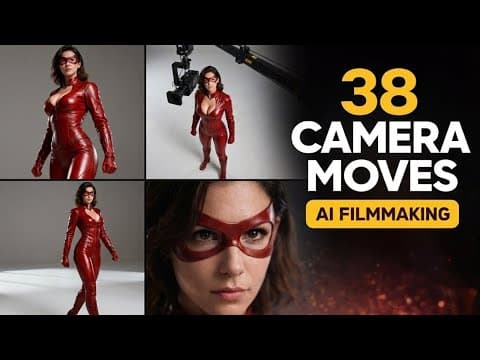
[0:00]38 camera moves one master class. So if you want your AI videos to look cinematic, you need to understand camera movements. So today I am covering all 38 techniques of cinematography. Dolly moves, lens manipulation, infinite scale continuity and much, much more.
[0:16]This is the ultimate guide to prompting camera movement in AI filmmaking. So let's start with the first category, and those are the famous Dolly moves.
[0:25]Basically, this is called Dolly because camera is mounted on a wheeled platform, a Dolly, and moves forward or backwards through space. So first, we have a slow Dolly in.
[0:34]So let's showcase on this model. So here we have the subject, and the camera will move towards her. Very simple like that. Nice. Then we have slow Dolly out.
[0:44]And while prompting AI, you need to separate the camera from subject and environment as I did here, because otherwise AI video model can create something completely different and misunderstand you. So, slow Dolly out.
[0:56]Still we have the same subject. Now, the camera moves outwards slowly. Let's see once again. Nice. Then we have fast Dolly in, so called rush.
[1:10]So camera moves rapidly forward toward the subject's face, creating a sudden sense of urgency. And this is what we have. So you see fast move towards her face.
[1:20]Those were three examples of image to video. I will use both image to video, text to video, and many different models here on Magichour.ai platform.
[1:28]Now we have one interesting movement, so it's called the Vertigo Effect, so-called Zolly, where camera physically moves backward while simultaneously the lens zooms in. And this looks like following.
[1:39]So you see kind of a weird feeling you have while looking at that. So this is Zolly or Vertigo effect. So let's move to the category 2 of so-called infinite scale continuity.
[1:53]First, we have extreme Macro zoom, so face, body to micro. So then we have cosmic hyper-zoom, so space to street.
[2:28]Then let's move to the third category, which is character-mounted framing. So basically, specific relationship between camera and the subject.
[2:35]The first one is so-called over the shoulder OTS shot. So before starting, you see camera is like mounted here, and he is blurred out, and here we have the other subject.
[2:48]And if we click play, it looks as simple as that. But you know, this is used often in different movies. So like the camera is mounted here. This specific example was created in Sedans.
[2:59]Then we have famous fish-eye or peephole lens, so extreme wide-angle distortion. And I will constantly change the subject to make things interesting.
[3:07]So here the subject is this weird-looking vampire, and it looks like follows. Yeah, so extreme fish-eye lens, like looking through the peephole.
[3:17]Category 4 is obstacle and environmental interaction. And we will start from so-called reveal from behind or wipe movement. So this is where the camera starts blocked by a foreground object, a wall or pillar, and it slides laterally.
[3:31]Simple example here. This is the wall, and now the subject is coming out here, and the camera follows. Very often used in many different movies.
[3:41]Then also very often used is so-called true shot, so fly-through aperture shot. So we have this lady sitting in the office behind the window, and now the camera starts going through the window to her face.
[3:59]And she is looking very, very excited to be on the nine to five job. Category 5 is all about focus and lens manipulation. Basically, the camera stays kind of fixed in one spot and just rotates, and the subject is static.
[4:08]The first one is reveal from blur fade in. So the video starts completely out of focus bokeh, and the lens slowly pulls focus until the subject is razor-sharp. And here you see the beginning frame, very blurry.
[4:21]And then if we play, you see how it become sharper, sharper, and then razor-sharp. While the background is still blurred out. Similarly, we have rack focus foreground to background.
[4:30]And the shot begins with the subject in sharp focus and the background blurry. Halfway through, the focus shifts, the subject becomes blurry, and the background becomes sharp. And we can easily see that in this example here. You see, the start, background, and the subject.
[4:51]And now, yeah, you see, now the subject is completely blurry, and the background is sharp. So this is also one of the nice effects. Category 6 is all about the tripod moves.
[5:01]First starting with tilt up. As the name suggests, we know what will happen here. Here we have the legs revealed, and now the camera starts moving up towards the head to the eyes of the subject. And here we have this superhero.
[5:15]As you guessed it probably, now we have the tilt down. Mostly the same subject. Now, when we play, the camera moves down to her feet. So you know, you can use all of those moves while you are trying to create a short film.
[5:31]While you're trying to do any kind of AI filmmaking, because camera prompting is probably one of the most important things. This is what we call the slider moves, so lateral moves where the camera moves sideways on a track.
[5:42]So we have camera truck left. Here is our new subject, and you see, this is also something that you notice in many movies, some kind of those shots.
[5:52]Of course, we have also lateral truck right. The same subject, just in different studio. And yeah, we see how the camera is moving nicely as we wanted to.
[6:02]Now moving on to the category 8, which are orbital movements. So basically, the camera circles around the subject. So we have orbit 180, so half circle.
[6:12]Changing the subject once again. Now we have this lady here, and this is the move. You see, very cinematic. Oh yeah.
[6:22]Since we have 180, then we also need to have fast 360 orbit. This is called the spin. The subject is in the studio, and this is what is happening. You see, 360 spin.
[6:36]It didn't go 360 completely because I choose only the duration of the video of five seconds. Then we have slow cinematic arc, where the camera moves in a gentle, wide curve around the subject, revealing their side profile slowly.
[6:47]And now again, we have a different subject, and this is what is actually happening. Then one of the most important moves in filmmaking are vertical movements, so crane or pedestal.
[6:56]So we have pedestal down. Here is our new subject. And you see how the crane is kind of going down, pedestal, going to the pedestrian mode. Yeah.
[7:07]Then we have pedestal up, so the entire camera body physically rises vertically straight up from waist level to eye level. Then we have crane up or high angle reveal.
[7:23]Changing the subject, and you see, this already feels like the camera is on crane that is moving upwards. Also very often used in filmmaking.
[7:34]And of course, we also have crane down, also called landing. She's looking madly at us. And the crane is going slowly, slowly down. Pretty good.
[7:44]Already we arrived at category 10, which are optical lens effects, and those could look very similar to some of the camera moves that we previously showed. So starting with a smooth optical zoom in.
[7:55]So we have our astronaut here. And okay, I mean, the video quality is not out of this world, because once again, I just use the Sedans low model. But nonetheless, the prompting works. You see what is happening.
[8:10]Then we have smooth optical zoom out. We have this nice cartoonish vampire, and yeah, slowly, slowly zooming out, and background is becoming blurrier.
[8:20]Also snap zoom or crash zoom is very important, so a sudden, extremely rapid zoom directly into the subject's eyes. Our new subject, and the camera, you noticed, very quick and the motion blur there happening in the background.
[10:32]Just a slight movement of the camera. And then the famous Dutch Angle or roll, where the camera is permanently tilted sideways on its Z-axis.
[10:39]In movies, in many cases, they use that for the dramatic effect and everything. You see, the camera is constantly kind of tilted while he is doing something. I don't know what.
[10:49]We have arrived at the 13th category, which are based on the subject tracking. So requires subject motion. First one is leading shot or backward tracking, where the subject walks forward toward the camera at a steady pace, and the camera moves backward at the exact same speed.
[11:03]So here is our guy, and he starts walking towards the camera, but camera also moves at the same speed or almost the same speed as he is.
[11:12]That something opposite to that is called following shot or forward tracking, where the subject walks away from the camera, and the camera follows behind them. And he is walking nicely, and the camera is walking at the exact same speed as he is.
[11:24]Side tracking or the parallel is used a lot. So the subject walks from the left to the right, for example, and the camera tracks alongside him. So we have this nice lady in the city. She is walking, and the camera tracks naturally from her profile.
[11:42]This is very nice camera move, always used. And we also have POV walk, so first-person walk, where the camera moves forward with the slight bobbing and swaying motion of a person walking, approaching the subject.
[11:51]For those kind of things, depending on the video model, sometimes it will be successful, sometimes not. You need to prompt it again and again. But this looks kind of fair. Yeah. Like someone is POV walking towards the subject.
[12:03]And there you have it. 38 camera moves and techniques you can use in AI filmmaking. Not every generation will be perfect, and that's completely normal. AI filmmaking is about iteration.
[12:14]You test, regenerate, refine, and that's how cinematic results are made. Thanks for watching. If this helped you, hit like and subscribe for more AI filmmaking guides. And I'll see you in the next one.


