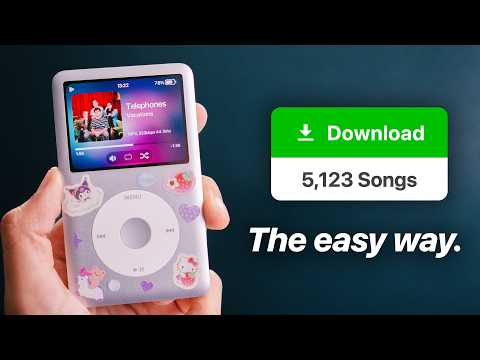
[0:00]Okay, so I want to be clear right off the bat, listening to music this way won't be for everybody. And if you're okay with just being charged more every year for music that you don't own, bad compressed audio, and an algorithm that plays the same six songs every day, then that's totally okay. Stick with Spotify. But, if you want to learn why everyone's moving to their own offline players, how to build your own music library, and even make your own algorithm so you can have new music added to your library every single week, then stick with me because I spent the last month figuring out all of this for you, and I want to walk you through every single step. Now, I want to be clear, this process requires you to reposition your mindset of how you interact with your music. If you go in trying to replicate all your habits of streaming, you're going to be really disappointed. Even though we will cover how to actually discover new music. But this is a completely different way of engaging with your music that isn't as common anymore. I can't stress this enough, owning your music is a much different experience than renting it from a service. Now, I've been watching a lot of people slowly move away from Spotify and Apple Music, and it seems to always come down to the exact same thing, intention. See, when I'm scrolling through on Apple Music, it feels almost passive, like it's just something that I'm putting on in the background so I'm not sitting in silence. I'm not really even have paying attention to it. But when you switch over to intentional listening, you decide what goes on to your music player. You're not skipping everything on there because everything on that player is something that you had to download and transfer yourself. It's you being intentional with your music. And that intentionality also comes over to the devices themselves. As a lot of people love to decorate and customize their devices, and even mod them with custom firmwares to get even more out of their players. This is how we used to use these devices pre-2010s, and I'm also realizing now like, holy crap, I haven't seen people be this intentional with their music in years. So let me show you everything exactly how to get started, as I'm realizing now, a lot of this is new information to people. Especially the Gen Alpha guys, I I know you guys might have grown up with streaming your whole life and have never been exposed to this type of listening. So, how do we start? So one of the most common things I've seen others do when switching away from Spotify is getting their own dedicated offline device for music listening. Yeah, while you can do a lot of this stuff on your phone, it's really nice to be able to get away from all the distractions that come with listening on a phone. It's also just another way to express your identity. I mean, some people get really creative in making these look unique with stickers, charms, cases, and a bunch of other stuff. Now, the most popular one around is just a classic, regular old iPod. Now, this is the OG music player. It's over 20 years old now and there's still a big community of people that use these things because they still hold up even today. They still sound great, the interface is still gorgeous, and it just looks like a premium device, even 20 years later. Some people even like to mod theirs with custom stuff, like an SD card mod, battery mods, Bluetooth, USB-C charging, and a lot more. This was the way to listen to music back in the 2000s. Unless your parents didn't love you, in that case, you got a Zoom. Now, because these things are a little bit older now, they're not as feature-rich as more modern devices. So that's why a lot of people actually flash custom firmwares on these iPods like Rockbox, that can let you do a lot more with their iPod. But we'll talk more about that later. Now these iPods are really cool, and if you can get a hold of one, definitely go for it. But I feel like most people won't for one really big reason. These things are crazy expensive now. You're looking at a minimum of like 300 bucks just to get one in decent condition. And while you can find ones around there like the 150, 200 mark, they're going to be really beat up and are going to require at a minimum a battery replacement or a screen replacement. Also, don't forget, there's no Bluetooth on this thing. So forget about using these things with AirPods or anything else. And transferring music on this thing still kind of sucks because you still got to use iTunes and sync over libraries and it's tied to only one library per computer and it just the whole thing sucks. So, what if you still want the iPod experience, but without actually, you know, paying like a crazy amount of money for it? So because demand for dedicated music players has been going up over the years, there's now a bunch of iPod clones out there on the market that basically do the exact same thing for much cheaper. This is the Innoasis Y1, and I've been seeing these things everywhere. And for good reason. These little things still have the classic iPod scroll wheel function, just like the original iPod. It comes in a bunch of really cute colors and it has modern ports like USB-C, Bluetooth, and headphone jack. And built-in speakers too, but, you know, I wouldn't use those because they, they sound kind of bad. And importing music on these things is really, really easy. It's literally just drag and drop. The Innoasis can also have custom firmware installed on them, so you can run themes and run custom apps just like the iPods without having to pay a bunch of money. And the best part, this thing is like 50 bucks. That's like cheaper than a PSP. This is honestly the best option I see for a lot of people who want to listen to downloaded music offline. There's zero maintenance or battery swaps to get started. You can customize it exactly how you want. And if you hate it, that's fine, it was only like 50 bucks, so who cares? Now this isn't the best option for people who still want to stream music though, because we are covering that here. For those people, I'd point them towards a really cheap used iPhone. These things still have their own personality to them and can be found on eBay and offer up for about 50 to 60 bucks. My girlfriend got this one for 75 bucks off of eBay, came with 64 gigs of storage, and still has access to Wi-Fi so you can still listen to high-quality music files without a subscription. Plus, some people are nostalgic for the way that these older phone cameras look now, so that's a bonus too if you're into that. I can't believe these phones are considered vintage now. I wanted these so bad as a kid. This option is primarily for people who still want to have a traditional streaming experience, but without having to connect to a Spotify subscription, which we'll discuss how to do later. You know, working on this video and documenting everything like how to manage your own libraries, burning your own music, et cetera, reminded me that despite most people just being fine with, you know, paying for Spotify, there's still people who want to actually own their own music. It's a real skill and it's becoming rarer and rarer now. And if you're someone who still loves to learn new skills, you should definitely check out Southern New Hampshire University, our sponsor for this video. I'm actually really glad that school is sponsoring this video because a lot of the skills that I use for YouTube like photography, script writing, marketing, et cetera, I actually learned from college. And you can do it too. Southern New Hampshire University is one of the largest accredited universities in the US with both on-campus and online courses so that you can pursue the career that you want with super affordable tuition rates. And they take FAFSA, so, you know, extra bonus there. They have tons of different degrees like proper BAs and BS's from accounting, criminal justice, social science, engineering, and a lot more. And their programs are incredibly flexible with no set class time so that you can work for your degree whenever you want. And if you already started somewhere else, SNHU lets you transfer up to 90 credits from your old school. Like I'm never going to shame someone for wanting to go get a better education, and it's never too late to start, dude. So go to snhu.edu/jeff or click the link in the description and just check out their options, see if it's right for you. And thanks to Southern New Hampshire University for supporting the channel so we can keep making cool videos like this. Now, right off the bat, on both the iPod and the Innoasis devices, most people want to install a custom firmware on it as soon as they set up their device. The most popular one being Rockbox. Now, Rockbox has been ported on to a lot of different music players and it's been around probably longer than you've been alive. Now, you're going to want to install Rockbox because the stock firmware on both of them, unfortunately, isn't that great anymore. They're a bit older now, and on devices like the iPod, they can't even play back certain file formats. But Rockbox brings that ability back and allows you to customize it a lot more with custom themes, widgets, equalizers, FM radio support, and makes it way easier to import music without having to use crusty iTunes. Best part is, you can also dual boot, so your original operating system never gets wiped. It's always there in case you want to switch back. For these Innoasis devices, it's really easy to install, you just use the Innoasis Updater from their website. I'll link it in the description. You just install their app, and then pick Rockbox from the software tab. Then you just pick the newest 240p software, and just hit install. Once it's ready, it'll ask you to turn off your device and plug it into your computer. It'll take a few minutes to install, but eventually, look, you'll see a Rockbox logo, and you're good to go. Now, if you have an iPod, you can install Rockbox on these models, but you do need a Windows machine in order to install it. It's a little more complicated to install, but it's not too hard. I'll leave a guide in the description if you want to give it a shot. So, now that we have Rockbox installed, what can we actually do with it? So the biggest improvement over the stock OS is theme support. There are tons of different custom themes available for your device to show off your music, widgets, clocks, fonts, and a lot more. Now, not every device has the same amount of theme support, what might work for one device, might not look all that great on another device. But you can get really custom with your stuff. You can usually grab themes off of the Rockbox website, and there's a lot to choose from. Here's a few that I really like, like check out these Windows XP and 95 era themes. I literally remember using this media player on XP as a kid, I still can't get over how people are nostalgic for this era now. Man, it'd be so cool if they were able to get the old visualizer working on here too, that would be so cool. But either way, it looks really nice. I haven't seen these icons in like minimum 20 years. Damn, this Wi theme goes absolutely crazy. They managed to get the feel down perfectly and the cover art just looks so good on here. Very fru- fruity Joe Aero, or whatever the kids are saying nowadays. Fresh OS was by far one of the most impressive themes I saw for the iPod, as it actually adds functionality to it. This theme brings in an actual lock screen to the iPod, which I think looks really nice. It also has a bunch of extra hidden commands and shortcuts that I didn't get a chance to try out. But man, this one just has a lot of really cool stuff in it. Satellite gives us really cool radio effect across the entire menu interface, and it's surprisingly really snappy. Although some cover art doesn't look great cropped in a circle like this, in my opinion. And BunnyPod, which is super cute and honestly goes really well with all the Daiso stickers that my girlfriend put all over this thing. Or, if you still wanted it to look like the original iPod, don't worry, they have themes that'll let you do that too. There's seriously so many different ways to customize your music player with themes, fonts, wallpapers, GIFs, like there is really no excuse to have an ugly music player anymore. Hopefully, you saw something in here that gave you some inspiration for your own music player. Rockbox also let you install a bunch of custom apps. I know when I'm out and about, I always need a periodic table on me just in case something happens, you never know. And a bunch of other little mini-games that I used to love playing as a kid. Dude, this is what people used to do when they were at the DMV or waiting in line or something, instead of scrolling on Instagram or whatever, you'd just be playing Bejeweled and listening to Unk. No, seriously, that's the name, his name is Unk. And of course, yes, you can run Doom on this. It's actually really nice on the iPod Classic. I mean, look how smooth this thing is. Also, some extra quality of life features for iPods, with Rockbox, you can literally just drag and drop music over to your iPod now. This isn't really a big deal for Innoasis users, but for iPod users, not having to use iTunes is really nice. And if you plan to install an SD card mod into your iPod, Rockbox also gets rid of that pesky 128 gig storage limit that's on the stock OS for older iPods like this one. So you can go crazy. I've seen some people kit these things out with like two terabytes in them, it's ridiculous. Rockbox also supports the ability to play a lot more file types like FLAC and M4A files. Oh God, I'm going to have to explain audio formats to you guys. Okay, um, for the people who have lived with streaming their whole lives, when acquiring music, you're going to run into a lot of different types of file formats for your music. And you're probably going to be wondering, which one should I pick? Now, there are so many different file formats, but I'm just going to run through the most common ones you'll see. First up is MP3s. I mean, I'm sure you've heard of MP3s, right? I mean, these things are called MP3 players, like, come on. These are usually compressed music files and have the best compatibility with as many devices as possible. I mean, everything can run these things, and I'm pretty sure my dishwasher can run MP3s. And because they're compressed, that also means the file sizes are pretty small, and an entire album can be like 60, 70 megs total. MP3s are by far the best option if you're trying to have an absolutely massive library of music. For reference, this is how many songs you can fit in 128 gigs. Like that's that's an insane amount of music, come on. Pick 320 kilobytes when you can, by the way. Now, these are lower-quality files, but most normal people will not be able to tell the difference. I promise, especially if you're listening on something like on Bluetooth headphones. Okay, next is FLACs. No, no, no, not that kind of FLACs. FLACs. These files are completely lossless, meaning no data is being lost here. Now, FLACs are like the 4K equivalent of audio, if that makes sense. This is the best possible, highest quality way that you can listen to your music. And hear exactly what the artists heard when they mixed and mastered your music. Yeah. And like I said, Rockbox gives you the ability to listen to these FLAC files on your iPod, which it couldn't do on its own. Now, here's the thing, if you're going to be listening to FLAC files on AirPods or Bluetooth earphones, you're not going to hear a difference. But if you hook it up to a theater system or some really nice high-quality headphones, yeah, it's going to sound great. You'll hear a difference in your car speakers, but only really when you're sitting still. Once you're driving, the difference isn't as noticeable anymore unless you got like a really nice high-end speaker system in your car. Now, the big downside of FLACs, they are really big. An album can be almost a gig, a gig per album. This is why services like Tidal and Apple Music got so popular. Their whole thing is being able to stream lossless music files. To put this in a context, if this is how many MP3s you can fit on 128 gigs of storage, this is how many FLACs you can fit in that same amount of storage. Yeah. But the quality is objectively better than MP3s, though. Now, will you be able to hear the difference? Uh, that's that's kind of up to you to figure out. My suggestion is pick FLACs only if you either really care about the highest possible quality, or you're going to be doing something like streaming your files over to your device, in which case, file size doesn't really matter a lot to you. And lastly, are M4A and AAC files. These tend to be Apple's proprietary music format, if you see these, these usually just mean that it's a rip from iTunes or ripped from a CD. Don't worry though, Rockbox and lots of newer devices can read these files just fine, don't worry. So at this point, we've put it off long enough. How do we actually get music on to these devices? Okay, I know a lot of you guys are smart and already know your way around the internet, so piracy talk is inevitable, unfortunately. So I'm just going to say, if you do end up going through that route, just support your artists, okay? Buy their merch, go to their shows, buy their CDs or vinyls whenever you can, especially since if you can do really cool stuff with them later. I can't stop everyone from pirating music, but at least you can be a good person and just support the artists that you care about. So just promise me that, okay? So first, let's adjust downloading music, I'm just going to give you a general guide on where to get started, and then leave you guys to pick up the pieces in the comments, okay? I cannot condone any of this stuff. So the biggest problem I've seen from moving away from things like Spotify and Apple Music is that a lot of people already have pretty big libraries of their liked music and playlists and artists, and it's such a pain transferring that all over to an offline setup. So, how can we move that setup with us? Well, the good news is, there are tools for this. I use TuneMyMusic, which is able to scan basically any music account from Apple Music, Spotify, YouTube Music, and even Pandora for the three people who still use that. Then it can grab your account and grab lists of all your saved playlists, liked songs, or just rip your entire music library if you want. Then it'll ask you where to transfer that music to. You can just hit export file and export a CSV list. This will give you a spreadsheet file of all the songs, artists, albums, et cetera, that was in your library, all neatly organized. Now, what do you do with this CSV file? Well, unfortunately, I can't tell you, but I'm sure you're smart enough to put two and two together to figure it out. Now this site does have a free limit of 500 songs, but honestly, because this is just a one-time thing, I'd say just pay the five bucks, it's 100% worth it. And it makes transferring your library over way easier. But in terms of legal methods, there's two main big ones that I want to talk about because I'm starting to realize, this isn't common knowledge anymore. Now, the first option is just buying music online. Now, yes, you can just go on to things like iTunes or Amazon Music and buy music off of those services, and that'll give you clean files that you can download and do whatever you want with. But here's something that I haven't really seen anyone really talk about. Amazon actually gives you a complete digital copy of an album whenever you purchase a physical version through Amazon. And you can just download the entire high-quality rip right then and there. So if you like to collect a bunch of vinyls or CDs of your music and you buy them off of Amazon, go check your Amazon music account. Odds are, you already have a bunch of really good legal rips of your music collection. I'll leave a link in the description to where you can go find your downloads. And the second method is just good old, reliable ripping CDs that you physically own. I know some people like collecting physical versions of their music, so this is becoming way more common now. All you need is your CD and an external DVD to USB drive. Don't spend a bunch of money on this, you don't need a super premium one. The cheap ones work just fine. I'll leave a link to the one that I use in the description. So funny enough on Mac OS, if you pop in a CD, it'll just automatically ask you if you want to rip the music from it. Then once it's done, you can just click show in finder, and there's your ripped music right there. And don't worry, we'll go over how to fix the cover arts in a second. Then you should be able to just drag and drop these files on to whatever device that you want. And on Windows, you can use the built-in media player app. Same thing here, you just insert the CD, and you click audio CD, then rip CD. And once it's done, it'll be saved to your default music folder. Now, you'll probably notice that when ripping CDs, a lot of the cover art will be missing, there might be kind of unorganized with like track one, track two, unknown artists, unknown album, et cetera. And it's going to look really ugly on your music players. Yeah, so this is called metadata, and it's information that's burned into the file that includes all the info like the song name, album name, artwork, et cetera. I remember this was such a common issue back in the day that people would just walk around with their entire library looking so messy and gross with their song names ending with like mp3 cache.com. It would bother me so much that on my iPod, I would manually fix every single song and album because I didn't want to pay the 20 bucks to buy the tune up app. Oh, right. Yeah, this was such a problem back in the day that there was programs to actually fix this for you. No more track one. No more missing cover art. No more duplicates. TuneUp, you got what I need. Magically. Well, TuneUp doesn't exist anymore, but now we have a better, free, and easier to use app called MusicBrainz Picard. This app will clean all of your music for you. So you can drag in all of your music, just hit scan, and it'll automatically grab all of the correct cover art, artist info, track info, album info, release date, et cetera, and clean all of it at once. Now, sometimes it won't be able to get the right info on its own, but that's okay. You can just right-click on the song and hit search for similar tracks, and then you can search in the info yourself and it'll just auto apply it to the tracks. It's really easy. And once you're done, you can just hit save, and it'll apply everything to all the files at once. It's really easy. Oh, and here's a tip that'll help you organize your music even easier. Go to options, and then check these boxes. Then go to preferences, and then genres. Then check these two boxes. Finally, go to file naming, and check these boxes, and then set your preset to preset number two. And that's it, you're ready. So now when you hit confirm to save all the metadata, it'll automatically also move all of your music and organize them into the correct album folders and artist folders. It's really, really nice. So now there's no excuse for you to be having any disorganized tracks in your music library, okay? So now that we got offline devices out of the way, let's go into the more advanced stuff, music streaming. This is for the people who still want a traditional Spotify, Apple Music type experience where all their music is off device, and you just access them from wherever you want. Or this is for people who just want like a jizz ton of music stored and can't possibly fit it in their phone storage alone. So yes, we are going to be talking about self-hosting. I've been seeing a lot of you guys finally getting into self-hosting lately, and I love seeing all the different server setups and configurations. It is so cool watching this giant movement of people finally switching over and owning their own media again. I I I'm so proud of you guys. So just to catch up people, self-hosting is when you run a little server at home that stores all your photos, movies, TV shows, notes, backups, and yes, even music. So that way you can access it from anywhere, from any device, even when you're not home. Completely independent from outside services. So instead of connecting to Spotify servers, you're just connecting home, and streaming your music that way. And it's not crazy hard to do anymore. All you really need is an old computer or a laptop that you just keep plugged in 24/7. Like go ask your family if they have like a crappy PC that they don't use anymore. You could probably repurpose it right now to run as a home server for all of your media stuff, and just get started for free. Or if you just want to buy something that's guaranteed to work, check the description, I'll leave some cheap hardware that'll get you up and running pretty fast. Now, I took all of my experience over a year figuring this stuff out, and condensed it into one video to help you get started. Go watch that after you're done here. Now, once you got a PC, usually just wipe Windows off of it, and install a server operating system. That'll let you access your server from a web browser, so you can just chuck it next to your router, press the power button, and never have to touch it again. If you're just getting into this stuff, I highly recommend ZimaOS, it has a really simple beginner-friendly interface. And it has an app store that can one-click install every single app that I'm going to be talking about today. It's really easy. And to make it even easier for you, I also have a step-by-step tutorial on how to install ZimaOS on any PC over on my Patreon. 100% free because the more people that can learn this stuff, the better. And of course, we have a lot of smart people over on our Discord too, so if you need extra help, I'll link that down in the description too. Look, I'm just trying to make it as easy as possible to follow along with everything, okay? Just bear with me. So, assuming you have a server, what are options? So by far, my favorite, highest top choice for streaming is Plexamp. Seriously, this client is so good. If you're wondering how did Jeff manage to finally leave like music streaming, this this app right here is exactly how I did it. So in case you haven't heard of Plex, it's a great app that manages your 100% legally obtained movies, TV shows, and apparently photos. No? But they also have a free app called Plexamp for music. Up until recently, this used to be locked behind a paid Plex pass license, but now anyone can use it, for free, with some exceptions. But we'll get to that later. Now Plexamp is everything I would have wanted to make me move from Apple Music. It has a gorgeous interface that presents your music so nice in my opinion, that automatically grabs cover art, album descriptions, artist bios, everything without you having to do anything on your end. Metadata is also really nice. If you have a crappy, blurry version of an album artwork, you can change it and update it right from the app. I don't know why sometimes some apps use like the randomest artist picture from like 2012. Like, bro, who is this? But thankfully, you can just change it right from the app with something a little bit more modern for people who care about that kind of stuff. Of course, it can also do mixes for you, so you can have it auto create playlists for genres, decades, moods, or you can build your own mixes using album and artist mix builders. So it'll only create a playlist out of those specific artists that you pick. And it'll also recommend you artist mixes too, which is really nice. All right, and this is one of my favorite features. You know how Apple Music and Spotify has like those like most popular tracks for artists? Well, Plexamp also has that feature, and if it finds the tracks already in your library, it'll automatically build a list for you. It is so nice. And of course, yes, it has Apple CarPlay and Android Auto support, which works really well. I mention this because I know this is a must-have feature for a lot of different people. And Plexamp has so many more features that I can't cover here like offline downloads, EQ presets for headphones, custom DJs, lyric support, beautiful visualizers, which I feel is like a dying art, honestly, and a lot more. Best part is, because this is running through Plex, you don't need to configure anything to get this running outside of your house. Just download the Plexamp on your phone, and you can start streaming your library right away. Now, the downside of Plexamp, stuff like offline downloading and lyric support require a Plex pass license. But you can honestly get away with using this app without having to pay if you don't care about those things. And they do offer lifetime licenses. Plus, I just really think a Plex pass license is so worth it, like it's really so good. Honestly, just give Plexamp a try, and if you end up liking it, get a Plex pass license. You're going to you're going to love it, I, I promise. Okay, but what if I don't want to pay for Plexamp? Okay, well, there are options, but I'm going to tell you right now, none of them are as plug and play as Plexamp, unfortunately. Seriously, I tried a lot of different setups with Jellyfin, Airsonic, et cetera, and each one of them had some sort of compromise. But I still want you to be aware of the options. But just know that they're all going to need some sort of setup acquired. So the big, free, open-source alternative that worked the best, honestly, is Navidrome. It's literally Plexamp, but open source. Okay, okay. Ah, be nice, be nice. Okay, uh, okay, pros, it's very modular and can be configured exactly how you want it. Cons, it is very modular and it has to be configured exactly how you want it. Okay, but seriously, Navidrome is really light and has been built to house a very large music library. It has downloading built-in right from the browser, playlists, lyric support, you know, the type of stuff that you'd want out of a music player. But it just requires a lot of different things to be configured manually. Like if I wanted the app to pull cover art from the internet if it was missing or something, you can do that, but it has to be manually enabled in a configuration file. Or if you want to change the picture of your artists or something, again, needs to be set in a configuration file. And the entire app is like this. Like nothing really better describes what I mean than the official Wiki page on how to make a smart playlist. I mean, yeah, smart playlist, cool, yeah, I want auto playlist for my music. Why not? Like it shouldn't be hard to add one. Step one, define a JSON object with a specific fields and operators that describe the criteria for selecting track. The JSON object is stored in an SP file. Here are some examples. Yeah, dude, you already lost like 90% of people doing it like this. Thankfully, they are working on a menu for this in the app. Thank God. And just to be clear, you can't delete or edit any of your music in this app. That's not by accident, Navidrome is intended to be read only. It even says so in their Wiki, they're not planning on changing this any time soon. But the thing is, Navidrome is still really configurable, and you can get it set up and running just like Plexamp if you are willing to put the time into it. Also, another thing I'm sure you've noticed is it's kind of ugly. Oh, oh, but wait, it it has it has theme support. There you go. Okay, so we can still make it look really nice. Oh, oh, no, that's uh, oh man. Yeah, so not many people use the web client, I'll be honest. But the foundation, the database that Navidrome makes is still really solid, though. It's like really, really good. So what a lot of people do is take their Navidrome library and run it through another front end client to play their music that way. Especially since Navidrome also doesn't have an app either. There are a lot of different clients on both desktop and mobile. I want to show you this really cool one I found for Mac and Windows called Fation. It is so nice. Hey, does this layout look familiar to you by chance? It's literally your Navidrome library, but just better looking. It also has stuff like artist suggestions from your library, DJ support, and lyric support, because I know that's like mandatory for a lot of people. And look, it can do smart playlists without having to do all that wonky JSON stuff. So you can still make artists, album mixes, whatever you want. I don't know, it's just a really pretty app, I just wanted to give it the attention that it deserves. It's really nice. But what about mobile? Well, for Android people, the answer is actually really simple. Go buy Symphonium. Oh my God, this is literally the perfect music app. Not even joking, it has literally everything you'd want out of it. This is as close as you're going to get to getting cheap Plexamp. And yes, it has everything you literally ever want. Android Auto, personal mixes, widgets, lyric support, changing cover art. It's just so pretty, man, it just it just gets you really excited to listen to music again. I don't know. It's a one-time purchase, it's like six bucks, but they do have a free month trial so you can go play around with it. Go give it a try, it's really nice. Now, if you're on iPhone, it's not as simple. See, I tried a lot of different apps to support Navidrome, and each one of them had some sort of compromise or they're just kind of I don't know, it's kind of ugly.
[28:57]Like why are so many apps struggling with margins for some reason, or the buttons or like the text, it just looks weird or cheap, you know what I mean? I don't know, maybe I'm crazy and no one actually cares about this stuff, I don't know. The one that everyone seems to go for though, is called Amperfy. It's 100% free and gives you a good look at all of your music in one place, with lyrics support and offline downloading built in too. But I I don't know, I I still can't shake the feeling of it feeling kind of cheap, maybe maybe it's the buttons. I don't know. Now there is one app that I found that did get everything right, LMP Music. It's three bucks and okay, this one actually looks really nice, honestly. It feels great to use, it's got sleep timers, EQ support. And check out the lyric support. It has like a little line under the song title showing every single line. I think that's super clever. I love how this looks. Seriously, this is the best app that I found so far, and I would have recommended it immediately if it wasn't for just one deal breaker. There is no offline download support. I thought maybe it was like a work in progress or they're working to bring it down the line in the future, but it's actually never coming. Even if it's your own music, as quote, the dev doesn't want to facilitate piracy. Yeah, it's a real bummer because this would have been my number one top pick for iOS if it wasn't for that, unfortunately. And it seems like I'm not the only one judging by all the other people who unfortunately left the app after finding that out. And look, if the dev doesn't want to, that's totally their decision. It's completely up to them to do whatever they want with their app. But like, you know, they do have an Instagram and a Discord server. If you wanted to voice your thoughts, go let them know, there's clearly a demand for this feature, because I really like this app. It is so close to being perfect, dude. So for iOS, basically, check out Amperfy or LMP music if they ever get downloads working. But yeah, I'm still going to stick to Plexamp for the foreseeable future, though, honestly. Now, the biggest problem I keep hearing from people who want to start moving away from Spotify and Apple Music over to self-hosted music is almost always the exact same issue. Discoverability, recommendations. I mean, people still want to be able to discover new music and streaming services, they kind of have a good grip on that. But I think I finally cracked it, and I'm really surprised that no one has been able to make a decent explanation for this on YouTube. But, hey, you know I got you guys. So, okay, remember MusicBrainz, you know, the app that lets us like fix our metadata on our music files and stuff? Yeah, so they also have a service called ListenBrainz. It's an open-source database of listening stats, and can track and log your listening history from any app, like Plex, Navidrome, YouTube Music, Spotify, Apple Music, and a lot of other apps. So now we have like an actual history of what you're listening to, what artists you're picking, all of that. Well, ListenBrainz can also see what other people are listening to that might overlap with your music. And create recommendation playlists for artists and songs that you might like. And once we have the recommendations, we can run it through an app called Explo, which can take that list, and then run it through a downloader of your choice. And automatically clean up everything for you and download all the tracks seamlessly. So every Tuesday, it'll run through those recommendations that ListenBrainz made, automatically download the songs, send it to your music library, and create a playlist with new music. We're basically making our own algorithm here. By default, it can create three playlists for you, discover, Weekly Jams, and Daily Jams, which I feel is enough for me. And it's also smart enough to suggest based off from your artists, and make sure that it doesn't try to download songs that are already in your library. And I personally don't need it, but it does have the option to also send you a notification on your phone or wherever when a new batch of songs is added to your library. Now Explo itself doesn't download the songs, which is why I'm cool talking about it. It just grabs recommendations from ListenBrainz and then tells a download app of your choice to go, you know, download those specific songs. And then put them into a playlist that Plex or Navidrome could use. So just to be clear, the combo is ListenBrainz, Explo, and a third app downloader. But I can't talk about that third part, I'm sorry. But you guys are smart, you'll you'll figure it out. Only thing is, this is a command line program, and it desperately needs a user interface. I've been designing something like for my own needs, just like a really simple way to help people interact with the environment variables a little bit easier. I want to do it properly, though, you know, like documentation and rewriting some of the parts to be able to make it easier to maintain. Back when I was in college, I went to school for UX and graphic design. So like my whole job was designing things to be easier for the end user to understand. Now, I would love to get this added into Explo, but I need to get approval from the main devs to be able to get it merged into the main build. So I'm going to link my pull request in the description if you could like give a heart or a like or comment saying like, hey, you would want this in there or show some sort of support. Hopefully, we can get attention on it and improve the experience for everyone. So there you go for the people that cannot live without discovery recommendations. Legit, I couldn't find any info about this mix of apps. Hopefully, I helped someone out there finally fix their self-hosted music. And, you know, you could help me out by subscribing to the channel. We're we're really close to half a million and I'd love for you to be a part of what we're building here. So if you followed along until this point, now you know how to pick out a device, whether it's an iPod or a cheap music player, modded it to look exactly how you want it with Rockbox, pull out all of your music and playlist from your old streaming services, learn how to build your own music library, how to clean up your music files and keep them organized, and if you're into streaming, how to access your library from anywhere. And set it up with recommendations so you can get new music automatically downloaded to your library. I think that's everything, right? Oh, right. Yeah, if you still want to wrap, there's like a bunch of different ones for ListenBrainz. I'll link this one in the description. Okay, now I'm sure that's literally everything. This is objectively a lot more work than Spotify, but it is so worth it. It is a much more personal and intimate experience handling each piece of the music that you touch. Now, to be clear, I'm not saying music streaming is bad, I'm just saying that music streaming made us lose something that we didn't even notice was gone. Yeah, before all this, discovering music was a thing, you went out of your way to do. You would go to music stores, look through the new stuff that they got in that week, ask your friends on the bus what they were listening to, or find a random CD in a garage sale or something and just try it and just take a chance on it. That last store was legitimately how I got into the Gorillas. I saw the CD case with a bunch of funny cartoon characters on them, and I was like, yeah, I'll take it. Burned it on to my iPod, and then, yeah, I was like, wow, this is, they're really, really good. A lot of people growing up as teenagers never got to experience that, and I really think it's worth trying out. It is such a wonderful experience. Now, do me a favor, if you see anyone of your friends or even someone on the internet being like, ah, I want to get rid of Spotify, but I don't even know how to get started. Send them this video, it is genuinely the most helpful thing that you can do. And if you need extra help, we have a whole community over on Discord that are sharing all their setups and would love to help each other out. And if you want to learn more about how to start building your own servers so you can get even more out of your music experience, click over here, I cover some really important stuff you're going to want to see. And thank you for watching.


