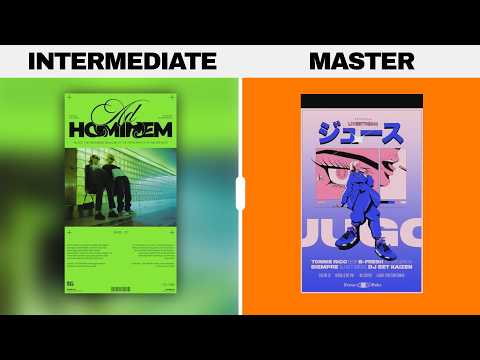
[0:00]And in today's video, you're going to learn what hierarchy is, how it's used as an expert designer, and also you're going to learn some secrets along the way. Now hierarchy is one of the main fundamental design principles. And as a designer, hierarchy is so important as it creates order of importance within the design elements. And it also directs attention whilst making information easy to understand by the viewer. And don't worry, I'm going to explain everything in detail so you understand fully what hierarchy is and why you should be using it. So the three-stage process of marketing hierarchy is as follows: Attract, which is bringing in the viewer, intrigue, which is spiking their interest, and then delivering the message. These are the three steps a viewer will go through when viewing an effective design. And that viewer is probably won't even be aware that it's happening. But let's take a look at an example that explains this process. This Adidas poster is a prime example of this triad of marketing hierarchy. The shoe and the pink splash across the shoe is the initial aspect that will grab the attention of most viewers. This is the thing that will draw them into the design. Secondly, the quote, Time to Change Up, will create some kind of intrigue and interest in that person. And this is going to hold them long enough so they want to read on in the design. And then below we have the message delivery. The design is literally a visual trap in some aspects. Because it draws you in, makes you interested, and then you've read the message the designer wanted you to read, all because of hierarchy.
[1:41]When using hierarchy on your designs, you're probably use several different versions of it on one single design. Here are a few of the main ways to use hierarchy. So firstly, color is highly important and it is a great way to attract or to place things in an order. There is actually a chart that places color in order from the ones that are most attention grabbing, all the way down to the ones that are less attention seeking. Now red is a color at the front of this chart, because it's the color your eyes will go to first and foremost. This is the reason for notifications and alerts often being red or orange on app design. Now, you can draw the viewer's attention to a specific area through color alone. One common tactic is to have a dull, even grayscale design with one single element in color, as you can see here. Another common but essential hierarchy method is to leverage the use of size. The larger something is on a design, the more important it will appear. It's also the first thing the eye will actually see and view when someone's looking at your work. And so it can be used as the first part of a hierarchy process that we spoke about earlier, and that is the attract phase. You will often see this in advertising campaigns for say, cell phones or watches that depict their product as a huge part of the design, a kind of focal point. And this is often where the consumer will begin their journey whilst viewing the design. Size is also very important when concerning hierarchy of typography. You will see this on magazines, advertising campaigns, posters and even website design. Main headings will be large and often just a couple of words or a short sentence. This can be the attraction phase. Then we have the secondary heading that might cause the intrigue, and then the smaller text, which is often the body text or the message. So as you can see, typography fits nicely into this three-stage process of marketing hierarchy. And I'm sure you've seen it pretty much everywhere. Color of typography is also a great method, as seen here in this Nike advert. Having text different sizes and also weights would also look 10 times better on a design, as opposed to everything being the same appearance in terms of typography.
[4:04]Now, a lack of visual hierarchy is a big one. As sometimes designers fail to establish a clear visual hierarchy on the layout. And again, just a design that is too crammed, almost as if you're trying to suffocate the viewer with no white space. And come on, we don't want to commit design homicide now, do we? Now, instead, here's how you can rectify these issues with ease. So yeah, first, establish clear hierarchy. Organize content elements in an order of hierarchy, and that's easier said than done, right? Well, actually, it's not that difficult. Just think of the most important information on your design, and then give that prominence. Use visual cues like size, color, and typography to guide the viewer's attention and indicates the relative importance of each element. But then you want to create visual pathways. So, design the layout to create a natural visual pathway that leads the viewer's eye through the content in a logical and intuitive manner. Arrange your elements sequentially, following the natural reading order and use visual cues like lines or directional elements to connect related content.
[5:18]And then you want to simplify navigation. Keep navigation elements simple and intuitive, and this ensures that viewers can easily navigate through your layout without confusion. Use clear labels and use consistent placement for navigation buttons or links, and avoid cluttering the layout with unnecessary navigation options. You can even use subtle cues like an arm pointing or a bird spreading its wings in a direction to the next port of call and so on. So, we have a nice blank canvas, and let's add in some buildings right here. Now, according to basic hierarchy, bigger objects are noticed first and thus more important. And yes, if we add in some text here, that is true. But here there is a cool hierarchy-based trick at play. So when you have your most dominant visual assets, you can sometimes use leading lines to point to the next important visual asset. As you can see, these buildings pointing right up to the text. And then here on this design, the depth-of-field lines draw the viewer right into the secondary hierarchy asset. Now, it doesn't look too shabby, but the typography on the back lacks hierarchy. The tip here is that you should remember that hierarchy of typography is super, super important. And often it can completely make or break a design. Here, we used hierarchy of color and size, and we kept the alignment to the left. And then this design is slightly different again. I think I prefer the former. But yeah, always bring hierarchy to your text. If in doubt, think of hierarchy in terms of three layers of importance. So here we have the main focal point as one, the secondary section of hierarchy as two, and then the third one here. We can also break down the single page into its own three layers of importance. When you think about hierarchy in these three layers, you start to see it in a lot of designs pretty much everywhere. And you can see that here on these Pinterest ads. On this poster, the moon is totally unique in color from anything else. It's the focal point. And then the first moon word is orange, which then we naturally move downwards to the bottom section where there's more orange. Hierarchy of color is a great way to guide your viewers and also organize the design. This illustration has five objects, the focal point, the largest, and five is an odd number. But if you drop down to four objects, the composition then becomes a lot more difficult to make appear visually appealing. Even if we make a different layout, things just don't look as good as having an odd number of objects. This rule works really well with a single dominant object of hierarchy.
[8:05]The first golden technique will actually lay the foundation for making your next project totally awesome. So when you have your design concepts and your ideas finalized in your mind, it's probably time to think about the three flow rule. The three components of the three flow rule that you need to ask yourself are: one, where are the viewer's eyes initially going to land the focal point on your design? Two, where is the likely second place the viewer's eye will move to? And three, where will the viewer's eye finally finish up? Seems pretty simple, right? It is, yeah, but is a really fundamental way to make good and effective designs each and every time. This Pet Play Feed poster starts the journey with the bold white typography for the starting point. Then the parrot for the secondary stop off, and then the information to the left for the final end to the viewer's journey. Will every single person view this design in this way? No, of course not, but it's actually a streamlined avenue that most viewers will be able to use in a way they can obtain information from your design easily. And this leads me nicely onto the next technique in today's video. The vast majority of designs will loosely use one of two techniques to form the basis of hierarchy, especially in the Western world. The F pattern suggests viewers start their journey in the top left of a design, as that's the natural way a lot of people tend to read a book, left to right. Then they move over to the right, and then below that, most content will be aligned to the left and extend out towards the right. The second method is the Z pattern. Again, we start in the top left, then we move over to the right, but this time we go diagonally down to the bottom left, and then finally over to the bottom right. This is the instinctive way that most people will view and actually look at a design, and so by knowing this alone, you can then apply hierarchy to your designs accordingly. Which we're going to look at right now. Now you could have absolutely nothing in the top left or top right, but have a focal point in the very center, and then the viewer will scan from the top left and then move down into the middle. Then perhaps move to the bottom left and then finish in the bottom right, where maybe a link or a contact might be. This still follows both of these patterns if you actually think about it. Of course, these are just templates to keep in mind when you're designing something. They're actually just there for you to use in conjunction with hierarchy to build a framework of your designs. And speaking of more techniques, what about something that people think is so obvious and so easy to do, but which they often don't apply properly in graphic design? Size is probably the easiest way to achieve hierarchy, right? Simply because the viewer will notice it in a millisecond and it just stands out so easily. But here's a really good way for structuring that hierarchy in terms of size, and all you have to do is think of these three levels. So we have one, the hook, two, the secondary detail, and three, the finisher. If your design is about a product, then the hero of the design will actually be that product itself, as you can see here. The drink is the focal point, and it's the largest on the design. It's that initial hook. However, if we look here, the focal point is more of an artistic visual hook, and the important information would be the dates and the location of this event. So try to make the hook on your design the largest, and it doesn't have to be the most important thing, but a lot of the time it will be. Then secondary detail is second largest. And finally, the smaller sections are where you want the viewer to finish and actually take in crucial information. This would also be where your CTAs go. So once a viewer is actually hooked onto your design from afar, then they start to go on that journey across your design, then they should finish at the important information. This logic works really well when you combine it with the Z and the F patterns from earlier. So there's actually a really neat hierarchy trick that you can use with hierarchy when you have grouped objects on your design. Now, if you place one of the objects larger and in the center of a group with then equal sets of other objects either side, then it automatically stands out and creates hierarchy. However, if we arrange the objects differently, the level of hierarchy will be diminished. Now, one mistake I see time and time again relates to the next golden technique of visual hierarchy. So when thinking about typography on your designs in regard to hierarchy, it's actually a really good idea to think about that three level rule we spoke about earlier. The hook, the secondary detail, and then the finisher. So here the typographic hook is the Future Big Guns section. And then just below that, the secondary text, and then finally, the book of visit call to action in the upper right. I don't necessarily think this is a particularly good CTA. Your designs don't need to strictly follow this technique, but they are great to keep in mind as a basis to implement hierarchy on your designs. Now, if I was to ask you what is the best friend of hierarchy in graphic design, what would you say? This design uses it, and so does this design right here. Hierarchy literally cannot survive or work without white space, or even just proper use of white space. The space allows distinctions to be made by the viewer, so hierarchy can actually be identified subconsciously.
[13:38]Why is hierarchy important? Why is it such a fundamental part of graphic design? As you can see here, we have a long paragraph of text. Each line uses the same fonts, the same color, and the same style. If we're reading this in say a magazine, there is no clear importance to us as the viewer. The act of gathering information from it becomes more difficult and more tedious. However, if we use hierarchy, we can make the title larger, bolder, and a different color, and then the subheadings different to the body text. Now, the design doesn't only look more interesting and more appealing, but the reader can interact with it a lot easier. So this landing page on the Apple website is a nice, clean example of what we're talking about. Let's first focus on the bottom section of this design here. The image of the iPhone and also the word iPhone are the first level of hierarchy on this design. Cleverly, the iPhone is also even directing your eye to the text. These are the largest and the brightest aspects on this design in this area. But the second level is the quote, Lots of Love, Less to Spend, and then the third level is the paragraph below. But in the upper section of the design, we only really have the second and third levels of hierarchy. The blue Buy symbol and the Apple logo are the second level, whereas the rest is just considered to be third-level main content hierarchy. Here's a good technique to divide your design up into different areas like this. As you can see on this brochure, the design has split up the work into different sections, and each section has at least two or three levels of hierarchy. Headings and main imagery being level one, level two are subtitles and other graphics, and then three being the body text and small details. So when you've figured out what aspects of your design should be levels one, two, or three, and also when you've figured out how many areas you're going to use, possibly by using grids, it's then time to choose what kind of hierarchy you want to use. Almost every design uses multiple different versions of hierarchy all at once. And here is your super-duper hierarchy list. Weight. This is obviously the weight of the fonts you use. Important areas often using bolder weights. Size is a very common technique to use. The more important something is, the bigger it should be on your design. Color. Making a design asset an obviously different color from the rest of your design or design elements, makes it stand out more. Orientation. You can arrange your text and your assets in a certain way. So maybe an isometric angle where the lower left goes up to the upper right. And then you can have something opposing the angle direction. The next technique is one that a lot of designers forget. White Space. If you give an object a lot of white space on your design, it then has room to breathe and it becomes more obvious to the reader, and thus more important. And then finally, using a different style of font. If your body text is serif, think consider using a sans serif for the heading, and bingo, you have some hierarchy. So yeah, maybe now you better understand how to use hierarchy on your designs, and you know exactly what it is. If you want to learn more about graphic design, do click the video on screen and until next time, guys, design your future today. Peace.