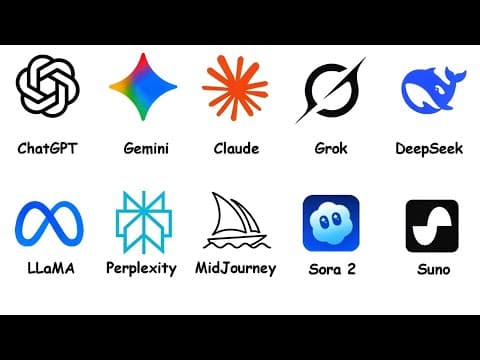
[0:00]ChatGPT. Before we get into every AI model, there's one thing most people get wrong. ChatGPT isn't the model.
[0:09]GPT is. ChatGPT is just the app, the door you walk through to talk to GPT. Copilot, another door, the Gemini app, another door, Claude's website, also a door. Different doors, different logos, but behind each one is a giant AI brain doing the heavy lifting. So how do these AI models actually work? They're trained on massive amounts of text, code, books, and websites. But they don't memorize facts, they learn patterns in language. At the core, most AI models are predicting the next word, one token at a time. Everything impressive they do, writing essays, explaining physics, debugging code, comes from doing this prediction extremely well. It's basically autocomplete after drinking several energy drinks and reading most of the internet. Bigger models mean more parameters, which let them recognize more complex patterns. The context window is how much the model can hold in short-term memory during a conversation. Larger context means it doesn't forget what you said three sentences ago. Some newer systems include reasoning models. These pause to think before answering, which makes them slower but much better at math, logic, and multi-step problems. Now to GPT itself. The current flagship is GPT 5.2, well-rounded, multimodal, handles writing, analysis, coding, images, and voice. It's designed to do a lot of things well rather than one thing perfectly. And honestly, that used to be enough to stay on top, but in 2026, being a generalist is harder when specialists keep getting better. The O-series is a separate branch focused purely on reasoning, slower but dramatically better on hard problems. Inside the ChatGPT app, several models work together. Image generation is DALL-E, video is Sora. The app bundles everything into one interface so users don't worry about what's running behind the scenes. Where GPT stands today, it's no longer the undisputed king. Gemini often leads benchmarks, Claude dominates coding. GPT's real advantage is ecosystem, hundreds of millions of users, massive plugin library, and the model most third-party apps build on. OpenAI also ships updates constantly. GPT-5 launched mid-2025, 5.1 followed shortly after, 5.2 dropped in December. The numbering gets confusing even for people paying attention. That's actually a feature. Improvements land faster than any other lab. You just have to accept you'll never feel fully caught up. Gemini, Google. Gemini is quietly catching up to GPT and in some areas pulling ahead. Google's flagship, Gemini 3.1 Pro, leads several major benchmarks. On AIME 2025, a competitive math exam used to test AI reasoning, Gemini 3 Pro scored around 95%. Across general benchmarks, the 3.1 Pro version leads 13 out of 16 major tests according to Google DeepMind. But raw performance isn't Gemini's biggest advantage, integration is. Gemini is built into Gmail, Docs, Sheets, Search, Android, and Maps. If your life runs on Google, Gemini already knows your context, summarizing emails, writing documents, analyzing spreadsheets, all inside apps you already use. Gemini 3 Flash is the speed variant, 90 to 95% of Pros capability, but much faster and cheaper. For everyday tasks, Flash is often the smarter choice. Gemini also shines at multimodal understanding. Trades people like mechanics can photograph a part and get an instant ID, faster than flipping through manuals or digging through forums. Its context window handles up to 2 million tokens. You could paste an entire novel and ask it to analyze themes, summarize chapters, or find contradictions in one pass. There's a trust question worth mentioning. Google's main business is advertising so some wonder about bias. In practice, there's no measurable evidence of inferential queries. I've used Gemini heavily for research and haven't noticed anything steered, but it's worth being aware of. The same way you'd think twice about getting restaurant reviews from someone who owns a restaurant. Claude, Anthropic. Claude is the specialist, especially for coding and deep analysis. The flagship is Claude Opus 4.6, released February 2026 with a 1 million token context window in beta. 128,000 output tokens and adaptive thinking. Widely considered one of the best models for coding, reasoning, and large-scale analysis. Below it sits Sonnet 4.5, the mid-tier workhorse, roughly 80% of Opus's power, much faster, much cheaper. Opus is the research lab, Sonnet is the reliable engineer who shows up every morning. The coding advantage is real. Claude tops benchmarks like LiveCodeBench and SWE-bench, tests that measure real-world software understanding, not toy problems. In developer communities, it's the first recommendation for coding help. It's also excellent at long document analysis. Contracts, research papers, entire code bases, returning clear, structured summaries instead of scattered answers. Claude's tone sets it apart too. It's described as the least psychopathic major model. If your idea is flawed, it'll tell you why. I personally prefer that. If I wanted someone to tell me all my ideas are great, I talk to my mom. The limitation, weaker multimodal features, no native image generation, text and code specialist, not a generalist. Grok, XAI. Grok 4 is XAI's flagship, multimodal, 256K context window, generates images and video through Grok image. There's also Grok 4 Heavy using multiple agents for complex reasoning, though at 300 bucks a month, it's not for casual use. Grok's biggest edge is real-time X integration. It pulls trending discussions, summarizes breaking news, and analyzes public sentiment faster than models relying on web crawling. In head-to-head comparisons, Grok ranks very high. Mostly for its conversational tone. It feels natural, relaxed, more like chatting with a person. Sometimes so friendly you forget it's AI, until it replies instantly at 3:00 a.m. Great for casual use, though for serious analysis, some prefer models that push back more. There's also the free speech positioning. Grok answers questions other models might refuse. I think the honest take is, it depends on the question. For topics where other models get overly cautious, Grok is refreshing. For sensitive topics where caution exists for good reason, it's a trade-off. DeepSeek. DeepSeek R1 is fully open-source. Download and run it yourself. No subscriptions, no usage limits. Your GPU might suffer, but your wallet won't. It's a massive model, hundreds of billions of parameters, but uses a mixture of experts design. So only a fraction activates per question. That keeps it fast despite its size. Smaller distilled versions run on consumer hardware too. It focuses on math, coding, and step-by-step reasoning. Going head-to-head with GPT and Claude on technical benchmarks, running it costs roughly 2.7% of GPT-40 pricing. DeepSeek R2 is rumored with around 1.2 trillion parameters, but got delayed. Reportedly, because the CEO wasn't satisfied with performance and due to limited chip access. No confirmed release date. The catch, it's a Chinese company so data privacy concerns exist. But you can run it locally, data stays with you. The bigger story is what DeepSeek represents. Frontier AI doesn't need billion-dollar budgets anymore. Quick question. Which of these models are you actually using right now? Drop it in the comments. And if this video's making all these AI names make sense, hit the like button. It genuinely helps the channel. Open-source and local models, LLAMA, Qwen, and more. Open-source models mean full control. Download, run on your hardware, keep data private, no subscriptions, no API fees, your AI, your rules, and your electricity bill. LLAMA from Meta kicked off this wave. A huge number of chatbots online are secretly LLAMA underneath. LLAMA 4 now comes in variants like Scout and Maverick. Up to 400 billion parameters with a 10-million-token context window. And even bigger versions are expected first half of 2026. Qwen 3.5 from Alibaba is climbing fast. People running it locally on dual 3090s report performance close to Claude Sonnet, which is wild. Especially strong at multilingual tasks. GLM-5 from Zhipu AI is one of the top-ranked open-source models. 203K context window, commercial-friendly license. Kimi K2.5 from Moonshot excels at math and reasoning, 96% on AIME 2025. Available locally and through perplexity. Mistral, built in France, punches above its size, especially strong with European languages. Many of these run on a gaming PC or MacBook with enough RAM. Tools like Ollama and LM Studio make setup easy. So that expensive GPU you bought for gaming, it has a second job now. And once you get a local model running, it changes how you think about AI. It's not a website you visit. It's a tool you own. No fees, no data leaving your desk, works offline. That shift from renting to owning is bigger than it sounds. Perplexity, the aggregator. Perplexity is both a model maker and a model aggregator. At its core is Sonar, built for fast answers with clear source citations. Unlike typical chatbots that rely only on training data, Sonar actively searches the live web and shows where the information came from. Instead of guessing, it actually brings receipts. On top of that, Perplexity lets you access GPT, Claude, Gemini, Grok, and Kimi, all in one place. Instead of paying for each separately, one subscription gives you multiple models. It's basically the all-in-one bundle of AI, like a streaming service but for intelligence. The Sonar lineup is designed for different levels of work. The base version handles quick questions, while higher tiers go deeper with larger context and better reasoning. Whether you're doing a quick search or a full deep dive report, there's a mode for it without switching tools every time. There is a trade-off. When you use GPT through Perplexity, it's accessed through an API. You might not get features like custom GPTs, memory, or advanced voice. You're getting the brain, but not always the full personality. Perplexity is great for research and comparing models in one place. It won't replace every native app, but it makes juggling multiple AI's a lot easier. And your wallet will probably appreciate it too. Image generation models, Midjourney plus others. Midjourney remains the king of artistic quality. Its images are cinematic, polished, and visually striking. Ideal for design, marketing, or anything where aesthetic impact matters. Starting at around 10 bucks per month, it consistently delivers visuals that feel like they belong on a movie poster rather than a random stock photo. DALL-E 3 from OpenAI is the easiest model to use. Built into ChatGPT, it excels at text rendering. It can actually spell words correctly in images, which is surprisingly hard for most AI generators. Free tier available. Perfect for experimenting without committing to a subscription. For precision, Flux is the open-source leader. It runs locally, is free, and creates images that match your prompts more precisely than most alternatives. If what you describe is exactly what you want to see, Flux currently does it better than most. Stable Diffusion 3.5 is the customization king, open-source, runs locally, incredible control through tools like LoRA models and ControlNet. Steeper learning curve, but unmatched flexibility. Quick reminder, when ChatGPT generates an image, that's DALL-E behind the scenes, not GPT. When Grok generates one, that's Grok image. The text model and image model are almost always separate systems. Need beauty, Midjourney. Need easy, DALL-E. Need accuracy, Flux. Need control, Stable Diffusion. Video generation models, Sora 2 plus others. AI video generation is moving fast, but it's still in the this is insane phase, not the goodbye Hollywood phase. Sora 2 from OpenAI leads in cinematic quality and realistic physics. Water flows properly, fabric moves naturally, characters stay consistent instead of turning into abstract art mid-scene. You can generate clips up to 1 minute long with synced audio through ChatGPT Plus at $20 a month. It's basically a mini film studio without the budget, crew, or coffee runs. Runway Gen 4.5 is for creators who want control. Motion brushes, scene consistency, camera guidance. Think of it as directing your own AI movie instead of typing and hoping. Around 12 to 15 bucks a month. Kling 2.6 is all about speed and convenience. Its biggest feature is simultaneous audio visual generation. It creates the video and the sound effects, voice over and ambient audio in a single pass. No syncing, no separate audio tool. For short-form content on TikTok, Reels, and Shorts, that's a massive time saver. If Sora is for cinematic shots, Kling is for, I need five videos before lunch. Reality check, still not perfect. Complex physics, hands, multiple characters. One second everything looks normal, the next someone has six fingers and physics just gave up. Still, the direction is obvious. Within a year or two, AI video will likely be as common as AI images are today. Which means learning this now isn't just cool. It might save you a lot of time later. Music generation models, Suno and others. AI generated music has reached the point where it sounds a little too good. Suno V5 leads in speed and ease. Type a description, wait 30 seconds, get a full song with vocals, instruments, and structure. No studio, no musical talent required. Just vibes and a prompt. The vocals are surprisingly realistic, breathiness, vibrato, emotional inflection. And version 5 added intelligent composition awareness. So songs follow proper verse chorus bridge structure instead of wandering aimlessly. You also get generative stems with up to 12 individual tracks. And vocal personas that let you save and reuse specific singing voices. Tracks go up to eight minutes. Udio also partnered with Universal Music Group, meaning its training data is licensed. How big a deal, considering the copyright battles across AI music. Suno is quick and easy. Udio is for when you start taking your AI music career a little too seriously. The current state is honestly wild. Full songs from a single prompt, and most casual listeners can't tell the difference. Copyright and training data are still big questions. Who owns the song? The user, the model? Nobody fully agrees yet. So while the technology is exciting, it also raises real questions about creativity and ownership. Either way, one thing is clear. Your next favorite song might not come from an artist. It might come from someone typing, "sad song, rainy night, piano." AI agents, the next phase. The AI world is shifting from chat to agents. Systems that don't just give answers, but actually do the work. Instead of asking how to book a meeting or summarize a report, agents browse the web, execute code, manage files, and complete multi-step tasks on their own. AI just got hands, which is great and slightly terrifying. Early examples include OpenAI's operator, Google's Project Mariner, and Anthropic's computer use features. Manus is purpose-built for this. It doesn't explain what to do, it does it. I've been testing some of these agent tools, and the jump from chat to agent genuinely feels like a different product category. It's not just better answers. It's watching the AI navigate your screen, fill in forms, and chain actions together. Still rough in places, but the direction is undeniable. The models we've covered, GPT, Gemini, Claude, Grok, are the brains. Agents are what happens when those brains get access to tools, apps, and workflows. It's like upgrading from giving advice to actually doing your homework for you. That said, agents aren't perfect. They still make mistakes, especially on longer tasks. And they can confidently do the wrong thing very fast. Impressive, just not in a good way. Think of them like interns. They save time, surprise you sometimes, but you still need to double-check their work. So after all that, which AI model should you actually use? For everyday stuff, Gemini Flash is fast, free, and works great inside Google. GPT-5.2 is the all-rounder that does everything well. Like that one friend who's good at literally everything, and it's a bit annoying. For coding, Claude Sonnet 4.5 is the sweet spot. Opus 4.6 is for when your code starts looking like ancient hieroglyphics. For research, perplexity. It shows sources. No more, "trust me, bro," answers. For real-time trends, Grok is plugged into X. For images, Midjourney for beauty, DALL-E for ease, Flux for accuracy, Stable Diffusion for control. For video, Sora 2 for quality, Kling 2.6 for speed. For privacy, run LLAMA, Qwen, or DeepSeek locally. Your data stays with you. The real trick? Don't marry one model. Use two to three for different tasks. Think of it like apps on your phone. You don't use one app for everything. Unless you're still using Internet Explorer somehow. That's every AI model explained. From chatbots and image generators to music, video, and agents. Which model surprised you the most? Drop it in the comments. I'm genuinely curious. If this finally made the AI landscape make sense, hit subscribe so you don't miss the next one. Now, here's the thing. You just learned about the software side of AI. Every model, every chatbot, every image generator, but all of that intelligence runs on physical hardware. And the chip architecture underneath determines everything. How fast a model runs, how much power it burns, and whether it fits on your phone or needs an entire data center. X86, ARM, Apple Silicon, RISC-V, GPUs, Quantum Chips, NPUs. Those names are thrown around constantly, but most people have no idea what actually makes them different. Why does your phone last all day on ARM while your gaming laptop dies in two hours on X86? Why did Apple ditch Intel and build its own chips? And that H100 GPU everyone says is powering the AI revolution? What actually makes it special? That's exactly what we're covering next. Every CPU Architecture Explained Simply. What each one does, why it exists, and how they all connect to the AI models you just learned about. Click the video on screen right now, and I'll see you there.


