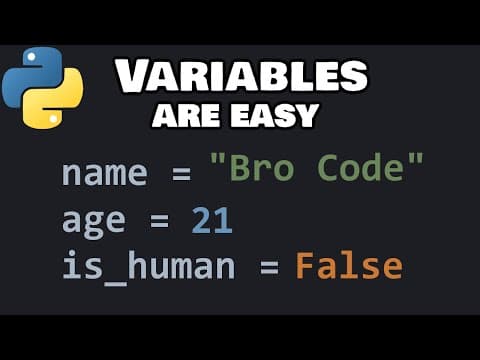
[0:00]Hey, what's going on, everybody? In this topic, I'm going to explain variables and data types in Python. As well as give you a few useful tips and tricks at the end of this topic. So, why don't you sit back, relax, and enjoy the show. Let's talk about variables. A variable is a reusable container for storing a value. A variable behaves as if it were the value it contains. Think back to algebra class back in the day. We have an equation that contains X. X is some representation of a value. Wherever we use X, it behaves as if it were a certain number. That's kind of the same thing with programming. Now, when we create a variable, we would like to give a descriptive and unique name of what that variable contains. Suppose I'm working with a user's age. I could declare a variable named age. Age equals, then some value. Let's say my age is 21. Not any more, but I like to think it still is. Guys, I'm getting old. I can use this variable age and it will behave as if it were the number 21. To print a variable, you can place it within a print statement. Print age. My age is 21. If you're printing a variable, you don't need to put it within quotes. Because what we're doing then is literally printing the word age and not the variable. If you need to display a variable along with some text, such as "You are age years old." What we could do is string concatenation. Wherever you would like to include a variable, let's say here, where age is, we can separate this line of text into two different strings: "You are" + age + "years old". So, we do have an error here. "TypeError: can only concatenate str (not 'int') to str." We can't add numbers to strings directly. We would need to do what is called type casting. To display a number along with some text, we would need to cast this variable, which is a number, into text, a string. To do that, we can precede the variable name with "str", then surround the variable with a set of parentheses. If I were to run this again, this will display, "You are 21 years old." But you do have to pay attention to your spaces. I'm going to add a space after 'are' as well as before the word 'years'. Run this again. "You are 21 years old." Another way to display a variable along with some text is to separate the text and variables into two separate arguments. Print, then write our text within quotes. "You are," wherever you would like to add a variable, add a comma, then the variable name. If you have more text that follows, add another comma, then add some additional text. "You are age years old." So, what we've done is separated our strings and variables into two different arguments, each separated with a comma. But if you separate your variables and text into separate arguments, you'll include a space automatically. So, I'm going to get rid of the space after "are" and before the word "years". So, spacing is pretty important depending on which method you use. These two print statements will output the same thing: "You are 21 years old." The third way to print a variable along with some text, and this is becoming the more popular way of doing things, is to use what is called an f-string. Print, a set of quotes, precede your quotes with "f". "You are," wherever you would like to insert a variable, add a set of curly braces. The curly braces are acting as a placeholder for a value or variable. We will place our variable 'age' within the curly braces. So yeah, those are three different ways to output a variable along with some text. As of the filming of this video, f-strings are becoming much more popular for output. For the rest of the series, we will be using f-strings. But you should still be aware of the existence of these other two methods as well. I need to discuss different data types. There's four basic data types in Python. There's still more, but these are four for beginners. We have integers, floats, strings, and booleans. Let's begin with integers. We'll create three integer variables. For example, we have age. Another whole number could be maybe players or users. You're not going to have half a player, right? Or nine tenths of a player. It's going to be a whole number. You have one, two, three or more players, all whole numbers. Then maybe quantity. Maybe somebody is buying something. Quantity equals five. You wouldn't have like half a product, right? It would be a whole number. Then let's display some of these variables. Print, we'll use f-strings because we like f-strings. "You are {age} years old". This is the same from the previous example. Let's use players. "There are {players} players online."
[5:18]Then quantity, let's use this. "You would like to buy {quantity} items." Let's run this. "You are 21 years old." "There are 2 players online." "You would like to buy 5 items." So, those are integers. They're just whole numbers. I'm going to turn these lines into comments and then we can continue. Let's move on to floats. A float is a number that contains a decimal portion. For example, maybe a GPA. That's usually a decimal. My GPA is 3.2. What about a distance? This could be kilometers, miles, whatever. 2.5 kilometers. Um, price. Price could be a float. Price equals $10.99. Let's display some of these. Let's print our GPA. "Your GPA is {gpa}". Let's print distance. "You ran {distance} km". Then I'll add KM for kilometers. Print. "The price is $" I'm going to add a dollar sign, then our placeholder with price. And that should be good. "Your GPA is 3.2." "You ran 2.5 km." "The price is $10.99." So, those are floats. They're numbers that contain a decimal portion. Even if the decimal had 0.0, it would still be considered a float, whereas this would be an integer. So, those are floats. Going to turn these lines into comments, then we can move on. Now, we have strings. A string is just a series of text. For example, maybe a username. Name equals, type in your first name. It's just a series of characters. Those are strings. How about food? What's your favorite food? I like pizza. I'll add that to my variable 'food'. Then what about an email? Email equals, make up some email. "Bro123@gmail.com." Now, with strings, they can contain numbers, but we treat them differently than integers and floats. Integers and floats we can use with arithmetic equations. Here, they're more or less just characters. So, a string is just a series of characters within quotes. These can be single quotes or double quotes. Then let's display these for practice. Let's say "Hello {name}". Our variable name. Print. "You like {food}". Print. "Your email is: {email}". "Hello Bro, You like pizza, Your email is: Bro123@gmail.com." So, those are strings. It's a series of text. Okay, then lastly, we have booleans. A boolean is either true or false. It's binary. It's kind of like a light switch. A boolean variable can have only one of two states: True or False. Typically, booleans are used internally within a program. For example, maybe we have a boolean variable named 'online'. If somebody is online, this can be set to True. If they're offline, it could be False. Let's set that to True. What if something is for sale? "for_sale". If it's available, we could say True. If not, it's False. It only has two states. Then what about 'running'? Is some process running? Running equals True or False. Then let's print these. Print. What could we say with 'online'? "Are you online?" Then let's print our variable 'online'. Print. Perhaps 'running' refers to a game. Is the game running?
[10:00]"Game running: {running}" our running variable. So, "Are you online?" True. "Is the item for sale?" False. "Game running:" True. Typically, with booleans, you use these internally. It's not common to print them directly. Usually we would use these with if statements, such as if, then the boolean. If some process is running, print "The game is running". Else, print "The game is over".
[10:47]I'm just going to turn these into comments. So, if running is True, the game is running. If it's False, you would do something else, "The game is over". But I'll discuss this more when we reach if statements. You don't need to know them at this point in time. Just understand for now, a boolean is either True or False. Oh, here's another thing. A common mistake that people do with booleans is that they may put them within quotes. You can see that the color scheme changed. This is technically a string, it's within quotes. So that's a common mistake that people might make. If you're writing a boolean, make sure it's not within quotes and the first letter is capital. Before I wrap things up, I'm going to show you a few tips and tricks with variables. Suppose we have three variables: x = 1, y = 2, z = 3. Then I'll print these variables directly. Print x, print y, print z. This would result in 1, 2, 3. Another possibility, in place of assigning these variables on separate lines, you could do so all on one line. We could write: x, y, z = 1, 2, 3. That would do the same thing and it only takes one line of code. This is referred to as multiple assignment. If you ever need to set multiple variables to the same value, this is what you could do. I need to set X, Y, and Z all to zero. Maybe they're coordinates or something. What I would instead type is x = y = z = 0 or some other value. So, X, Y, and Z are all zero. If I were to change this number to one, well, they all equal one. That's how to set multiple variables to the same value. Variable one equals variable two equals however many more variables you have. All right, everybody, those are variables. A variable is a reusable container for storing a value. A variable behaves as if it were the value it contains. We discussed four data types: integers, which are whole numbers, floats, which are numbers that contain a decimal portion, strings, which are a series of text like a name or an email, and booleans, which are either True or False. They're binary. So, yeah, that's an introduction to variables in Python. In the comment section, why don't you post four variables? An integer, a float, a string, and a boolean. Try and think of a unique example that I didn't cover already. So, yeah, those are variables in Python.


