[0:00]Have you ever pressed the Shift key five times in a row and suddenly seen the Sticky Keys pop up? Looks harmless, right? But what if I told you that this tiny accessibility feature has been used by hackers for years to bypass the Windows login screen? Yes, something built to help people can actually be turned against you. And today, I'm going to reveal exactly how it works, why it's so dangerous, and most importantly, what can you do to protect yourself before someone else uses it on your PC? Here's a question. Did you know that some of the biggest hacks in history didn't use fancy malware, but instead relied on little tricks like this? Accessibility features, forgotten shortcuts, things hidden in plain sight. Sticky Keys is one of those tricks. And by the end of this video, you will understand how hackers think and how you can stay one step ahead. Now imagine this, you forget your Windows password. You're locked out. Normally, that would be the end of the story, right? But what if there was a secret back door built right into Windows? A way to log in without knowing the password at all. Sounds like science fiction, but it's not. It's reality. And yes, hackers have abused this countless times. Don't worry, I'm not telling you to try this on anyone else's computer, but understanding how it works is critical for protecting your own system. So let's dive deeper into the world of Sticky Keys. Before we get technical, let me ask you, do you think Windows is secure out of the box? Most people do. They trust that when they set a password, their computer is safe, but security is only as strong as its weakness link. And Sticky Keys has been one of those weak links for over a decade. Accessibility tools are rarely thought about, which is exactly why hackers target them. By the way, drop a comment. Have you ever used a Sticky Keys on purpose? I bet most of you haven't, and yet, it could open the door to your entire system. So here's the background: in all versions of Windows, and even the modern ones, there's been a vulnerability tight to Sticky Keys. The idea is simple, at the login screen, if you press Shift five times, Windows runs a small program called sethc.exe. Normally, that's just a Sticky Keys pop-up, but hackers realized that if they replace sethc with something more powerful, like the Command Prompt, they suddenly have a terminal window running with system level privileges, right there, on the login screen. No password required. That's insane if you think about it. One small file swap and boom, full control. Now what I'm about to show you is purely educational. Don't ever try this on someone else's computer. The goal here is awareness and not misuse. First, let's start with the innocent part. If I press Shift five times right now, Sticky Keys pops up. Nothing dangerous, right? But here is where it gets scary. Imagine I reboot the PC and plug in a Windows installation USB. Instead of installing Windows, I press Shift plus F10 and a Command Prompt appears. Most people don't even notice this exists, but it's right there. Now, Command Prompt alone is powerful, but hackers often made it easier to work with a graphical tool. So they type in Notepad, yes, Notepad, the simplest app in Windows. But here's the trick, from Notepad, they hit File, Save As and suddenly, they're browsing all the system files. And if they change the file type filter to all files, they can see everything, including the Windows System 32 folder. This is where the magic happens. Inside System 32, they find sethc. That's Sticky Keys. Rename it to sethc1.exe. Then they find cmd.exe, the Command Prompt, and rename it to sethc. That's it. The swap is complete. Now they type Windows PE utility reboot to restart the machine. And when the log screen comes back up, guess what happens when they press Shift five times? No more Sticky Keys. Instead, a Command Prompt appears with full system privileges. And here comes the final blow, one simple command. Net user account name, 1234, and the password for that account is reset to 1234. In my case, I use Alex cybersecurity because that's the name of my local account. Close the window, log in and you're inside. No password guessing, no hacking tools, no brute force. Just Windows features being abused. Crazy, right? Just a few clicks and your system is wide open. This is why hackers love overlooked features like Sticky Keys. Okay, so what do we do about this? The good news is, you're not helpless. There are several steps you can take right now to protect yourself. First, use full disk encryption like BitLocker. If your disk is encrypted, even booting from USB won't help a hacker. Without the encryption key, the data stays locked. Second, always choose strong and unique passwords. Weak passwords make everything worse. Even if someone gets into your PC, at least don't make it easy for them. Third, disable the Sticky Keys shortcut if you don't need it. Go to Settings, click on Ease of Access, then find Keyboard and turn off the shortcut. No shortcut means no exploit. Fourth, keep Windows fully updated. Microsoft patches security issues all the time, and updates often close exploits like this. And here is a bonus, if you're extra cautious, check your sethc file in System 32 every once in a while. If it's not the original, that's a red flag. Here is the thing. Tricks like this are often used in schools, libraries, or workplaces where people walk up to unattended PCs. It's not about elite hackers in hoodies. It's about simple but clever tricks that anyone with 10 minutes on Google can find. That's why protecting your system matters so much. Remember that securing isn't about being 100% hack-proof. It's about making your system such a hard target that hackers move to someone else. You know, what I find fascinating is how something designed to help people can be turned into an attack vector. That's the double-edged sword of technology. Every tool can be used for good or for bad. Sticky Keys was meant to help people type more easily, but in the wrong hands, it became a backdoor. And this pattern repeats everywhere in cyber security. That's why the best defense is your awareness. So next time you see the Sticky Keys pop up on your screen, don't just ignore it. Remember, it's more than an accessibility feature, it's a lesson in security. Small details matter, and small oversets can open the biggest doors. If this video opened your eyes, click the like button. It really helps spread awareness. Subscribe if you want more simple but powerful cyber security tips, and most importantly, share this with a friend. You might save them from being the next victim of a two-minute hack. Protecting your computer starts with knowledge, so let's stay ahead of the hackers, not behind them.
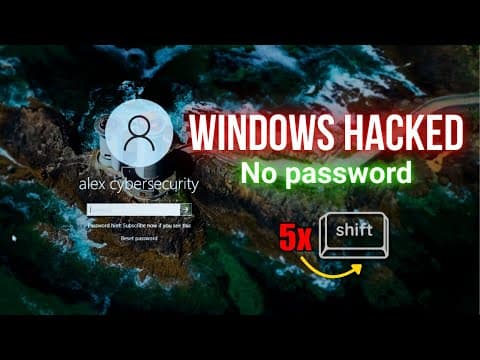
How Hackers Bypass Windows Login Easily
Alex Cybersecurity
8m 40s1,189 words~6 min read
Auto-Generated
Watch on YouTube
Share
MORE TRANSCRIPTS