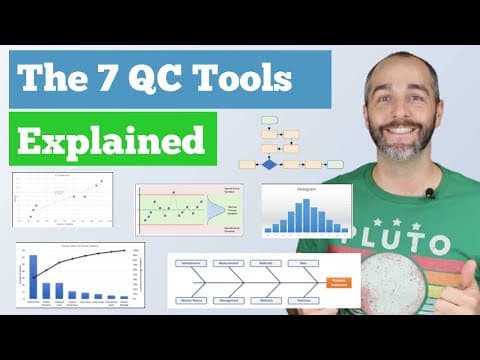
[0:00]Hey guys, Andy here with CQE Academy and in today's video, I want to talk about a really important topic, which is the 7 QC tools.
[0:07]Now whether you just want to get better at work and use these tools in your everyday job, or you're preparing for something like the Green Belt exam or the Black Belt exam or the CQE exam, today's lecture is for you.
[0:18]All right, let's hit it with the computer and get started. All right, let's go ahead and jump in right into the agenda. So we're going to start with a brief intro of the 7 QC tools, kind of talk about all of them and how they fit into the problem solving process or the improvement process.
[0:32]And then we're going to go through each one, we're going to start the flow chart, the check sheet, the Pareto chart, the cause and effect diagram, scatter diagram, histogram, and then the control charts.
[0:40]And then along the way as we go through this, we're actually going to work a problem using all seven tools and we're going to reduce the number of defects associated with our toaster.
[0:50]All right, let's go ahead and get started. So the 7 QC tools, I love this quote from Kaoru Ishikawa, who said, as much as 95% of quality problems can be solved with seven fundamental tools.
[1:02]And I absolutely agree with that. I think these tools are probably the seven most powerful tools. Whether you're talking about green belt or black belt or quality engineering, it doesn't matter.
[1:14]These seven tools are incredibly powerful for solving problems and making improvements and, and this is a really important topic. By the way, as we go through this, I'll make sure to talk about where we're at in something like the plan to check act or the DMAIC cycle.
[1:28]We're going to solve a problem with our toaster and we'll, we'll use either the DMAIC or the plan-do-check-act process to do it.
[1:33]All right, let's get into it. All right, so the very first tool is the flowchart. And what a flowchart does is it's a, it's a visual tool that helps you depict the flow or sequence of a process.
[1:44]This could be things like the flow of information or the flow of tasks or material or people or decisions.
[1:50]It doesn't matter. The reason that a flowchart is so incredibly valuable is it makes a really complex process simple and it promotes a common understanding of a process.
[2:00]Anytime you get more than one person in a room to talk about a process, there's likely going to be disagreement about how the process works. And I love using this analogy.
[2:10]Oftentimes when we're, when we sit down to a, to analyze a process, there's what management thinks is happening, there's what the procedure says is happening, there's what's actually happening on the production floor, and then there's what could be happening.
[2:22]And the beauty of a flowchart is it, it does just that. It gets everyone on the same page about what's actually happening.
[2:28]And I love this quote from Dr. Deming who said, if you can't describe what you're doing as a process, you don't know what you're doing.
[2:37]And the best way to describe what you're doing is to use a flowchart. And that's why this tool is so powerful. If you're in the planning phase or the defined phase, it's really good to use a flowchart, define your process and then use that flowchart to plan out your experiment and plan out how you're going to make an improvement.
[2:53]So let's do just that. Let's say we're talking about our toaster and we want to make an improvement, right?
[3:00]And so the first thing we're going to do is we're going to start with the boundaries. We want to analyze a process, but we want to start with the boundaries first. So we're going to go from receiving a work order to completing a work order. That's the boundaries of our flowchart.
[3:10]Now, I've got the team here because all of these activities, all of these tools are all team-based. So imagine you're sitting down with your team and the first thing you're going to do is brainstorm all of the steps in the process, right?
[3:22]Talk to the experts, how does the process work? Use posted notes, right? Don't try to do this in some software. Use posted notes, write down all the activities, and then once you're done brainstorming, organize those thoughts into that logical flow, that logical sequence of activities for your process.
[3:37]And now that we have our process here, we're in that planning phase and we want to create a target, right? What sort of improvement are we going to make? And we want to reduce defects by 25%.
[3:47]Now, we can't make an improvement and we can't solve a problem without data. And we know that most of our defects happen during final testing.
[3:55]So now we need to collect a little bit of data and this is where the check sheet comes into play. So the check sheet is a very simple tool for collecting, organizing and analyzing data.
[4:05]Every problem you solve or every improvement you make should be based on data and the check sheet is probably the most powerful tool for collecting data.
[4:13]Now there's something wrong with the check sheet that I'm showing you here on the screen, and that problem is is it doesn't have any metadata. If you're collecting data and you want to make a high quality decision using that data, you also need metadata.
[4:25]So when you're creating your check sheet, don't forget to include things like who and when and where.
[4:31]All those key elements of data integrity and data accuracy are really important for making high quality decisions.
[4:37]Okay, so we've got the team together and again, we did a little bit more brainstorming. We said, okay, at final testing, we have eight defects that we want to collect some data on.
[4:45]So we, we create this check sheet, we've got our our metadata here. We hand this off to the team and they come back to us a week later with a bunch of data.
[4:54]Now this is fantastic. We finally have some data that we can analyze. And the question is, which defect do we focus on?
[5:00]I want to improve our target, so we originally said we want to reduce defects by 25%. Well, now that we have a little bit of data, we can actually create a target.
[5:09]So we have 145 defects across a whole week, that's seven days. That means we're averaging about 20 to 21 defects per day.
[5:17]Now, if we can reduce that by 25%, we will eliminate five defects per day.
[5:24]Now, we obviously can't focus on all these defects, so the real question is how do we know what to focus on?
[5:29]And that's where the Pareto chart comes into play. So the Pareto chart is another QC tool that allows you to analyze your data in search of the Pareto Principle or the 80/20 rule.
[5:39]So what, what is the Pareto rule or what is this 80/20 rule? So this, this is a, a natural phenomenon that was discovered by a guy named Wilfredo Pareto.
[5:49]He's an Italian researcher who was studying land ownership and wealth distribution in Italy and in Europe, and what he found is that 80% of the land was owned by 20% of the people.
[6:00]And this 80/20 rule and this 80/20 phenomenon was also experienced by a guy named Joseph Juran.
[6:07]Now, he gave credit for the tool to Wilfredo Pareto, but he was the one who popularized this idea of the 80/20 rule and this idea of the Pareto chart.
[6:15]And what he told us and what he taught us is that a Pareto chart helps you separate the vital few from the trivial many. Now what did Juran mean?
[6:23]What he means is when you're solving a problem, there's often one or two key issues, key root causes or key defects that you need to focus on to have a major impact on that particular situation.
[6:36]And that's exactly what you see here. When we take our data from the check sheet and we put it into this Pareto chart, we see that control PCB issues accounts for nearly 40% of our defects.
[6:47]You can see if we come across here, we've got 40% of our defects coming directly from control PCB.
[6:53]Now there's two things happening on this graph. Obviously there's the blue bars, which are simply just the frequency or the count of defects that occurred throughout the week, and then this black bar is actually the cumulative line.
[7:03]So this first defect accounts for 40% and then we go up and up and up all the way to 100%.
[7:07]Now that we have this Pareto analysis and we know that control PCB is our primary issue, it tells us what to focus on.
[7:14]Now, we still don't understand why these issues are happening. And this is where something like the cause and effect diagram can be incredibly useful.
[7:21]So this is the, the fishbone diagram or the Ishikawa diagram. There's all sorts of different names for it, but it is a cause and effect diagram.
[7:28]And the way this works is we start with the effect, that's over here on the right, that's the head of the fish here in orange.
[7:33]This is our effect. And so step one of the cause and effect diagram is to start with a really well-written problem statement.
[7:41]So I've put in PCB failures, but in reality, you want to have a much more descriptive problem statement than this.
[7:48]And once you have this effect, you can start working through the, the fishbone process to analyze all of the potential causes and failures.
[7:56]Now, I'm showing here what's called the 8 Ms. And this is the beauty of the fishbone process is that it's a well-structured approach to root cause analysis.
[8:05]It forces you to think about all of the potential different categories or scenarios or causes that might be contributing to your problem.
[8:14]Now, along with the cause and effect diagram are a number of tools that you should be using.
[8:18]So I would recommend you get out your flowchart, look at your process, use your flowchart and and ask yourself, how might each step in the process fail and contribute to the, the effect that we're seeing?
[8:29]Teamwork is also a must here. You're not going to be a subject matter expert in all of those 8 Ms and you need people from operations and engineering and quality and R&D and marketing to really do a thorough analysis in each of those areas to truly understand the root cause.
[8:45]And then of course, brainstorming. You know, you're going to have to creatively think about and talk about and discuss potential root causes that maybe you're not even aware of.
[8:54]And then the 5-Why analysis. I love the 5-Whys. It really helps you go from a high level symptom down to the true root cause and really ask why, why, why to truly get to those, those real root causes that you need to address.
[9:04]And then as you have that team discussion and you, you go through the process, you can identify potential root causes and contributing factors to the problem you're trying to solve.
[9:17]Now, obviously again, it's we have to go back to that Pareto principle. We can't focus on everything. We have to talk about the most likely root causes and the most likely contributing factors.
[9:26]So again, at the end of your cause and effect diagram, you might identify three or four issues that you need to study further.
[9:30]Now, I want to, I want to talk about this one. High humidity during assembly. Now, as we were working through the cause and effect diagram process, the engineer who was helping us, looked at our check sheet and noticed an interesting pattern.
[9:42]What they noticed here, and I've highlighted here in yellow, is that Sunday, Monday, Tuesday, we, we only had a few defects, right? Six and four and one.
[9:50]Whereas on Wednesday, Thursday, Friday, you'll notice that our, our defect rate jumped up a little bit. And what the engineer remembered is that we had a rainstorm come through on Tuesday night, and the humidity level in the facility really jumped up.
[10:04]And so the hypothesis here is that humidity is affecting our defect rate. So I've created this little table here to show the days of the week, along with the defects and the humidity.
[10:14]Now, to, to truly understand this relationship, we have to create a scatter diagram.
[10:19]So here's exactly what that scatter diagram looks like. What we do here is we're plotting pairs of data.
[10:25]So for example, on Sunday, we had six defects and 18% humidity, you can see that right here. That's this data point right here. We had six defects, 18% humidity.
[10:34]Now, the way this scatter diagram works, or you might hear this called an XY scatter plot, is here on the X axis, we put our controllable variable, our independent variable, and then on the Y axis, we put our response variable.
[10:47]So here, we believe that relative humidity is the, the independent variable that is affecting our response variable, which is defects.
[10:55]And you can see here that there appears to be some relationship between PCB failures and humidity.
[11:02]Now, it's really important when you're looking at a scatter diagram not to assume that this relationship is a causal relationship, right?
[11:08]There's this really important concept that you can have correlation without causation. Two parameters or two variables can correlate without having a cause and effect relationship.
[11:18]So let's assume though, let's assume that we've done a DOE here and we've proven that humidity has an effect on our PCB defects.
[11:27]We could come back to this scatter diagram. We could say, okay, our target for PCB defects is five or less.
[11:36]Let's call it, let's call it five or less. And so we come down here to humidity and say, okay, we want to control humidity to around 20% to keep our defects low.
[11:43]Does that make sense? And that's a, this is a great way. A scatter diagram is a great way to understand the relationship between two possible variables.
[11:51]Now once you've done your scatter diagram, you can quantify the relationship between those two variables.
[11:58]So what I'm showing here is the Pearson correlation coefficient, and this coefficient ranges from positive one, all the way here over here on the left, to negative one, all the way over here on the right.
[12:06]And that ranges from a perfectly positive correlation, here you can see that as X changes, Y changes identically. And then same thing here with R equals minus one, this is a perfect negative correlation.
[12:16]Now as we get closer to zero, we start to lose that relationship. So an R value of zero means there's no correlation between these two parameters.
[12:25]As X changes, Y basically does whatever it wants. There's no relationship between those two variables. Now, the next thing we could do in our analysis is to look at relative humidity over time.
[12:36]So let's say we go out, we talk to our facilities engineers, we say, okay, give us the relative humidity within our environment, you know, every six hours for the last six months, and we can take that data and we want to plot it because we need to understand how relative humidity is changing within our facility.
[12:51]And one of the ways you could analyze that data is with a histogram. So a histogram is just a very simple bar chart that graphs the frequency of occurrence of continuous data.
[13:03]And again, this is a great way to talk about your process. Every process or every product or every quality attribute out there has some level of random normal variation that will often occur in a pattern.
[13:15]And as engineers, we need to understand what is the pattern associated with, with our outputs or our process, and a histogram is a great way to understand the pattern or the variation in your process.
[13:27]Now, you might grab this data and you might get like a skewed distribution or maybe a bimodal distribution or an exponential distribution. There's all sorts of distributions you might get, but it's great to know how your process is behaving.
[13:41]Now the other beautiful part about a histogram is you can take this data and let's overlay some some specification limits, right?
[13:50]Now what we have is the beginnings of process capability. So the histogram is a fantastic tool to quantify and understand how your process behaves.
[13:58]And if you compare that against the specification limits, we can now start talking about process capability.
[14:03]Okay, so we're on to the very last and final QC tool. Let's assume we now control for humidity and we want to make sure that that change has been effective over time.
[14:13]A control chart is the right tool or the perfect tool to do that. So what is a control chart? It is essentially a a tool that allows you to confirm that your process is in control.
[14:24]Now when I say in control, what I mean is is that you're only experiencing normal variation. When your process is experiencing normal cause variation, your data should fall with, within those control limits.
[14:36]By the way, if you're new to SPC, I have a whole separate video on control charts. You can go check it out. I've got both the X bar and R chart, as well as attribute data.
[14:43]And a control chart is a fantastic tool to use at the end of a project to monitor and control your process and make sure that your changes were effective.
[14:51]And let's take a look at what this looks like for our particular process. So here's our process, right? The first week of data, you can see we're, we're really all over the place, and our control limits are really wide because we're not controlling for humidity.
[15:03]And we've got all this data and you can see on average, we have about eight defects per day, right? And we're really jumping around here. And then let's say on day nine, we start controlling for relative humidity.
[15:13]And we've got our, our control chart and we're collecting data, and you can see that for the next, you know, 20 plus days, our defect rate has dramatically fallen.
[15:21]In fact, our new mean defects per day is around three. So essentially, we've gone from eight defects per day down to three defects per day, and we've hit our target of reducing defects by 25%.
[15:36]We've gone from 20 plus defects a day down to about 15, all by controlling relative humidity in our process.
[15:42]All right, that's it for today. I hope you enjoyed it. If you did, hit that like button.
[15:47]Also if you're serious about becoming a CQE, I've got a free course, go check it out. It's a cqeacademy.com/freecourse where I cover the top 10 topics on the CQE exam, and I also give you a bunch of great free practice exams to help you on that journey.
[16:00]All right, I hope you enjoyed it. Thanks so much. I'll see you again. Bye.