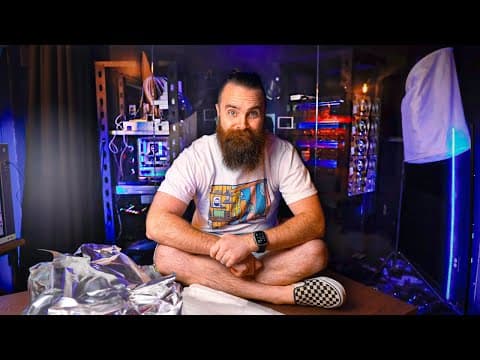
[0:00]I've been hiding something from you, a secret project, actually, a secret room that I've been building for a while now, almost a year. And I think I'm finally ready to show you. I'm so excited. Austin, pull the curtain. Wait, wait, wait, hold up. Before I show you, let me give you a bit of background and why this is so amazing. I'm currently right now in my new studio. Now, I know I owe you guys a tour, but it's not quite ready yet, but you've seen glimpses here and there. My other studio, kitchen, the living room, the video editing room. Now, I used to be in a tiny little bedroom. That's where I filmed every video amidst the chaos of my big family. I have six daughters, and while that was pretty crazy, the crazier part was where my server room was. Venture past my master bathroom with the toilet right there is my server rack, racks. With all of my routers and switches and servers, constantly tripping the breaker, making my closet too hot, making my wife too mad. It just wasn't a great situation. I had to do something. So, when we had our sixth daughter, my wife said, you can't be here anymore. So I bought a new house and finally, I get to build the server room of my dreams. No more dirty, dusty bathroom closet. No, no, a dedicated space built for my stuff. Are you ready to see it? Austin, now you can pull the curtain. So now, my server room is finally totally not ready. I mean, look at it. It's messy, the cabling is embarrassing. I can't believe I'm even showing you this. Nothing is organized, and look, I'm still building a rack, but it's beautiful, isn't it? Amidst all the chaos, I've got two internet connections, 5 gig and 1 gig internet. I have a dedicated AC unit to keep that server room nice and cool. And my favorite part, we just added this, a glass wall. So I can show the entire thing off from my other studio. This is my favorite thing, but it's still not done. I'm still building the rack, which will house my new 45 Drive servers. So, you know what, let me take you on a journey, a journey of how I'm turning my server room into kind of a cloud. So first, we'll start with the rack build, which I forgot how to build. I'll probably have to build it three times. Foreshadowing. Then we'll open up the servers and see what's inside, because I can't wait to see what's inside. What's the CPU? What's the RAM? They are beast. I can't wait to see it. And then we'll rack them, which is super hard, because they are extremely heavy. And then this is kind of ASMR. We'll install the terabytes of hard drives that 45 Drives gave me. And finally, probably the hardest part. Let's configure the networking. Each of these servers has four 10 gig interfaces, which means I need a pretty big 10 gig switch. I found one, but I have no idea how to configure it because it's MicroTik and I'm a Cisco man. So, come watch me struggle. Let's go on an adventure, get your coffee ready. I've got mine. I'm already tired. Let's do this. Building this rack was the worst. I built the exact same rack two years ago. I forgot how to build it and now here we are again. But I'm sure if I follow the instructions, I'll be fine. It shouldn't take me more than an hour. But I had a few interruptions like daughter number two needed help with her headphones, so I had to fix those. Daughter number one needed help with math. What do you need? I need math. This is pretty much how my days go every day. But finally I got two sides built up. The instructions were actually pretty clear. I aced this, or so I thought. Foreshadowing. But again, things are going pretty good. I mean, I was pretty cold. Hopefully my coffee will keep me warm. Coffee break. But also, I was starting to run out of room. I couldn't like move the rails around. I think I scratched the wall up pretty good and maybe even the glass. Maybe scratch my glass wall? Oh, not. I really hope not. And knocked off my light thing and severely scraped up my wall. But I figured it out and I even big brained some stuff. The instructions told me to flip it, but I'm like, no, I'm going to do steps three and four first because I'm smarter than the instructions. No, I'm not. But I thought I was. And even though I kept losing my screwdriver, I finally did it. I built this stinking rack. That was way easier than I thought it'd be. Wrong, that's what I did. I made a mistake, and I had to redo the entire thing. I installed them in reverse, backwards. I failed. So before I continued, I decided to get more coffee, but not good coffee. I only deserved Keurig. Good coffee's for winners. So after I lost my screwdriver again and found it again, I built the rack again. Because it ain't government work unless you do it twice. Larry Gurgich, or Gary, or Jerry. Never know. But finally, I did it and I can finally do the rack dance. Now, before we start the build, why all these servers? Why a server room? I'm trying to do some bigger projects and use new exciting things like Kubernetes and Dev Ops and CICD pipelines, all these buzzwords. But at the same time, I don't want to get hacked. And that's where the sponsor of today's video comes in, Contrast Security. They're going to help protect me from me and all my terrible, terrible code. I am not a developer, but I pretend to be a lot. Thank you, chat GPT. And while I have a lot of tools to produce a lot more code, what I don't know is if my code is secure, or if my containers are secure. Pipeline I'm using secure, I don't know that. So this is where Contrast Security comes in. They've got a number of products to help you with your secure coding, but the one I want to focus on right now is Contrast Assess. This sucker will meticulously look over all your code as you're writing it. It embeds automated security testing right into your pipelines. So you're not waiting for a security test, it's already happened. It's called an IAST, or interactive application security testing solution that works differently. And it's going to find your vulnerabilities, it's going to throw it right in your face. Doesn't matter where you're coding, containerized apps and Kubernetes like I'm going to do, the cloud, serverless functions, APIs. And Contrast Assess will provide simple guidance right in your IDE. So you can fix those issues immediately, not later during review processes and you find out your code sucks and you have to redo everything. No, don't do that. Ship good secure code the first time. Now, again, I want to hit this home, developers need this, because we're relying more and more on AI, chat GPT, quad GPT, whatever it is. And we don't know if the code they're giving us is secure. And while you probably shouldn't trust AI, you can trust Contrast Security. They're an industry leader, they've been doing this for a while and they're trusted by a lot of big companies. So keep writing your code crazy fast, but do it securely with Contrast. Check it out, link below. They'll give you a demo. And thanks again to Contrast for supporting this channel and providing awesome security tools. With my rack built, now let's bust these things open. See what's inside.
[5:39]I think I just popped it off or slide it forward. There we go. It just comes off like this. We'll add our drives here in a second. I want to see what's making this thing tick. I think the goodies are over here. So a lot of things going on in here. Let me flip this guy around. The CPU is a Xeon Silver 4210, 10 cores, 20 threads. The RAM, let me go gorilla style here. For the RAM, we have four 32 gig sticks. There's one over there, there he is. Giving us 128 gigs of RAM. And this is just one server. These guys right here with the heat sinks and looking all crazy. I believe these are our storage controllers. And then just above them, we have our two 10 gig NYX. And you can see here that they're actually not Ethernet, they're SFPs. Four 10 gig SFP ports. And then right at the top here, I have dual power supplies. And then right up here, I've got two 250 gig SSDs running my OS. Now that's the specs, let's pop in some hard drives. Oh my gosh, I just flicked my screws everywhere. I really screwed up. Dude, I've got six kids, the dad jokes are plentiful. Now I almost made a mistake. I was about to put the hard drives in first before I racked it. After the whole rack debacle, I learned my lesson. I looked at the instructions and I followed them to a T. Thank you 45 Drives. So then me, Austin, and Michael, we racked the servers. Did it pretty fast, too. All right, we're about to move the servers, me and Austin here. Let's do it. We're going to take this from here to there. So, actually, I can carry it in there.
[7:13]All right. The good news is that this is only one of four. Right here.
[7:24]One down, baby. So it's unboxing the other one going. What side do you have? I got an L. All right. I've got our. So we're going to aim for is the middle of 30 and the middle of uh 29. Got it. Perfect. Now we're going to pull this guy out. Wait, where is it? Oh, there it is. All right, now we're going to screw it onto the side of the uh server here. I will be Austin. I will be Austin. I will be Austin. Dang it. Okay. Now.
[8:00]I'm way faster than Austin. And now it's been an entire day. I am exhausted. It's like 6:00. My wife's texted me, when are you coming home for dinner? I'm like, hold on, honey, I got to do one more thing. I got to install these hard drives, these terabytes of hard drives in my 45 Drive servers. I have to do it. I've been looking forward to this all day. So I set the cameras up, ASMR, this is so fun. I installed the SSDs, the HDDs in each server. And because I put them super high, my camera couldn't reach. So the angles get weirder and weirder, but I still think it looks nice. And yeah, that was again, probably the hardest part, you didn't see most of that was me having to unwrap each hard drive. I was so tired to put those hard drives in. It was a long day, I hit my head. It hurt like crazy. And then I hit it again. Like I was that tired. And by the end of it, I was just I was toast. But it's finally done. It's time to go home, but I I did everything. It it looks good. Well, not everything, I had the switch to do. I'll save that for another day. Now, I had to find a switch that could handle the insane networking requirements of my servers. My four servers, each server has four 10 gig SFP interfaces. Giving me 16 interfaces total, also two 10 gig ports per gateway. That brings me up to 20 10 gig interfaces SFP. And this switch had to be fast enough to handle all the back plane traffic. And this is where MicroTik comes in. They had an amazing switch. The CRS 326-24s plus two Q plus RM. I know, it's an amazing name. And this switch is kind of amazing. It cost me about 500 bucks. It has 24 10 gig SFP interfaces. It can handle 320 gigabits per second of non-blocking traffic. Non-blocking, meaning there's no bottlenecks, even if I'm using all the ports. Up to 320 gigabits per second. It's perfect. But MicroTik is different. Like I said, I'm a Cisco man. I have to learn that. Now, full transparency, I already have a MicroTik switch, but I configured that a while ago and I don't remember anything about it. And because I'm dumb and I didn't document any of the process. I was just excited about configuring it, making it work. Don't do that. Documentation is key. If you learn documentation right now in your career, you'll be amazing. So, I unboxed the MicroTik switch. Looks pretty good. It's kind of small, actually, and kind of light. Two power supplies, I don't know how they're doing it. Now, looking at the instructions, it's not too bad. Plug it into my laptop, set the IP address on my laptop to access it. Go to the web interface, set my password, set the management interface to receive DHCP, and we're off to the races. Then I installed the switch. Man, I forgot how much I love cage nuts. I just do. I don't care what people say. And I only dropped one screw, so I'm pretty good. Also, I could not wait to plug in all the servers to my switch. So I went ahead and did that. I meticulously unwrapped all of my SFP cables and plugged them in. This this was nice. Similar to plugging in an Ethernet cable, it's one of my favorite sounds. But my fingers almost died from being frozen and untwisting twisty ties. But hey, it was kind of fun. I got a little visitor asking me for a snack and she did a little dance. I go rack this sucker, plug in the power, plug in the Ethernet cable. I string it across my server room. Boot that sucker up. See what IP address I got in my dream machine. Well, actually, no, my dream machine decided it didn't want to be a router for a moment. I had to reboot that for a while. Come back the next day. But finally, I got an IP address on this and I can connect to it and configure it. So far, it's not been too bad. Now, here's why MicroTik is weird. And let me kind of show you what I'm I'm going to do. I've got two network racks. Rack number one has all my current stuff. My main router, which is my dream machine, servers, and my switch where all my workstations in my studio connect to. So, obviously, I would need to connect rack number two to rack number one. Now, as I said before, I do already have one MicroTik switch that I configured and I don't remember how I did it. But it's this guy right here. It's a smaller one. What's the model? It's a CRS 312-4c plus 8XG. Pretty awesome. So, one goal is to connect my two MicroTik switches together. I'll throw over two 10 gig connections, and I will bond these two interfaces into an Ether Channel. So, they pretty much become one interface, and they'll also be a what's known as a trunk, which if you're familiar with networking, a trunk will carry traffic for multiple VLAN interfaces. And if you're like, what's all that? Go check out my CCNA series, I'll walk you through it. And then, of course, I'll have my four 45 Drive servers, and I'll cable these up. Now, each of the four interfaces, I will also make into a bond, an Ether Channel. Now, I'm saying bond because I know that's what MicroTik calls their Ether Channels. They call them bonds. And that's just one of the fun things I had to struggle with and learn. I will also make each one of these bonded interfaces a trunk, because I want my 45 Drive servers to be able to facilitate multiple networks, multiple VLANs. So, that's the two goals. And actually, I'll probably end up doing the interfaces on the 45 Drive servers first. So, that's goal one. And then, of course, the trunk to my other MicroTik switch is goal two. And I got a challenge for myself, I don't want to use the GUI. MicroTik actually has a really amazing web GUI, a web interface. It's going to be harder, but I love command line. Now, the first big thing I hit is show interfaces or show anything is not what they do. They say print. So, if I want to print a list of interfaces, I would say interfaces print. Not a crazy thing to learn, it's fine until I got to the idea of VLANs. MicroTik does these so weird. And where it really confused me was the idea and concept of a bridge. I'm not going to go too deep because this is not a MicroTik video. But just know, in MicroTik speak, a bridge is essentially a VLAN, kind of, but not really. It can also be thought of as an SVI, and I'm speaking like Cisco language now. It performs those functions, but it also does a bit more. We'll talk more about this bridge thing here in a second. This definitely tripped me up and was one of the main things I struggled with. But let's go ahead and start configuring. The first thing I wanted to do is get the bond out of the way, the Ether Channel. Now here, I'm not trying to teach you MicroTik, but just kind of illustrating the differences between like maybe a Cisco switch and a MicroTik switch. So I started out with like, okay, I want to create an Ether Channel between four interfaces. That was my first goal. I looked up the documentation, figured out this command will do it. But then it told me these interfaces were already part of a bridge. Okay, what's a bridge? A bridge is kind of like a VLAN, but it's not a VLAN. It's more like an SVI, but it's more. It's almost like it's own little switch. Like when I say a VLAN is like a switch in Cisco, I'm like, like a switch, a bridge in MicroTik is like a whole stinking switch. It's strange. So I had to first remove these interfaces from that bridge, which by default it was part of that. And it was weird because I had to like print the bridge ports, and then remove them based on their indexes. Kind of kind of dumb. But we did it, folks. We did it. We figured it out. Then I could create my bond, which wasn't too bad, it made sense. Using 802.3AD, which is LACP, basically Ether Channel traffic low balancing, industry standard. And now I have my bond, my one logical interface. And I created four of them for the Hogwarts Houses, Gryffindor, Hufflepuff, Ravenclaw, etc., of course. Now, it's time to add them to a bridge. Now, I could create another bridge. You can have multiple bridges. But according to MicroTik documentation, my particular switch can only have hardware offloading on one bridge. I want hardware offloading. I'm imagining that's probably the ASICs, which make your packet switching go crazy fast. It's specialized. So the bridge already exists. So instead of using the add command, I use the set command, and that'll be a common theme throughout this. I set the name to Platform 934, of course, Platform 934. And now I'm going to add my bonds to this bridge. Whereas before, they were added as individual interfaces. Now they're being added as a bond. With this command, I added them, making sure HW equals yes is indeed equaling yes, which enables hardware offloading. Now, how do I make them a trunk? In Cisco world, it actually is kind of more complex. Interface trunk, 802.1Q, the whole shenanigans and craziness. Here, you're going to change the bond interface by using the set command, and you're going to set the frame types to allow only tagged VLANs. Now, with this command, we're allowing all VLANs. We're not restricting any type of VLANs. We don't have to specify any, we're just allowing all. We turned it into a trunk. And that's all we had to do. It felt kind of unfinished, kind of weird, but I think we did it. By default, the native VLAN is one, and it's just by default. If I print the detail, PVID equals one. So now I've set up my Ether Channel, my bonds. I've added them to my bridge, and I've made them trunks. Now, let's do the same thing with the connection to my MicroTik switch, my other one. Same story, really. Just doing two interfaces, I'm going to bond them, doing that now. Add them to the bridge, and then turn them into trunks. Now, that begs the question, we saw how we can create a trunk that carries all VLANs, but how do we do like an access port that only allows one VLAN, like connecting my computer to the switch, which I'm going to do. And here, it's all about setting the PVID and the frame type. I'm saying the PVID or port VLAN ID is equal to seven, and it can only accept on the frame type untagged VLANs, and then I'll add in priority VLANs as well. This was so weird, but that's what the config is. Now, I haven't tested it yet. Now, I know it's working on my other MicroTik switch. I'll leave to the config and that's kind of what's there and it's currently working for me. That's what I'm currently using right now for my computer. Fingers crossed, I hope it's going to work.


