[0:00]Mac, Windows or Linux. That's the single biggest choice you'll ever make if you decide to become a programmer. Not only will you spend tens of thousands of hours with your OS, but it also has a profound impact on your subconscious. By clicking I agree to the terms and conditions, you are now forever a part of the Windows collective hive mind. When you unbox that sleek new MacBook, you unknowingly just joined the cult of Apple. And the only way to break these proprietary shackles is to compile the Linux kernel from scratch to call yourself an open source freedom fighter. Who will be your supreme leader? Jobs, Gates or Tourvalds? In today's video, we'll look at the differences between Mac, Windows and Linux from the perspective of a software engineer. For more than a decade, I've enjoyed the pleasure and pain of all three of these operating systems and have realized that FreeBSD is superior to all of them, but I don't want that secret to get out. Many years ago, when I got my first real job, I was assigned a Windows machine and got introduced to beautiful technologies like Java and Oracle database. From my cubicle, I use these tools to build crappy websites for a failing Fortune 500 company. It sucked, but luckily through divine intervention, I was fired from that job and started doing remote work full-time with my brand new MacBook Pro. This bad boy had a dual core CPU and a full gigabyte of RAM. I traveled around the country from Starbucks to Starbucks, drinking soy lattes while developing Ruby on Rails applications on my MacBook. But eventually I realized that the real hardcore developers were using Linux. As fate would have it, my MacBook Pro stopped working right on schedule exactly two years after I bought it, so that's when I built my first PC from scratch and installed Ubuntu. Around this time, Richard Stallman called it Spyware, so I experimented with a bunch of other distros, but have mostly stuck with Debian. What I'm referring to as Linux is in fact GNU Linux, or as I've recently taken to calling it, GNU + Linux. the GNU + Linux system. Linux is not an operating system onto itself, but rather another free component of a fully functioning GNU system, made useful by the GNU Corelibs, shell utilities and vital system components comprising a full OS as defined by Posix. What I've learned over the years is that there's no perfect OS. Like today, I use Windows, but use the Windows subsystem for Linux for development and always keep a MacBook Pro along with my ski goggles available for traveling. Now, when using three different operating systems, it's important to have an IDE that runs on all of them. And there's nothing better than Jet Brains IDEs, the sponsor of today's video. Their legendary family of integrated development environments are used by millions of developers every day. And famous for their sophisticated code completion and integrated tooling. As a web developer, I'm a big fan of Webstorm, which contains everything you'll need for the craziness of JavaScript development. But can now understand and write code even faster thanks to the AI assistant. It's a programming optimized model that can offer suggestions, describe your code, and write your code while understanding the context of a large project. But most importantly, the IDE is reliable and fun to use. It's got an intuitive minimal interface, but tons of power under the hood. So you don't need to install a bunch of plugins to start being productive. And best of all, you can try out Jet Brains IDEs for your favorite programming language with a 30-day free trial. Use the link in the description. But now let's talk about the pros and cons of developing on a Macintosh. Apple by far makes the best hardware, but to obtain it, you must pay a large tribute, like $1,000 just for a stand. In addition, another major drawback is that you can't upgrade these machines. If you want to add more RAM, storage, or GPUs, the upgrade options are extremely limited. On top of that, the ecosystem is designed to lock you in. If you want to build apps for iOS or the Apple Vision Pro, you'll almost certainly need to own a Mac. And if your hardware ever breaks, you'll find that the components are glued or soldered into place, which means it's impossible to repair without going to the Apple store. And there's been a lot of controversy around the right to repair, but nobody really wants to repair their old MacBook. By the time it breaks, there's going to be some awesome new thing that you'll just have to buy. But more important than the hardware is the software, and one thing that's really nice about Mac OS is that it's Unix-based. Unix has been around since the '70s and has a really nice file system design that uses forward slashes, and Mac comes with a bunch of good developer tools out of the box, like Z-shell, Git, Vim, and so on. In addition, you can use package managers like Homebrew to easily install and manage different development tools. The terminal experience on a Mac is nice and tools in the GUI look really nice, although they can be pretty annoying to use. I'm looking at you finder, but most importantly, everything works out of the box with zero configuration. Mac OS prevents you from going down customization rabbit holes, spending days configuring pointless stuff on your machine instead of writing code that's actually useful. But if you want to get really good at computers, you'll need to learn Linux. On the server, Linux is king. The vast majority of servers running in the cloud powering the world's infrastructure run Linux. And that's because it's free, open source and reliable. However, very few normies actually use it for their personal computers. Why is that? It has to do with complexity. To use Linux, you first need to choose a family, like Debian, Arch, Red Hat, Gen2, and many others. Then you have to choose a distro in that family, like under Red Hat, you've got Enterprise Linux, Fedora, Centos, Rocky Linux, and many others. Then you'll have to choose a desktop environment, like Gnome, KDE, and so on. Then finally, you'll need to open up the terminal, type in a bunch of commands to resolve dependencies, compile things from source, update file permissions. Then a few weeks later, you should be good to go. Some distros are designed to be extremely user-friendly, like the Debian-based Linux Mint. But if you really want to be an Apex Alpha programmer, you'll likely want to go with something in the Arch family, allowing you to legally say, I use Arch, by the way. Not only is Linux free, but it offers you the most flexibility for customizing your machine. And in turn, you're likely to learn a lot more about how computers actually work when you use it. And if you really want to get into something like penetration, distros like Kali Linux are highly optimized for that activity. In addition, if you're deploying applications on Linux servers, you'll be much more familiar with the Linux ecosystem when you use it every day. And there's all kinds of amazing developer tools you can use on Linux that may have a higher learning curve initially, but can dramatically improve your productivity. But there are quite a few drawbacks. The support for commercial software like Adobe products and a large number of games and drivers for hardware is just non-existent. Linux only has a single digit market share of personal computers and many developers just choose to ignore it altogether. But Linux is not the only open source kernel. If you're really brave, you can use other kernels like Open BSD, Minix, or Redox, but then you'll really be on your own. And ultimately, when you have to configure a lot of things by hand, it makes the entire system more brittle, which means you'll eventually break something stupid and end up spending two days debugging your bash profile. Which is one of the leading causes of a neck beard. Linux can be painful at times, but you need that pain to grow. You don't know real pain though until you've tried to develop on Windows. First, you're going to need to charge your mom's credit card $199 for Windows Pro. Then when you install it, it's going to try and sell you a bunch of crapware, like Microsoft Office and OneDrive. Even if you decline, you'll still need to log into a Microsoft account, so it can spy on you in perpetuity in order to resell you that same crapware every day for the rest of your life. When you boot it up, you'll find artificial intelligence everywhere. You'll need a co-pilot just to manage all your co-pilots. Now, if you're coming from Unix, you'll notice some weird things like it uses backslashes for file paths. And every day or two, the system will shut down and update to make sure you have the latest spyware installed. When it comes to open source software development, Microsoft has some skeletons in the closet. In the '90s, it had a strategy to embrace open standards, extend them in incompatible ways in order to extinguish them later on. And Balmer once called Linux a cancer. How much do you think this advanced operating environment is worth? But nowadays things are different. Even though I hate Microsoft, I use Microsoft VS code to write my Microsoft TypeScript code, then push it to Microsoft GitHub and install my Microsoft NPM packages, then deploy it to Microsoft Azure from my Microsoft Windows machine. At some point Microsoft realized, the way to win over developers was to become less like Windows and more like Linux. And the killer feature for that is the Windows subsystem for Linux, which allows you to run a full Linux distro inside of Windows, not just an emulated one, which gives you the best of both worlds. You can use all your favorite Linux terminal apps and even run Linux GUI apps like VLC and GIMP. In the past, I used to dual boot Windows and Linux, but WSL has made that unnecessary. It's not perfect and there are some random issues that come up, and WSL can be painfully slow at times, but it's a pretty awesome feature overall. And one huge benefit of Windows over Mac OS is that it's not kept in a walled garden. Windows is proprietary, but it can be installed on any hardware, which means you can easily upgrade your RAM, CPU, GPU, et cetera. But now that brings us to the final question, which tribe should you join? Well, I've created a handy flowchart to help you choose. The first question is, are you rich? If you answered yes, then the answer is pretty easy, Mac OS. But if you answered no, the next question is, do you have a girlfriend and or a life? If you answered yes, then Windows is the optimum choice. Then your final question should be, do I want an operating system that's designed by God himself? If you answered no, then Linux is your best choice. But if you answered yes, then the obvious choice would be Temple OS.
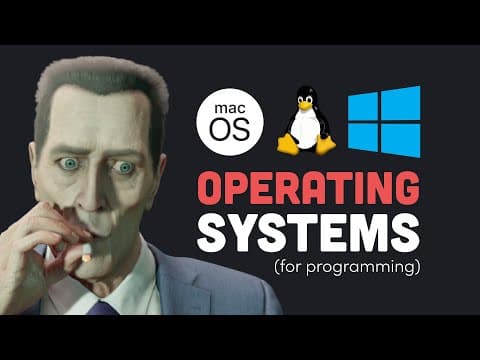
Best OS for programming? Mac vs Windows vs Linux debate settled
Fireship
8m 42s1,913 words~10 min read
YouTube auto captions
Transcript source
YouTube auto captions
This transcript was extracted from YouTube's auto-generated caption track. The transcript below is server-rendered so it can be read, searched, cited, and shared without opening the original YouTube player.
Pull quotes
[0:00]That's the single biggest choice you'll ever make if you decide to become a programmer.
[0:00]Not only will you spend tens of thousands of hours with your OS, but it also has a profound impact on your subconscious.
[0:00]By clicking I agree to the terms and conditions, you are now forever a part of the Windows collective hive mind.
[0:00]When you unbox that sleek new MacBook, you unknowingly just joined the cult of Apple.
Use this transcript
Related transcript hubs
Watch on YouTube
Share
MORE TRANSCRIPTS