[0:00]Welcome to our guide on how to use your dishwasher effectively and efficiently. This video will provide you with essential tips and insights to maximize the performance of your dishwasher and ensure sparkling clean dishes every time. In this comprehensive guide, we'll cover everything you need to know about loading techniques and selecting the right cycle. Additionally, we'll show you how to maintain your dishwasher for ultimate efficiency, as well as connecting your dishwasher and controlling it through the Think Q app.
[0:34]If you are struggling to load your dishwasher correctly and easily, here are some simple tips for hassle-free loading. You will first need to sort out your dishes and what exactly goes where.
[0:48]Starting with the bottom rack, you can adjust the lines to fit different dish sizes, bigger pots and pans.
[1:01]The middle rack is height adjustable, allowing for flexibility in arrangement.
[1:10]The third top rack is also height adjustable, and it is specially designed for saucers and utensils.
[1:27]Choosing the right cycle for your dishwasher depends on two factors, the material of your dishes and the level of soil they have accumulated. There are many available cycles that you can use within your dishwasher depending on the needs of the users. Auto cycle, this cycle senses the soil amount and water clarity and optimizes the wash to achieve the best cleaning. Machine clean, this cycle is for cleaning the inside of the appliance. Use the cycle without dishes in the appliance, it eliminates residual soils, odors, and other dirt. Intensive cycle, this cycle is for heavily soiled dishes and dishes hardened on soil. Delicate cycle, use this cycle to clean delicate items such as fine China and stemware. Refresh cycle, this cycle freshens up and warms dishes that have been unused for a long time. Eco cycle, it provides the most efficient energy and water consumption for a good washing result and drying result on a normally soiled load and as it uses very little energy. Turbo cycle, this cycle will clean moderately soiled dishes using slightly more energy and water. Download cycle, use a dedicated cycle downloadable via Wi-Fi or NFC. Rinse cycle, this cycle is a quick rinse only for dishes that will not be washed immediately. The cycle rinses dishes that have excess soil to soften dried residue. Express cycle, this cycle will quickly clean lightly soiled dishes.
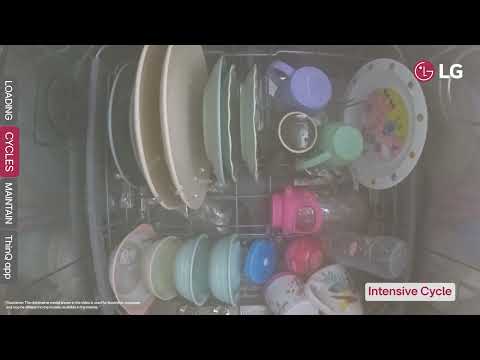
[3:00]For dishes that require thorough cleaning or if the soil level is exceptionally high, the intensive cycle is one of the cycles that uses steam to ensure you get the ultimate hygiene with deep cleaning capabilities. Press the power button, then intensive, and then start.
[3:27]If you aim to conserve energy and water while still effectively cleaning moderately soiled dishes, the eco cycle is the suitable choice. Press the power button, then eco, and then start.
[3:49]If you are not sure which cycle is best to choose for the state of your dishes, then you can opt for the auto cycle. This cycle automatically adjusts the time, temperature, and the number of rinses based on the soil level of the dishes. Press the power button, then auto, and then start.
[4:35]Some cycles you have the option to do a half load by either filling up the middle rack or the bottom one. The quickest cycle to clean your moderately soiled dishes is selecting the turbo cycle. Press the power button, then turbo, extra dry, and then start.
[4:51]Benefits of maintaining and cleaning your dishwasher. One, extends the lifespan and effectiveness of your dishwasher. Two, preventing build-ups such limescale, oil, and salt residues. Three, helps your dishes to come out shiny. Four, reduces risks of dishwasher malfunctions. For maintenance and cleaning of the dishwasher, you can do the following steps. You need to check the salt level and the rinse aid levels in your dishwasher. There's an indicator that shows you if the rinse aid level is less than the required. The rinse aid plays a very important role in preventing water spots from forming on your glasses, plates, and cutlery. It also helps dishes dry faster. Start by taking out the racks inside the dishwasher. Then proceed to remove the filters which are located directly under the quad arm. You can then clean them with water or a cleaning solution.
[5:58]Using a small brush, you can also clean the quad arms thoroughly. You will find the dishwasher detergent compartment next to the rinse aid compartment. Then put the dishwasher detergent tablet and then close it. You will find the rinse aid compartment next to where the detergent goes. Open the rinse aid compartment and slowly fill it with the rinse aid until it reaches the maximum line. Inside the dishwasher at the bottom, you will find the salt compartment. If you are using the dishwasher for the first time, you must put 1 kg of salt and 1 L of water. For later use, you can put salt only. Unscrew the cap and add the dishwasher salt and water. Then carefully make sure the cap is closed correctly. And this icon flashes to indicate that the salt level is low, and it automatically shuts off when it is refilled.
[7:00]You can connect your dishwasher to the Thin Q app by doing the following steps. Step 1: Press and hold Wi-Fi connection button to connect to Wi-Fi. Step 2: Open the Thin Q app Step 3: Select add a device Step 4: Select manually and choose dishwasher Step 5: Connect your device to the Wi-Fi by selecting the option of your device.
[7:39]Once connected you can access extra programs that are not available on the panel of the dishwasher and are exclusively in the Thin Q app. You will be able to track the cycles and it will notify you once the cycle has ended. Also, the dishwasher door will automatically open once the cycle has ended and the notification has been sent.