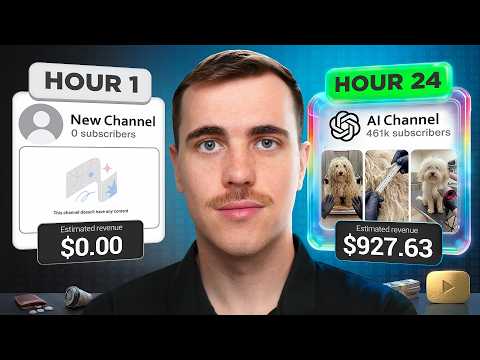
[0:00]This is my AI YouTube channel that I blew up in 7 days, and I want you to start doing the same, but even faster. So in this video, I'm going to start a brand new YouTube channel and run it for 24 hours with AI, so you can replicate my actions to get similar results. But for this to happen, we need to start right now.
[0:22]Hour one, selecting the niche. We are going to be taking inspiration from this channel here, Bruzen. Across 29 uploads, they have gained over 250 million views, and their first upload was only 3 months ago. If you are wondering how much this all means in terms of a financial return, this channel would have made 50,000 USD, which means that this channel is earning $16,000 per month. So, as you can understand, this is why we are taking this channel as our inspiration. What this channel is uploading, though, are these obsessive food procedures that are incredibly time-consuming. As you are watching this back, you are probably thinking, Jack, this is food content that requires extreme effort and financial investment. And that's what I first thought when I saw this content, too, but after further investigation, this content is being created with AI. If you pay close attention to certain parts of some videos, there are small errors that would not occur if it was a real recording. Like this part here, where there's clearly an issue with the ruler, and there is a face on the chopping board. At the time when I made this realization, I still had my doubts because no one in the comments was making any remarks about the content being AI. So I had to test it out for myself. Here is my 10-second attempt at this content. Today, we turned this piece of meat into an iPhone 17 Pro Max case. First, I trimmed the steak to exactly 1 mm in width. It's realistic, right, and just like the example channel. Besides this test, though, this is not how we are going to approach this. What creators usually do when they see a channel like this is to just replicate the content. But that is the fastest way to get no results because YouTube does not reward duplicates of existing channels. So what I am going to do to avoid this is study this content. So there I went into flow state to analyze the content. I first started out by opening a Word document and noted down the title of the most popular video on the channel, the amount of views it had, and for each scene, I noted down certain details. Such as the duration of each scene, a description of what happened visually, the script, and a screenshot of the scene. Laying out the video like this in a structured way forces you to really pay attention to how these videos are being created, which will allow us to replicate the source that are within these viral videos. And I repeated this process for the three most popular videos on the channel to increase our sample size. And after 18 minutes of repetitive work, the document was complete. So, I have mapped out how I think these videos are being created. And to help you understand, let's break down this one here with 35 million views. Their video starts with a declaration. Today, we are pinching 909,999 broccoli florets, which is what we are going to call the declare phase. Then the creator moves into an assessment phase, such as in this video, the florets are inspected and measured. Next comes what I like to call the isolate phase, where in this video, each floret is opened and a single pinch of salt is inserted one by one. After that, there's usually a time lapse of some intricate process, which we are going to call the process phase. Then typically, there is a build phase, where all the parts come together quickly, and finally, the reveal phase of the finished product. And we can visually represent this structure on a graph that looks like this. And this is what we're going to call the general formula of the Bruzen channel. And what I think we can do with this structure that is proven with over 250 million views is that we can apply it to a different topic to create our own niche that has no competition. But we do have to be careful here. Bruzen's channel does satisfy three criterias that allow us this content to perform so well. And we must ensure that our new topic does satisfy each of these criterias. For criteria one, the content has to be universally relatable. Bruzen makes videos about food. There's no niche knowledge or specific interest required to understand that. It's a matter of everyday life, and that's one of the reasons why his videos get so many views. It's instantly understandable and accessible for everyone. Criteria two, there needs to be an emotional hook. Remember those comments that I was showing you? Everyone is calling the creator insane for spending so much time on this. The viewer sees an irrational amount of effort for a pointless outcome, and they cannot look away. And in the case of Bruzen, he is triggering an emotion of absurdity. So whatever topic we decide on, there needs to be some type of emotional hook. Finally, for criteria three, completion compulsion. As you know, in the hook of the videos, the creator gives a declaration, and viewers want to see that followed through and completed. That's why retention on these videos would be so high, and another reason for the channel's success. So now with these criterias identified, it begs the question of what exactly are we going to select as our topic? And we are in luck because I've been thinking about this. For as long as I can remember, I have seen many pet videos perform extremely well because it's a highly relatable topic. Now I have brainstormed about how we could further shape this idea to fulfill the remaining two criterias. And what I think we can do is create an AI pet salon, where pets will come to us dirty and then leave completely transformed. Which does fulfill our completion compulsion criteria and fulfills our emotional hook, because we will go to extreme lengths in the grooming process to create an absurdity emotion. With the criterias fulfilled, I think there is no reason why we won't get crazy results. Of course, this is dependent on if we can get good outputs using AI. Because I don't have the funds to invest in a real pet salon, nor do we have the time because we only have 24 hours here. So I do view this process as slightly problematic, but let's find out whether we can do this together. Channel setup. This is the YouTube channel that we will be using to upload our videos on. If I click on the more section, you will notice that the account was created 7 months ago. If you want to get started on YouTube and start uploading, I do recommend having an account that is at least 7 days old and has some watch history. If you don't do this, YouTube will think your account is spam and you'll have no chance at getting views. Anyway, coming back to our channel, you will notice that we do have a randomly generated username. What I'm going to do is just come into custom channel here, and we are going to change firstly the name. I don't really know what to call it, so I am going to come up here and go to ChatGBT. I'm just going to feed it a simple description of what our channel is about, and then ask it for a name suggestion. Let's see what it gives back. So we got quite a few results here, but immediately what stuck out to me was this concept here of Street Dog Salon. Let's copy it and come back over to YouTube and see if it does give us the option. And it's not available. What I like to do if a name is not available is just out a reel at the end, and that is available. Let's roll with that. Okay, so our channel name is set up. Let's move on to our channel assets, starting off with the profile picture. I decided to use an AI image generator called Higgsfield. All I did was type out an image prompt and click generate. The image that I decided to create was this, which was dirty fur on the left and then clean fur on the right. With that image downloaded, I went back over to our channel and uploaded the profile picture. And after 4 minutes, the channel was ready. Okay, so the channel is now set up, and if you look from my background, you will notice that there is no channel banner. We only have a profile picture set up. And the reason why I did this is simple. It doesn't affect how many views we get, and we want to be focusing on views for our YouTube channel, because that's how we get paid. So let's continue with what actually matters. I moved into the most important stage of a YouTube channel. Video ideation. Because at the end of the day, the videos you upload determine how many views you get. Your niche only gives you direction. So before creating any video, I spent 11 minutes simply generating the video idea. So that is the ideation complete, and I did do it based on my intuition rather than research. At a high level, what made sense to me was that we do start with a scruffy dog. Then we conduct an assessment where we measure the fur length and the dirt coverage. From there, we go into an isolate phase, where the dog is placed in a bath, and each tangle is cleaned one by one using a vacuum. Then for the process phase, it would be conditioning and a therapeutic massage. After that, we'd go into the build phase where we blow-dry the hair and cut the fur to exact measurements using instruments. And finally, moving into the reveal phase, where it would be the final transformation. That is the general idea that I do have for our first video, and for it to move forward from here, we do need to write a script and then generate the video using AI. To help us do this, I did more digging into the Word document that we made earlier by pasting it into ChatGBT. I did prompt it to help us understand the scripting techniques, the average cuts per phase, and scene durations. This resulted in the following information, and it does extend upon our initial general structure. And we are going to call this the phase breakdown. It essentially is acting as a structure for each phase, where we have the duration of each phase, how many scenes there are, and finally, a script formula. I hope that you can see that when you do approach YouTube like this, you are leaving nothing up to luck, because it's all based on proven videos that have millions of views. Obviously, all of this is still at a high level, but we do want to keep it moving from this point so we do not get stuck in analysis paralysis. Hour two, video creation. It's time to bring the video that we came up with to life, and we aren't going to mess around. I first began by copying out our structure into ChatGBT for each phase, along with the general scripting structure that we found, and I asked it to generate a script. And the one we got back was not perfect by any means. Even if you provide AI a lot of information, you need to remember that it has no experience at running YouTube channels. So you should never rely upon it. So I did make many adjustments to it to improve the flow and better align it to the Bruzen phases. It was then time to make the video using Higgsfield. I went to the image tab, clicked Create Image, and we needed an image prompt, which goes in this box here. So I went over to ChatGBT and gave it a simple description of what I wanted. For example, for our first image, I wanted to create a dog salon environment that didn't look perfect, had good lighting, and had no dogs visible. Because at this stage, I am just building up our scene. Once we got the first prompt back, I copied it over to Higgsfield and pressed Generate, and after 30 seconds, we had the image back. He's pretty, he looks pretty cute. I think I think we need to give him a name together. I don't know what we'd call him though. So this is how the dog salon is going to look. Higgsfield did a great job at generating this image based on the image prompt that we gave it. We are going to use this image going forward whenever we create an image within our salon by pressing this reference image button down here. It's important to build up your AI scenes just like I'm doing here, because it will allow you to reach consistency with your AI videos. So with our reference image out the way, it was onto creating our first image for the video, and of course, we needed a dog. So I went over to Google Images and found this image of a scruffy dog, and it became our second reference image. And I followed the same process as before. Generating the image prompt using ChatGBT, and then pressing generate. And finally, we had our first image for our video, which I was quite happy with. He's pretty, he looks pretty cute. I think I think we need to give him a name together. I don't know what we'd call him though. No more messing around though, I got straight back into it. I pressed the Animate button and it took us to Higgsfield Video Generator. I just gave it a simple video prompt to have the dog moving and looking around. And after 30 seconds, the first video was generated. I was not completely satisfied with the result though, as it was quite basic, and for it to be one of the first three scenes in our video, it had to be perfect. So I decided to work on our first image a little more. I had an idea to turn our first image into a Polaroid with the word before at the bottom, and then recreate our first image with two gloved hands holding up the Polaroid. I then turned this image into a video and then got it back. So second attempt done at the first video, and I'm much more impressed with this level of quality. It looks so much better, and there's so much to focus on. I guess with our first image, we just didn't put enough love into it. Also, with this before Polaroid idea, I think that at the end of the video, we can compare this before image with the completed dog transformation. I think that's going to be a pretty cool idea and a better way to feed into the completion compulsion criteria. At least, I think that it's a good idea, but let's see if it actually turns out well. So with that out of the way, I repeated the same process as you saw. Generating the images and videos for each phase of the video, it was then time to bring all the generations together using my editor of choice, Premiere Pro. Before continuing though, I did need a voiceover, so I did go to Higgsfield voiceover feature to generate all the voiceovers. After they were complete, I downloaded them and dragged them into my timeline. I removed all the dead air in the voiceover and then synced up the clips to the videos. Background music was then added, and finally, captions were generated in size, leaving a total of 2 hours and 3 minutes of work complete. So, that's the video completed. I definitely spent a little too long on that, and I did go overboard. But let me show you what we were able to create. And here we go. Starting off with the declare phase, where we make our declaration. Next, we move into the assessment phase, where we are measuring the fur length one by one. And if we skip forward a bit, we eventually get into the isolate phase, where the dog is placed into a bath, and each tangle is cleaned one by one using a water vacuum. Skipping forward a bit once again, we eventually get into the process phase, where we are conditioning and massaging the dog. Skipping forward a bit once again, we eventually get into the build phase, where we are doing those final trims using instruments. And after this, we get into the final reveal, where we did come up with the Polaroid idea, where we have that before and after Polaroid, comparing the final product. And if we keep going, we finally get into that pin board idea that we came up with. So that is the video completed, and I'm very impressed with what AI was able to do for us. We are going to upload this video and put it to the test now, but if you do want access to the same image and video generator that I did use in this video, you can sign up to Higgsfield using my link down below. I am sponsored by Higgsfield, but I can honestly say they are my go-to AI image and video generator when creating AI videos. But let's continue with uploading the video. Hour four, upload time. It's time to put everything we've done to the test and upload our video. For our video title, we are going to take inspiration from Bruzen, and based on what we studied before, his titles usually follow the following formula. So now what I'm going to do is replace these words with what's relevant to us. Now what I also like to do with my titles is add two emojis. For descriptions again, what I've done is just taken inspiration from Bruzen, and then at the bottom here, we're just going to add three different hashtags. Okay, our title and description are sorted. Let's scroll down here. We always want to select that this content is not made for kids, so we don't end up on YouTube Kids. For all of these other settings here, there's nothing else that we need to select. And for tags, I'm just going to add some that are relevant. Okay, so it looks good to go. Let's publish this video. Okay, video is now published, but there is one last thing that we want to do. Something that I have noticed about Bruzen's channel is that he is setting custom thumbnails. That is why his channel looks so clean among all of his uploads. And right now, if you look at ours, it's a bit ugly. I did not mention this to you, but while creating our video, I did create a thumbnail using Photoshop. And if I come to our video file here, you will see that I did set it as our first frame. For setting custom thumbnails on YouTube shorts for some reason, you can only do it from your mobile phone. So, I'm going to come into my phone here and select my YouTube app, then come to our channel, then we can see our first video there with the ugly thumbnail. I'm going to press those three buttons, then press edit, and then press this pencil in the top left, and then because it's our first frame, all we need to do is just press the tick button, and then save. And then if we come to our computer here and refresh, the thumbnail has now updated, and it looks so much more clean. To be honest, though, even though we did this, it probably won't affect how many views we get on our video. It's more so if YouTube starts to serve this video on the YouTube homepage, and I really hope it does. Because we only have 24 hours to make this work. But for now, let's sit back and see how this video performs. Hour 12. After taking a break across the afternoon, it was on to another phase of ideation for a second video. For our video structure this time, I decided to replace the dog with a cat, because I really wanted to lean further into the absurdity angle for our second video. And this new structure does, because cats don't get groomed as often as dogs. With the video ideation complete for the second video, I went back over to Higgsfield to start creating the second video. And during this time, I did have a first look at our analytics. So, we are currently undergoing our first push from YouTube. And you can see that it's a straight line upwards. I do expect that this line does start to flatten out as it already is, because this is our first push. When your channel is new and you start posting YouTube shorts, it's very common for YouTube to do test pushes. Just like the one we are experiencing now. And during these pushes, YouTube begins to understand one, who is interacting best with your content, and two, testing your short to see how well it performs against that audience. And we can get an early insight into how good it is performing by coming out to our dashboard here, and looking at this metric here, of average percentage viewed. It is equal to 82%, and considering our video length is 59 seconds, that is very strong. I am going to continue making our second video here though, because it will allow us to have another upload ready if this video does not continue performing like we expect. After that quick check-in, I got straight back to creating our second video using Higgsfield. After doing all the generations and editing the video just as before, the second video was finally completed after 2 hours and 4 minutes. Hour 20. It's now the next morning after finishing our second video, and we have not uploaded it yet, because we do not want to overwhelm the algorithm. We want to give it one thing to focus on. I had not checked out the analytics just yet, though, but one good sign already is that we do have channel notifications. Which means either one, people are commenting, or two, they are subscribing. And let's click this bell notification to find out, and it's three subscribers. That's not too bad, I would have preferred comments. But let's come up here to our channel profile picture, and then press YouTube studio, and 14,000 views, fantastic. More importantly, though, our average percentage viewed is 88%. That is a 6% increase from yesterday, which means that as YouTube is continuing to push this video, it's performing even better, which is a very strong signal to YouTube to keep pushing this video. As for our channel subscribers, we are at 18, which is great, but one thing that I do want to see coming into the next 24 hours is to see some channel comments come through, because that is a really good indication that people enjoy your content. But with this out the way, let's head into our video analytics and get a deeper look. Okay, very interesting pushes here. So, most importantly, that first push that we were analyzing last night to around 1,000 views, looks very small in comparison to the other pushes that we got. We did get this larger push here at around 5 hours, and then another push at around 7 hours, and then now, we are continually being pushed into the algorithm every hour, leaving us at 14,500 views. I know that we are only at 14,000 views, but in my opinion, since we are continually being pushed, and our retention continues to increase, it looks like that this is only the beginning for Street Dog Salon. Hour 27.
[21:29]As you can see, it's slowing down, which wasn't expected. YouTube can be an emotional roller coaster, where things can be going perfectly, but then all of a sudden, it just doesn't continue as expected. It is important for us to stay level-headed, though, because fundamentally, our stats remain almost perfect. We have also reached 30 subscribers now, but still no comments, which is not ideal. Our like to dislike ratio remains healthy, but yeah, not much else we can do right now, but remain positive. I am still holding off our second upload here, just because I do need to see at least 12 hours of a continual flat line before we upload our second video. Hour 36. It has been just under 12 hours since we spoke last, and I did have a peek at the analytics. And I'm not going to lie, it might shock you just like it did myself, and drum roll, please. 300,000 views. Insane, right? It seems that after flat lining for a while, we got pushed very aggressively, and it seems like it's not going to slow down any time soon. Usually, I don't see results as fast as this, because I usually select niches with low universal relatability. Regardless of all this though, we are still seeing a very strong continued average percentage viewed rate of 85%. It has slowed down by around 3%, but that's to be expected, considering how hard YouTube has pushed this video. One elephant in the room though is that we have seen a massive increase in subscribers to 730. And more importantly, we have finally got 22 comments. We are still unable to see a very important metric called swipe through, which usually sits in this box here. And this metric does refer to how many people stay watching our video past the first 3 seconds. But considering how hard we are being pushed, I assume it's very high. Overall though, I am so proud of what we were able to achieve here with just one upload. I will update you tomorrow. Jack Craig Coaching. If you want to start your own YouTube channel that generates you an income, you can get access to my private coaching. Inside my coaching, I take you through the same process that you see in my videos, by either long-form or short-form content. I help you develop your own niche that is built for growth, and guide you through the ideation and execution of every video you upload. Because my coaching programs are highly personalized and hands-on, I can only work with a few people per month. Using my website that is linked below, you can learn more about my coaching and apply. And as you would expect with me, I have verifiable results that my coaching actually works across both video and written testimonials. Hour 48, final update. So, it's hour 48, and we are now at 700,000 views. Well, to be specific, 694,000. Our average percentage viewed did drop by around 18%, which is not ideal, but it doesn't matter because we have 700,000 views in the last 48 hours. So things did go better than expected, even to the point where it still doesn't make sense to upload our second video, because we are still being pushed. We aren't seeing nearly as high viewership per hour compared to 12 hours ago, but it is still substantial at around 10,000 views per hour. And finally, we did hit 2,000 subscribers. This is our live view count. Let's see together whether we can see an increase. There we go, almost perfectly when I said it. But I do want you to realize what occurred here, though, over the last 48 hours on a random weekday. We were able to start a YouTube channel that could very well go on to continue to earn thousands of dollars per month, just like our inspiration channel Bruzen. And yes, this content would be monetizable. A lot of creators on this platform do spread misinformation and fearmonger about whether AI content is monetizable or not, simply for views. To explain the facts to you, though, YouTube did introduce a policy called Inauthentic Content, which does target AI content, but not the content that we have created here today. What they specifically don't monetize is one, content that has minimal variation across uploads, or two, content that is easily replicable at scale. As you have seen today, the process that we follow is very manual, and there is a large human element involved. And I think that we need a definition when we create AI content in this way. Perhaps something like AI-enabled content. And the definition would be content in which artificial intelligence serves as an extension of human creative vision, producing outcomes that would not be feasible through traditional means. And this is very different from AI slop. And if you are still concerned about YouTube stands on AI, YouTube has been pushing creators to use their AI through the YouTube Create app. And if you go through with it by providing a video prompt, then wait for it to generate, they do immediately offer you to upload that AI video straight onto their platform. So if that's not evidence that YouTube wants you to create AI content, I don't know what is. If you want to be at the front of this new era of content creation and want my help in doing so, you can get access to my private coaching using the link below.