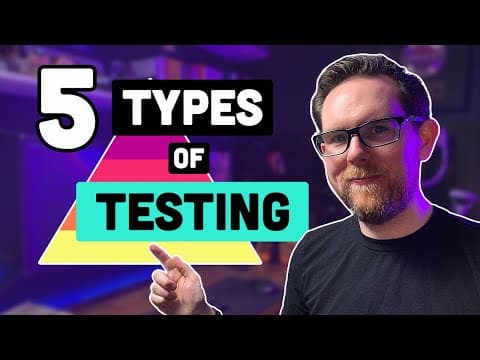
[0:00]Hi friends, welcome back to the channel. So in this video, we're going to be covering the five different types of software testing that you need to know as a software developer. Now, if you've looked into software testing before, you're probably aware of the testing pyramid. Chances are, you probably haven't thought much about why the pyramid is a pyramid to start off with. Test at the bottom of the pyramid should make up the majority of the tests in your test suite. This is where you should be focusing most of your efforts on. As we move up the pyramid, the tests become slower, they become more complex, and they take more time to maintain. At the base of our pyramid, we have the unit tests. Now, most developers are aware of what unit tests are and the importance of them. We write unit tests for all the methods and functions in our code to make sure that our program is working correctly at the lowest level. The number of unit tests you have to write is really dependent on what the goal is for your testing strategy. You should try and test every single line of your code in your methods. If you're not able to do that, then it's usually a sign that your function is doing too much or you haven't written it with testability in mind. When we write unit tests to test every single line of code, this is what we refer to as code coverage. Typically, 100% code coverage refers to line coverage, but this will vary depending on what type of industry you're working in. If you're working for the military or for the aviation industries, then you'll generally need what they call modified condition decision coverage, or MC DC for short. For MCDC, you not only test every single line of code, you also have to test every single decision as well. Let's say you have an if statement that has three different conditions in it. Therefore, under MCDC coverage, you need to write at least eight different unit tests to cover all the different scenarios. You would assume that if everything is working at the lowest level, then it's all going to work when you put it together. But that isn't always the case, which is why we need the next level of tests. The next level up in our testing pyramid is what we call the component tests. This is where we test a complete section of your application. For example, if you're writing a web application, you might have a front end, an API and a database. A component test for the API would therefore test the API in isolation from all the other components. We wouldn't include the front end, for example, and we'd also mock out the database as well as any other components that your API is talking to. The purpose of the component test is to make sure that your application is doing what you expect it to do without the interference of the other components. By mocking out the database, we can test both the happy path and the unhappy path of your application. We can see how the application will behave under certain conditions such as if the database is down or if you send in a bad request. Component tests make sure that all those units that you tested in the previous level work well when you put them together. The next level on our testing pyramid is what we call the integration tests. In the previous level, we mocked out the database and other factors, but here we want to make sure that those integrations actually work. This is where you'll usually find out that the team that you've been working with have decided to use camel case instead of snake case for their API. The monsters. Or you'll find out that you have the connection string wrong for your database or you've written a typo in one of your SQL queries. For all of these tests that we've done so far, we generally don't do them on a natural environment. Unit tests, component tests and integration tests are all generally run as part of the build process, or at the very least, before a release. Thanks to Docker, it's fairly easy to spin up a database and use it when you're running your tests on your CCD server. A lot of developers get confused by integration tests, thinking they need to test all of their application, but that isn't the case. You just need to test the integrations between your components. Generally, depending on who writes your integration tests, whether it be a developer or a tester, will determine whether they're considered white box testing or black box testing. For example, if your integration tests are written by a developer and you're testing whether your database repository can correctly write to your database, then this would be considered a white box test. However, if your integration tests are written by a tester, then they might be calling the API and then seeing whether there's something in the database. This would therefore be more of a black box because they don't need to know the internals of the application. It's not just the calls to the database that you might want to include in your integration tests. You also want to test things like calling other APIs as well as writing a message to a message queue. So far, we've tested the individual functions, we've tested the components, and we've tested how they interact together. The next level is to test the application from end to end. If you're writing a web application, then these will typically be in the form of automated UI tests. And we generally use tools such as Selenium or Cypress to drive the UI through a web browser. The goal here is to test that everything is working as expected. End-to-end tests typically include a mix between functional testing, such as making sure the login works or a list is populated correctly. And acceptance testing, which makes sure that your application is meeting business requirements. We tend to write end-to-end tests in what we call Gherkin language, which follows the given when then pattern. Frameworks such as spec flow and cucumber allow us to execute code in this format while still having the tests understandable by the business stakeholders. End-to-end tests can take a really long time to run, and typically they're not run on every single build. Once you have a lot of them, they can take several hours to run, so you generally need to run them overnight. This isn't ideal if you want to be releasing multiple times per day, and therefore most teams split up their tests into multiple groups with a critical group that they can run before each deployment. Unlike the other tests that we've looked at so far, end-to-end tests need all the components working together, and therefore they're typically run on an environment such as QA or UAT. It can take a while to have a stable set of end-to-end tests, especially if you're running them in a browser. Subtle things such as your application taking a little longer to load can cause your tests to break, and therefore you generally need someone working full-time on your automation tests. Many of the frameworks allow you to take screenshots when a test files. This can be really useful to help you see what calls the failure. There are quite a lot of different tests that fall under this bracket, such as performance testing, regression testing, and security testing. Finally, at the very top of our pyramid, we have the manual tests. These are the tests that are either too complicated to try and automate or they're not worth the time in trying to do it. Usually, it's a case of having not enough testers to developers, which results in tests having to be run manually instead of automating them. Ideally, you want to have the majority of your tests automated. Otherwise, you're going to be in this vicious cycle of not having enough time to test your application before each release. If you find a bug in your application, then it's always better to find it lower down the pyramid than it is near the top. Let's say you find a bug while you're doing your manual testing. You now have to search through your logs and try and work out where exactly your application failed. Compare that to finding a bug in your unit tests, and you'll be given a stack trace that shows you the exact line where the problem occurred. If you like this video, then please hit that like button. It really helps with the YouTube algorithm and it helps others find my videos. Thank you for watching, and I'll see you in the next video.
6m 25s1,493 words~8 min read
YouTube auto captions
Transcript source
YouTube auto captions
This transcript was extracted from YouTube's auto-generated caption track. The transcript below is server-rendered so it can be read, searched, cited, and shared without opening the original YouTube player.
Pull quotes
[0:00]So in this video, we're going to be covering the five different types of software testing that you need to know as a software developer.
[0:00]Now, if you've looked into software testing before, you're probably aware of the testing pyramid.
[0:00]Chances are, you probably haven't thought much about why the pyramid is a pyramid to start off with.
[0:00]Test at the bottom of the pyramid should make up the majority of the tests in your test suite.
Use this transcript
Related transcript hubs
Watch on YouTube
Share
MORE TRANSCRIPTS


